



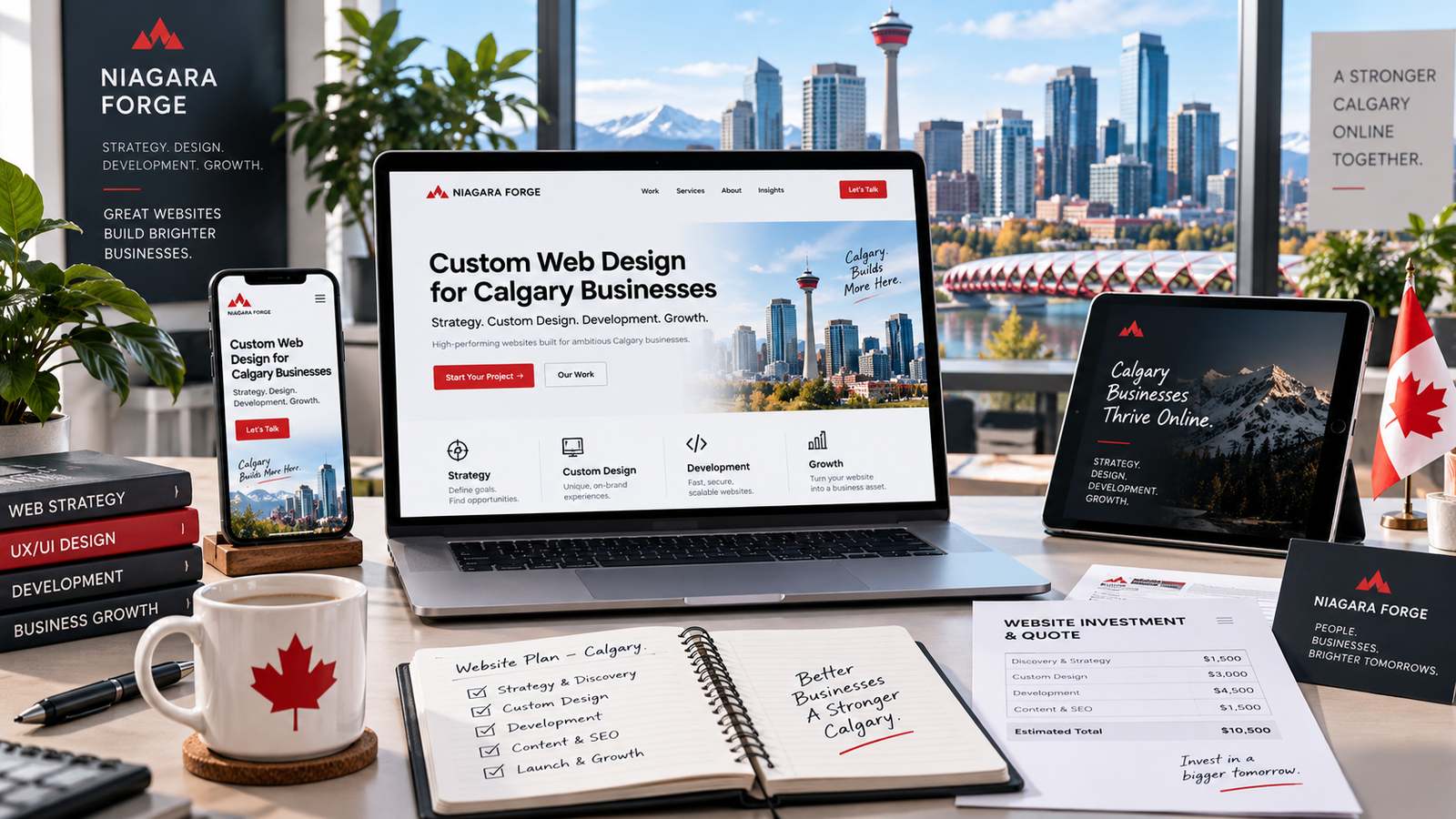
Introduction: Why Custom Web Design Matters for Calgary Businesses
Calgary’s business environment is dynamic, resource-driven, and increasingly digital-first. From energy sector startups in the Beltline to retail shops in Kensington and professional services in the deep southeast, every local brand competes for attention in a crowded online space. A website is no longer a digital brochure—it is your primary salesperson, customer service representative, and credibility marker. Yet many Calgary businesses settle for template-based websites that look generic, load slowly, and fail to convert visitors into paying customers. Custom web design changes that equation by aligning every pixel, interaction, and content block with your specific business goals, local audience, and brand identity.
This guide unpacks the strategic, financial, and procedural realities of commissioning a custom website in Calgary. You will learn why off-the-shelf themes often underperform in this market, what a tailored design actually costs, and how to navigate the design process from discovery to launch. By the end, you will have a clear framework for deciding whether custom design is the right investment for your organization—and what to expect when you make that commitment.
The Calgary Market Landscape and Digital Competition
Calgary is home to over 1.4 million residents and a diverse economy that extends far beyond oil and gas. The city has seen rapid growth in technology, logistics, healthcare, tourism, and professional services. This economic breadth means your competitors are not just the business across the street—they are also national firms, remote-first agencies, and aggressive online retailers who target Calgary customers with precision. In this environment, a template website can be a severe handicap. Templates are built for mass audiences, not for the specific search behaviours, cultural nuances, or purchasing patterns of Calgarians.
Consider how local customers search: they use phrases like “Calgary plumber with weekend hours,” “best coffee shop in Inglewood,” or “corporate lawyer near Chinook Centre.” A custom-designed site can be structured to capture these long-tail local queries through tailored page architecture, localized content, and schema markup. Moreover, Calgary’s mobile-first population expects fast, responsive experiences. Template bloat—unused CSS, heavy plugins, and generic scripts—often drags down load speeds, hurting both user experience and search rankings. Custom builds strip away this excess, delivering lean, high-performance sites that rank better and convert more effectively.
Template vs. Custom: Key Differences for Local Brands
The distinction between template and custom design is not merely aesthetic; it is functional and strategic. Templates are pre-designed layouts that you populate with your content, colours, and logos. They are inexpensive, quick to deploy, and fine for hobbyists or very early-stage ventures. However, they come with structural limitations. You inherit the template’s code, which may include unnecessary features that slow down your site. You also face design constraints—changing a layout element often requires hacking CSS or installing additional plugins, which can break the design or create security vulnerabilities.
Custom web design, by contrast, starts with a blank canvas. A designer and developer work together to create a unique interface that reflects your brand’s personality, supports your user journey, and integrates with your specific business tools (such as CRM systems, booking engines, or inventory management). This approach allows for:
- Tailored user experience: Every button, form, and navigation path is designed for your customers’ needs, not a generic template’s assumptions.
- Scalability: Custom code is written with your future growth in mind, making it easier to add new features or pages later.
- SEO advantage: Clean, semantic code and strategic content hierarchy give search engines a clear understanding of your site.
- Brand differentiation: No other business in Calgary will have the same design, eliminating the “cookie-cutter” look that erodes trust.
- Performance control: You choose the technologies, hosting, and optimizations, resulting in faster load times and lower bounce rates.
For Calgary brands that rely on local reputation—such as law firms, dental clinics, or boutique agencies—the trust signal of a unique, professional design cannot be overstated. Customers often judge a business’s credibility within seconds of landing on its website. A custom site signals investment, attention to detail, and longevity.
What This Guide Covers: Strategy, Cost, and Process
This article is structured to answer three core questions that every Calgary business owner asks before commissioning a custom website. First, strategy: how do you define your goals, audience, and content plan before any visual design begins? Second, cost: what is a realistic budget range for a custom build in Calgary, and what factors drive price variations—from the number of pages to e-commerce functionality, integrations, and ongoing maintenance? Third, process: what does the typical timeline look like, from initial discovery workshops to wireframes, visual design, development, testing, and launch? We also address common pitfalls, such as scope creep and miscommunication, so you can enter the project with realistic expectations.
By breaking down these three pillars, you will be equipped to have productive conversations with Calgary web design agencies, evaluate proposals critically, and ultimately choose a path that delivers a return on investment—not just a pretty website. The following sections dive deep into each area, providing actionable insights and practical checklists you can use immediately.
Defining Custom Web Design: Beyond Aesthetics
When Calgary business owners hear “custom web design,” they often imagine a unique color palette or an eye-catching homepage slider. In reality, true custom design is a strategic engineering process that shapes how your website performs as a sales and communication tool. A bespoke site must align visual appeal with structural logic, ensuring every element—from the navigation menu to the checkout flow—serves a defined business objective. Without this alignment, you simply have a costly brochure that fails to generate leads or support operations. This distinction matters most in a competitive market like Calgary, where energy, real estate, retail, and professional services all vie for the same digital attention.
Visual Design vs. Functional Customization
Visual design concerns the look: typography, spacing, imagery, and brand identity. Functional customization concerns the behavior: how the site loads, processes data, handles user inputs, and integrates with third-party systems. A common mistake is assuming that a beautiful template with a logo swap qualifies as custom work. True functional customization requires writing original code or heavily modifying existing frameworks to meet specific operational needs. For instance, a Calgary oilfield supplier might need a parts lookup tool that filters by API certification, while a local law firm requires a secure client portal with document upload. These are not aesthetic choices—they are coded solutions.
Consider this practical example of a custom query for a Calgary-based rental company that needs to display availability based on local pickup zones:
// Pseudocode for zone-based inventory filtering
function filterByZone(zoneId, startDate, endDate) {
  const availableUnits = units.filter(unit =>
    unit.serviceZones.includes(zoneId) &&
    unit.bookings.every(booking =>
      endDate < booking.startDate || startDate > booking.endDate
    )
  );
  return availableUnits.sort((a, b) => a.dailyRate - b.dailyRate);
}
This logic goes far beyond CSS styling. It requires database architecture, API design, and testing against real-world booking conflicts. Functional customization also involves performance tuning—minifying scripts, optimizing image delivery, and configuring server caching—so that heavy interactive features do not slow down the experience for users on mobile networks across Calgary’s sprawling suburbs.
User Experience (UX) and Conversion-Focused Layouts
Custom web design prioritizes user experience as the primary conversion driver. A conversion-focused layout deliberately guides visitors toward actions: booking a consultation, requesting a quote, or calling your office. This involves strategic placement of call-to-action buttons, heatmap-informed content hierarchy, and reducing cognitive friction. For example, a Calgary home renovation company might place a “Get a Free Estimate” button on every service page, but also include a sticky mobile footer with a click-to-call icon, since many users browse on phones while driving between job sites.
Key UX elements in a custom build include:
- Above-the-fold clarity: State your unique value proposition within the first 800 pixels of viewport height.
- Logical navigation: Use no more than seven primary menu items, with dropdowns for secondary services.
- Form simplification: Reduce required fields to name, phone, and a service dropdown to lower abandonment rates.
- Trust signals: Integrate Google Reviews or Better Business Bureau badges near decision points.
Responsive design is non-negotiable in this context. A custom layout must adapt not just screen sizes, but also touch targets, font legibility, and hover states for desktop versus mobile. Calgary winters mean many users browse indoors on high-resolution monitors, but also outdoors on gloves-friendly large phones. Testing across these real devices—not just browser resizing—is part of the custom build process.
Custom Features and Integrations for Calgary Businesses
Calgary’s economy demands specialized integrations that off-the-shelf themes often handle poorly. Consider the following scenarios:
| Industry | Custom Feature Needed | Why Off-the-Shelf Fails |
|---|---|---|
| Real Estate | MLS feed with geofenced search | Generic plugins lack local listing formatting and showing schedules. |
| Energy Services | Interactive safety documentation portal | Standard PDF embeds do not support version tracking or field-level signatures. |
| Hospitality | Dynamic event calendar with venue capacity checks | Calendar plugins do not handle multi-room booking conflicts. |
Beyond industry-specific tools, Calgary businesses often need integrations with local payment gateways (such as Stripe with Canadian tax calculations), CRM platforms like HubSpot or Salesforce, and accounting software such as QuickBooks for automated invoicing. A custom design ensures these systems communicate securely through APIs, with proper error handling for Canadian postal codes and GST/HST calculations. Moreover, custom development allows for compliance with Alberta’s privacy regulations (PIPA), ensuring that data collection forms, cookies, and analytics are configured to obtain proper consent.
Strategic custom design also considers future scalability. A Calgary startup might launch with a simple brochure site, but the architecture should allow for adding an e-commerce store, a members-only portal, or multilingual support (English and French) without rebuilding from scratch. This forward-thinking approach reduces long-term costs and positions your digital presence as an adaptable asset rather than a fixed liability.
The Strategic Foundation: Aligning Design with Business Goals
A custom website is not a digital brochure; it is a revenue-generating asset. In Calgary’s competitive market—spanning energy, tech, real estate, and retail—a site that merely looks attractive without a strategic core will underperform. The design process must begin not with color palettes or typography, but with three foundational questions: Who are we trying to reach? What action do we want them to take? How does our brand narrative support that action? Skipping this phase leads to a website that pleases the eye but fails to convert visitors into customers. A strategic approach ensures every pixel, word, and navigation choice serves a business objective, from lead generation to direct e-commerce sales.
Identifying Your Target Audience and Buyer Personas
Generic design appeals to no one. Calgary businesses must segment their audience based on local demographics, psychographics, and behavioral data. For example, a downtown legal firm targeting oil and gas executives requires a different visual tone, content depth, and mobile experience than a family-run landscaping company serving the NW communities of Tuscany or Scenic Acres. Develop two to three detailed buyer personas that include:
- Demographic specifics: age, income bracket, job title, and geographic location within Calgary (e.g., inner-city vs. suburbs).
- Pain points: what problems does this persona need solved that your service or product addresses?
- Digital behavior: do they research on mobile during commutes on the C-Train, or on desktop during office hours? What platforms do they trust?
- Decision triggers: price sensitivity, urgency, or reputation signals such as local reviews and case studies.
Once personas are defined, design choices—such as font size for readability, image selection showing diverse Calgary landscapes, and navigation labels—become intentional rather than arbitrary.
Setting Clear Conversion Goals and KPIs
A strategic website must have measurable outcomes. Without KPIs, you cannot know if your investment is working. Define primary and secondary conversion actions before a single wireframe is drawn. Common goals for Calgary businesses include:
- Primary: form fills for quotes, phone calls tracked via click-to-call, or online bookings.
- Secondary: newsletter signups, downloadable resources (e.g., a local market report), or social media follows.
- Micro-conversions: time on page, scroll depth, or video plays that indicate engagement.
Each page should have one dominant call-to-action (CTA). For instance, a home page might prioritize a phone call, while a service page pushes a consultation booking. KPI benchmarks should be set against industry averages, but local context matters—a Calgary homebuilder may see lower click-through rates but higher qualified leads due to the city’s high-ticket purchasing cycle.
Brand Storytelling and Visual Identity Integration
Custom design is the visual translation of your brand’s story. Calgary’s identity—rooted in entrepreneurial grit, mountain proximity, and a growing multicultural population—offers rich narrative material. Your website must weave this story consistently across hero sections, imagery, and microcopy. For example, a local coffee roaster might use warm, earthy tones and photos of the Bow River to evoke community and nature, while a cybersecurity firm serving Calgary’s financial district would use crisp whites, blues, and abstract geometric graphics to signal precision and trust.
Visual identity goes beyond logos. It includes iconography style, button shapes, whitespace usage, and motion effects. A strategic approach ensures these elements are not decorative but reinforce your positioning—whether that is premium, accessible, innovative, or heritage-driven. The following table outlines how different strategic priorities influence core design decisions:
| Business Goal | Design Focus | Example Element |
|---|---|---|
| Lead generation (e.g., law firm) | Trust and authority | Prominent team photos, client testimonials, and a sticky “Free Consultation” button |
| E-commerce (e.g., boutique retailer) | Speed and product clarity | High-resolution product zoom, minimal sidebar distractions, and one-click checkout |
| Service booking (e.g., dental clinic) | Frictionless conversion | Visible calendar widget, location map, and insurance FAQ accordion |
| Brand awareness (e.g., non-profit) | Emotional storytelling | Full-width video backgrounds, impact statistics with animated counters, and donation progress bars |
By aligning design with strategy from the outset, Calgary businesses avoid costly redesigns and instead build a platform that attracts the right visitors, guides them toward meaningful action, and evolves with measurable data.
Calgary-Specific Considerations in Web Design
Designing a website for Calgary requires more than applying a generic template. The city’s unique economic drivers, cultural makeup, and search behavior directly influence how your site should be structured, written, and displayed. A successful Calgary web design balances national best practices with hyper-local nuances—from energy-sector professionalism to bilingual accessibility. Below are the factors that separate a generic site from one that genuinely resonates with Calgarians.
Language and Cultural Relevance for Calgary Audiences
While Calgary is predominantly English-speaking, federal bilingualism (English/French) matters more than many assume. Official languages requirements apply to federally regulated businesses, but even private companies serving government contractors or tourism visitors benefit from strategic French-language elements. A full French translation is rarely necessary, but key pages—such as service descriptions, contact forms, and legal disclaimers—should offer a toggle or clear alternate version. More critical is cultural tone: Calgary audiences value direct, pragmatic communication over ornate marketing language. Avoid excessive superlatives; instead, emphasize measurable outcomes, local case studies, and community involvement. Imagery should reflect the city’s diverse population, including Indigenous communities, new immigrants, and the working professionals who define the city’s identity. Stock photos of generic skylines or mountains will feel inauthentic; use original photography of local landmarks, office spaces, or event venues whenever possible.
Local SEO: Geo-Targeting and Google Business Profile
For Calgary businesses, local search intent is exceptionally high. Searches like “web designer near me” or “Calgary oilfield safety training” often carry implicit geographic urgency. Your website must signal location relevance without keyword stuffing. Start with these technical and structural steps:
- Title tags and meta descriptions: Include “Calgary” in the primary title tag and one H1 per page, but only where natural (e.g., “Calgary Commercial Roofing Services”).
- Schema markup: Implement LocalBusiness or ProfessionalService schema with your physical address, phone number, and service area polygon.
- Internal linking: Create neighborhood or district landing pages (e.g., “Web Design for Beltline Startups”) only if you genuinely serve those areas.
- Google Business Profile (GBP): This is non-negotiable. Your GBP must match your website’s NAP (name, address, phone) exactly. Add Calgary-specific categories, service areas (e.g., NW, NE, SE), and regular posts about local events or projects.
For a practical example, ensure your sitemap includes a dedicated location page rather than burying your address only in the footer. A simple XML snippet for your sitemap might look like this:
<url>
  <loc>https://www.yourdomain.com/calgary-web-design/</loc>
  <lastmod>2025-03-15</lastmod>
  <changefreq>monthly</changefreq>
  <priority>0.8</priority>
</url>
Geo-targeting also extends to content. Write about local regulations (e.g., Calgary’s business licensing), weather-related closures, or partnerships with local suppliers. This builds topical authority that Google associates with geographic relevance.
Industry-Specific Design Trends (e.g., Energy, Hospitality)
Calgary’s economy is anchored by energy, technology, and tourism—each demanding distinct visual and functional priorities. For energy-sector clients (oil, gas, renewables), design should convey stability, safety, and compliance. Use muted blues, grays, and whites; avoid flashy animations that could appear unprofessional. Technical diagrams, downloadable safety data sheets, and clear navigation for investor relations are essential. For hospitality (hotels, restaurants, experiences), prioritize high-resolution imagery, mobile-first booking widgets, and integration with local event calendars. A Calgary hotel site should feature the Stampede, ski season, and convention center proximity prominently. Tech startups in Calgary lean toward bold typography, interactive elements, and dark-mode options. However, the common thread across all sectors is speed—Calgary’s business users expect sub-2-second load times, especially on mobile. Test your site on Telus and Shaw networks, not just Wi-Fi, to simulate local conditions. Ultimately, your design must reflect that you understand the client’s industry and the city’s professional culture—not just that you can build a pretty page.
Breaking Down the Cost of Custom Web Design in Calgary
Investing in a custom website in Calgary is not a one-size-fits-all expense. Unlike template-based builds with flat pricing, custom design costs fluctuate based on your business goals, the complexity of features, and the level of strategic input required. Below is a realistic breakdown to help you budget accurately and avoid surprises—though every agency and freelance team will quote differently based on their overhead, expertise, and portfolio.
Average Price Ranges for Custom Websites (CAD)
In Calgary’s current market, you can expect the following broad ranges for a professionally designed and developed custom website. These figures exclude ongoing fees and assume a typical 6–10 week delivery timeline.
| Project Scope | Typical Range (CAD) | What You Get |
|---|---|---|
| Small business brochure site (5–10 pages) | $6,000 – $12,000 | Custom layout, basic CMS, contact forms, mobile responsiveness, basic SEO setup |
| Mid-range business site (10–20 pages) | $12,000 – $25,000 | Advanced custom post types, integrations (CRM, booking), custom graphics, copywriting assistance |
| E-commerce or complex web app (20+ pages or custom functionality) | $25,000 – $60,000+ | Product catalogs, payment gateways, user accounts, third-party API integrations, custom dashboards |
Important disclaimer: These are planning estimates, not quotes. A Calgary agency with a strong brand strategy practice may charge 20–30% more than a freelance developer. Conversely, a solo designer might undercut these ranges but may offer less project management or post-launch support.
What Drives Costs: Features, Content, and Timeline
Three factors dominate the final price tag. Understanding them helps you prioritize your budget.
- Features and integrations: Every custom module—booking systems, member portals, multilingual support, or live chat—adds development hours. Off-the-shelf plugins are cheaper, but true custom builds require testing and documentation.
- Content readiness: Supplying your own professional copy and images can save $2,000–$5,000. If you need a Calgary copywriter or custom photography, expect to add those costs separately. Poorly prepared content also slows the timeline, increasing project management fees.
- Timeline pressure: A standard 8-week build allows for iterative feedback. Rush jobs (3–4 weeks) often require additional developers or overtime, which agencies will price at a premium—sometimes 15–25% above standard rates.
Hidden Costs to Watch For: Maintenance, Hosting, and Updates
The initial build is only the beginning. Many Calgary business owners overlook recurring or post-launch expenses that affect total cost of ownership.
| Recurring Item | Monthly/Annual Cost (CAD) | Why It Matters |
|---|---|---|
| Premium hosting (managed WordPress or cloud) | $30–$150/month | Shared hosting is slower and less secure; Calgary-specific CDN or backup services add reliability. |
| Security monitoring & malware cleanup | $20–$100/month | Custom sites are targets; proactive scanning prevents expensive emergency fixes. |
| Ongoing content updates (hourly or retainer) | $75–$150/hour or $300–$800/month | Most agencies don’t include post-launch edits. Budget for quarterly refreshes or new blog posts. |
| Plugin/theme renewals (if applicable) | $100–$500/year | Premium extensions require annual licenses for security patches. |
Before signing a contract, ask your Calgary web partner for a written maintenance plan. A transparent agency will clarify which updates are covered (e.g., core security patches) and which are billable (e.g., adding a new page). Setting this expectation early prevents “hidden” invoices six months after launch.
The Custom Web Design Process: Step-by-Step
Investing in custom web design in Calgary means entering a structured, collaborative journey. Unlike template-based builds, the process is tailored to your business goals, audience, and technical needs. Knowing what happens at each stage prevents surprises and keeps your project on schedule. Below is the typical workflow, with clear expectations for your involvement and timelines.
Discovery and Research: Understanding Your Business
This first phase is the foundation. Your designer or agency will conduct stakeholder interviews, review your current website analytics, and analyze competitors in the Calgary market. Expect to answer questions about your target customers, service areas, and unique value proposition. You will also define success metrics—whether that is lead form submissions, phone calls, or online bookings.
- Deliverables: Project brief, sitemap, and a written strategy document.
- Your role: Provide honest feedback, brand assets, and access to any existing customer data.
- Timeline: Usually 1–2 weeks, depending on project complexity.
During this stage, avoid jumping to visual preferences. Instead, focus on user intent. For example, a Calgary law firm may prioritize trust signals, while a restaurant needs mobile-friendly menus and reservation integration. The output is a clear blueprint that guides all future decisions.
Wireframing and Prototyping: Visualizing the Structure
Wireframes are low-fidelity, black-and-white layouts that map content hierarchy and functionality. They show where headings, images, forms, and buttons will appear—without distracting colors or fonts. After you approve the wireframes, the team builds a clickable prototype. This interactive model lets you test navigation flows on desktop and mobile before any visual design begins.
Expect two to three revision rounds. During this phase, you should:
- Click through every page and simulate common tasks (e.g., finding a contact number).
- Verify that the structure matches your internal team’s knowledge of customer questions.
- Request changes to content priority, not just aesthetics.
A practical example: if you run a Calgary home renovation company, the prototype should let users easily navigate from “Gallery” to “Request a Quote” without extra clicks. If a flow feels broken, now is the time to fix it—changes here cost 10x less than after development.
Design, Development, Testing, and Launch Phases
Once the prototype is approved, visual design begins. This includes color palettes, typography, imagery, and motion effects that reflect your brand. You will receive high-fidelity mockups for sign-off. After that, developers convert designs into a functional website, typically using a content management system (CMS) like WordPress or a custom framework.
Development includes front-end coding (HTML, CSS, JavaScript) and back-end setup (databases, server configuration). For Calgary businesses with local SEO needs, developers will implement schema markup and ensure fast load times. A common task is adding a custom redirect map for an old site. Here is an example of an Apache redirect rule you might discuss with your developer:
Redirect 301 /old-services-page.html https://www.yourcalgarysite.com/servicesTesting is rigorous and covers cross-browser compatibility, mobile responsiveness, form submissions, and security checks. You should allocate at least one full week for user acceptance testing (UAT), where your team tries real scenarios. Finally, launch involves DNS changes, SSL certificate installation, and a soft-launch period to monitor errors.
| Phase | Typical Duration | Key Client Actions |
|---|---|---|
| Design mockups | 1–2 weeks | Approve visuals, request brand adjustments |
| Development | 3–6 weeks | Provide final content, test staging site |
| Testing & launch | 1–2 weeks | UAT sign-off, coordinate domain migration |
Throughout, expect weekly progress reports and a dedicated point of contact. A typical custom project takes 6–12 weeks from discovery to launch. Rushing any phase increases technical debt and user frustration. The result is a site built for Calgary’s competitive landscape—not a generic template, but a strategic asset that converts visitors into customers.
What to Expect from Your Calgary Web Design Agency
Engaging a professional web design agency in Calgary should feel like a structured partnership, not a guessing game. From the first discovery call to the final analytics handoff, a reputable firm will set clear expectations around process, communication, and ongoing care. If an agency cannot articulate these standards upfront, consider that a warning sign. Here is what a mature, client-first Calgary agency should provide at every stage.
Communication and Project Management Best Practices
Your agency should assign a dedicated project manager (PM) who acts as your single point of contact. This person schedules regular check-ins—typically weekly or bi-weekly—and provides a written status update after each meeting. Expect a shared project timeline (e.g., in Asana, Trello, or a simple Gantt chart) that tracks milestones like wireframes, design mockups, content integration, and testing. Communication should be proactive: if a deadline is at risk, you should hear about it before it slips, not after. Best practices include:
- Defined response times: Emails answered within one business day; urgent issues flagged within 4 hours.
- Centralized feedback loops: All comments on designs or builds collected in one tool (e.g., Figma comments, Notion) rather than scattered emails.
- Change request process: A formal method for scope additions, with clear cost and timeline implications documented before work begins.
- Regular demos: Live walkthroughs of the staging site at key milestones (e.g., after homepage build, after CMS training).
If an agency refuses to share a written project plan or only communicates via phone calls without summaries, that is a red flag. Professionalism means documentation.
Deliverables: Style Guides, Training, and Documentation
Beyond the finished website, you should receive a set of handover assets that make your site maintainable. A typical Calgary agency’s deliverable package includes:
- Style guide: A visual reference covering fonts, color hex codes, button states, spacing rules, and logo usage. This ensures any future edits (by you or another developer) stay consistent.
- CMS training: A recorded video and a written PDF tutorial showing how to update pages, blog posts, and images. Ask for a live 30-minute session where you make changes yourself under guidance.
- Technical documentation: Login credentials (via a secure password manager, not email), hosting and domain details, and a list of plugins or integrations with their purposes.
- Source files: Editable versions of your logo, favicon, and any custom graphics, plus a copy of your sitemap and user flow diagrams.
Do not accept a “we’ll just send you a link” approach. If the agency cannot provide a style guide or training materials, they are likely cutting corners on quality control.
Post-Launch Support and Maintenance Agreements
Launch day is not the finish line. Expect a clearly defined post-launch warranty period (typically 30 days) during which the agency fixes any bugs or browser compatibility issues at no extra charge. After that, a professional agency will offer a maintenance plan covering monthly backups, core and plugin updates, security scans, and uptime monitoring. Ask for specifics:
| Maintenance Component | What to Expect |
|---|---|
| Monthly cost | Typically $100–$300 CAD for a small business site, depending on complexity. |
| Emergency support | A guaranteed response time (e.g., 4 hours) for critical outages, with a phone number or dedicated ticket system. |
| Reporting | A monthly summary of uptime, security patches, and any performance changes. |
| Scope of changes | Small content edits (e.g., text or image swaps) included; larger redesigns billed hourly or quoted separately. |
Red flags include agencies that vanish after launch, refuse to provide a maintenance agreement, or charge per-bug without a service level agreement. A trustworthy Calgary partner will hand you a clear renewal contract with pricing and cancellation terms, ensuring your investment stays secure long after the final invoice is paid.
DIY vs. Hiring a Professional: Pros and Cons
For Calgary business owners, the decision between building a website yourself and hiring a professional often comes down to three factors: budget, time, and the level of polish required to convert visitors into customers. While DIY tools have improved dramatically, they solve a different problem than a custom build. Understanding the trade-offs—especially in a competitive local market like Calgary’s—can save you from costly redesigns within 18 months.
Website Builders: Limitations and Hidden Costs
Platforms like Wix, Squarespace, or Shopify offer drag-and-drop convenience and low monthly fees. However, the “free” or “cheap” sticker hides several realities. First, you are renting a template. Your site will share its core layout with thousands of other businesses, which makes differentiation difficult in a city with over 60,000 registered companies. Second, hidden costs accumulate quickly: premium plugins, e-commerce transaction fees (typically 2.9% + $0.30 per sale), custom domain setup, and removing platform branding can push a $15/month plan past $80/month. Third, performance limitations matter. Shared hosting on these platforms often delivers loading speeds of 3–5 seconds, while Calgary mobile users expect under 2 seconds. Finally, you own no code. If you need to migrate later, you start from scratch.
Freelancers vs. Agencies: Quality, Accountability, and Cost
Hiring a freelancer or an agency both beat DIY for quality, but they differ in risk. Freelancers in Calgary typically charge $2,500–$7,500 for a custom site. They offer personal attention and lower hourly rates ($50–$120/hour). However, you assume higher risk: illness, overbooking, or a single point of failure for ongoing maintenance. Agencies (ranging from $8,000–$25,000+ for custom work) provide a team: a project manager, designer, developer, and QA tester. You get documented processes, SLA-backed support, and accountability. The trade-off is cost and slower iteration due to internal meetings. For a Calgary business needing SEO integration, custom functionality (e.g., booking systems, inventory), or strict brand guidelines, an agency’s process usually prevents the “it works on my computer” failure that plagues solo developers.
Long-Term Value of a Professional Custom Build
A professional custom build is not a cost; it is an asset. Unlike a template, custom code is written for your specific conversion goals—whether that is capturing leads for a real estate firm in Beltline or processing orders for a roastery in Inglewood. Professionals optimize for Core Web Vitals, which directly impacts Google rankings for local searches like “Calgary web design” or “plumber near me.” They also build with a content management system that allows you to edit text without breaking layout. More critically, they provide documentation, version control, and a handoff package. This means you are not locked into one vendor. Over five years, a $10,000 custom site amortizes to $167/month—often less than the combined cost of builder subscriptions, premium plugins, and lost sales from a slow, generic site.
| Approach | Upfront Cost | Monthly/Recurring | Load Speed (Typical) | Customization Level | Time to Launch | Ownership |
|---|---|---|---|---|---|---|
| Website Builder | $0–$500 | $30–$150 (with plugins) | 3–5 seconds | Low (template-based) | 1–3 days | Rented (no code) |
| Freelancer | $2,500–$7,500 | $50–$200 (maintenance) | 1.5–3 seconds | High (custom code) | 3–8 weeks | Full (with contract) |
| Calgary Agency | $8,000–$25,000+ | $200–$800 (SLA support) | 1–2 seconds (optimized) | Very high (unique build) | 6–12 weeks | Full (with documentation) |
For most Calgary small businesses, the middle path works: hire a freelancer for a simple brochure site, but choose an agency if you need e-commerce, custom integrations, or aggressive local SEO. Avoid DIY unless you are testing an idea with zero revenue expectations. Remember that your website is your only salesperson working 24/7—skimping on its foundation often costs more in lost trust than any upfront savings.
Measuring Success: Analytics and Continuous Improvement
Launching a custom website in Calgary is not the finish line; it is the starting point for data-driven growth. Without measurement, you are navigating blind. A strategic analytics framework reveals what resonates with your local audience, which pages drive qualified leads, and where friction silently kills conversions. The goal is to transform raw data into actionable decisions that compound your return on investment over time.
Essential Metrics: Traffic, Bounce Rate, and Conversions
Begin by tracking three core pillars. Traffic volume tells you how many visitors arrive, but segment it by source—organic search, paid ads, referrals, and direct—to see which channels deserve more budget. Bounce rate measures the percentage of visitors who leave after viewing only one page. A high bounce rate on a service page (above 70%) signals a mismatch between user intent and your content or load speed. Conversions are the ultimate proof of effectiveness: form submissions, phone calls, quote requests, or e-commerce purchases. Set up goals in Google Analytics 4 (GA4) to track these actions automatically.
For a practical monthly review, use this checklist:
- Compare month-over-month organic traffic growth (target: 10%+).
- Identify pages with the lowest bounce rate—replicate their structure.
- Calculate conversion rate per landing page (industry benchmark: 2–5%).
- Check mobile vs. desktop performance separately.
If you use GA4, create a custom report with this query to isolate high-intent pages:
SELECT page_path, sessions, engaged_sessions, conversions
FROM `your-project.analytics_123456.events_*`
WHERE event_date >= DATE_SUB(CURRENT_DATE(), INTERVAL 30 DAY)
GROUP BY page_path
ORDER BY conversions DESC
LIMIT 20;
Using Heatmaps and User Feedback to Refine UX
Analytics show what happens; heatmaps reveal why. Tools like Hotjar or Microsoft Clarity overlay click, scroll, and mouse movement data on your Calgary website. You might discover that visitors click non-clickable elements, stop scrolling before your call-to-action, or ignore your primary navigation. Pair this with session recordings—watch three or four anonymized user sessions weekly to spot confusion. Then launch targeted on-page surveys (e.g., “Did you find what you were looking for?”) to capture qualitative friction. For example, if a heatmap shows 60% of users never reach your pricing section, move it higher or add an anchor link. Test one change at a time using A/B testing to isolate impact.
When to Consider a Redesign or Site Refresh
Continuous improvement extends the life of your custom site, but every website eventually needs a structural overhaul. Redesign triggers include:
- Declining conversions despite increased traffic over three consecutive months.
- Outdated user interface that fails accessibility standards (WCAG 2.1) or looks dated against Calgary competitors.
- Poor mobile experience—if over 60% of sessions come from mobile but mobile bounce rate exceeds 80%.
- Major business pivot—new services, rebrand, or expanded geographic reach.
- Page load time above 4 seconds on standard broadband, hurting SEO and user patience.
A site refresh (updating copy, imagery, and calls-to-action) costs less and works when your architecture and code remain sound. A full redesign is justified when technical debt—outdated CMS, security vulnerabilities, or inflexible layout—blocks your marketing experiments. Before committing, audit your analytics for the last 12 months. If you cannot attribute at least 35% of inbound leads to your website, the problem is likely strategic, not cosmetic. Schedule quarterly analytics reviews with your designer or marketing team to decide whether iteration or reinvention is the smarter investment for your Calgary business.
Conclusion: Making the Right Investment for Your Calgary Business
Custom web design is not an expense; it is a strategic asset that compounds in value over time. For Calgary businesses competing in a crowded local market—from energy startups in the Beltline to retail shops in Kensington—your website is often the first handshake, the first storefront, and the first proof of credibility. The difference between a template and a custom build is not merely aesthetic; it is operational. A tailored site aligns with your sales funnel, your brand voice, and the specific behaviours of your local audience. As you weigh your options, remember that the cheapest quote rarely delivers the highest return, and the fastest timeline rarely accommodates the strategic thinking your business deserves.
Recap: Strategy, Costs, and Process Essentials
The journey begins with discovery, not design. A reputable Calgary agency or freelancer will spend significant time understanding your customer demographics, your competitive landscape, and your conversion goals before a single pixel is placed. Strategy informs structure, content hierarchy, and user flow—not the other way around.
Costs in Calgary vary widely based on scope, but you can expect a realistic range for a professional, custom-built website:
| Project Scope | Typical Investment (CAD) | Timeline |
|---|---|---|
| Small business (5–10 pages, basic CMS) | $5,000 – $10,000 | 4–6 weeks |
| Mid-market (10–20 pages, custom features, integrations) | $10,000 – $25,000 | 8–12 weeks |
| Enterprise or e-commerce (advanced functionality, CRM) | $25,000 – $60,000+ | 12–20+ weeks |
The process itself follows a predictable arc: research and wireframes, visual design mockups, development, content population, and rigorous testing. You should expect two to three revision rounds on design, and a clear content delivery deadline from your side—delays in copy or images are the top reason projects slip.
Questions to Ask Before Hiring a Designer or Agency
Not all custom web designers are created equal. Before signing a contract, ask these pointed questions to avoid costly mismatches:
- Who owns the code and design files at the end? You should have full ownership, not a license held hostage.
- What is your approach to mobile-first design? A responsive afterthought is not acceptable for Calgary’s on-the-go users.
- Do you provide post-launch support and training? You need to know how to update content without breaking the layout.
- Can you show me examples of local Calgary businesses you’ve helped? Local context matters for SEO and cultural nuance.
- How do you handle SEO from the technical side? Custom code must include clean schema, fast load times, and proper meta structures.
- What happens if the project goes over budget? Get a written change-order policy before work starts.
Next Steps: Starting Your Custom Web Design Journey
Begin by auditing your current website. List its three biggest weaknesses—perhaps slow load speed, poor mobile navigation, or an unclear call-to-action. Then, define your primary business goal for the next 18 months: lead generation, online sales, or brand authority. With that clarity, shortlist three Calgary-based designers or agencies. Request proposals that include a strategy workshop, not just a price quote. Ask for references from businesses in similar industries or revenue brackets.
Finally, set a realistic budget that accounts for ongoing maintenance—typically 10–15% of the build cost annually for updates, security, and hosting. A custom website is not a one-time deliverable; it is a living tool that must evolve with your offerings and your customers’ needs. When you choose a partner who listens, challenges your assumptions, and brings local market insight, you are not buying a webpage—you are investing in a digital foundation that will serve your Calgary business for years to come. Take the time to vet, ask the hard questions, and prioritize strategic alignment over flashy portfolios. Your future customers will thank you.
Frequently Asked Questions
What does custom web design in Calgary typically cost?
Custom web design in Calgary typically costs between $5,000 and $30,000+ for a business website, depending on complexity, features, and agency experience. Small business sites with 5–10 pages often range from $5,000–$10,000. Mid-sized sites with custom functionality, e-commerce, or integrations run $10,000–$25,000. Enterprise-level projects with advanced custom development can exceed $50,000. Always request a detailed quote that breaks down strategy, design, development, and ongoing maintenance. Remember, lower-cost options may cut corners on UX and SEO, affecting long-term performance.
How long does a custom web design project take in Calgary?
A typical custom web design project in Calgary takes 6 to 12 weeks from kickoff to launch. The timeline depends on project scope, content readiness, client feedback speed, and the agency’s workload. A simple informational site may be completed in 4–6 weeks, while a complex e-commerce or custom web application can take 3–6 months. The process includes discovery, wireframing, visual design, development, content integration, testing, and launch. Delays often occur when clients provide content late or request major revisions. Set clear milestones with your agency to keep the project on schedule.
What is the difference between custom web design and template-based design?
Custom web design is built from scratch or with a custom theme tailored to your brand, goals, and functionality. It offers unique layout, code, and scalability, but costs more and takes longer. Template-based design uses pre-built themes (like WordPress themes or website builders) that you customize with colors, fonts, and content. Templates are cheaper and faster but can look generic and may have limitations. For Calgary businesses wanting to stand out, rank well, and provide a unique user experience, custom design is often worth the investment. Templates can work for small budgets or quick launches.
What should I look for when hiring a Calgary web design agency?
When hiring a Calgary web design agency, look for a solid portfolio with case studies and measurable results. Check client testimonials, reviews on Google and Clutch, and ask for references. Ensure they offer a clear process, including strategy and UX, not just visuals. Ask about their experience with SEO, mobile responsiveness, and web accessibility (WCAG). Confirm who owns the design and code, and what ongoing support they provide. Also, verify they have experience in your industry or with similar project complexity. A good agency will communicate transparently and provide a detailed timeline and cost breakdown.
Why is SEO important in custom web design?
SEO (Search Engine Optimization) is critical in custom web design because it affects how easily your target audience finds you on Google. A well-designed site must have clean code, fast load times, mobile-friendly layouts, proper heading hierarchy, XML sitemaps, and optimized images to rank well. Custom design allows you to build SEO best practices from the ground up, avoiding template bloat and technical issues. In Calgary’s competitive market, local SEO helps you appear in map packs and local search results. By integrating SEO during design, you save time and money on costly fixes later.
What is the typical process for a custom web design project?
A typical custom web design process includes: 1) Discovery – understanding your business, audience, and goals. 2) Strategy – creating sitemap, content plan, and SEO keywords. 3) UX/UI design – wireframes and visual mockups for approval. 4) Development – building the site with CMS (like WordPress) and custom features. 5) Content integration – adding your text, images, and videos. 6) Testing – checking functionality, speed, and mobile responsiveness. 7) Launch – going live and configuring analytics. 8) Post-launch – training, maintenance, and optimization. Each step ensures the final site meets your objectives and provides a great user experience.
How do I choose between a Calgary freelancer and an agency for web design?
Choose a Calgary freelancer if you have a limited budget, a simpler project, and can manage the process closely. Freelancers often charge lower hourly rates ($50–$100) but may have limited availability or skills. Choose an agency if you need a full team (designers, developers, project managers, SEO specialists), especially for complex or multi-phase projects. Agencies typically cost more but offer reliability, accountability, and a broader skill set. Review portfolios and interview both options. Ask about communication, backup support, and how they handle revisions. Your choice should align with your project’s complexity, timeline, and long-term goals.
What hidden costs should I expect after my custom website launches?
After your custom website launches, expect ongoing costs such as domain renewal (about $15–$30/year), hosting (often $30–$200/month depending on provider and traffic), SSL certificate (sometimes included), and premium plugin licenses. You may also need ongoing maintenance (security updates, backups) costing $50–$200/month. Additional costs include content updates, SEO audits, and digital marketing. If you use a Calgary agency, they may offer a maintenance plan. Budget for these recurring expenses to keep your site secure and performing well. Also, consider the cost of new features or redesigns as your business evolves.
Sources and further reading
- City of Calgary – Official Website
- Statistics Canada – Small Business Profiles
- Google Search Central – Webmaster Guidelines
- W3C – Web Accessibility Initiative
- Canadian Internet Registration Authority (CIRA)
- WordPress.org – Theme Development
- Better Business Bureau (BBB) – Calgary
- Calgary Chamber of Commerce
- Nielsen Norman Group – Web Design & Usability
- Smashing Magazine – Web Design Articles
Tagged with :






Comment (1)
Pingback: When Should a Canadian Business Invest in WordPress Web Design?