


Professional Services Marketing
168 Minute
Custom Web Design for Professional Services Firms in Canada: A Complete Strategic Guide

Why Canadian Professional Services Firms Need Custom Web Design
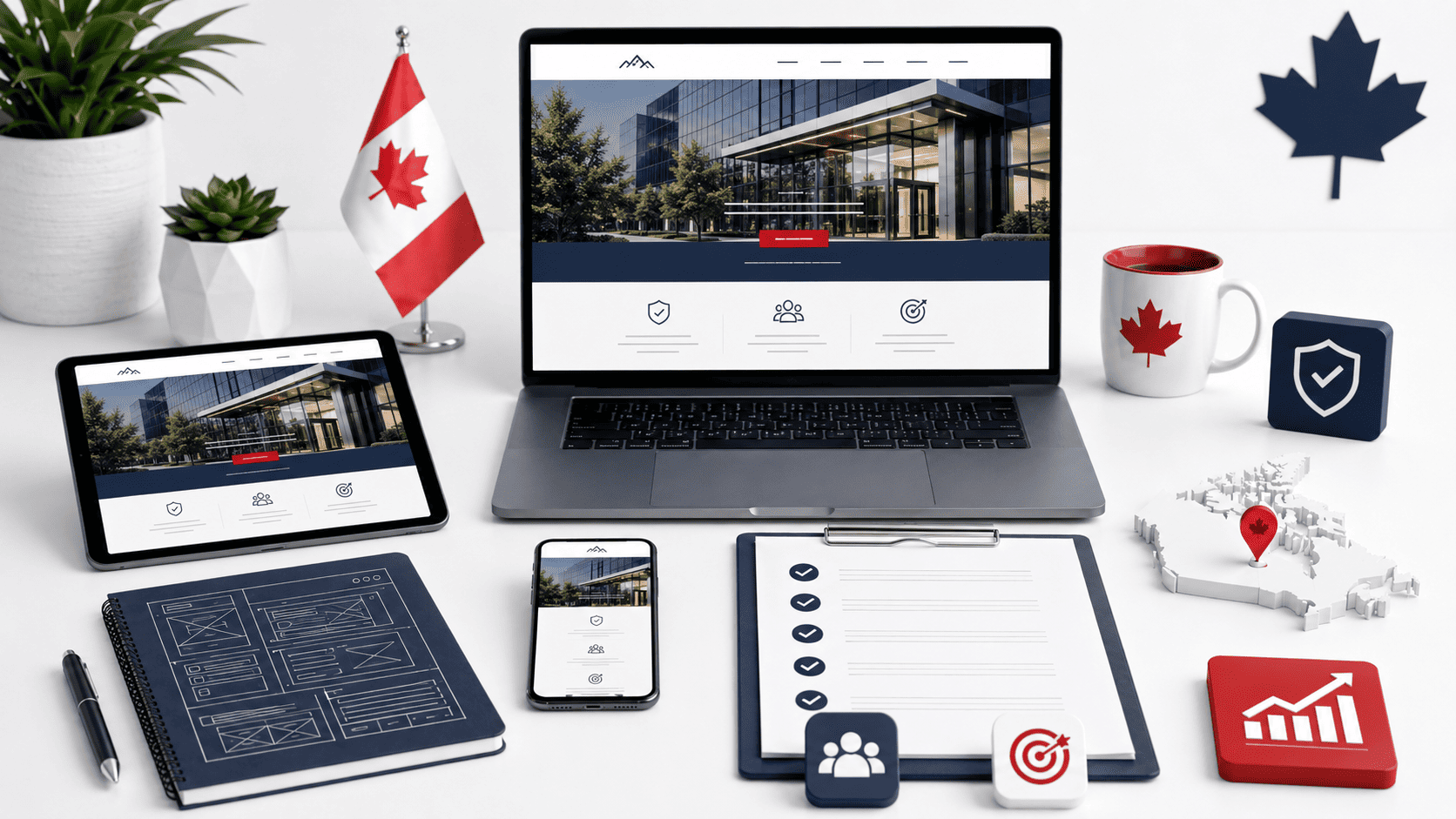
For accounting, consulting, engineering, architecture, and law firms operating in Canada, the website is not merely a digital brochure—it is the primary stage where credibility is won or lost before a single phone call is made. Professional services are intangible, high-stakes, and purchased on the basis of trust. Yet many Canadian firms rely on generic templates that flatten their expertise into a predictable grid of stock photos and boilerplate copy. This approach fails to address the specific expectations of Canadian clients, who are evaluating not just technical competence but also cultural fluency, regulatory awareness, and regional sensitivity. A custom web design is the only reliable way to communicate the depth of your firm’s judgment, the rigor of your methodologies, and your commitment to the nuanced realities of the Canadian market.
The Trust Deficit: How Generic Templates Undermine Credibility
A template-based website signals that a firm has invested minimal thought into its own presentation. For a prospective client comparing two legal or engineering firms, the one with a bespoke digital presence immediately conveys that it will treat their complex matter with the same level of care and originality. Generic themes often include irrelevant placeholder elements—massive hero sliders, generic icons, and vague calls-to-action—that dilute the specific value propositions of professional services. Worse, templates frequently lack the structural depth needed to present case studies, thought leadership, or team credentials in a way that demonstrates intellectual rigor. When a firm’s website looks indistinguishable from a real estate agent’s or a restaurant’s, the subconscious message is that the firm applies the same cookie-cutter approach to client work. Custom design eliminates this deficit by aligning every visual element, interaction, and content block with the firm’s actual areas of practice, professional standards, and client outcomes.
Canadian Market Nuances: Bilingualism, Regional Diversity, and Industry Standards
Canada’s professional services landscape is not a single market. It is a mosaic of provincial regulations, linguistic expectations, and distinct regional business cultures. Custom web design allows a firm to address this complexity directly:
- Bilingual accessibility: French-language content must be more than a translation toggle; it requires proper typographic support, cultural tone adjustments, and navigation that works naturally in both official languages. Custom design ensures that the French experience feels native, not secondary.
- Provincial regulatory cues: Legal and accounting firms must often display jurisdictional credentials, such as provincial law society memberships or CPA designations. A custom layout can integrate these elements prominently and elegantly, whereas templates force them into footers or buried pages.
- Regional industry focus: A consulting firm serving Alberta’s energy sector needs different visual and content emphasis than one focused on Ontario’s financial services or British Columbia’s technology ecosystem. Custom design lets you tailor imagery, terminology, and case studies to the dominant industries in your target provinces.
- Indigenous and multicultural awareness: Canadian clients increasingly expect firms to demonstrate respectful engagement with Indigenous communities and diverse populations. Custom design can include authentic visual representation and land acknowledgment phrasing that aligns with your firm’s actual practices.
Moving Beyond DIY Builders: The Competitive Advantage of Custom Solutions
DIY website builders appeal to cost-conscious firms, but they impose severe limitations on differentiation, performance, and scalability. A custom-designed website offers a strategic edge that directly impacts business development:
- Tailored user journeys: Guide a prospective client from “who we are” to “how we solve your specific problem” without the distractions built into generic templates.
- Advanced functionality: Integrate secure client portals, resource libraries, or interactive tools (e.g., tax calculators or project scoping forms) that align with your firm’s service delivery model.
- Search engine positioning: Custom code and structure allow for precise schema markup, faster load times, and mobile optimization that generic themes often sacrifice for visual convenience.
- Long-term adaptability: As your firm adds practice areas, hires new partners, or enters new provinces, a custom system evolves with you—without requiring a complete redesign or migration.
In a market where reputation is your most valuable asset, the website must function as a precise instrument of that reputation. Canadian professional services firms that invest in custom design are not just improving aesthetics; they are building a digital environment that mirrors the care, precision, and regional intelligence they bring to every client engagement. Templates may save time initially, but they cost far more in missed opportunities and diminished trust. Custom design is the strategic foundation upon which a credible, competitive, and distinctly Canadian professional services practice is built.
Core Elements of High-Converting Professional Services Websites
For professional services firms in Canada—whether legal, accounting, consulting, or engineering—a website is not a brochure; it is a lead-generation engine. Custom web design for professional services firms in Canada must move beyond aesthetics to systematically address the skepticism and high expectations of B2B buyers. Every pixel should work to answer three unspoken questions: Can you solve my specific problem? Are you credible enough to trust? What is the next logical step I should take? The following components form the backbone of a website that converts visitors into qualified consultations, and each requires deliberate strategic planning rather than template-based guesswork.
Crafting a Compelling Value Proposition for Your Firm’s Unique Expertise
Generic statements like “we provide quality legal services” are invisible to a prospective client scanning for relevance. Your value proposition must articulate the specific outcome you deliver to a defined audience, and why your firm is uniquely positioned to achieve it. For Canadian firms, this often means addressing provincial regulatory nuances, bilingual requirements, or industry-specific compliance (e.g., energy law in Alberta, tech IP in Ontario).
To craft this effectively, follow a three-part structure on your homepage hero and key service pages:
- Audience clarity: Name the sector or client type (e.g., “mid-market manufacturing firms,” “Canadian fintech startups”).
- Primary outcome: State the measurable result (e.g., “reduce cross-border tax exposure,” “defend against employment tribunals”).
- Differentiator: Highlight a provable advantage—a unique methodology, decades of tribunal experience, or a proprietary audit tool.
Place this proposition within the first 150 words of the page, ideally in an H1 or prominent subheadline. Pair it with a supporting image of your actual team, not stock photography, to reinforce authenticity. Avoid jargon; a CFO should immediately grasp your value without needing a legal or accounting dictionary.
Strategic Calls-to-Action: From ‘Contact Us’ to ‘Book a Consultation’
A single “Contact Us” button buried in the footer is a conversion killer. High-converting professional services websites use a ladder of commitments, offering low-friction actions for early-stage visitors and higher-intent actions for those ready to engage. Custom design enables you to place these CTAs contextually, matching the user’s mindset at each scroll depth.
Consider this hierarchy of CTAs and their ideal placement:
| Visitor Stage | CTA Type | Example Wording | Placement |
|---|---|---|---|
| Early research | Resource download | “Download the 2025 Canadian Compliance Checklist” | End of blog post or resource page |
| Evaluating options | Low-commitment inquiry | “Ask a Question” or “Get a General Overview” | Sticky header (after 50% scroll) or sidebar |
| High intent | Direct booking | “Book a 30-Minute Consultation” | Hero section, service page bottom, and thank-you pages |
For each CTA, ensure the linked landing page repeats the specific promise from the button. For example, if you offer a “free initial consultation,” explicitly state what that call includes (duration, who attends, what preparation is required). This reduces no-shows and filters out tire-kickers. Use contrasting accent colours for primary CTAs, but reserve them for high-intent actions only; secondary links should be text-based or outlined to avoid competing for attention.
Building Trust Through Case Studies, Testimonials, and Professional Accreditations
Professional services are an intangible purchase—clients cannot test your advice before buying. Trust must be constructed through evidence. The most persuasive proof combines third-party validation (accreditations) with narrative outcomes (case studies) and peer endorsement (testimonials). Custom web design allows you to layer these elements without cluttering the user journey.
Implement a three-tier trust system:
- Micro-proof in the footer: Logos of professional bodies (e.g., Law Society of Ontario, CPA Canada, Professional Engineers Ontario) with hyperlinks to verify current membership.
- Inline social proof near CTAs: A single, highly relevant testimonial that mentions a similar industry challenge, placed directly above a “Book a Consultation” button. Include the client’s name, title, and company (with permission).
- Dedicated case study section: For each case study, use a consistent format: Client context, the specific problem, your firm’s approach (with methodology), and quantified results. Avoid vague statements like “successful outcome”—instead, write “reduced audit exposure by $1.2M” or “resolved dispute in 6 months instead of the typical 18.”
Accreditations should be displayed as badges with hover states that open a tooltip explaining what the credential means to the client. For example, a “Certified Management Consultant (CMC)” badge should clarify that this requires ongoing peer review and ethics training. This level of detail signals that your firm does not merely collect logos but understands their substantive value.
User Experience (UX) Strategies for Complex Service Offerings
Professional services firms in Canada—whether law, accounting, engineering, or management consulting—often struggle to translate intricate expertise into a clear digital presence. A custom web design approach allows you to move beyond generic templates and build an experience that mirrors how your clients actually think. The goal is to reduce cognitive load: visitors should never feel lost in a maze of practice areas or buried under jargon. By prioritizing structure, navigation, and journey-specific design, you can transform a dense service portfolio into a guided pathway that builds confidence and drives qualified inquiries.
Structuring Service Pages for Clarity and Depth
Each service page must serve two masters: clarity for the scanning visitor and depth for the serious evaluator. Begin with a concise, plain-language summary of the service’s outcome—not the process. For example, instead of “We provide tax compliance under Section 153,” write “We help Canadian businesses meet CRA payroll and remittance obligations without penalties.” Follow this with a layered structure that allows users to expand their understanding only when needed.
- Problem statement: One sentence that names the client’s pain point (e.g., “cross-border IP disputes”).
- Approach overview: A 3-step visual or short paragraph showing your method, not a timelime.
- Key deliverables: Bullet points of tangible outputs (e.g., “risk audit,” “compliance calendar”).
- Relevant expertise: Link to named professionals with bios, not just a department page.
- Next step: A clear, low-commitment call-to-action (e.g., “Download our service brief” or “Book a 20-minute scoping call”).
For multi-practice firms, avoid creating separate pages for every sub-specialty that differ only by a few keywords. Instead, use a “core service” page with expandable accordions for related niches. This preserves depth while preventing duplication and SEO cannibalization. A custom design lets you control this hierarchy, ensuring that a page about “M&A due diligence” still links logically to “Securities compliance” without overwhelming the user.
Intuitive Navigation and Information Architecture for Multi-Practice Firms
When a firm has six practice groups, each with five sub-services, a traditional top-nav bar fails. Custom information architecture (IA) requires a user-centered taxonomy based on client intent, not internal org charts. For instance, a client seeking “employment contracts” may not know that your firm categorizes this under “Labour & Employment” or “Corporate Services.” Use card-based navigation on the homepage that groups services by client problem (e.g., “Starting a Business,” “Resolving a Dispute,” “Managing Risk”), not by legal or accounting terminology.
Your primary navigation should contain no more than five to seven top-level items. Secondary needs—like “Insights,” “Careers,” or “Offices”—should live in a utility header or footer. For firms with a genuinely massive portfolio (e.g., 20+ practice areas), implement a mega-menu that opens on hover or click, displaying service names in two columns with brief descriptions. Avoid dropdowns with more than 10 items; instead, use a “View all services” link that leads to a well-designed index page with filterable options by industry, service type, or office location. This approach respects the user’s working memory and allows them to scan without scrolling endlessly.
Designing for Different User Journeys: First-Time Visitors vs. Returning Clients
A first-time visitor does not know your firm’s reputation, terminology, or internal structure. They need reassurance, social proof, and education. A returning client, however, seeks efficient access to specific resources: a billing portal, a case manager’s contact, or a downloadable template. Custom web design can differentiate these paths without forcing users to self-identify. Use persistent, unobtrusive elements like a “Client Login” button in the top-right corner that leads to a separate, minimal interface. For first-timers, the homepage should feature a prominent “What We Do” section with plain-language service descriptions, client testimonials, and a “How We Work” timeline that demystifies your process.
For returning clients, consider a personalized dashboard if your CMS supports it, showing recent documents, upcoming deadlines, or direct messages from their advisor. If a full portal is overkill, at least ensure that the main navigation includes a “Resources” link that filters to client-only content (e.g., checklists, prior reports) behind a simple password gate. Below is a comparison of how design elements should differ across these two journeys:
| Design Element | First-Time Visitors | Returning Clients |
|---|---|---|
| Primary Goal | Build trust and explain scope | Complete tasks quickly |
| Content Density | High-level summaries, visual cues | Direct access to documents and contacts |
| Navigation Pathway | Guided via “Start Here” or service cards | Shortcuts to portals, calendars, or email |
| Call-to-Action | “Book a consultation” or “Download overview” | “View case file” or “Request renewal” |
| Visual Tone | Reassuring, educational, human-centric | Clean, utilitarian, action-oriented |
Ultimately, custom web design for professional services firms in Canada is not about aesthetics alone—it is about engineering a frictionless path from curiosity to confidence. By structuring service pages in layers, building intuitive IA around client problems, and tailoring journeys to user intent, your website becomes a silent partner in converting complex expertise into accessible value.
Visual Branding and Design That Communicates Professionalism
For professional services firms in Canada—lawyers, accountants, consultants, and financial advisors—your website’s visual language is a direct proxy for your expertise. A generic template with stock imagery signals generic service. Custom design, by contrast, allows you to control every pixel, ensuring that color, type, photography, and layout work in concert to project authority, precision, and trustworthiness. The goal is not to be the loudest firm in the room, but the most credible and memorable one. This section explores how to build a visual identity that does exactly that, without sacrificing usability or accessibility.
Color Psychology and Typography Choices for Professional Services
Color is your firm’s first non-verbal handshake. In the Canadian professional sector, deep navy and forest green remain dominant because they evoke stability, fiscal conservatism, and institutional memory. However, a custom design allows you to introduce a restrained accent—such as a muted burgundy or a warm brass—to differentiate your firm from the sea of dark blue competitors. Avoid pure black and pure white; instead, use off-whites (like #FAF9F6) for backgrounds and charcoal (#2C2C2C) for body text to reduce visual glare and feel more premium.
Typography carries an equally heavy burden. For headings, select a serif with strong bone structure—think Freight Text or Source Serif Pro—to communicate heritage and intellectual weight. Pair it with a clean, highly legible sans-serif for body copy, such as Inter or Public Sans. A critical rule: limit your type system to two families and never use more than three weights. This restraint signals editorial discipline, which clients translate as professional rigor.
Using Photography and Iconography to Humanize Your Firm
Professional services often feel faceless. Custom design solves this by integrating authentic photography and bespoke iconography. Avoid generic handshakes and glass-tower exteriors. Instead, commission photography that captures your team in candid, working scenarios—a partner reviewing a lease with a client over coffee, or a tax specialist explaining a chart with a whiteboard marker. These images should be warm but not casual, showing real human engagement without compromising your firm’s gravitas.
Iconography, meanwhile, should be custom-drawn to match your brand’s line weight and corner radius. For example, if your logo uses sharp 45-degree angles, your icons should echo that geometry. Use icons sparingly—to illustrate service lines (e.g., a scale for litigation, a maple leaf for cross-border compliance) or to break up dense text blocks. A useful approach is a “photo-first, icon-second” hierarchy:
- Hero section: One powerful, authentic team photograph (no stock).
- Service overview: Three to five thin-line custom icons with clear labels.
- Team profiles: Consistent, professionally lit headshots with neutral backgrounds.
- Testimonials: Use abstract textures or subtle gradients, never icon-heavy clip art.
Balancing Visual Appeal with Readability and Accessibility
A beautiful website that fails readability is a failure of client service. Custom design must adhere to WCAG 2.1 AA standards, which are increasingly referenced in Canadian procurement and public-sector contracts. This means maintaining a contrast ratio of at least 4.5:1 for body text. For example, if you choose a mid-tone grey for secondary text, verify it against your background—a common mistake is using #767676 on white, which fails contrast tests. Instead, use #595959 or darker.
Layout also plays a role in readability. Use a grid with generous white space—at least 60–80 pixels of padding around content blocks—to let text breathe. Set body copy to a minimum of 16px, with line-height of 1.6 to 1.8. For accessibility, ensure your custom design does not rely solely on color to convey status (e.g., a red error message must also include an icon or text label). Finally, test your typography scale on a 375px mobile viewport before launch; a 48px heading that looks elegant on desktop may need to drop to 32px without losing hierarchy.
When in doubt, run a quick automated check. For a practical example, if you use CSS custom properties for your palette, you can enforce contrast programmatically by testing your variables in a browser console:
// Check contrast ratio for your primary text/background pair
const textColor = getComputedStyle(document.body).color;
const bgColor = getComputedStyle(document.body).backgroundColor;
// Use a small library like 'color-contrast-checker' to log the ratio
// Target ≥ 4.5 for normal text, ≥ 3.0 for large text.
console.log(`Text: ${textColor}, Background: ${bgColor}`);
By combining deliberate color psychology, humanizing photography, and an unwavering commitment to readability, your custom design will not merely look professional—it will be professional in every interaction, building quiet confidence with every scroll.
Mobile-Responsive and Accessible Design: Non-Negotiable Standards
For Canadian professional services firms—whether legal, accounting, consulting, or engineering—your website is often the first point of contact for time-pressed executives and in-house counsel. These users frequently conduct initial research on smartphones during commutes or between meetings. Simultaneously, Canadian law (e.g., the Accessibility for Ontarians with Disabilities Act, or AODA) and federal standards increasingly mandate digital inclusion. A website that is not mobile-responsive or fails accessibility standards risks losing both credibility and qualified leads. The following standards are not optional enhancements; they are foundational requirements for trust and conversion.
Mobile-First Design: Catering to On-the-Go Decision Makers
Mobile-first design reverses the traditional desktop-centric approach: you architect the user experience for the smallest screen first, then progressively enhance for larger viewports. This forces prioritization of content and core actions—such as “Call Our Team” or “Schedule a Consultation”—above secondary information like long biographies or downloadable PDFs. For professional services, where decision cycles are long and research-heavy, mobile users often perform “triage” browsing: they check expertise areas, read one case study, and verify contact details. Your design must enable that in under thirty seconds.
- Thumb-zone navigation: Place primary menu items and call-to-action buttons within the lower half of the screen, where thumbs naturally rest.
- Compressed forms: Reduce contact forms to three fields max on mobile; expand later on desktop. Avoid horizontal scrolling and tiny tap targets (minimum 44×44 pixels).
- Readable typography without zoom: Use a base font size of at least 16px, and ensure line lengths do not exceed 75 characters on a 375px viewport.
- Lazy-loading media: Compress images and videos to prevent slow 4G/5G loads, but always provide descriptive alt text for screen readers.
Implementing Accessibility Standards (WCAG 2.1) for Inclusive User Experience
WCAG 2.1, at Level AA, is the benchmark for Canadian professional services firms. Compliance is not merely about checkboxes; it directly affects your firm’s reputation and legal exposure. For example, a law firm that cannot be navigated by a visually impaired client—or an accounting firm whose financial aid forms fail a keyboard-only user—creates an exclusionary barrier. Key implementation areas include:
| WCAG Principle | Concrete Application for Professional Services |
|---|---|
| Perceivable | Provide text alternatives for all non-text content, including infographics on industry trends. Ensure color contrast ratios of at least 4.5:1 for body text against white or light gray backgrounds. |
| Operable | Make all navigation and forms fully keyboard-accessible. Do not rely on hover-only dropdowns for practice area menus. Provide visible focus indicators (e.g., a blue outline) on every clickable element. |
| Understandable | Use clear, plain language for service descriptions. Avoid legal jargon or unexplained acronyms. Ensure page headers and labels are descriptive (e.g., “Tax Advisory for Cross-Border Transactions,” not “Services”). |
| Robust | Write valid HTML5 and use ARIA landmarks (e.g., role="navigation") so screen readers can parse the page structure reliably across updates. |
Also, provide an alternative to PDF-only publications. Many firms post white papers as PDFs; ensure each PDF has a tagged structure and a fallback HTML version. For video content (e.g., partner webinars), include synchronized captions and a transcript.
Cross-Browser and Device Testing for Consistent Performance
A design that works flawlessly in Safari on an iPhone may fracture in Chrome on an older Android tablet or in Firefox on a Windows laptop. Professional services audiences use a fragmented ecosystem: corporate IT policies often dictate older browser versions (e.g., Chrome 90 or Edge 91) for security compliance. Therefore, test not only the latest versions but also two versions back. Your testing matrix should include:
- Real devices: At minimum, test on iPhone 13/14, Samsung Galaxy S22/S23, and iPad Air. Do not rely solely on browser developer tools’ emulation modes.
- Legacy desktop browsers: Verify that critical functions (form submission, document downloads) work on Internet Explorer 11 (if any client uses it) or Microsoft Edge in IE mode—though this is increasingly rare, some government-linked firms still require it.
- Operating system variations: Check for font rendering differences between macOS and Windows, and for scrollbar behavior on Linux if your firm serves academic or research clients.
- Network throttling: Simulate a 3G or slow 4G connection. A 2MB hero image that loads fine on fiber will cause a 10-second delay on a parking garage connection.
Document all test results in a shared dashboard. When a bug is found, prioritize fixes that impact accessibility or mobile conversion first. Finally, retest after every content management system update or plugin change, as third-party scripts (e.g., chat widgets or calendaring tools) frequently break responsive layouts or keyboard traps.
SEO-Driven Custom Web Design for Canadian Visibility
For professional services firms in Canada—lawyers, accountants, consultants, and engineers—your website is often the first impression a potential client has of your expertise. A generic template might look acceptable, but it rarely delivers the technical foundation required to rank for high-intent searches like “corporate tax lawyer in Toronto” or “engineering consultant in Calgary.” Custom web design isn’t just about aesthetics; it’s about building a digital platform where every line of code, every URL, and every image alt text works toward one goal: making your firm discoverable to the right Canadian audience. Below, we break down how custom design integrates technical SEO to elevate your visibility across the country.
Technical SEO Foundations: Site Architecture, URL Structure, and Schema Markup
Your site’s architecture is the skeleton upon which search engines understand your practice areas and geographic reach. Custom development allows you to plan a logical hierarchy—e.g., Home → Services → Tax Law → Toronto Tax Lawyer—rather than forcing content into a rigid template. Clean, semantic HTML5 ensures that crawlers can parse your content without confusion. A custom build also lets you control URL structure precisely. Short, descriptive URLs with hyphens (e.g., yoursite.com/services/estate-planning/ontario) outperform long query strings. Avoid dynamic parameters like ?page=123; they waste crawl budget and dilute page authority.
Schema markup is where custom design truly shines. By hard-coding JSON-LD structured data into your templates, you can explicitly tell Google that you are a professional service, your location, your service area, and your hours. For a law firm, you might add LegalService schema; for an accounting practice, AccountingService. Below is a practical example of a local business schema snippet you can embed in your page header:
<script type="application/ld+json">
{
  "@context": "https://schema.org",
  "@type": "["LegalService","ProfessionalService"]",
  "name": "Maple & Associates LLP",
  "areaServed": ["Toronto","Mississauga","Vancouver"],
  "address": {
    "@type": "PostalAddress",
    "addressLocality": "Toronto",
    "addressRegion": "ON",
    "postalCode": "M5H 2N2"
  }
}
</script>
This markup helps search engines display rich results, like a knowledge panel or enhanced local listing, which increases click-through rates from Canadian searchers.
Local SEO Strategies: Targeting Canadian Cities and Regions
Professional services are inherently local—clients want someone who understands provincial regulations, local courts, or municipal zoning. Custom design enables you to build dedicated landing pages for each city you serve without duplicating content. These pages should not just swap the city name; they must contain unique, locally relevant information such as: recent changes in Ontario’s employment law, a case study from a Vancouver commercial dispute, or a map of your office’s proximity to major transit routes. Incorporate the following elements into your custom page structure:
- City-specific title tags and meta descriptions that include the practice area and location (e.g., “Estate Litigation Lawyer in Halifax | Maritime Law Experts”).
- Embedded Google Maps with your office location and a link to directions—this reinforces local relevance.
- Local business citations (NAP: Name, Address, Phone) in the footer of each city page, consistent with your Google Business Profile.
- Testimonials from clients in that specific region, which builds trust and adds unique keyword-rich content.
Additionally, custom design allows you to implement hreflang tags if you serve both English and French-speaking clients in Quebec, ensuring the correct language version appears in search results.
Content and Design Synergy for Keyword-Rich, User-Friendly Pages
Technical SEO fails if your content is not aligned with how Canadians search. Custom design lets you create flexible layouts where text, imagery, and interactive elements (like calculators for legal fees or an ROI estimator for a consulting engagement) work together. Each page should be built around a primary keyword cluster, but the design must support readability. Use visual hierarchy to place your main heading (H1) prominently, followed by subheadings that naturally incorporate secondary keywords. For example, a page targeting “custom web design for professional services firms in Canada” might have subheadings like “Why Canadian Firms Need Localized Design” or “Compliance Considerations for Ontario Professionals.”
A custom design also enables you to control internal linking visually. Instead of burying links in a sidebar, you can integrate contextual links within paragraphs—for example, linking from a discussion of “professional liability insurance” to your “risk management services” page. This not only improves crawlability but also keeps users engaged, reducing bounce rates. Finally, custom code allows you to compress images, lazy-load below-the-fold content, and use modern formats like WebP, which dramatically improves Core Web Vitals scores—a ranking factor that matters across all Canadian provinces. By merging thoughtful content with bespoke design, you create pages that satisfy both the search engine’s algorithm and the busy professional seeking your expertise.
Integrating Content Management and Lead Generation Tools
For professional services firms in Canada, a custom website’s true value lies in its backend architecture—the systems that allow your team to publish, capture, and act on data without IT bottlenecks. Unlike template-based sites that force you to adapt your workflow to rigid constraints, a custom build aligns technical infrastructure with how your partners, marketers, and business developers actually operate. The goal is not merely to have a website, but to create a lead-nurturing engine that tracks every interaction from first visit to signed engagement.
Choosing a CMS: WordPress, Drupal, or Custom Solutions?
Your content management system determines how efficiently your firm can update thought leadership, case studies, and practice area pages. Each option presents distinct trade-offs for Canadian professional services, where bilingual content and compliance requirements often add complexity.
- WordPress: Best for firms prioritizing ease of use and rapid publishing. Its plugin ecosystem supports multilingual plugins (e.g., WPML) for English/French content, and its block editor allows non-technical staff to create polished layouts. However, security requires diligent maintenance, and heavy customization can lead to plugin conflicts.
- Drupal: Suited for larger firms with complex content hierarchies, multiple user permissions, or strict data governance needs. It excels at taxonomy and workflow moderation—valuable when lawyers or consultants must approve content before publication. The steeper learning curve means you will likely need a dedicated developer or agency partner.
- Custom-built solutions: Ideal when your firm has unique processes, such as client portals, proprietary resource libraries, or advanced search across precedent documents. A fully custom CMS offers maximum flexibility and performance, but development and ongoing maintenance costs are significantly higher. Reserve this route for firms with dedicated in-house technical teams.
For most professional services firms in Canada, WordPress offers the strongest balance of flexibility and usability, provided you invest in managed hosting and a reputable security plugin. Drupal remains a strong contender if your content governance needs are sophisticated.
Embedding Lead Capture Forms and Marketing Automation
Static “Contact Us” pages are insufficient for nurturing prospects who are not yet ready to engage directly. Custom websites allow you to embed contextual lead capture forms at strategic decision points—such as downloading a white paper, subscribing to a regulatory alert, or registering for a webinar. Each form should be minimal, asking only for essential details (name, email, firm, and practice area of interest) to reduce friction.
Marketing automation integration takes this a step further. By connecting your CMS to platforms like HubSpot, ActiveCampaign, or Pardot, you can:
- Trigger personalized email sequences based on the specific resource downloaded.
- Score leads by engagement level (e.g., repeated visits to your M&A practice page).
- Automatically notify business development teams when a prospect meets a threshold.
- Segment Canadian audiences by province, language preference, or industry sector.
Ensure your forms are compatible with Canada’s Anti-Spam Legislation (CASL). Use clear consent checkboxes, provide privacy policy links, and maintain an audit trail of consent timestamps. A custom build lets you design these compliance features directly into the form logic rather than relying on third-party workarounds.
Integrating CRM and Analytics for Data-Driven Decision Making
Your website generates valuable behavioral data, but it becomes actionable only when synced with your customer relationship management (CRM) system. For professional services firms, this typically means integrating with Salesforce, Microsoft Dynamics, or Clio (for legal practices). A robust integration ensures that every form submission, email click, and content download automatically creates or updates a contact record, eliminating manual data entry and reducing the risk of lost leads.
Beyond CRM sync, configure analytics to track meaningful metrics rather than vanity numbers. Key performance indicators for professional services include:
| Metric | Why It Matters | Recommended Tool |
|---|---|---|
| Time on practice area pages | Indicates depth of interest in specific services | Google Analytics 4 |
| Form abandonment rate | Reveals friction points in your lead capture process | Hotjar or Microsoft Clarity |
| Lead source attribution | Shows which channels (organic, LinkedIn, referral) drive qualified leads | UTM tracking + CRM source fields |
| Return visitor rate | Highlights whether prospects are re-engaging with your content | Google Analytics 4 |
Use this data to refine content strategy and allocate marketing spend. For example, if analytics reveal that tax advisory pages attract significant traffic from Ontario but few conversions, you might adjust the call-to-action or offer a province-specific tax guide. Custom dashboards can present these insights to firm leadership without requiring them to navigate complex analytics interfaces.
Ultimately, the integration of CMS, lead capture, and CRM transforms your website from a digital brochure into a proactive business development asset—one that supports your firm’s growth across every Canadian market you serve.
Security, Compliance, and Data Privacy in Canadian Web Design
For professional services firms in Canada—including law, accounting, consulting, and financial advisory practices—a website is more than a digital brochure. It is a gateway for sensitive client information, from contact forms and document uploads to client portals. A secure website builds trust, protects your reputation, and reduces operational risk. This section outlines the security, compliance, and privacy considerations that should be embedded into your custom web design strategy, without substituting for professional legal advice.
Understanding PIPEDA and Privacy by Design Principles
The Personal Information Protection and Electronic Documents Act (PIPEDA) governs how private-sector organizations collect, use, and disclose personal information in the course of commercial activity. While PIPEDA does not prescribe specific web design technologies, it mandates accountability, consent, and safeguards. Privacy by Design, a framework endorsed by Canadian and international privacy commissioners, is a practical approach for web projects. It requires that privacy features are built into the architecture from the outset, not added as an afterthought.
Key principles to integrate into your design process include:
- Proactive not reactive: Anticipate privacy risks during the wireframing and user flow stages.
- Privacy as the default: Ensure that any data collection is minimized by default; do not pre-check consent boxes.
- End-to-end security: Apply protection throughout the entire data lifecycle, from collection to deletion.
- Visibility and transparency: Clearly state your privacy policy, and make it accessible from every page footer.
- User-centric design: Give clients straightforward options to access, correct, or withdraw consent for their data.
For professional services, this means mapping every form field, tracking pixel, and cookie against a legitimate business need. If a feature does not require personal data, design it to operate without it.
Implementing SSL, Secure Hosting, and Regular Security Audits
A custom website for a professional services firm must prioritize technical safeguards. The foundational layer is SSL/TLS encryption, which protects data transmitted between the user’s browser and your server. Canada’s digital infrastructure standards, alongside global best practices, now expect HTTPS as a baseline; browsers actively warn users on non-secure pages. Your design should enforce HTTPS redirects, not merely offer them as an option.
Secure hosting is equally critical. Choose a provider that offers:
- Data centers located in Canada (or with clear cross-border data handling policies) to align with PIPEDA’s storage and access considerations.
- Regular automated backups with encrypted storage.
- DDoS protection and web application firewall (WAF) capabilities.
- Two-factor authentication for administrative access.
Security audits are not a one-time event. Schedule them quarterly or after any major site update. These audits should review server logs, plugin or module vulnerabilities, and user access permissions. For professional services, a simple vulnerability scan is insufficient; a penetration test that simulates an attack on your client portal or contact forms is a more robust measure.
Best Practices for Handling Client Data and Consent
Handling client data on a Canadian website requires a deliberate approach to consent and data minimization. Unlike generic marketing sites, professional services firms often collect highly sensitive information—financial records, legal briefs, or health details. Your design must reflect this sensitivity.
Consider the following practices:
- Explicit consent: Do not rely on implied consent for sensitive data. Use checkboxes that are unticked by default, and provide plain-language explanations of why each piece of data is collected.
- Data encryption at rest: Ensure that any stored client data (e.g., in a CRM or database) is encrypted, not just data in transit.
- Access controls: Design backend user roles so that only authorized staff can view client submissions or uploaded files.
- Retention limits: Build automated deletion schedules for form submissions after a defined period, unless legal obligations require otherwise.
- Cookie consent: For non-essential cookies (analytics, marketing), implement a consent management platform that records user choices.
To clarify the differences between common security measures, the table below compares their primary functions and design implications.
| Security Measure | Primary Function | Web Design Implication |
|---|---|---|
| SSL/TLS Certificate | Encrypts data in transit between user and server | Required for all pages; ensures padlock icon and HTTPS in URL |
| Web Application Firewall (WAF) | Filters malicious traffic before it reaches your site | Set up at hosting level; does not alter visual design but may require IP allowlisting for admin access |
| Regular Security Audit | Identifies vulnerabilities in code, plugins, or configurations | Schedule quarterly; may require temporary site maintenance mode during testing |
| Encrypted Database Storage | Protects data at rest in case of server breach | Choose a CMS or custom backend that supports field-level encryption for sensitive inputs |
Finally, document your data handling procedures in an internal policy and reflect them in your public privacy policy. A clear, user-friendly consent interface—with plain language and no dark patterns—demonstrates your firm’s commitment to professional integrity. By embedding these security and privacy practices into your custom web design, you create a digital presence that not only looks polished but also protects your clients and your practice.
Measuring Success: Analytics and Continuous Improvement
Launching a custom website for your professional services firm is not the finish line—it is the starting point for data-driven refinement. Without structured measurement, even the most elegant design fails to deliver long-term ROI. The following framework helps Canadian law firms, accounting practices, and consultancies turn raw data into actionable strategy, ensuring that every dollar invested in custom development yields measurable client acquisition and retention.
KPIs for Professional Services Websites: Traffic, Leads, and Conversion Rates
Professional services firms must move beyond vanity metrics (e.g., page views) and focus on indicators that tie directly to revenue. Define your funnel stages first: anonymous visitor → engaged reader → qualified lead → booked consultation. Then track these core KPIs:
- Qualified Traffic: Organic sessions from Canadian search queries targeting specific practice areas (e.g., “tax dispute lawyer Toronto”)—not total sessions.
- Lead Conversion Rate: Percentage of visitors completing a high-value action: form submission, phone click, or scheduling a case assessment.
- Cost per Lead (CPL): If using paid campaigns, divide ad spend by attributed leads from the custom site’s landing pages.
- Bounce Rate on Service Pages: High bounce on a practice page signals a mismatch between search intent and your content or design.
- Time-to-Contact: Median minutes from first visit to form submission—longer times often indicate friction in navigation or trust signals.
Set quarterly benchmarks based on your firm’s practice area. For example, a boutique IP firm may expect a 2–3% conversion rate on blog-to-contact paths, while a multi-practice regional firm might see 4–6% on directly targeted service pages. Use Google Analytics 4 (GA4) with custom events for each CTA button. A practical tracking snippet for a phone click would be:
document.querySelectorAll('a[href^="tel:"]').forEach(link => {
  link.addEventListener('click', () => {
    gtag('event', 'phone_click', { 'event_category': 'engagement' });
  });
});
Using Heatmaps and User Session Recordings to Identify UX Issues
Analytics tell you where users drop off; heatmaps and session recordings explain why. For professional services websites, where content is dense and decisions are high-stakes, these tools are indispensable. Deploy a tool like Hotjar or Microsoft Clarity on your custom pages to reveal:
- Scroll depth: Are visitors reading your partner bios or abandoning before the credibility section?
- Click concentration: If users click non-clickable elements (e.g., a lawyer’s name expecting a profile), your information architecture needs adjustment.
- Form field friction: Session recordings often show users hesitating on “How did you hear about us?”—remove or make optional.
- Mobile confusion: Heatmaps on mobile may show thumb-zone dead spots where your “Book a Consultation” button sits out of reach.
Review recordings at least twice per month, focusing on pages with high exit rates. Look for patterns: users repeatedly scrolling back to the header, or abandoning after a page takes longer than three seconds to load. For professional services, a common issue is overly long case study PDFs embedded inline—recordings may show users scrolling past them entirely.
A/B Testing and Iterative Design for Ongoing Optimization
Continuous improvement requires controlled experiments. Never redesign wholesale based on a hunch; instead, test one variable at a time. Prioritize elements that directly impact lead generation:
| Test Element | Hypothesis Example | Success Metric |
|---|---|---|
| CTA button text | “Get a Free Case Review” outperforms “Contact Us” | Click-through rate (CTR) |
| Homepage hero layout | Including a team photo increases trust vs. abstract imagery | Scroll depth & lead form starts |
| Form length | Reducing from 8 fields to 4 increases completions | Conversion rate |
| Trust signals placement | Moving accreditations above the fold boosts engagement | Time on page |
Run each test for a minimum of two weeks or until you reach 100+ conversions per variant—whichever comes later. Use a tool like Google Optimize (or VWO) with proper statistical significance (95% confidence). After a winning variant is identified, implement it permanently, then launch the next test. This iterative cycle—measure, hypothesize, test, deploy—should be a quarterly ritual. For Canadian professional services firms, also monitor seasonality: tax firms see spikes in March, while family law practices peak in September. Schedule your A/B tests to avoid these periods unless your goal is specifically to optimize for them.
Finally, embed qualitative feedback loops. Add a post-visit survey widget on your contact confirmation page asking, “What almost stopped you from reaching out?” This direct input, combined with quantitative data, ensures your custom website evolves alongside client expectations—protecting your investment and compounding its ROI year after year.
Choosing a Custom Web Design Partner in Canada
Selecting the right web design partner is a strategic decision that directly impacts your firm’s credibility, lead generation, and long-term digital growth. For professional services firms in Canada—whether legal, accounting, consulting, or engineering—the stakes are higher than a generic brochure site. Your website must communicate trust, expertise, and regulatory awareness while converting sophisticated clients. The right partner understands both your sector’s nuances and the Canadian market’s bilingual, regional, and industry-specific expectations. Below is a practical framework to evaluate potential partners before you sign a contract.
Evaluating Portfolios: Look for Sector-Specific Experience
Generic portfolios filled with e-commerce or restaurant sites tell you little about a firm’s ability to handle professional services complexity. Scrutinize each candidate’s past work for these sector-specific markers:
- Content density: Do they design pages that elegantly present long-form expertise, such as white papers, case studies, or legal insights, without overwhelming the reader?
- Compliance cues: Look for subtle trust elements—privacy policy footers, clear disclaimers, secure client portals, or accessibility features (WCAG) that Canadian professional bodies often require.
- Bilingual capability: If you serve clients in Quebec or federal markets, check whether their past projects include French/English toggle functionality or proper typographic handling of both languages.
- Conversion architecture: Do their professional services sites feature prominent “Contact a Partner” or “Book a Consultation” calls-to-action, rather than generic “Learn More” buttons?
Ask to see at least two live examples from accounting, legal, or consulting firms. If they cannot provide sector-specific work, request a detailed case study of how they would approach your unique service lines and client personas.
Questions to Ask Potential Design Partners
Beyond budget discussions, interview candidates with questions that reveal their strategic thinking and Canadian market awareness. Use this checklist during your discovery calls:
| Question | Why It Matters |
|---|---|
| How do you handle provincial licensing or regulatory disclaimers in your designs? | Ensures they understand legal or accounting advertising rules that vary by province (e.g., Law Society of Ontario guidelines). |
| What is your process for integrating with a CRM like Clio, NetSuite, or Salesforce? | Professional services rely on lead routing and client intake; your site must feed these systems seamlessly. |
| How do you approach content migration for dozens of practice area pages? | Reveals whether they have a structured content strategy, not just a visual redesign. |
| Can you provide references from Canadian clients with similar team structures? | Confirms they understand partnership models, not just solo practitioners or large corporations. |
| Who owns the design files and code upon completion? | Protects your investment if you need to change partners later. |
Also ask about their internal team composition—do they employ dedicated UX researchers, accessibility specialists, and content strategists, or do they outsource these roles? For professional services, a single “web designer” rarely suffices.
Budgeting and Timeline Considerations for Custom Projects
Custom web design for professional services in Canada typically ranges from $25,000 to $75,000+ for a mid-sized firm, depending on page count, custom functionality (e.g., client portals, resource libraries), and bilingual requirements. Be wary of quotes under $15,000—they often indicate template-based work or hidden ongoing costs. Budget realistically for:
- Discovery and strategy: 15–20% of your total budget for stakeholder interviews, competitor analysis, and information architecture.
- Design and development: 50–60% for custom visual design, responsive coding, and CMS setup (typically WordPress or Craft CMS).
- Content and SEO: 10–15% for copywriting, keyword research targeting Canadian search terms, and metadata optimization.
- Testing and launch: 5–10% for cross-browser testing, load speed optimization, and legal compliance checks.
Timelines for a truly custom project run 12–16 weeks from kickoff to launch. Avoid partners who promise delivery in under 8 weeks for a multi-page professional services site—that timeline forces shortcuts on content strategy or accessibility testing. Ensure your contract includes a clear revision schedule (typically two rounds for design and two for development) and a defined post-launch support period of at least 30 days for bug fixes.
Finally, red flags to avoid: agencies that refuse to provide detailed scopes of work, those who charge extra for basic mobile responsiveness, or those who suggest using a pre-built “legal template” without customization. Your professional services firm deserves a partner who treats your website as a strategic asset, not a commodity. Take the time to evaluate thoroughly—the right partnership will pay dividends in client trust and measurable inquiries for years to come.
Frequently Asked Questions
Why do professional services firms in Canada need custom web design instead of a template?
Custom web design ensures your website reflects your firm’s unique brand, expertise, and client experience. Templates often lack the flexibility to showcase complex service offerings, compliance requirements, or industry-specific trust signals. A custom design allows for tailored user journeys, advanced functionality like secure client portals, and SEO structures that target Canadian markets. It also helps differentiate your firm in a competitive landscape, building credibility and trust with prospective clients who expect a polished, professional online presence.
How does custom web design help with client trust and conversions for professional services?
Professional services are high-stakes purchases, so clients need reassurance. Custom design enables strategic placement of trust signals—such as team credentials, case studies, testimonials, and industry certifications. It also allows for clear calls-to-action, intuitive navigation, and content that addresses client pain points. By creating a seamless, professional user experience, custom design reduces friction, encourages engagement, and ultimately increases conversion rates by guiding visitors toward consultation requests or contact inquiries.
What are the key features to include in a professional services website design?
Key features include a clear value proposition, detailed service pages, team profiles with credentials, client testimonials, case studies or results, and an easy way to contact or book a consultation. Additionally, consider compliance-friendly content, thought leadership resources (like articles or white papers), and responsive design for mobile users. For Canadian firms, bilingual capabilities (English/French) may be essential, along with clear geographic targeting to serve specific provinces or cities.
How does custom web design integrate with SEO for professional services firms?
Custom web design allows for clean, semantic code, optimized site architecture, and fast loading times—all critical for search engine rankings. It also enables targeted on-page SEO elements like custom meta tags, schema markup, and optimized URL structures. By building a design that aligns with your keyword strategy and user intent, you can better rank for terms like ‘corporate lawyer Toronto’ or ‘accounting firm Vancouver.’ Additionally, a custom design can support content marketing with structured blog layouts and internal linking, boosting overall organic visibility.
What is the typical cost and timeline for custom web design in Canada?
Costs vary widely based on firm size, complexity, and desired features. For a professional services firm, custom design projects typically range from $10,000 to $50,000+ in Canada, with timelines of 3 to 6 months. Factors include the number of pages, custom functionality (like portals or calculators), content creation, and ongoing maintenance. While templates are cheaper, custom design offers long-term ROI through better performance, brand alignment, and adaptability.
How often should a professional services firm redesign its website?
Industry best practice suggests a major website redesign every 3 to 5 years, but this depends on how quickly your firm evolves and changes in web standards. If your site is not mobile-friendly, has outdated visuals, or fails to generate leads, it’s time for a redesign. Continuous improvement is also vital—regularly update content, refresh imagery, and monitor analytics to ensure your site stays effective. For Canadian firms, also watch for changes in regulations or provincial requirements that might affect your online presence.
What are common mistakes to avoid in professional services web design?
Common mistakes include overly complex navigation, too much jargon, weak calls-to-action, and neglecting mobile responsiveness. Also, failing to highlight what makes your firm unique or not providing clear paths for potential clients to reach you can hurt conversions. For Canadian firms, ignoring bilingual needs or cultural differences across provinces is a misstep. Avoid stock-heavy imagery that feels generic; instead, use authentic team photos and real client success stories to build trust.
How can a professional services firm choose the right web design partner in Canada?
Look for a partner with experience in your industry and a portfolio that demonstrates strategic thinking, not just visual appeal. Ask about their process, including how they incorporate SEO, UX research, and performance measurement. Check client testimonials and case studies for measurable outcomes. Ensure they understand Canadian market nuances, such as bilingual content and provincial regulations. A good partner will also educate you on maintaining the site and provide ongoing support.
Sources and further reading
- Statistics Canada – Professional Services Industry Data
- Canadian Marketing Association – Best Practices
- Web Content Accessibility Guidelines (WCAG) 2.1 – W3C
- Google Search Central – SEO Starter Guide
- HubSpot – Web Design and User Experience Research
- Forbes – Professional Services Marketing Insights
- Harvard Business Review – Client Trust and Professional Services
- Deloitte – Professional Services Industry Trends
- PwC – Professional Services and Digital Trust
- Canadian Bar Association – Practice Resources






Comment (1)
Pingback: Ecommerce Web Design Pricing in Canada: Budget Guide 2025