




Why Custom Web Design Matters for Canadian Businesses
In a digital marketplace as diverse and geographically vast as Canada, a website is far more than a digital brochure—it is your most persistent sales representative, your first impression, and often the deciding factor between a bounce and a conversion. For Canadian businesses, the choice between a pre-packaged template and a custom-built design is not merely aesthetic; it is a strategic decision that impacts user trust, search visibility, and revenue growth. While templates offer speed and lower upfront costs, they come with hidden compromises that can undermine your brand’s credibility and long-term performance. Custom web design, by contrast, is an investment in precision—every pixel, interaction, and line of code is crafted to serve your specific audience, operational goals, and market position. This is particularly critical in Canada, where bilingualism, regional consumer behaviors, and a competitive landscape demand more than a one-size-fits-all approach.
The Limitations of Template-Based Websites
Template-based websites—whether from drag-and-drop builders or pre-coded themes—are engineered for mass appeal, not for strategic differentiation. Their fundamental limitation lies in their static structure: you are fitting your business into a pre-existing mold, often with rigid layouts, generic typography, and bloated code that prioritizes visual convenience over performance. For a Canadian business, this creates several tangible problems:
- Brand dilution: Thousands of businesses, including direct competitors, may use the same template. This erodes your unique identity and makes it difficult for customers to recall your brand after visiting your site.
- Poor conversion optimization: Templates are designed to look good in a demo, not to convert your specific traffic. You inherit generic call-to-action placements, default navigation structures, and untested user flows that rarely align with how your Canadian customers actually shop, inquire, or book services.
- Technical debt and security risks: Many templates come bundled with unnecessary plugins and third-party scripts that slow down load times—a critical factor given that over half of mobile users will abandon a page that takes longer than three seconds to load. Moreover, these extra layers increase vulnerability to hacks and require constant updates that can break your site’s layout.
- SEO constraints: Template code is often messy, with excessive CSS and JavaScript that confuses search engine crawlers. You may struggle to implement clean schema markup, proper heading hierarchies, or Canadian-specific local SEO elements like province-level landing pages without fighting the template’s architecture.
- Scalability ceiling: As your business grows—adding new product lines, opening locations in different provinces, or offering bilingual content—a template’s rigid framework becomes a bottleneck. Modifications often require workarounds or a complete rebuild, which negates the initial cost savings.
Consider the example of a Toronto-based legal firm that needs a secure client portal, a French-language version, and a blog with custom case study filters. A template might offer a contact form and a basic blog, but integrating a bilingual routing system or a portal with two-factor authentication becomes a nightmare of custom code patches. The result is a site that feels disjointed, loads slowly, and fails to project the authority that a legal practice requires. In contrast, a custom build starts with these requirements as the foundation, not as afterthoughts.
Aligning Design with Canadian Consumer Expectations
Canadian consumers are not a monolithic group; they are shaped by regional cultures, linguistic duality, and a distinct set of digital expectations. A custom web design allows you to address these nuances directly, whereas a template forces you to conform to a generic, often U.S.-centric default. Here is where customization becomes a competitive advantage:
- Bilingual and multicultural readiness: Under the Official Languages Act and common market practice, serving both English and French is non-negotiable for many national brands. A custom design enables true language parity—not just translation, but proper text expansion and contraction, right-to-left support if needed, and culturally appropriate imagery. For instance, a French-Canadian user in Quebec expects a different tone and visual style than an English-speaking user in British Columbia. Templates rarely accommodate such subtleties without heavy modification.
- Regional trust signals: Canadian shoppers look for cues that a business understands their local context. This includes displaying prices in CAD with applicable provincial taxes, offering shipping options that reflect Canada Post or regional carriers, and using location-based calls to action (e.g., “Visit our Calgary showroom” versus “Shop online nationwide”). A custom design can integrate a dynamic geo-IP feature that adjusts content based on the visitor’s province, something a static template cannot do cleanly.
- Mobile-first and accessibility standards: Canada has one of the highest smartphone penetration rates globally, and the Accessibility for Ontarians with Disabilities Act (AODA) and similar provincial laws require websites to meet WCAG 2.1 AA standards. Custom development allows you to build with semantic HTML, ARIA labels, and keyboard navigation from the ground up. Templates often fail accessibility audits because their color contrast, focus states, and form labels are not coded with compliance in mind—a legal and reputational risk.
- Visual storytelling that respects Canadian values: From the use of natural landscapes to the representation of diverse communities, a custom design lets you craft imagery and iconography that resonate with Canadian identity—understated, polite, and inclusive. Templates rely on stock photos and generic icons that often feel foreign or inauthentic, subtly signaling that your business is out of touch.
Take the example of a Vancouver-based outdoor gear retailer. A template might offer a standard grid product page with a hero image of a generic mountain. A custom design, however, can feature interactive trail maps for local parks, weather-based product recommendations, and customer reviews from specific provinces, all while maintaining a visual palette that mirrors the Pacific Northwest’s muted tones. This level of personalization builds immediate rapport and signals that you are not just an online storefront but a local expert.
Long-Term ROI of a Custom-Built Online Presence
When evaluating the cost of custom web design, it is tempting to focus solely on the initial quote. However, a more accurate measure is the total cost of ownership and the revenue-generating potential over a three-to-five-year horizon. Custom-built websites consistently outperform templates in this calculation for several reasons:
| Factor | Template-Based Website | Custom-Built Website |
|---|---|---|
| Initial Cost | Lower (often under $2,000 CAD for a premium theme plus build time) | Higher (typically $10,000 to $50,000+ CAD depending on scope) |
| Monthly Maintenance | Ongoing plugin updates, security patches, and risk of breakage | Predictable, streamlined maintenance with fewer dependencies |
| Conversion Rate Optimization | Generic user flows; requires trial-and-error hacks | Data-driven design; A/B testing built into the architecture |
| SEO Performance | Slower load times, duplicate content risks, limited schema control | Clean code, fast Core Web Vitals, fully customizable metadata |
| Scalability | Rebuild required for major feature additions | Modular components allow for incremental growth |
| Brand Equity | Generic and forgettable | Unique, memorable, and aligned with strategic positioning |
The long-term ROI manifests in three primary ways. First, lower technical maintenance costs. A custom site is built with only the necessary code, reducing the attack surface and the need for constant plugin updates. You also avoid the “template lock-in” where you must pay recurring license fees or hire a developer to fix incompatibilities after every theme update. Second, higher conversion rates. Because the design is based on your customer research and analytics, you can implement personalized journeys—such as a French-language checkout flow or a calculator for Canadian shipping costs—that reduce friction and increase average order value. Even a 1% improvement in conversion rate can yield significant annual revenue, easily outweighing the initial design investment. Third, future-proofing. A custom codebase is documented, modular, and built by a team that understands your business logic. When you need to integrate a new CRM, launch a loyalty program, or add a multilingual blog, a developer can extend the existing architecture rather than starting from scratch.
Moreover, custom design contributes to organic search growth. With clean, lightweight code and the ability to implement advanced technical SEO—such as hreflang tags for English and French pages, local business schema for each province, and optimized image delivery via a CDN—your site is better positioned to rank for high-intent keywords like “custom web design in Canada” or “Toronto-based plumbing services.” These organic rankings compound over time, reducing your reliance on paid advertising. In a market where customer acquisition costs are rising, this organic advantage is a direct line to profitability.
Ultimately, the decision is not about whether you can afford a custom website, but whether you can afford the opportunity cost of a template that fails to convert, scales poorly, and dilutes your brand. For Canadian businesses aiming to build a lasting digital presence, custom web design is not a luxury—it is the most efficient path to measurable, sustainable growth.
How to Choose the Right Agency for Custom Web Design in Canada
Choosing the right agency for custom web design in Canada is a high-stakes decision. Your website is often the first impression a potential customer has of your business, and a poorly executed design can cost you credibility, leads, and revenue. Yet many Canadian business owners make the mistake of starting their agency search backwards—they look at portfolios, request quotes, and compare prices before they have a clear picture of what they actually need. This approach leads to misaligned expectations, scope creep, and disappointment. The most effective way to select an agency is to define your project scope and goals before you even open a browser tab. This preparation transforms your search from a subjective popularity contest into a strategic procurement process, saving you time, money, and frustration.
Identifying Your Core Business Objectives
Your website is not a digital brochure; it is a business tool. Before you can evaluate an agency’s ability to build that tool, you must articulate what you want it to achieve. Start by asking yourself a series of direct questions that move beyond vague aspirations like “look modern” or “have a nice layout.”
- Primary conversion: What is the single most important action you want visitors to take? Is it purchasing a product, booking a consultation, filling out a contact form, downloading a whitepaper, or calling your sales line? Write this down in one sentence.
- Secondary goals: What are the supporting actions? These might include signing up for a newsletter, following your social channels, or viewing a demo video.
- Business model alignment: Are you an e-commerce store needing a robust checkout flow, a lead-generation service requiring prominent call-to-action buttons, or a content-driven publisher needing a clean reading experience? Each model demands different design priorities.
- Measurable outcomes: How will you know the website is successful? Define metrics like a 20% increase in qualified leads, a 15% reduction in bounce rate, or a specific monthly sales target. These metrics will become the benchmark against which you and your chosen agency measure performance.
Once you have these answers, write a short “project thesis” that explains your business goals. For example: “Our objective is to increase demo requests by 30% within six months by simplifying our service descriptions and adding a prominent scheduling widget on every page.” This thesis will be your filter. When you meet an agency, you can ask them directly: “How would you approach this specific objective?” An agency that immediately starts discussing design trends without referencing your conversion goal is a red flag. An agency that asks clarifying questions about your sales process and target customer is likely to build a more effective site.
Additionally, consider your target audience’s needs and behaviours. Are they mobile-first users? Do they prefer video over text? What are their common objections to your product or service? The agency you hire should be able to demonstrate how their design choices will address those user pain points. Documenting your audience demographics—age, location, device usage, and technical literacy—will help you evaluate whether an agency’s past work aligns with your user base.
Mapping Out Must-Have Features and Integrations
Custom web design in Canada often involves far more than visual aesthetics. The functionality behind the design is what turns visitors into customers. Create a comprehensive list of every feature and third-party integration your website must have. This list is your functional specification, and it will be the backbone of your conversations with potential agencies.
Begin by listing the non-negotiables. These are features that are essential to your business operations. Examples include:
- Shopping cart with payment gateway (e.g., Shopify, Stripe, or PayPal) and tax calculation for Canadian provinces.
- Content management system (CMS) that allows your team to update pages without developer assistance.
- Booking or appointment system with calendar sync and automated email reminders.
- Membership or gated content with user profiles and password recovery.
- Multilingual support for English and French, given Canada’s bilingual market.
- Custom forms with conditional logic and spam protection.
Next, list the integrations that connect your website to your existing tech stack. Common integrations include:
| Integration Type | Examples | Why It Matters |
|---|---|---|
| Customer Relationship Management (CRM) | HubSpot, Salesforce, Pipedrive | Automatically sends leads from your site to your sales team. |
| Email Marketing | Mailchimp, Klaviyo, ActiveCampaign | Captures email addresses and triggers automated campaigns. |
| Analytics and Tracking | Google Analytics 4, Hotjar, Matomo | Measures user behaviour and conversion paths. |
| Payment and Accounting | QuickBooks, Xero, Avalara | Streamlines invoicing and tax compliance. |
| Social Media | Instagram, Facebook, LinkedIn APIs | Enables feed embedding and social login. |
Be specific about the version and provider of each integration. For instance, if you use a legacy CRM, the agency needs to know the API version and whether it supports modern authentication methods. Also, consider future scalability. Will you need to add a blog, a forum, or a customer portal in the next year? If so, the architecture must be flexible enough to accommodate that growth.
When you present this feature list to an agency, ask them to explain how they would implement each one. A competent agency will discuss data flow, user experience, and potential bottlenecks. They should also be honest about what is feasible within your budget. If an agency tells you that every feature is “easy” and “no problem,” be cautious—complex integrations often require custom development work that can extend timelines and costs.
Setting a Realistic Budget and Timeline
Budget and timeline are the two constraints that will most heavily influence your agency selection. Yet they are also the areas where clients are least prepared. A vague budget of “$10,000 to $50,000” forces an agency to guess at your expectations, leading to proposals that are either over-engineered or under-scoped. Similarly, an unrealistic timeline of “three weeks” for a complex e-commerce build will only result in rushed work and technical debt.
Start by determining your total budget, not just for the initial build but for the first year of ownership. Custom web design in Canada typically involves costs beyond the design and development fees. You must account for:
- Domain registration and hosting (annual cost, varies by provider and traffic needs).
- SSL certificate and security monitoring.
- Third-party software licenses (e.g., a premium plugin, a payment gateway fee, or a CRM subscription).
- Content creation (copywriting, photography, and video production).
- Post-launch maintenance (bug fixes, updates, and security patches).
- Marketing and SEO setup (if not included in the build).
Once you have a total number, allocate percentages. A common split for a custom build is 40% for design, 40% for development, and 20% for project management and testing. However, if you have heavy integration needs, the development percentage will be higher. Be transparent with agencies about your budget range. It is better to say, “We have $30,000 total including a $5,000 contingency” than to ask “How much will it cost?” A reputable agency will tell you if your budget is insufficient for your feature list, and they may suggest a phased approach where you launch a minimum viable product first and add features later.
Timeline planning requires you to consider your internal resources as well. You will need to provide content, feedback on design mockups, and approvals at several stages. A realistic timeline for a typical custom website in Canada is 8 to 12 weeks from kickoff to launch, assuming a clear brief and timely client responses. Complex projects with custom integrations or e-commerce functionality may take 16 weeks or more. Create a schedule that includes buffer time for revisions and unexpected technical challenges. When discussing timelines with an agency, ask about their current workload. An agency that is overbooked may outsource your project to junior staff or delay your start date, which can affect quality.
Finally, use your budget and timeline to create a scoring matrix for agency evaluation. For example, you might weight “alignment with project scope” at 40%, “portfolio relevance” at 25%, “communication and process” at 20%, and “cost within budget” at 15%. This matrix will help you compare agencies objectively rather than relying on gut feeling. It also provides a clear framework for negotiation—if an agency’s quote exceeds your budget, you can refer to your prioritized feature list and ask them to remove lower-priority items to meet your financial constraint.
Key Qualities to Look for in a Canadian Web Design Agency
Selecting the right partner for a custom web design project is a high-stakes decision that directly impacts your brand’s digital presence, conversion rates, and long-term scalability. In Canada’s diverse and bilingual market, the stakes are even higher. A generic template or a one-size-fits-all approach will not suffice. Instead, you need an agency that demonstrates a specific blend of creative capability, technical rigor, and local market fluency. Below are the essential attributes to evaluate before signing a contract, organized into three critical pillars that separate a dependable partner from a mere vendor.
Proven Portfolio and Industry Experience
A portfolio is not merely a gallery of pretty screenshots; it is a verifiable record of how an agency solves business problems through design. When reviewing a Canadian agency’s past work, look beyond aesthetics and ask three specific questions. First, does the portfolio show depth in your particular industry vertical? A custom web design for a legal firm in Toronto requires a different information architecture, trust signal strategy, and compliance consideration than an e-commerce store for a Vancouver outdoor gear brand. While versatility is valuable, an agency with at least three to five case studies in your sector will already understand your audience’s pain points, regulatory constraints, and typical conversion paths.
Second, examine the outcomes, not just the visuals. Reliable agencies publish case studies that include concrete metrics such as a 35% reduction in bounce rate, a 50% increase in average session duration, or a 20% uplift in quote requests post-launch. If the portfolio only shows mockups without results, treat that as a red flag. Third, consider the longevity of the projects. A custom website should remain functional and visually current for at least three to five years. Ask for examples of sites the agency launched three years ago and check whether those sites have aged gracefully or now look dated. In Canada’s competitive market, an agency that takes pride in long-term client relationships—often indicated by repeat engagements or maintenance retainers—demonstrates reliability that a one-off project shop cannot match.
Finally, look for evidence of bilingual or multilingual capabilities. Given that 22% of Canadians speak French as their first language, a custom design that handles English/French toggle, proper typographic accents, and localized content management systems (CMS) is a non-negotiable for national reach. An agency that casually mentions “translation-ready” without showing a real bilingual interface in its portfolio likely underestimates the complexity of URL structure, hreflang tags, and cultural nuance in copywriting.
Technical Proficiency in Modern Web Technologies
Custom web design in 2025 is not just about visual layout; it is about the underlying architecture that affects speed, security, accessibility, and search engine visibility. When evaluating an agency’s technical chops, you must probe beyond buzzwords like “responsive” or “mobile-first.” Instead, ask for specifics about the technology stack. A reputable Canadian agency should be equally comfortable discussing headless CMS options (e.g., Contentful, Strapi) versus traditional monolithic platforms (e.g., WordPress with custom themes), and should be able to justify their recommendation based on your content team’s technical comfort and your traffic volume.
Core Web Vitals are another critical benchmark. Google’s data shows that sites with a Largest Contentful Paint (LCP) under 2.5 seconds and a Cumulative Layout Shift (CLS) under 0.1 retain significantly more mobile users. A competent agency will not only mention these metrics but will also provide a performance budget in the proposal, outlining target page weights and server response times. Furthermore, in Canada, where data residency and privacy are governed by PIPEDA (Personal Information Protection and Electronic Documents Act), your agency must demonstrate a clear plan for secure data handling. Ask about their approach to SSL certificates, encryption at rest, and compliance with provincial privacy laws like Quebec’s Law 25. An agency that dismisses these concerns or suggests off-shore hosting without a clear data residency strategy is exposing you to legal and reputational risk.
Accessibility (WCAG 2.1 AA) is another technical pillar that Canadian agencies must master, especially if you serve public sector clients or aim for broader market inclusion. Check if the agency’s developers can articulate how they handle semantic HTML, ARIA labels, keyboard navigation, and contrast ratios in their design system. Finally, ask about their integration capabilities. A custom website rarely operates in a vacuum. It must connect with your CRM, email marketing platform, payment gateways (e.g., Stripe, Moneris, PayPal), and analytics tools. The agency should provide a clear API integration plan and a testing protocol for third-party services, ensuring that a plugin update or a payment processor change does not break your site’s core functionality.
Transparent Communication and Project Management
The most brilliant design and robust code will fail if the agency leaves you in the dark during the build process. Transparent communication is not a soft skill; it is a project management discipline. Begin by assessing how the agency responds to your initial inquiry. Do they provide a clear timeline, a named project manager, and a detailed scope of work within 48 hours? Vague answers like “it depends” or “we’ll figure it out as we go” indicate a lack of process. A reliable Canadian agency will offer a structured discovery phase, typically lasting one to two weeks, during which they conduct stakeholder interviews, competitor analysis, and technical audits before presenting a detailed proposal.
Ask about the project management tools they use. Are you given access to a shared dashboard (e.g., Jira, Asana, or ClickUp) where you can track task completion, leave comments on specific deliverables, and see dependencies? Or do they communicate exclusively through email threads that are easy to lose? Furthermore, clarify the revision process. A transparent agency will define the number of revision rounds (e.g., two rounds of design revisions per page template) and the cost of additional changes in the contract. This prevents scope creep and protects both parties from misunderstanding.
Another key indicator of transparency is how the agency handles change requests. Websites are living products; you will inevitably need to add a feature or alter a layout mid-project. A trustworthy partner will have a formal change order process that estimates the time and cost impact before implementing any modification. They should also provide regular progress reports, at least bi-weekly, that include not only what has been completed but also what is at risk and what decisions are blocking progress. Finally, ensure that you receive full ownership of the code, design files, and content upon final payment. A transparent agency will not hold your intellectual property hostage for future maintenance fees. They should also provide a clear post-launch support plan, including response times for critical bugs (e.g., 4 hours for a site outage) versus non-urgent issues (e.g., 48 hours for a typo fix).
Comparison Table: Evaluating Agency Qualities
| Quality | What to Look For | Red Flags to Avoid | Verification Method |
|---|---|---|---|
| Portfolio Depth | 3+ case studies in your industry; documented metrics (conversion lift, load time reduction) | Only stock mockups; no measurable outcomes; no bilingual examples | Request full case study PDFs; contact one referenced client for a brief reference call |
| Technical Stack | Clear recommendation between headless and traditional CMS; familiarity with Core Web Vitals; PIPEDA/Quebec Law 25 compliance plan | Refusal to discuss hosting region; no mention of accessibility standards; over-reliance on page builders | Ask for a technical architecture document in the proposal; request a demo of a past site’s backend |
| Communication Process | Named project manager; shared dashboard access; written change order process; defined revision rounds | Email-only communication; no formal timeline; unlimited revisions with vague “we’ll handle it” | Ask for a sample client onboarding checklist; request a mock change order form |
| Canadian Market Fluency | Experience with bilingual URL structures; knowledge of provincial privacy laws; local payment gateway integrations | No Canadian clients in portfolio; unaware of PIPEDA or Law 25; suggests US-centric hosting without discussion | Check for Canadian-specific case studies; ask about their experience with Moneris or Interac e-Transfer |
Ultimately, the right agency treats your project as a partnership, not a transaction. They should challenge your assumptions, bring data-driven recommendations, and communicate in plain language—not jargon. By prioritizing portfolio evidence, technical depth, and transparent project management, you will not only choose a web design agency that fits your budget but one that becomes a strategic asset for your brand’s growth across Canada’s diverse digital landscape.
Evaluating an Agency’s Portfolio and Case Studies
When you begin the search for a custom web design partner in Canada, the portfolio is your most reliable window into an agency’s true capabilities. While proposals and pitch decks can be polished to perfection, past work reveals how an agency solves real problems under real constraints. The challenge is that most business owners skim portfolios looking for “pretty” websites, which leads to poor hiring decisions. To choose wisely, you need a structured framework that evaluates design quality, user experience, performance, and—crucially—relevance to your own industry or target demographic. This section provides that framework, breaking down exactly what to examine and how to interpret what you see.
Before you open any portfolio, define your own success criteria. Write down three to five non-negotiable outcomes for your website. For example: “increase online bookings by 30%,” “reduce bounce rate on mobile,” or “position us as a premium provider in Vancouver.” Keep these criteria beside you as you review case studies. Every project you examine should be measured against these goals, not just against aesthetic appeal. This prevents you from being dazzled by a visually stunning site that fails to convert visitors into customers.
What to Look for in Visual Design and Branding
Visual design is the first layer of evaluation, but it must go beyond “does this look nice?” Begin by assessing whether the design serves the brand’s unique identity rather than following generic templates. Look for evidence of custom typography choices, original iconography, and a color palette that aligns with the brand’s sector and personality. A law firm should feel authoritative and calm; a children’s toy store should feel playful and energetic. If multiple portfolio pieces share the same layout structure, color scheme, or font pairing, that signals template reliance—a red flag for custom work.
Next, examine the hierarchy of information on each homepage and key landing page. Does the most important action (e.g., “Request a Quote” or “Book a Consultation”) stand out without shouting? Is the navigation intuitive, with no more than seven primary menu items? Check for visual consistency across breakpoints—does the desktop version’s brand feel carry through to tablet and mobile without awkward cropping or missing elements? Also, evaluate the use of whitespace. A cluttered layout indicates poor design discipline, while excessive whitespace may suggest a lack of content strategy.
Finally, consider the design’s originality in the Canadian market context. A site built for a Toronto real estate developer should not look interchangeable with a Calgary oilfield services company. Look for cultural or regional nuances—local imagery, bilingual considerations (French/English), or industry-specific trust signals like certifications or affiliations. If the agency has worked with Canadian brands, check whether their design language adapts to different regional audiences or simply applies the same “corporate blue” to everything.
Assessing User Experience and Mobile Responsiveness
User experience (UX) is where many portfolios fall apart. You cannot fully test a live site’s UX from screenshots, but you can infer a great deal from the case study narrative and by visiting the actual websites listed in the portfolio. Start by clicking through the live sites on your phone. Does the mobile experience feel native, or does it feel like a shrunken desktop version? Check the following specific elements:
- Tap targets: Are buttons and links at least 44×44 pixels, with adequate spacing to prevent mis-taps?
- Font legibility: Is body text at least 16px on mobile, with line-height that doesn’t cause eye strain?
- Form usability: Are forms single-column on mobile, with appropriate input types (e.g., numeric keypad for phone numbers)?
- Page speed: Use Google’s PageSpeed Insights or GTmetrix on the portfolio sites. A custom site should score above 70 for mobile performance; if it scores below 50, the agency likely neglects performance budgets.
- Navigation pattern: Does the mobile menu use a standard hamburger icon or a more creative but still recognizable pattern?
Beyond mobile, evaluate the overall user flow on desktop. For an e-commerce site, trace the path from product page to checkout. Are there unnecessary steps? For a service business, how many clicks to reach a contact form? Also, look for accessibility markers: alt text on images, sufficient color contrast (WCAG AA minimum), and keyboard-navigable menus. An agency that prioritizes accessibility demonstrates maturity and foresight, which benefits you legally and ethically in Canada under provincial accessibility laws like the AODA in Ontario.
One practical way to test responsiveness is to open the browser’s developer tools and simulate various devices. For example, in Chrome DevTools (F12), you can toggle the device toolbar and select “iPhone 12 Pro” or “iPad Air.” Then, check for horizontal scrolling, overlapping text, or unclickable elements. This quick audit takes five minutes per site and reveals whether the agency tests beyond the standard three breakpoints.
Checking for Measurable Results and Client Testimonials
Design and UX matter, but they mean little without business outcomes. A credible agency will not just show you pretty pictures; they will show you metrics. Look for case studies that include concrete numbers: “Increased organic traffic by 140% in six months,” “Reduced cart abandonment from 68% to 41%,” or “Achieved a 4.8/5 client satisfaction score post-launch.” Be wary of vague claims like “improved user engagement” without a baseline or timeframe. Ask yourself: did they measure before and after? Did they use tools like Google Analytics, Hotjar, or Crazy Egg to validate changes?
When reviewing testimonials, go beyond the star rating. Read the full text for specificity. A testimonial that says “Great team, delivered on time” is weak. A strong testimonial mentions a specific challenge, the agency’s response, and the measurable outcome. For example: “Our old site had a 52% bounce rate on mobile. The new design dropped it to 34% within two months, and our qualified leads doubled.” That is a testimonial backed by evidence.
Also, verify the testimonials are real. Check if the agency provides a link to the client’s website and whether that website still exists and reflects the work. You can even contact the client directly—most reputable agencies will happily provide a reference. Finally, look for case studies that include the agency’s process: how they discovered user pain points, what they tested in prototypes, and what they changed after launch. This tells you whether they practice iterative improvement or simply launch and walk away.
To organize your evaluation, create a simple scoring table. For each portfolio project, rate it from 1 to 5 on the following criteria:
| Criterion | Weight | Score (1-5) | Notes |
|---|---|---|---|
| Visual design originality | 20% | Does it match the brand, not a template? | |
| Mobile UX and speed | 30% | Test on real device; check PageSpeed score. | |
| Relevance to your industry | 25% | Do they understand your audience’s needs? | |
| Measurable outcomes shown | 15% | Are metrics concrete and verifiable? | |
| Testimonial credibility | 10% | Can you verify with a client reference? |
Weight the criteria according to your own priorities. For instance, if you run a local service business, mobile UX and local SEO relevance might outweigh pure visual flair. If you are a national e-commerce brand, performance and conversion metrics take precedence. The key is to apply the same framework consistently across every agency you evaluate, so you are comparing apples to apples.
One final caution: do not rely solely on the agency’s curated portfolio. Ask for one or two case studies that are not listed publicly—perhaps a project that underperformed or had a difficult stakeholder. A confident agency will share these and explain what they learned. If they refuse or become defensive, that is a significant warning sign. The right agency for custom web design in Canada will treat your project as a partnership, not a transaction, and their portfolio should demonstrate that mindset through honest, data-rich storytelling.
Understanding the Agency’s Process and Workflow
When you begin evaluating custom web design agencies in Canada, the first thing you should examine is not their portfolio or their pricing—it is their process. A structured, transparent workflow is the single most reliable indicator of whether an agency will deliver on time, on budget, and to your specifications. Vague answers like “we’ll figure it out as we go” are red flags. Conversely, an agency that can articulate each stage of their methodology—from initial discovery to post-launch care—demonstrates that they have done this before, learned from mistakes, and built a system to ensure consistency. This article walks you through the critical phases of a professional web design process and provides the exact questions you should ask to assess any agency’s reliability before you sign a contract.
The Discovery and Research Phase
The discovery phase is the foundation of every successful custom website. A reliable agency will not start designing or coding until they have invested significant time in understanding your business, your audience, and your goals. In this phase, expect the agency to conduct stakeholder interviews, review your existing digital assets, analyze your competitors, and define key performance indicators (KPIs). They should also ask you about your brand voice, your unique value proposition, and the specific actions you want visitors to take on your site.
What does a thorough discovery phase look like in practice? The agency should produce a documented discovery report that includes user personas, a sitemap, and a content strategy outline. They should also clarify technical requirements—such as integrations with your CRM, e-commerce platform, or marketing automation tools—before any visual design begins. If an agency skips this step or tries to rush it, you risk ending up with a beautiful website that fails to convert visitors into customers.
Questions to ask during this phase:
- Who from your team will be involved in the discovery process, and what are their roles?
- How many discovery meetings will we have, and what deliverables can I expect at the end of this phase?
- Can you share an example of a discovery report from a past project (with confidential details removed)?
- How do you handle disagreements between stakeholders about project goals or priorities?
- What happens if, during discovery, you uncover a need that was not in the original project brief?
Agencies that treat discovery as a billable add-on rather than a core part of the package may be cutting corners. In Canada, where many businesses operate across diverse provinces and languages, a discovery phase should also address regional considerations—such as bilingual content for Quebec or specific compliance requirements for Canadian data privacy laws (PIPEDA). If the agency does not proactively raise these issues, consider it a warning sign.
Design, Development, and Testing Stages
Once discovery is complete, the agency should move into a clearly defined iterative process that separates design from development. In the design stage, you should expect to see wireframes first—low-fidelity layouts that focus on structure and user flow—rather than polished visuals. This allows you to approve the architecture before any time is spent on aesthetics. After wireframes are approved, the agency will create high-fidelity mockups, usually in tools like Figma or Adobe XD, so you can review the look and feel on desktop, tablet, and mobile breakpoints.
The development stage should follow a similar pattern. A professional agency will use version control (such as Git) and a staging environment where you can preview the site before it goes live. They should also define a clear handoff process between designers and developers, ensuring that design specifications—typography, spacing, color codes, and interactive states—are documented and followed precisely. Ask about their coding standards and whether they build custom themes or rely on page builders. For a truly custom website, you want an agency that writes bespoke code rather than assembling a site from pre-made templates.
Testing is the stage where many agencies fail. Reliable teams test on multiple browsers (Chrome, Safari, Firefox, Edge), operating systems (Windows, macOS, iOS, Android), and devices. They should also perform accessibility checks against WCAG 2.1 AA standards, which is increasingly important for Canadian businesses to meet legal requirements. Performance testing—page speed, load times, and server response—is non-negotiable, as slow sites harm both user experience and SEO rankings.
Questions to ask about design and development:
- How many design revision rounds are included in your quote, and what happens if I need more?
- Will I see wireframes before high-fidelity designs? At what stage can I request changes?
- Do you build custom code or use a theme/plugin? Can you show me examples of your custom-built sites?
- What testing tools and methodologies do you use for cross-browser and accessibility testing?
- How do you handle performance optimization, and what is your target load time for a typical page?
Most importantly, ask to see their project management dashboard or communication tool (e.g., Asana, Trello, Jira). A transparent agency will gladly show you how tasks are tracked, what the review milestones are, and how delays are communicated. If they cannot provide a clear timeline with named deliverables and dates, walk away.
Post-Launch Support and Maintenance Plans
The launch of your website is not the end of the project—it is the beginning of the website’s lifecycle. A reliable agency will offer a structured post-launch support plan that covers bug fixes, security updates, and ongoing improvements. Too many businesses make the mistake of choosing an agency that disappears after going live, leaving them stranded when a plugin breaks or a form stops working.
When evaluating post-launch support, consider the following elements. First, is there a warranty period (typically 30 to 90 days) during which the agency fixes any defects at no additional cost? Second, what is the ongoing maintenance package? This should include regular backups, core and plugin updates, uptime monitoring, and security scans. Third, how do you request changes or report issues? Look for a defined ticketing system or a dedicated support email, not just a personal phone number that may go unanswered.
Also, clarify the difference between maintenance and new feature development. Many agencies charge a monthly retainer for maintenance, but any significant change—adding a new page, integrating a new tool, or redesigning a section—may be billed separately. Make sure the scope of the retainer is clearly defined in writing.
Questions to ask about post-launch support:
- What is included in your post-launch warranty, and how long does it last?
- Do you offer monthly or annual maintenance plans? What exactly is covered—backups, updates, security, uptime?
- What is your average response time for urgent issues (e.g., site down) versus non-urgent requests?
- Can you provide references from clients who have used your support services for at least six months?
- How do you handle cybersecurity threats, and do you perform regular vulnerability scans?
Finally, ask about their documentation. A professional agency will hand over a comprehensive handoff document that includes login credentials, hosting details, DNS settings, and instructions for basic content updates. They should also provide training sessions for your team, either recorded or live, so that you are not dependent on them for every small change. If an agency is reluctant to share documentation or trains you poorly, they may be trying to lock you into their services indefinitely—a practice that is common but not in your best interest.
In summary, choosing the right agency for custom web design in Canada requires you to look beyond the glossy portfolio. By drilling down into their discovery process, their design and development workflow, and their post-launch support structure, you can separate polished sales pitches from genuine reliability. Use the questions above as a checklist during your conversations, and trust your instincts: if an agency cannot clearly explain their process, they likely do not have one that works. A structured, transparent agency will welcome your scrutiny—because they know that a well-managed process is the only way to deliver a custom website that truly serves your business for years to come.
Budget Considerations and Pricing Models in Canada
When you begin the search for a custom web design partner in Canada, the financial dimension often feels like the most opaque part of the process. Unlike buying a physical product with a clear shelf price, web design services are quoted through a variety of frameworks, each with its own implications for your budget and your relationship with the agency. Understanding these models before you sign a contract will save you from both sticker shock and the slow bleed of unexpected invoices. The Canadian market is diverse, with agencies from Vancouver to Halifax offering different structures, but the underlying economics remain consistent. Your goal is not merely to find the cheapest quote, but to align a pricing model with the risk you are willing to carry and the level of control you require.
Comparing Fixed-Price vs. Hourly Engagements
The two most common pricing structures in Canadian custom web design are fixed-price (also called project-based) and hourly (or time-and-materials). Each serves a different type of project and client relationship, and neither is inherently superior.
Fixed-Price Engagements are straightforward: the agency quotes a single sum for a defined scope of work. For example, a quote of $18,000 CAD for a 10-page marketing website with a blog and contact form. This model is attractive because it transfers schedule and budget risk to the agency. If the project takes longer than estimated, the agency absorbs the extra hours. However, this model comes with a critical caveat: the scope must be meticulously defined. Any change—a new page, an added integration, a revised layout—will trigger a change order, which is a formal amendment to the contract that increases the price. In Canada, fixed-price quotes often range from $8,000 for a simple brochure site to $60,000+ for a complex e-commerce build with custom functionality.
Hourly Engagements charge a set rate per hour for the agency’s team members. Rates in Canada typically range from $80 to $200 per hour, depending on the seniority of the designer or developer and the agency’s location (Toronto and Vancouver command higher rates than smaller cities). This model offers flexibility and transparency—you pay for exactly what you get. It is ideal for projects with undefined requirements, ongoing maintenance, or iterative design sprints. The downside is the risk: if the agency underperforms or the project expands, your budget is open-ended. You need to actively manage the process, review timesheets, and prioritize features to avoid ballooning costs.
To help you decide, consider this comparison:
| Factor | Fixed-Price | Hourly |
|---|---|---|
| Budget certainty | High (within agreed scope) | Low to moderate |
| Change flexibility | Low (changes are costly) | High (changes are easy) |
| Client oversight required | Minimal during build | Active and continuous |
| Best for | Clear requirements, static content | Exploratory work, evolving features |
A third model, value-based pricing, is less common but worth knowing. Here, the agency prices the project based on the projected business value it will deliver—for instance, a quote of $25,000 for a site that will generate an estimated $100,000 in new sales. This model aligns incentives but requires a high level of trust and a shared understanding of your business metrics. It is most often used for e-commerce or conversion-focused projects where the agency can credibly claim a measurable return.
What’s Included in a Custom Design Quote
Before you compare quotes from different Canadian agencies, you must understand what a standard proposal should contain. A vague quote that simply says “website design—$15,000” is a red flag. A professional agency will break down the scope into clear deliverables. Here is what a comprehensive quote should include:
- Discovery and strategy: Stakeholder interviews, competitor analysis, sitemap creation, and a content strategy document. This phase typically consumes 10–15% of the total budget.
- User experience (UX) design: Wireframes for every unique page template, user flow diagrams, and interactive prototypes. This is where the structural logic of your site is defined.
- Visual design: High-fidelity mockups in Figma or Sketch, including typography, color palettes, button states, and responsive behavior for mobile, tablet, and desktop.
- Development: Front-end coding (HTML, CSS, JavaScript) and back-end development if you are using a content management system (CMS) like WordPress, Craft CMS, or a custom framework. The quote should specify how many page templates are included.
- Content integration: Populating the site with your text, images, and video. If the agency writes copy or produces photography, this is a separate line item.
- Testing and quality assurance: Cross-browser testing, mobile device testing, speed optimization, and fixing any bugs before launch.
- Launch and training: Deploying to your hosting server, configuring the domain and SSL certificate, and providing a training session on how to update content.
Also ask explicitly about post-launch support. Many agencies include 30 days of bug fixes for free, but after that, support is billed hourly or through a monthly retainer. Some quotes will also exclude ongoing costs like hosting fees, domain renewal, and premium plugin licenses. For example, a typical WordPress site may require a $200/year premium theme license and $300/year for security plugins. These are not agency fees, but they are part of your total cost of ownership. A transparent quote will list these as “client responsibilities” so you are not surprised.
Avoiding Unexpected Costs and Scope Creep
Scope creep is the silent killer of web design budgets. It occurs when small, unplanned requests accumulate—a new form field, a slightly different animation, an extra revision to the homepage—until they add days of work. In an hourly engagement, scope creep directly inflates your invoice. In a fixed-price engagement, it triggers change orders that can cost hundreds or thousands of dollars each. To protect yourself, adopt these practices:
1. Define the revision cycle in writing. Your contract should state exactly how many rounds of revisions are included for each deliverable. A common standard is two rounds for wireframes, two for visual design, and two for development. Any further revision is billable at the agency’s hourly rate. For example, if you request a third round of changes to the header layout, you might be charged $150/hour for that work.
2. Lock down the content requirements. The most frequent source of scope creep is content that arrives late or incomplete. If the agency has to write placeholder copy, then later replace it with real content, that is extra work. Some agencies will charge a “content integration fee” per page if you miss your agreed-upon content deadline. To avoid this, create a content inventory before the project starts—a simple spreadsheet listing every page, its title, and the text and images you will provide.
3. Use a change request form. For any new feature or modification, require the agency to submit a written change request with a cost estimate before they begin work. This formal process forces you to evaluate whether each change is worth the cost. For instance, if you want to add a multi-step form with conditional logic, the agency might quote $1,200. You can then decide if a simpler form meets your needs at $400.
4. Be wary of third-party integrations. Custom web design often involves connecting to external services like CRM systems (HubSpot, Salesforce), payment gateways (Stripe, PayPal), or marketing automation tools. The agency’s quote may assume a simple API connection, but if your CRM has non-standard fields or your payment gateway requires PCI compliance, the integration can take three times longer. Ask the agency to specify which integrations are included and which are billed as extras. A practical way to estimate this cost is to request a technical specification document before signing, which outlines the data flow between your site and each third-party service.
Finally, consider a practical example of how a small change can escalate. Suppose your contract includes a standard contact form with name, email, and message. You later ask for a dropdown menu for “Department” and a checkbox for “Newsletter signup.” In an hourly model, this might take two hours of work—$240. But if the agency also needs to update the email notification template and add spam protection to the new fields, that becomes four hours—$480. Over a three-month project, five such small requests add $2,400 to your bill. This is not an agency being predatory; it is the natural cost of customization. The remedy is to consolidate your requests into a single “phase two” budget or to negotiate a small contingency fund—typically 10% of the project cost—that you can use for changes without triggering a formal change order.
In summary, the best way to avoid unexpected costs is to read the quote line by line, ask for a sample contract before you commit, and never assume that a verbal agreement covers a feature. Canadian agencies are generally transparent, but they operate on margins, and their contracts are designed to protect them. Your job is to protect your own budget by understanding the pricing model, the included deliverables, and the mechanisms for change. With this knowledge, you can choose an agency that fits not only your design taste but also your financial reality.
Communication, Collaboration, and Cultural Fit
Choosing a web design agency in Canada involves more than reviewing portfolios and comparing price quotes. The success of a custom web design project hinges on how well your internal team and the agency communicate, collaborate, and align on core values. A beautifully designed website that misses your business objectives or arrives weeks late often results from a breakdown in these softer, yet critical, factors. Before signing a contract, you must evaluate the agency’s communication protocols, their experience with remote collaboration, and their genuine interest in your brand’s identity. This section breaks down exactly what to look for when assessing these three pillars of a productive partnership.
Establishing Clear Channels of Communication
Effective communication is the bedrock of any custom web design project. Without it, even the most talented designers and developers will produce work that misses the mark. The first step is to define which channels will be used for different types of interaction. A single, cluttered email thread is rarely sufficient for a project involving multiple stakeholders, design revisions, and technical decisions. You need to agree on a system that keeps everyone informed without overwhelming them.
During your initial conversations with a prospective agency, ask them to outline their communication playbook. A professional agency will have a structured approach that typically includes the following:
- Project Management Tools: Platforms like Asana, Trello, or Jira are commonly used to track tasks, deadlines, and dependencies. This is where the project roadmap lives, and you should have visibility into it.
- Daily or Weekly Stand-ups: Short, focused video calls or written updates that summarize progress, roadblocks, and next steps. Weekly is often sufficient for most projects, but daily updates may be necessary during critical phases.
- Design Review Platforms: Tools like Figma or InVision allow for real-time commenting directly on design mockups. This eliminates the ambiguity of describing changes in text and speeds up the approval process.
- Slack or Microsoft Teams: For quick questions, informal check-ins, and sharing inspiration. This channel is for fast feedback, not for formal approvals or detailed technical discussions.
Beyond the tools, you must establish cadence and response times. Ask the agency: “What is your typical response time for a non-urgent email?” and “Who is our primary point of contact?” You should have a single project manager or account director who owns the relationship and can escalate issues internally. Avoid working with an agency where you only interact with a salesperson during the pitch and then get handed off to a silent team. During the proposal stage, request a sample communication plan or a one-page document that outlines the meeting schedule, reporting format, and escalation path. If an agency hesitates to formalize this, consider it a red flag.
Another critical aspect is documentation. Every decision, from color palettes to content structure, should be recorded in a shared, accessible document. This prevents “I thought we said” disputes and ensures that both teams are working from the same version of the truth. Ask how they handle change requests. A clear, written change order process protects both parties and keeps the project scope from creeping without proper discussion. Ultimately, the goal is to create a transparent environment where questions are encouraged, and feedback is constructive, not defensive.
Working Across Time Zones and Remote Teams
Canada spans six time zones, from Newfoundland Standard Time in the east to Pacific Standard Time in the west. If your business is in Toronto and the agency is in Vancouver, you already face a three-hour difference. Add remote team members in different provinces, and the coordination challenge grows. While this is not an insurmountable obstacle, it requires deliberate planning and a flexible mindset from both sides.
First, determine the agency’s core working hours. Do they guarantee overlap with your business hours? For example, if you are in Halifax (Atlantic Time) and they are in Calgary (Mountain Time), there may only be a four-hour window of overlap each day. During those hours, you should be able to schedule live meetings, get immediate answers on Slack, and conduct design walkthroughs. Outside that window, work happens asynchronously, meaning you must rely on clear written updates and recorded video walkthroughs.
Ask the agency about their experience with distributed teams. Have they worked with clients across multiple provinces or even internationally? A team that regularly collaborates with remote stakeholders will have established rituals to bridge the distance, such as:
- Recorded Demos: Instead of only live presentations, they should record their screen and explain their decisions, allowing you to watch at your convenience.
- Asynchronous Documentation: They should maintain a living project brief, a changelog, and a decision log that you can review at any time.
- Staggered Schedules: Some agencies will adjust their working hours to overlap more with your team, especially during critical milestones. This flexibility should be discussed upfront.
- Clear Ownership: Each task should have a single owner, whether it is on their side or yours. Ambiguity about who is responsible for what becomes magnified when people are not in the same room.
Time zone alignment also affects your internal stakeholders. If your marketing director is only available on Fridays, but the agency’s design review is on Tuesday, you need to adapt. The agency should be willing to work around your team’s availability, not the other way around. Conversely, you must respect their off-hours. Sending a flurry of messages at 9 PM Eastern when the agency is on Pacific time will only lead to a stressed team and poor output. A productive partnership acknowledges that both sides have lives outside of work, and that asynchronous work is a feature, not a bug.
Finally, consider the impact of national holidays and weather-related disruptions. Canada has provincial holidays (e.g., Quebec’s Saint-Jean-Baptiste Day) that differ from federal ones. An agency in Quebec may be closed on days your Ontario team is working. Clarify these dates during the project planning phase so that the timeline accounts for them. A good agency will proactively flag these scheduling nuances in their proposal, demonstrating that they have thought about the logistics of a cross-country collaboration.
Assessing Cultural and Brand Alignment
Cultural fit is often the most subjective and yet the most decisive factor in choosing an agency. It goes beyond whether you like the same music or have similar office aesthetics. For a custom web design project, cultural alignment means that the agency understands your industry, your customers, and your brand’s voice. It also means that their internal working style—whether they are highly structured or more experimental—matches your team’s preferences.
Start by reviewing their existing portfolio, but look beyond the visual output. Examine the case studies: what kind of challenges did they solve? Did they work with businesses in your sector, such as healthcare, e-commerce, or professional services? If they have no direct experience, look for evidence of transferable skills. For example, an agency that built a complex booking system for a dental clinic can likely handle a scheduling feature for a law firm. More importantly, read their language. Do they talk about “conversion optimization” or “aesthetic beauty”? Do they mention “user research” or “artistic vision”? These clues reveal their priorities. If your brand values data-driven decisions, an agency that leads with pure visual flair may not be the right match.
Next, conduct a deep-dive meeting with the team who will actually do the work, not just the sales executives. Ask them to explain their design philosophy. How do they approach a brand that has a playful tone versus a serious, institutional one? Request a hypothetical example: “If our brand were a person, how would you describe its personality?” Their answer will tell you whether they can grasp nuanced positioning. Also, ask about their process for incorporating feedback. A strong cultural fit means they challenge your assumptions respectfully, offering alternatives based on expertise, not just blindly executing your requests. This intellectual honesty is a sign of a mature partner.
Shared values also extend to practical matters like sustainability, accessibility, and data privacy. If your company is committed to reducing its carbon footprint, ask the agency about their hosting practices or their policy on efficient code. If your audience includes people with disabilities, ask about their experience with WCAG compliance and how they build accessibility into their workflow from the start, rather than as an afterthought. These are not just technical checkboxes; they are reflections of your brand’s ethics. An agency that dismisses accessibility as “too expensive” or sustainability as “irrelevant” will not represent your brand faithfully online.
Finally, trust your instincts during the proposal and discovery phase. Observe how they behave in meetings. Do they listen more than they talk? Do they ask probing questions about your customers’ pain points? Do they show genuine curiosity about your business goals beyond the website? A cultural fit is bidirectional—you are also assessing whether you would enjoy working with them for the next three to six months. A partnership built on mutual respect, transparency, and a shared vision will weather the inevitable challenges of a custom build. If you feel like you are forcing a conversation or that they are simply telling you what you want to hear, move on. The right agency will feel like an extension of your team, not a vendor you have to manage.
Technical Capabilities and SEO Readiness
When evaluating a custom web design agency in Canada, the visual appeal of a portfolio can only take you so far. A beautiful website that fails to rank on Google, loads slowly, or excludes a significant portion of your potential audience is a costly liability. The technical foundation of your site determines its visibility, usability, and long-term performance. Before you sign a contract, you must scrutinize how the agency approaches search engine optimization (SEO), performance optimization, and accessibility. These are not afterthoughts to be bolted on post-launch; they are core disciplines that must be woven into every stage of the design and development process. The right agency will speak fluently about technical requirements, provide clear evidence of their capabilities, and treat your website as a functional business tool, not just a digital brochure.
To make an informed decision, you need to ask pointed questions and request concrete examples. A reputable agency will welcome this scrutiny. They will share case studies that include performance metrics, explain their development workflow, and demonstrate a working knowledge of current best practices. Be wary of any agency that dismisses technical questions as “too complicated” or suggests that SEO and accessibility can be handled later by a specialist. In modern web development, these elements are inseparable from the design itself. The following areas represent the non-negotiable technical pillars you must evaluate when choosing your partner.
Core Web Vitals and Site Speed Optimization
Core Web Vitals are a set of Google-defined metrics that measure user experience in the real world. They focus on three key aspects: loading performance (Largest Contentful Paint, or LCP), interactivity (First Input Delay, or FID, soon to be replaced by Interaction to Next Paint, INP), and visual stability (Cumulative Layout Shift, or CLS). These metrics directly influence your search engine rankings. A site that takes too long to load or causes buttons to jump around while content loads will frustrate users and be penalized by search engines. When choosing an agency, you must confirm that they actively optimize for these metrics from the first design mockup.
A competent agency will have a clear strategy for speed. This includes optimizing image delivery through modern formats like WebP or AVIF, implementing lazy loading for below-the-fold content, minimizing and deferring JavaScript, and leveraging browser caching. They should also understand the importance of server response time and may recommend a content delivery network (CDN) to serve your Canadian audience from servers distributed across the country. For example, an agency should be able to explain how they would handle a hero image on your homepage. Will they compress it, serve different sizes for different screen widths, and ensure it does not become the largest contentful paint element that delays perceived load time? A detailed and technical answer is a positive sign.
When reviewing agencies, ask for their approach to performance budgets. A performance budget is a set of limits on metrics like page weight or load time that developers agree not to exceed. This proactive approach ensures speed is maintained as new content is added. You should also ask for examples of their work that score well on Google’s PageSpeed Insights or Lighthouse, specifically for mobile. Request to see the actual report, not just a screenshot of a high score. The agency should be able to interpret the data and explain the trade-offs they made to achieve those results. Avoid agencies that promise a perfect score for every page, as this is often unrealistic, but do expect a consistent, data-driven effort to achieve excellent results.
Mobile-First Design and Responsive Development
In Canada, a vast majority of web traffic now originates from mobile devices. Google uses mobile-first indexing, meaning it primarily uses the mobile version of your site for ranking and indexing. This makes mobile-first design an absolute requirement, not a preference. A mobile-first approach means the agency designs and develops for the smallest screen first, then progressively enhances the experience for larger screens like tablets and desktops. This forces a focus on the most critical content and functionality, ensuring a fast and usable experience for the majority of your visitors.
Responsive development is the technical implementation of this strategy. The site must use flexible grids, fluid images, and CSS media queries to adapt seamlessly to any screen size. However, true mobile-first design goes beyond simple resizing. It involves rethinking navigation, touch targets, and content hierarchy. For example, a desktop navigation bar with five dropdown menus must be transformed into a streamlined mobile menu that is easy to operate with a thumb. Forms must be simplified, and critical calls-to-action must be visible without excessive scrolling. Ask the agency how they handle complex tables or large data sets on mobile. A strong agency will not just shrink a table; they will transform it into a card-based layout or an interactive chart for better mobile usability.
During your due diligence, test the agency’s previous work on your own phone. Look at the live sites they have built. Do they feel native to a mobile device? Are the fonts legible without zooming? Do buttons have sufficient spacing to avoid accidental taps? Also, ask about their testing process. They should test on real devices, not just in browser emulators. The agency should be able to articulate how they handle common mobile issues such as touch event delays, viewport meta tag configuration, and safe-area insets for notched phones. A commitment to mobile-first design is a commitment to your users’ primary access point, and it directly impacts your SEO performance.
Accessibility Standards (WCAG) and Canadian Compliance
Web accessibility is not just a moral imperative; it is also a legal and business consideration in Canada. The Web Content Accessibility Guidelines (WCAG) are the international standard for digital accessibility. While the Accessibility for Ontarians with Disabilities Act (AODA) is the most prominent provincial law, other provinces and the federal government are moving toward similar standards. The Accessible Canada Act (ACA) aims to make Canada barrier-free by 2040, and this includes digital spaces. An agency that builds with accessibility in mind ensures your site is usable by people with disabilities, including those with visual, auditory, motor, and cognitive impairments. This expands your audience, improves your brand reputation, and mitigates the risk of legal challenges.
The right agency will aim for at least WCAG 2.1 AA compliance as a baseline. This involves a range of technical and design decisions. For example, ensuring sufficient color contrast between text and background, providing text alternatives (alt text) for all meaningful images, and ensuring all functionality is operable via a keyboard alone. They will also use semantic HTML5 elements (like header, nav, main, and footer) to help assistive technologies like screen readers understand the page structure. Furthermore, they must manage focus states so keyboard users can easily see where they are on the page. An accessible site is also often a more SEO-friendly site, as clear headings and descriptive link text benefit both screen readers and search engine crawlers.
When interviewing agencies, ask about their experience with WCAG audits and remediation. Do they have a dedicated accessibility specialist on staff, or do they outsource this work? Request to see a case study or a section of a site they have built that demonstrates complex accessibility features, such as an accessible form with clear error identification and suggestions. A useful comparison table can help you evaluate agencies on this front. The table below outlines the key technical questions you should ask and the characteristics of a capable agency versus a less prepared one.
| Technical Area | Capable Agency | Less Prepared Agency |
|---|---|---|
| Core Web Vitals | Provides performance budgets, shows Lighthouse reports from previous projects, can explain LCP, CLS, and INP optimization strategies. | Claims “fast sites” but provides no data or specific technical examples. May blame hosting for all speed issues. |
| Mobile-First Design | Shows mobile wireframes first, tests on physical devices, demonstrates how complex content is simplified for small screens. | Shows only desktop mockups, uses the phrase “it will be responsive,” and relies on a generic template. |
| Accessibility (WCAG) | Targets WCAG 2.1 AA, has a testing process for screen readers and keyboard navigation, and understands AODA and ACA requirements. | Views accessibility as a “nice-to-have” or an add-on service. Cannot explain semantic HTML or ARIA roles. |
In summary, your choice of agency will have a lasting impact on your site’s technical health. Prioritize partners who demonstrate a deep, proactive commitment to Core Web Vitals, mobile-first development, and WCAG compliance. These technical capabilities are the bedrock upon which your SEO strategy and user experience are built. By asking the right questions and demanding evidence, you can select an agency that will deliver a website that is not only visually compelling but also fast, inclusive, and primed for search engine success in the Canadian market.
Red Flags and Warning Signs to Avoid
Choosing the right partner for custom web design in Canada is rarely a straightforward process. Portfolios can be curated, testimonials can be cherry-picked, and initial sales calls are designed to impress. The real test of an agency’s competence and integrity often lies in how they handle the details before you sign a contract. Recognizing warning signs early can save you from budget overruns, missed deadlines, and a website that fails to meet your business needs. Below are the most common pitfalls and the specific red flags that should make you pause—or walk away entirely.
Vague Scopes and Unclear Deliverables
A proposal that reads like a marketing brochure rather than a technical specification is a significant red flag. When an agency fails to define the exact scope of work, they leave room for endless interpretation—and endless additional charges. You should never have to guess what you are paying for. A proper scope of work (SOW) must answer five specific questions: What is being built? Which pages or templates are included? What content management system (CMS) will be used? What is the revision process? And what constitutes project completion?
Be wary of phrases like “custom design” without a defined number of page layouts, “responsive design” without specifying breakpoints, or “SEO-friendly” without listing the technical deliverables. If the proposal mentions “wireframes,” ask whether they are low-fidelity sketches or high-fidelity, clickable prototypes. If it mentions “copywriting,” ask how many rounds of edits are included. Every ambiguity is a potential invoice later.
Here is a practical checklist to test the clarity of any proposal:
- Page inventory: Does the proposal list every unique page template (homepage, product, blog, contact, etc.)?
- Functionality spec: Are forms, search bars, user logins, and third-party integrations explicitly named?
- Revision limits: How many design revision rounds are included before hourly billing kicks in?
- Browser and device support: Which browsers (Chrome, Safari, Firefox, Edge) and which device sizes are officially supported?
- Post-launch support: What happens after launch? Is there a 30-day bug-fix window, and what does it cover?
If an agency cannot provide a detailed breakdown upon request, they are either disorganized or deliberately keeping the scope vague to upsell you later. In either case, proceed with caution. A clear scope is not a luxury; it is the foundation of a fair working relationship.
Overpromising Results and Short Timelines
Web design agencies that guarantee “#1 rankings on Google in two weeks” or “a 300% increase in conversions by launch day” are either lying or fundamentally misunderstanding how the web works. No legitimate agency can promise specific business outcomes, especially before they have conducted keyword research, analyzed your competitors, or reviewed your existing analytics. Search engine optimization is a long-term, iterative process. Conversion optimization depends on user behavior, traffic quality, and your own content strategy—none of which are fully within an agency’s control.
Similarly, an unrealistically short timeline is a red flag. A custom website—designed, contented, developed, tested, and launched—typically takes 8 to 16 weeks for a small-to-medium business site. If an agency promises a full e-commerce build in three weeks, they are likely using a pre-built template, cutting corners on testing, or planning to outsource the work without your knowledge. Speed is not inherently bad, but it must be justified. Ask for a detailed project timeline that includes phases: discovery, wireframing, visual design, development, content entry, QA testing, and launch. If the timeline is a single line item, that is a problem.
Consider this comparison of realistic versus unrealistic promises:
| Realistic Promise | Red Flag Promise |
|---|---|
| “We will improve your site’s Core Web Vitals scores.” | “We will get you to the top of Google in one month.” |
| “We will deliver a mobile-first design tested on real devices.” | “Your site will work perfectly on every phone ever made.” |
| “We will provide a content migration plan with a backup strategy.” | “We will recreate your entire site in five days.” |
| “We will set up analytics and a monthly reporting dashboard.” | “We guarantee 10,000 visitors per month from day one.” |
When an agency overpromises, they are setting you up for disappointment. More importantly, they are revealing that they value closing the sale more than delivering a sustainable product. Always ask for the “why” behind a promised result. If the explanation lacks specifics about your industry, your target audience, or your existing web infrastructure, treat the promise as empty.
Poor Client References or Hidden Outsourcing
Every agency claims to have happy clients. The red flag appears when they are reluctant to provide direct references, or when the references they do provide are all from projects older than three years. A reputable agency should be able to connect you with at least two or three recent clients who can speak to the working process, not just the final design. When you speak to a reference, ask specific questions: How quickly did the agency respond to emails? Did they meet the agreed-upon milestones? Were there surprise costs? Did they deliver the files and access to the code at the end of the project? Vague or evasive answers from references are just as concerning as a refusal to provide them.
Hidden outsourcing is another common issue in the Canadian web design market. Some agencies sell themselves as a local, full-service team but quietly subcontract the actual design and development to third-party freelancers or overseas firms. This is not inherently bad—many reputable agencies use a hybrid model—but it becomes a red flag when it is undisclosed. You might assume you are paying for a senior designer in Toronto, but your project is actually being handled by a junior developer in another time zone with no direct communication line to you.
How can you detect hidden outsourcing? Ask these questions during the initial consultation:
- “Can you name the specific people who will work on my project, and what are their roles?”
- “Will all work be done in-house, or do you use subcontractors or partner agencies?”
- “Who is my primary point of contact, and are they the same person doing the work?”
- “Can I see the portfolio pieces that were created by the exact team who would handle my project?”
If the agency hesitates, deflects, or says “we have a global network of talent,” ask for written confirmation of the outsourcing policy in the contract. You should also verify that the agency holds the copyright to the code and design they deliver. If they outsource without a proper assignment of intellectual property, you might be left with a website that you do not legally own.
Another practical way to test transparency is to request a small, paid pilot project—for example, a single landing page design. This allows you to observe their communication style, revision speed, and technical competence without committing to a full contract. If they refuse a pilot project, ask why. A confident agency should welcome the opportunity to prove their quality on a small scale.
Ultimately, the right agency for custom web design in Canada is one that treats you as a long-term partner, not a one-time transaction. They should be willing to document their process, stand by their promises with realistic expectations, and introduce you to the actual people doing the work. When you encounter vague scopes, inflated guarantees, or a wall of silence around their team structure, recognize these as the warning signs they are—and keep searching. Your website is too important to entrust to a partner who cannot be clear, honest, and accountable from the very first conversation.
Making the Final Decision and Starting Your Project
After weeks of research, portfolio reviews, and discovery calls, you have likely narrowed your list of potential web design partners to two or three strong candidates. This is the most critical juncture in the entire selection process. The decision you make here will determine not only the quality of your website but also the ease of collaboration over the next several months. Rushing this phase or choosing based on price alone often leads to budget overruns, missed deadlines, and a final product that fails to meet your business goals. Instead, approach this final stage with the same rigour you applied to your initial research. A structured comparison of proposals, a disciplined interview process, and a clear kickoff plan will ensure you choose the right agency for custom web design in Canada—and start your project on solid ground.
Comparing Proposals Against Your Requirements
Proposals from different agencies will rarely look alike. Some will be glossy, 20-page documents with intricate timelines; others will be concise, three-page summaries with a single price point. Your job is not to judge the aesthetics of the proposal but to measure each one against your original project brief. Create a simple scoring matrix before you open any documents. List your non-negotiable requirements in the first column—these might include specific functionality, content migration, mobile responsiveness, accessibility compliance, or integration with your CRM. In the subsequent columns, note how each agency addresses those items.
Pay particular attention to the following elements in every proposal:
- Scope of work: Does the proposal clearly list what is included and, just as importantly, what is excluded? Vague language like “website design” without specifying the number of pages or revisions is a red flag.
- Timeline: Look for a realistic schedule that includes discovery, design, development, testing, and launch. Be wary of agencies that promise completion in two weeks for a complex custom build—this usually means they are reusing templates.
- Cost breakdown: A single lump sum is not enough. You need to see how the budget is allocated across design, development, project management, and ongoing support. This transparency helps you understand where the agency values its effort.
- Ownership and post-launch support: Does the proposal state that you own the source code, design files, and content? What happens after launch—is there a warranty period, and what does it cover?
- Team composition: Who will actually be doing the work? A proposal that lists a senior designer but plans to outsource the coding to a junior developer is a common pitfall.
Once you have filled out your matrix, compare the proposals side by side. Do not simply add up the dollar amounts. A slightly more expensive proposal that includes comprehensive user testing and SEO setup will often deliver better long-term value than a cheaper one that only covers visual design. If any proposal is missing a critical requirement, ask the agency to clarify before you dismiss it. Sometimes a requirement is simply misunderstood and can be added without a major cost increase.
Conducting Final Interviews and Reference Checks
Proposals are written documents, but you are hiring people. The final interview is your opportunity to see how the agency communicates under pressure and whether they truly understand your business context. Schedule a 45-to-60-minute video call with each shortlisted agency. Do not rehash the proposal line by line; instead, focus on three areas: their process, their problem-solving approach, and their team dynamics.
Prepare questions that reveal how they handle challenges. For example, ask: “What happens if we discover a major functionality gap halfway through the design phase?” A strong agency will explain their change management process without getting defensive. Also ask: “Who is my primary point of contact, and how quickly can I expect a response during the project?” This question often exposes whether you will be working with a dedicated project manager or juggling multiple communication channels.
Reference checks are equally important, yet they are frequently skipped. When you contact past clients, do not just ask if the project was successful. Ask targeted questions such as:
- Did the agency meet the agreed-upon deadlines?
- Were there any surprise costs after the contract was signed?
- How did the agency handle feedback and revisions?
- Is the website still performing well today, and did the agency provide adequate training for your team?
If possible, ask for a reference from an industry similar to yours—not necessarily a direct competitor, but a business with comparable complexity. A reference from a simple brochure site will not tell you how the agency handles e-commerce or custom database integration. Listen for hesitation or vague answers. If a reference says “they were fine” but cannot give a concrete example of how the agency solved a problem, that is a warning sign.
Kickoff Meeting and Setting Project Milestones
Once you have made your choice, the transition from selection to execution begins with a well-structured kickoff meeting. This is not a casual introduction call; it is the formal start of the project and sets the tone for all future collaboration. The agency should lead this meeting, but you must come prepared with your own expectations.
Before the kickoff, you should receive a project charter or a revised statement of work that incorporates any feedback from the final interviews. Review this document carefully. It should include the final scope, the timeline, the team roster, and a clear communication plan. If anything is missing, raise it immediately—do not wait for the first deliverable to discover a misunderstanding.
During the kickoff meeting, the agenda should cover the following key items:
| Agenda Item | What Should Be Decided |
|---|---|
| Project governance | Who approves deliverables, who provides content, and who is the escalation contact on both sides? |
| Communication channels | Will you use Slack, email, or a project management tool like Asana or Trello? How often are status updates sent? |
| Milestone schedule | Define the exact dates for discovery completion, wireframes, design mockups, development sprints, and the launch window. |
| Content and asset delivery | What content do you need to provide (text, images, logos), and by what dates? Who is responsible for writing or sourcing it? |
| Definition of done | What criteria must be met for each phase to be considered complete? This prevents endless revision loops. |
Setting project milestones is not just about marking calendar dates. Each milestone should have a clear deliverable and an approval process. For example, the first milestone might be “User personas and sitemap approved,” not “Discovery phase complete.” This specificity allows you to track progress meaningfully and gives the agency a clear target. Agree on a revision policy—typically two or three rounds of feedback per deliverable—and what happens if you exceed that limit. This prevents scope creep on both sides.
Finally, establish a risk register during the kickoff. Ask the agency: “What do you see as the biggest risks to this project, and how will we mitigate them?” Common risks include delayed content from your side, third-party API integration issues, or changing requirements mid-build. A proactive agency will already have a contingency plan. By the end of the kickoff, you should have a signed-off project plan, a shared calendar with all milestone dates, and a clear understanding of who does what. This clarity transforms the project from an abstract agreement into a manageable workflow.
Choosing the right agency for custom web design in Canada is a decision that rewards patience and scrutiny. By comparing proposals against a structured checklist, conducting rigorous final interviews and reference checks, and establishing a detailed kickoff with clear milestones, you drastically reduce the risk of miscommunication and disappointment. The effort you invest in this final phase will pay dividends throughout the project, ensuring that your custom website not only launches on time but also serves your business for years to come.
Frequently Asked Questions
What should I look for in a custom web design agency’s portfolio?
Examine projects similar to your industry and business size. Look for responsive design, clear user flow, and attention to branding. Check if the sites load quickly and are accessible. Ask about the agency’s specific role—did they handle both design and development? Review case studies for measurable outcomes like increased conversions. A strong portfolio should demonstrate problem-solving, not just visual appeal.
How much does custom web design cost in Canada?
Costs vary widely based on scope, complexity, and agency location. Small business sites might range from $5,000 to $15,000, while enterprise solutions can exceed $100,000. Factors include custom functionality, number of pages, copywriting, and post-launch support. Always request a detailed quote that breaks down design, development, and maintenance. Be wary of extremely low quotes—they often imply templates or hidden costs.
What technical questions should I ask a potential web design agency?
Ask about their content management system (CMS) preference, such as WordPress, and whether they customize themes or build from scratch. Inquire about mobile-first design, page speed optimization, and core web vitals. Confirm they implement SEO best practices like meta tags and schema markup. Also ask about security measures, SSL certificates, and how they handle backups. Finally, check if they provide training for your team.
How long does a custom web design project typically take?
A typical custom website takes between 8 to 16 weeks from discovery to launch. The timeline depends on complexity, content readiness, and feedback speed. Simple brochure sites may take 4-6 weeks, while e-commerce or custom applications can take 3-6 months. Ensure the agency provides a detailed timeline with milestones. Delays often occur due to content approval, so plan accordingly.
Should I hire a local Canadian agency or consider remote options?
Local agencies offer face-to-face meetings and understanding of local market nuances, but remote agencies can provide specialized skills and often lower rates. If you choose remote, ensure they are familiar with Canadian regulations, bilingual needs (English/French), and web accessibility requirements. Regardless of location, verify their timezone compatibility and communication tools. Many Canadian businesses successfully work with agencies across the country.
What are the key red flags when choosing a web design agency?
Red flags include vague pricing, no portfolio, lack of a contract, or refusal to provide references. Be cautious if they claim to own your domain or content. Also, avoid agencies that outsource without transparency or use only template designs. Poor communication, such as slow response times or not addressing your questions, is another warning sign. Trust your instincts—if something feels off, keep looking.
How do I ensure the website is optimized for search engines from the start?
Choose an agency that integrates SEO during the design phase, not as an afterthought. They should conduct keyword research, create SEO-friendly URL structures, and implement proper header hierarchy. Ensure they use clean code, fast hosting, and image optimization. Ask about on-page SEO elements like title tags and meta descriptions. Also, confirm they set up Google Search Console and analytics for ongoing monitoring.
What post-launch support should a custom web design agency provide?
A reputable agency offers a support plan covering bug fixes, security updates, and backups. They should provide documentation and training for your team to update content. Some include a 30-day warranty for any issues after launch. Discuss response times and whether they offer ongoing maintenance packages. Ensure you have access to your site’s files and accounts, so you are not locked in.
Sources and further reading
- How to Choose a Web Design Company | CCMA
- Web Content Accessibility Guidelines (WCAG) 2.1
- Google Search Central – SEO Starter Guide
- Core Web Vitals | web.dev
- Responsive Web Design Basics | Google Developers
- PIPEDA – Privacy Compliance | Office of the Privacy Commissioner of Canada
- Web Design Statistics & Trends | Statista
- WordPress.org – Custom Themes
- Web Design and Development – Shopify Partners
- Accessibility in Web Design | W3C WAI




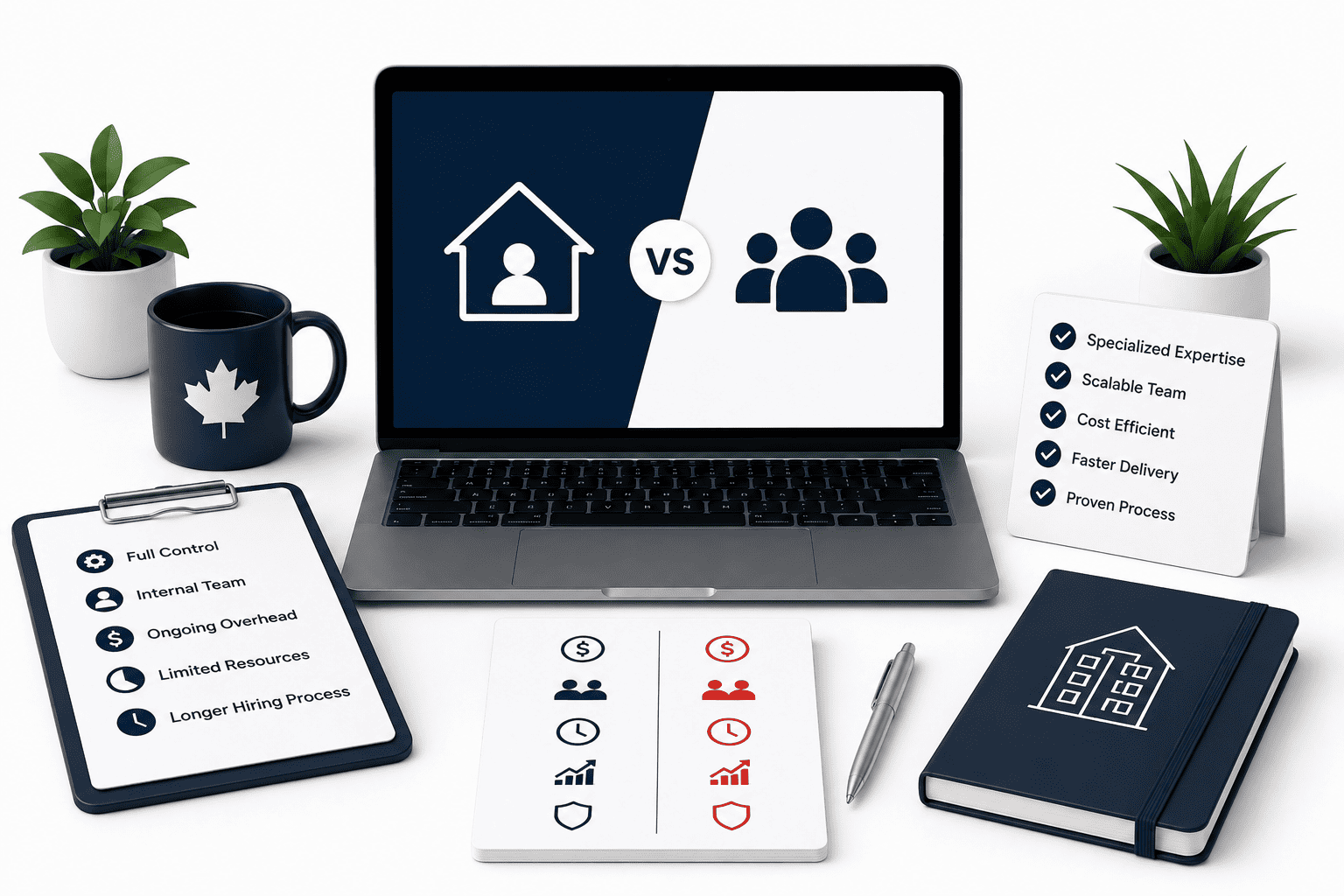


Comment (1)
Pingback: Shopify Web Design in Canada: Complete Business Guide