



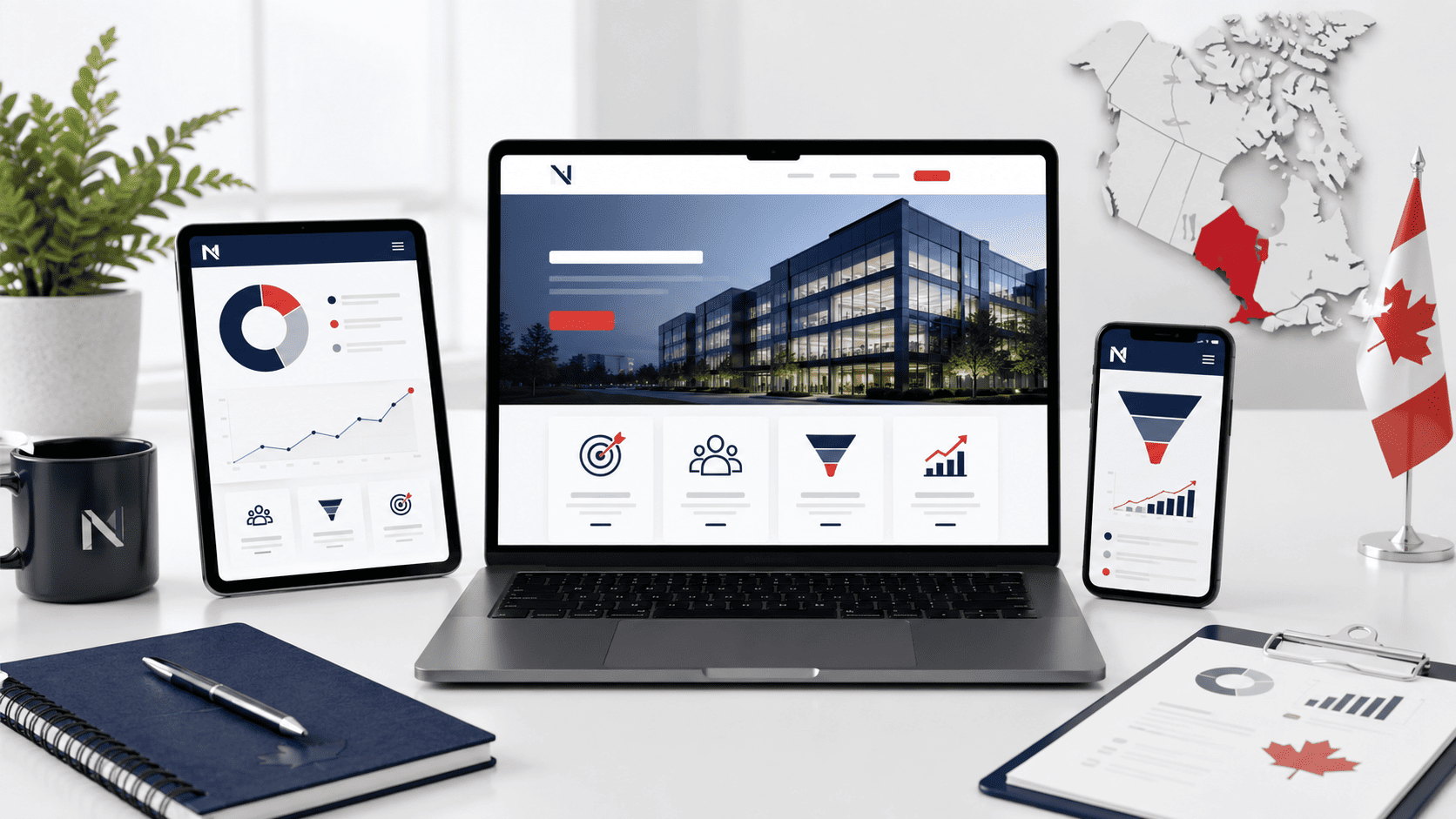
Introduction: Why Custom Web Design Matters for Calgary Businesses
In Calgary’s fast-growing digital economy, your website is often the first handshake with a potential client. Between the downtown core’s energy sector giants and the thriving small-business communities in Kensington, Inglewood, and Mahogany, customers have more choices than ever. A website built from a generic template may save time upfront, but it rarely communicates the specific value your business offers. Custom web design is not about flashy aesthetics alone—it is about building a strategic tool that converts visitors into loyal customers, ranks well in local search, and adapts to your evolving goals.
The Limitations of Template Websites
Template websites are engineered for mass appeal, not for your unique operational needs. While they appear affordable and quick to deploy, they come with hidden constraints that can cost you in performance and credibility.
- Generic code bloat: Templates often include unused scripts and plugins, slowing page load times—a critical factor when Calgary users are browsing on mobile during their commute on the C-Train or at a coffee shop on 17th Avenue.
- Limited customization: You may be able to change colors and fonts, but structural changes—like adding a custom booking system for a local spa or a dynamic inventory for a boutique—require workarounds that break the template’s design.
- SEO ceiling: Template code is rarely optimized for local search intent. Without proper schema markup or clean heading hierarchy, your site struggles to appear in “near me” searches for Calgary-specific queries like “mechanical contractor in the NE” or “bakery near Chinook Centre.”
- Poor scalability: As your business grows, you will need to add features or integrations. Templates often force you to rebuild from scratch, wasting the initial investment.
Moreover, template sites frequently share the same layout with dozens of other Calgary businesses in your industry. When a potential client visits your competitor’s site and sees an almost identical layout, trust erodes. The perception of “cookie-cutter” work can be fatal in a market where personal relationships and trust are paramount.
How Custom Design Aligns with Your Brand Identity
Your brand is more than a logo—it is the tone of your copy, the colors you use, the way you handle customer objections, and the emotions you evoke. Custom web design starts with a discovery phase where a strategist analyzes your target audience, your service areas (from Airdrie to Okotoks), and your business objectives. This research informs every design decision, from the typography that reflects your professionalism as a law firm to the image selection that showcases the rugged reliability of your oilfield supply company.
A custom build ensures that your website’s user experience (UX) mirrors your in-person service. For example, if you run a home renovation company in Calgary, your site might feature an interactive project gallery with filters for “basement development” and “kitchen remodel,” paired with a quote form that captures specific project dimensions. This level of detail is impossible with a template that forces you into a generic contact page. Custom design also allows for accessibility improvements—such as keyboard navigation and screen-reader compatibility—which not only broadens your audience but also aligns with Canadian legal standards for digital accessibility.
Calgary’s Competitive Landscape and the Need for Differentiation
Calgary’s business environment is uniquely competitive due to its dual identity as a corporate hub and an entrepreneurial incubator. You are not only competing with local firms but also with national and international players who target Calgary’s affluent consumer base. A custom website becomes your competitive moat. It lets you highlight what makes you different—whether that’s your 24/7 emergency response for plumbing services, your locally sourced ingredients for a restaurant in Mission, or your bilingual (English and French) support for clients in the energy sector.
Differentiation also extends to your content strategy. Custom design allows you to structure pages around high-intent keywords specific to your niche, such as “commercial roofing repair in Calgary” or “wedding photographer for Banff and Canmore.” This targeted approach beats the generic “services” page that templates force upon you. Additionally, custom sites integrate seamlessly with Calgary’s local SEO ecosystem—embedding Google Maps for your physical location, creating dedicated landing pages for each neighborhood you serve, and ensuring your site speed meets the expectations of users on Shaw or Telus fiber connections.
In a city where word-of-mouth recommendations are powerful, your website must validate that reputation the moment someone clicks. A custom design signals that you invest in quality, pay attention to details, and understand your client’s needs. That perception alone can be the deciding factor between a bounce and a booked consultation.
Defining Custom Web Design: What It Really Means
When a Calgary business asks for “custom web design,” the term often gets conflated with simply choosing a unique color palette or a distinctive logo placement. In practice, custom web design is a comprehensive process that starts from a blank canvas—or a structured design system—and builds every visual, functional, and content element around your specific business goals, audience, and technical requirements. Unlike installing a pre-built theme from a marketplace or dragging blocks in a website builder, custom design does not inherit the constraints, bloat, or generic patterns of a template. Instead, your designer or agency controls the full stack: from the typography scale and spacing rhythm to the database schema and API connections. The result is a site that looks, behaves, and performs differently from every competitor using the same popular theme.
To understand the true scope, consider what a custom project actually encompasses:
- Discovery and research: User interviews, competitor audits, and analytics reviews to define what “success” means beyond aesthetics.
- Information architecture: Structuring pages, navigation, and content hierarchy to match user mental models, not template defaults.
- Interaction design: Defining hover states, micro-animations, form validations, and error messages that feel intentional.
- Technical architecture: Choosing a CMS, hosting environment, and coding approach (e.g., headless vs. traditional) based on your team’s ability to maintain the site.
Visual Design vs. User Experience (UX)
Visual design and UX are often used interchangeably, but they solve different problems. Visual design addresses the surface layer: color contrast for accessibility, typographic hierarchy for readability, and imagery that evokes trust. UX, however, addresses the entire journey—how a visitor arrives, what they need to accomplish, and where they get frustrated. A custom project forces you to separate these two concerns. For example, a visually stunning hero image might win an award, but if the call-to-action button sits below the fold on a mobile device, the UX fails. In a custom workflow, visual designers create mockups while UX designers produce wireframes and user flows first. The wireframe maps out click paths, form fields, and content priority; only after those decisions are validated does the visual layer get applied. This distinction matters because a pre-built theme often locks you into a visual style that dictates UX—forcing your content to fit the layout, rather than the reverse.
Custom Functionality and Integrations
Calgary businesses often operate with unique operational needs—booking systems for dental clinics, inventory tracking for retailers, or membership portals for fitness studios. Custom web design means you are not limited to the plugin directory or the builder’s available blocks. Instead, your development team writes bespoke code to handle specific logic. For instance, a local trades company might need a quote calculator that factors in travel zones, material costs, and seasonal pricing—something no generic plugin handles accurately. Integrations also become truly tailored: syncing your CRM, accounting software, or custom internal API without the overhead of a third-party bridge. A practical example: suppose your site needs to pull live availability from a Google Calendar and display it in a custom grid. With a theme, you would install a calendar plugin and hope it matches your layout. With a custom build, you might use a short PHP snippet to query the calendar feed and format the output:
<?php
$events = fetch_google_calendar_events($calendar_id);
foreach ($events as $event) {
    echo '<div class="slot" data-start="' . $event['start'] . '">';
    echo htmlspecialchars($event['title']);
    echo '</div>';
}
?>
This level of control eliminates plugin conflicts, reduces page load time, and ensures the feature behaves exactly as your staff expects.
The Role of Content Strategy in Custom Design
Custom design does not end with code and pixels; it begins with content. Without a defined content strategy, even the most bespoke layout becomes empty scaffolding. A content strategist (or a designer wearing that hat) determines what each page must say, in what order, and in what format—text, video, infographic, or downloadable PDF. This includes auditing existing copy, identifying gaps in your service descriptions, and planning for SEO keywords that Calgary users actually search. For example, a custom homepage design should not be created until you know whether your primary message is “emergency plumbing” or “eco-friendly renovations,” because that changes the hero headline, imagery, and secondary calls-to-action. In practice, content strategy also dictates technical choices: if you need to publish weekly long-form articles, your custom CMS should have a robust editor and content model; if you only update five pages per year, a simpler flat-file setup may suffice. The key is that content informs the design grid, not the other way around—ensuring your final site is not just beautiful, but persuasive and findable.
Strategic Planning: The Foundation of a Successful Custom Website
Before a single pixel is rendered or a line of code is written, the most critical phase of custom web design in Calgary is strategic planning. This stage determines whether your website will function as a passive brochure or as an active business development tool. Skipping this step is the primary reason why many Calgary businesses end up with a visually appealing site that fails to generate leads, bookings, or sales. A custom website built without a strategy is merely a digital placeholder; one built on a defined plan becomes a measurable asset.
Setting Clear Business and Website Goals
Your website must serve your business objectives, not just look modern. Begin by asking what the site needs to accomplish within a defined timeline—typically 12 to 24 months. Common goals for Calgary companies include increasing qualified quote requests, reducing phone-based inquiries by automating appointment booking, or establishing authority in a specific local niche such as oilfield services, retail hospitality, or professional consulting.
Each goal requires a different structural approach. For example, a lead-generation goal demands prominent contact forms, click-to-call buttons, and trust signals above the fold. An e-commerce goal requires streamlined product categorization and a simplified checkout process. Once you define two or three primary goals, every design decision—from navigation labels to colour contrast—should be tested against them. Avoid vague aspirations like “look more professional” and instead commit to measurable targets, such as a 20% increase in form submissions within six months.
Understanding Your Calgary Audience and Local Needs
Calgary is not a generic North American market. Your audience here expects specific local cues and practical information. Designers and strategists must research whether your customers are downtown professionals seeking quick service during lunch hours, suburban families comparing prices on weekends, or B2B buyers in the energy sector who value technical detail over flashy visuals. Understanding these segments shapes content tone, image selection, and even page load priorities.
Local needs also extend to practical elements: clear parking information, Calgary Transit access, neighbourhood landmarks, and service area boundaries (e.g., “Serving the NW and Airdrie”). A custom design should integrate a map with embedded directions, not just a generic stock photo of the city skyline. Furthermore, consider seasonal behaviour—Calgary’s economy and weather influence buying patterns, such as winter tire sales peaking in September or patio furniture demand surging in May. Your website’s visual hierarchy should adapt to these rhythms where possible.
Creating a User Journey and Conversion Path
Mapping the user journey involves charting every possible path from first click to desired action. A typical Calgary visitor might land on your homepage from a Google search for “emergency plumbing near Brentwood” or via a social media ad for “Calgary wedding photography.” The journey must be frictionless and logical. For each primary persona, define the sequence of pages they should visit, the information they need at each step, and the moment you ask for commitment.
A conversion path is not merely a “Contact Us” page. It is a guided flow that includes trust-building elements: client testimonials from local businesses, case studies with specific Calgary neighbourhoods, and clear pricing or estimate ranges. The table below compares two common conversion structures for Calgary service-based businesses:
| Conversion Path Element | Single-Step (Direct Form) | Multi-Step (Nurture Path) |
|---|---|---|
| Visitor Action | Fills out full quote form immediately | Downloads a local buyer’s guide first |
| Data Collected | Name, phone, project details | Email address only (initial step) |
| Best For | Urgent needs (e.g., HVAC repair) | High-consideration purchases (e.g., renovations) |
| Design Implication | Short form above fold, minimal navigation | Long-form content with downloadable assets |
Whichever path you choose, ensure the journey is tested against real user behaviour. Heatmaps, session recordings, and A/B testing during the first month after launch will reveal where visitors drop off. Adjust the design accordingly—whether that means shortening a form field, rewording a button label, or moving a testimonial higher on the service page. Strategic planning is not a one-time meeting; it is a continuous feedback loop that keeps your custom website aligned with how Calgary customers actually think and act.
The Custom Web Design Process: Step-by-Step
A custom web design project in Calgary follows a structured, collaborative sequence that transforms your business goals into a functional, branded digital experience. While every agency may tweak the order, you can expect these four core phases—each with clear deliverables, checkpoints, and opportunities for your feedback. Understanding this roadmap prevents surprises and helps you budget both time and money effectively.
Discovery and Research Phase
This foundational stage is where the strategy is set. Your designer or agency will conduct a deep-dive workshop to understand your target audience, competitive landscape, and unique value proposition. For Calgary businesses, this often includes local SEO considerations—like targeting “best HVAC repair in the NW” or “downtown law firm”—and reviewing how your competitors position themselves. Key activities include:
– Stakeholder interviews and goal-setting (e.g., lead generation, e-commerce sales, or brand awareness)
– Content audit and inventory of existing assets
– Technical review of your current hosting, CMS, or analytics setup
– User persona creation based on local demographics and pain points
– Sitemap definition, outlining main navigation and page hierarchy
The output is a concise strategy document and a project brief. You should leave this phase knowing exactly what the site will accomplish, who it serves, and what technical constraints exist. Expect to spend 1–2 weeks here for most small-to-mid-sized projects.
Wireframing and Prototyping
Before any visual polish, the structure takes shape. Wireframes are low-fidelity, grayscale layouts that show where headings, images, buttons, and forms will live. Prototypes go one step further—they are clickable, allowing you to navigate between pages and test user flow. This phase is purely about function and hierarchy, not aesthetics. Your team will:
– Draft desktop, tablet, and mobile wireframes for key templates (homepage, interior pages, product listings)
– Define call-to-action placement, such as “Request a Quote” or “Book a Consultation”
– Map out form fields and validation rules for lead capture
– Create a clickable prototype in tools like Figma or Adobe XD for user testing
A practical example of a wireframe decision: for a Calgary restaurant, you might place the “Reserve a Table” button above the fold on mobile, but on desktop, place it in a sticky header. You will review these layouts and approve the navigation structure before any colour or font is chosen. This phase typically takes 1–3 weeks, depending on the number of unique page templates.
Design, Development, and Quality Assurance
This is the longest and most execution-heavy stage. First, visual design adds your brand’s personality—colour palettes, typography, imagery, and spacing—onto the approved wireframes. You’ll receive high-fidelity mockups for one or two key pages for approval before the rest are designed. Once those are signed off, development begins.
Development can focus on a custom CMS theme (e.g., WordPress, Webflow, or Laravel) or a front-end framework with a headless backend. For example, a common Calgary-specific request is integrating a Google Maps API for service areas. A typical snippet for a contact page might look like:
“`javascript
// Initialize map centred on Calgary
const map = new google.maps.Map(document.getElementById(‘map’), {
center: { lat: 51.0447, lng: -114.0719 },
zoom: 12
});
“`
After coding, quality assurance (QA) runs in three passes: cross-browser testing (Chrome, Safari, Firefox, Edge), responsive testing on real devices (iPhone, Android, tablet), and performance checks (page speed, image compression, accessibility via WCAG 2.1). You will also perform user acceptance testing (UAT), where you click through every link, submit every form, and verify content accuracy. Finally, the site is deployed to your hosting, with a DNS switch and post-launch monitoring for broken scripts or slow queries. Expect this phase to take 4–8 weeks for a typical custom build, with weekly progress reviews.
Cost of Custom Web Design in Calgary: A Detailed Breakdown
Understanding the financial commitment of a custom website is often the first question Calgary business owners ask. Unlike template-based sites with flat fees, custom design pricing is fluid and project-specific. This breakdown clarifies the primary cost drivers, realistic budget ranges, and the recurring expenses you should plan for, helping you approach proposals with informed expectations.
Factors That Influence Pricing (Complexity, Features, Content)
No two custom websites are priced identically. The final quote depends on a combination of technical and creative variables. Below are the most significant cost drivers you will encounter when discussing your project with a Calgary web design agency or freelancer.
- Design Complexity: A simple brochure site with five pages and a standard layout costs considerably less than a bespoke design with custom illustrations, advanced animations, or a unique visual identity. Every bespoke element requires additional design and development hours.
- Functional Features: E-commerce capabilities (shopping carts, payment gateways, inventory management), user login portals, booking systems, membership areas, and third-party API integrations (e.g., CRM, accounting software) each add layers of development complexity and testing time.
- Content Volume and Type: The amount of existing copy, high-resolution imagery, video production, and graphic assets you provide versus what the designer must source or create affects the scope. Custom copywriting, professional photography, or custom iconography will increase the budget.
- Backend and CMS Requirements: Choosing a simple content management system (like WordPress) with custom fields is less expensive than building a fully custom backend architecture or a headless CMS solution, which requires more specialized developer expertise.
- Responsive and Accessibility Standards: Ensuring flawless performance across all devices and meeting WCAG accessibility guidelines adds significant QA and coding time, but is increasingly expected for Calgary businesses.
Typical Budget Ranges for Small to Mid-Sized Businesses
While every quote is unique, local market experience suggests that Calgary small to mid-sized businesses should prepare for the following general investment tiers. These are directional, not fixed quotes, and always request a detailed line-item proposal.
| Project Scope | Typical Range (CAD) | What You Might Expect |
|---|---|---|
| Entry-Level Custom | $5,000 – $10,000 | Up to 10 pages, mobile-responsive, basic CMS, standard contact forms, minimal custom graphics. |
| Mid-Range Custom | $10,000 – $25,000 | 15-25 pages, advanced CMS features, custom post types, integrations (e.g., Google Maps, social feeds), more refined UI/UX. |
| Advanced / E-commerce | $25,000 – $50,000+ | Full online store, custom product filters, payment and shipping integrations, user accounts, and more extensive content strategy. |
Remember that these ranges exclude strategy workshops, in-depth user research, and custom branding, which are often billed separately or as premium add-ons.
Ongoing Costs: Maintenance, Hosting, and Updates
A custom website is not a one-time purchase. To remain secure, fast, and functional, you need a recurring budget. Calgary businesses often overlook these essentials when planning their total cost of ownership.
- Domain and Hosting: Annual domain renewal is typically $20–$50. Managed hosting suitable for a custom site in Calgary ranges from $30–$150 per month, depending on traffic and server resources.
- Maintenance Retainer: Most agencies offer monthly or quarterly plans (e.g., $150–$500 per month) covering core updates, security patches, daily backups, and uptime monitoring. Without this, your site risks becoming vulnerable.
- Content Updates: If you need the designer or developer to make changes beyond your CMS training (e.g., new page layouts, custom code tweaks), expect hourly rates between $75–$150 per hour, or a block of pre-purchased hours.
- Software Licenses: Premium plugins, fonts, or stock photo subscriptions that were part of the build may require annual renewal fees.
When reviewing proposals, always ask what post-launch support is included in the initial fee and what falls under a separate maintenance contract. A transparent breakdown of these ongoing costs will help you avoid surprises and keep your custom investment performing at its best.
What to Expect During the Project Timeline
Understanding the timeline for a custom web design project in Calgary is essential for planning your budget, staffing, and launch communications. Unlike template-based builds, a custom site is engineered from scratch, which means the schedule is longer—but also more predictable when you know what drives it. Below is a realistic breakdown of phases, durations, and your role in keeping everything moving.
Average Project Duration (with Caveats)
For a typical small-to-mid-sized business site (5–15 pages, custom layout, basic CMS integration, and responsive design), expect 8 to 14 weeks from kickoff to launch. However, this range assumes steady feedback and no major scope changes. Here are the caveats that stretch or shrink that window:
- Discovery and content readiness: If your copy, images, and brand assets are not finalized before the design phase, add 2–3 weeks.
- Complex integrations: E-commerce, custom booking systems, or third-party API connections (e.g., CRM, payment gateways) add 2–4 weeks per integration.
- Revisions and approval cycles: Most contracts include two or three rounds of revisions. Each additional round can add 1–2 weeks.
- Backend functionality: A marketing brochure site may take 6–8 weeks; a membership portal or multi-vendor marketplace easily reaches 16–20 weeks.
- Client availability: If your decision-makers are unavailable for weekly check-ins, expect delays. A single two-week silence can push the entire project back by a month.
Key Milestones and Client Responsibilities
Every custom project follows a similar lifecycle. Below is a typical milestone map with your required actions at each step.
| Milestone | Timeline (Week) | Client Responsibility |
|---|---|---|
| Kickoff & Discovery | 1–2 | Provide brand guidelines, competitor examples, and a clear list of goals. |
| Wireframes & Content Architecture | 2–4 | Review sitemap and approve user flows. Supply final text for all pages. |
| Visual Design (Homepage + Inner Pages) | 4–7 | Give consolidated feedback within 5 business days per round. |
| Development & CMS Build | 7–11 | Prepare login credentials for third-party tools (analytics, forms, email). |
| Quality Assurance & Revisions | 11–13 | Test on your own devices; document bugs with screenshots and steps. |
| Launch & Training | 13–14 | Final sign-off, domain/DNS access, and schedule a training session. |
Your most critical job is to avoid “design by committee.” Nominate one primary contact who collects feedback from stakeholders and returns it as a single, prioritized list. This prevents contradictory edits and keeps each milestone on schedule.
How to Keep Your Project on Schedule
Delays rarely come from the developer’s side alone. In fact, most missed deadlines stem from late content, vague approvals, or scope creep. Here are practical tactics to stay on track:
- Freeze the scope in writing. Any feature added after the contract is signed should trigger a change order with a new timeline. Do not verbally agree to “small extras” without adjusting the schedule.
- Set a weekly 15-minute check-in. Use a shared project management tool (e.g., Asana, Trello, or Notion). Require all decisions to be logged there.
- Prepare content in parallel. While the designer works on wireframes, write your page copy. Do not wait for the design to be final—text can be inserted later.
- Use a staging environment for testing. For example, if your developer gives you a staging URL, run a quick automated check for broken links using a command-line tool like
wget --spider -r -l 5 https://staging.yourcalgarysite.comto catch errors before launch. - Budget revision time explicitly. Assume each design round will take the full contractual allowance (usually 5–7 days). If you approve early, the developer can start the next phase sooner.
Finally, remember that a custom web design project is a partnership. If you treat the timeline as a living document—reviewed weekly and adjusted for real-world changes—you will launch with fewer surprises and a site that truly fits your Calgary business. The key is not to rush the process, but to eliminate idle waiting.
Key Features and Functionality to Consider for Calgary Users
When planning a custom website for a Calgary-based business, the design must move beyond aesthetics to address the specific behaviours, expectations, and digital habits of local users. A site that works well for a Toronto audience may fail in Calgary due to differences in local search patterns, device usage during commutes, and familiarity with certain service tools. Below are three critical areas to prioritize during the strategy phase, each directly impacting user experience and conversion rates for Calgary visitors.
Mobile-First Design and Responsive Layouts
Calgary has a high rate of smartphone usage, particularly among professionals commuting from suburbs like Airdrie, Cochrane, or Okotoks. Many users will first encounter your site on a mobile device while searching for a service during a lunch break or on transit. A mobile-first approach means designing the core layout for small screens first, then scaling up to desktop—not merely shrinking a desktop site. This ensures that tap targets are large enough, text is legible without zooming, and navigation menus are thumb-friendly.
Responsive layouts also affect loading speed, which is critical in a city where 4G and 5G coverage can vary between downtown core and outer neighbourhoods. Use compressed images, lazy loading for below-the-fold content, and avoid heavy third-party scripts that slow down render time. Test your design on actual devices used in Calgary, such as recent iPhone and Android models, and check performance on both Telus and Rogers networks. A practical checklist for your developer should include:
- Collapsible menus that do not hide essential contact information
- Click-to-call buttons that automatically dial local numbers
- Forms that auto-fill addresses using Calgary postal code patterns (e.g., T2X, T3H)
- No horizontal scrolling on any screen width between 320px and 768px
Local SEO Elements: Maps, Testimonials, and Local Content
For Calgary users, search intent often includes neighbourhood-specific queries, such as “plumber in Inglewood” or “yoga studio near Kensington.” Your custom design should embed local SEO elements directly into the user interface, not just in the metadata. An embedded Google Map with a custom pin showing your exact location helps users gauge travel time, especially given Calgary’s ring road and traffic patterns. Include a “Get Directions” link that opens the native map app, not a web version.
Testimonials should be filtered by community or service area when possible. For example, a home renovation company can display separate reviews from clients in Tuscany, Douglasdale, or Mahogany. This builds immediate trust because users see proof from their own geographic context. Additionally, write on-page content that references local landmarks, events (like the Calgary Stampede), or weather-related considerations (e.g., chinook winds affecting roofing needs). This content should be naturally woven into service descriptions and FAQs, avoiding keyword stuffing. A simple table for your content plan might look like:
| Page Element | Local Optimization | User Benefit |
|---|---|---|
| Homepage hero | Mention “Calgary” and a primary quadrant (NW, NE, SW, SE) | Immediate relevance signal |
| Service page | List specific neighbourhoods served | Clarifies coverage area |
| Contact page | Map + driving time from downtown | Reduces uncertainty |
Integrations: Booking Systems, CRMs, and E-commerce
Calgary users expect efficiency. If your business requires appointments—such as a dental clinic, auto repair shop, or consulting firm—a native booking system integration is non-negotiable. The custom design should allow users to view real-time availability without leaving the page, then book with minimal fields. Popular tools like Calendly or Jane App integrate well, but ensure the visual design matches your brand’s colour palette and typography, not the default widget styling.
For businesses using a CRM (e.g., HubSpot, Salesforce, or Pipedrive), the website should capture leads that flow directly into your pipeline. This requires custom form logic that assigns leads to the correct sales representative based on Calgary’s quadrants or service type. E-commerce sites, meanwhile, need integration with local shipping carriers (like Purolator or Canada Post) and should display real-time delivery estimates to postal codes within Calgary. Also consider integrating with local payment preferences, such as Interac Online or major credit cards, and avoid forcing users to create an account before checkout. A robust integration stack might include:
- Online scheduling with automated email and SMS reminders
- CRM webhooks that trigger follow-up tasks within minutes
- Inventory sync for e-commerce showing Calgary-specific stock levels
- Live chat or chatbot that can transfer to a local human during business hours (9 AM–5 PM MST)
Every integration should be tested with real user flows, not just technical checks. Calgary users often abandon sites that redirect to external booking pages or require multiple steps. Prioritize seamless transitions and keep the user’s context intact throughout the entire process.
Choosing the Right Custom Web Design Partner in Calgary
Selecting the right partner for your custom web design project in Calgary is a decision that affects your digital presence for years. The local market offers a broad spectrum of options, from solo freelancers to full-service agencies, each with distinct strengths. A methodical evaluation process reduces risk and ensures your investment aligns with your business goals. Rather than focusing solely on aesthetics, you must assess technical capability, communication fit, and long-term reliability. The following framework will help you compare candidates with confidence.
Portfolio Review: Look for Relevant Experience
A portfolio demonstrates more than visual taste; it reveals problem-solving approach and industry familiarity. When reviewing a Calgary partner’s past work, look beyond the homepage screenshots. Examine how they handled navigation complexity, content density, and mobile responsiveness. Ask these pointed questions:
- Did they build custom functionality, or did they rely heavily on pre-made templates?
- Do their case studies show measurable outcomes, such as improved conversion rates or faster load times?
- Have they worked with businesses in your sector or with similar operational scale?
Beware of portfolios that showcase only large enterprise projects if you run a local service business. Conversely, a freelancer with deep experience in e-commerce may be a better fit than a generalist agency. Request direct URLs to live Calgary-based projects and test them on your own device. Pay attention to page speed, form usability, and clarity of calls-to-action.
Communication and Project Management Styles
Custom web design is an iterative process. Misaligned communication styles cause delays and budget overruns. Before signing a contract, ask how the partner handles feedback rounds, revision limits, and milestone approvals. Clarify whether you will have a dedicated project manager or if you will interact directly with the designer and developer. Consider these practical aspects:
- What is their typical response time for emails or calls (within one business day, two days, etc.)?
- Which tools do they use for task tracking, file sharing, and progress updates (e.g., Slack, Trello, Asana)?
- Do they provide a written project timeline with clear checkpoints, or do they work loosely until completion?
Request a brief sample of how they would document a change request. A professional partner will propose a structured change order process, not an informal “just send me an email” approach. Also, verify if they conduct a discovery phase before writing code. This step signals that they value strategy over speed and will ask about your target audience, content inventory, and conversion paths.
Post-Launch Support and Maintenance Plans
Launch day is not the finish line. Websites require ongoing updates for security patches, plugin compatibility, and content changes. Calgary partners differ significantly in their support structures. Some include a 30-day bug-fix window, while others offer monthly retainers. Evaluate the following to avoid surprises:
- What is included in the first 30 days after launch (e.g., broken link fixes, cross-browser testing, form debugging)?
- Do they offer tiered maintenance plans (e.g., basic security updates vs. full content management)?
- What is their hourly rate for out-of-scope work after project completion?
- Can you reach them for urgent issues like a site outage, and what is the guaranteed response window?
A transparent maintenance contract should list specific activities, such as weekly backups, core updates, and uptime monitoring. Avoid partners who insist on proprietary systems that lock you into their platform without an exit strategy. You should retain ownership of your code, content, and domain name at all times.
| Evaluation Criterion | Freelancer | Full-Service Agency |
|---|---|---|
| Typical cost range (initial build) | $3,000 – $10,000 CAD | $12,000 – $40,000+ CAD |
| Project management structure | Direct contact with one person | Dedicated account manager + team |
| Post-launch support availability | Often limited to business hours; may be part-time | SLA-based response times; often 24/7 monitoring |
| Best suited for | Small businesses with simple needs and clear vision | Companies requiring custom integrations, SEO strategy, and ongoing content support |
Use this table as a starting point, but always request a detailed written quote from at least three candidates. Compare the total cost of ownership—including any licensing fees, third-party tool subscriptions, and maintenance retainers—not just the initial design fee. A lower upfront price often masks higher long-term expenses. By prioritizing relevant portfolio experience, structured communication, and explicit support plans, you position your Calgary business for a website that performs reliably for years.
Measuring Success: Analytics and Continuous Improvement
Launching a custom website in Calgary is not the finish line; it is the starting point for data-driven growth. Unlike template-based sites, a custom build gives you full control over tracking infrastructure, allowing you to measure precisely what matters to your business. Without a structured analytics setup, you’re flying blind—investing in design without knowing which elements convert visitors into paying customers. This section outlines how to establish measurement foundations, define meaningful KPIs, and turn raw data into actionable refinements.
Setting Up Analytics and Conversion Tracking
Begin with a robust analytics platform—Google Analytics 4 (GA4) is the industry standard, but consider privacy-focused alternatives like Plausible or Matomo if you serve privacy-conscious Calgary clients. Your custom site should have a unique tracking ID installed on every page, preferably via a tag manager (Google Tag Manager or a server-side solution) to avoid hard-coding scripts. Beyond basic pageviews, configure conversion tracking for key actions: form submissions, phone call clicks, chat initiations, or e-commerce checkouts. Use event parameters to capture contextual data, such as which form field caused abandonment or which blog post preceded a quote request.
For a custom site, you can also set up enhanced measurement for file downloads and outbound links. Here’s a practical example of a GA4 event snippet you might add to your thank-you page after a contact form submission:
gtag('event', 'generate_lead', {
  'currency': 'CAD',
  'value': 0, // replace with actual lead value if known
  'form_location': 'contact_footer',
  'page_title': document.title
});
Test all events in your browser’s network tab or GA4’s DebugView before going live. Also, set up a custom 404 tracking event to catch broken links—a common issue after content migrations.
Key Performance Indicators (KPIs) for Your Website
Choose KPIs that align with your business model, not vanity metrics. For a Calgary service provider (e.g., law firm, HVAC company, or restaurant), focus on lead quality and engagement depth. Below is a practical framework:
| KPI Category | Specific Metric | Why It Matters |
|---|---|---|
| Acquisition | Organic traffic from Calgary queries, referral sources | Shows if your local SEO and partnerships drive relevant visitors |
| Behaviour | Scroll depth on pricing pages, time on service pages | Indicates if content holds attention or needs restructuring |
| Conversion | Form submission rate, click-to-call rate | Direct revenue proxy; compare against industry benchmarks |
| Retention | Return visitor rate, newsletter sign-up growth | Measures brand recall and ongoing interest |
Avoid tracking only bounce rate—a high bounce rate on a contact page might mean users found your phone number immediately, which is positive. Instead, define micro-conversions (e.g., clicking a map direction link) to capture intent.
Using Data to Refine User Experience and Content
Data without action is noise. Schedule monthly reviews where you segment analytics by device, landing page, and traffic source. For example, if your custom homepage has a low click-through rate on the “Book a Consultation” button but high engagement on your case studies section, consider moving the call-to-action higher or adding a secondary button below the case study grid. Heatmaps (via tools like Hotjar or Microsoft Clarity) complement quantitative data—they reveal where users hesitate or click non-interactive elements.
Use A/B testing for high-stakes changes: headline variations, button colours, or form length. Since your site is custom, you can implement server-side tests without slowing page load. Content refinement should follow search intent: if analytics show that visitors from “Calgary custom web design” spend little time on your portfolio but long on your pricing FAQ, expand that FAQ with detailed cost breakdowns and project timelines. Conversely, if mobile users abandon your service page at the same spot, inspect that section’s layout and text density. Continuous improvement is cyclical—revisit your KPI table quarterly, adjust targets based on seasonality (e.g., Calgary’s construction peak in summer), and document what you learned in a shared dashboard for your team or agency partner.
Conclusion: Is Custom Web Design Right for Your Calgary Business?
Deciding between a custom website and a template ultimately comes down to your business’s growth trajectory, competitive landscape, and operational needs. For Calgary companies operating in crowded sectors like real estate, legal services, hospitality, or professional consulting, a custom build offers a distinct advantage: it aligns your digital presence precisely with your brand strategy, customer journey, and conversion goals. However, it demands a higher upfront budget and a longer timeline than a pre-built theme. The right choice is not about what is “trendy” but about what your revenue model requires. If your website is your primary sales tool, a custom solution is an investment in scalability. If you need a simple brochure site with minimal functionality, a well-crafted template may suffice.
Weighing the Investment Against Long-Term Value
Cost is the most visible factor, but it should never be evaluated in isolation. A custom website in Calgary typically ranges from $8,000 to $30,000+ depending on functionality, integrations, and content architecture. This is significantly higher than a $1,500–$5,000 template site. Yet consider what you are paying for:
- Tailored SEO architecture – Custom code and information architecture built for Calgary search intent, not generic “best practices” that ignore local search nuances.
- Conversion-focused UX – Every button, form, and page flow is designed around your specific sales funnel, not adjusted to fit a theme’s limitations.
- Future scalability – Adding a booking system, membership portal, or multilingual support later is far less expensive when the foundation is custom-coded.
- Brand uniqueness – No competitor will share your layout or visual identity, which builds trust in a market where many template sites look identical.
- Performance and security – Custom builds avoid the bloat and plugin vulnerabilities common in themes, leading to faster load times and fewer maintenance emergencies.
If your website generates leads year-round, even a modest increase in conversion rate (e.g., from 1.5% to 3%) can pay for the design cost within 12–18 months. That is the real return on investment.
When to Choose Custom Over Template
Choose custom design when your business requires more than a digital business card. Specific triggers include:
- Unique user journeys – You need a multi-step quote tool, client portal, or custom calculator that a template cannot support without heavy workarounds.
- Complex integrations – Your site must sync with a CRM, ERP, or Calgary-specific payment gateway (e.g., for deposits or memberships) that templates handle poorly.
- Brand differentiation – You operate in a saturated market where standing out visually and functionally is critical to winning bids or retaining clients.
- Local SEO dominance – You target multiple neighbourhoods or service areas in Calgary and need custom landing pages, schema markup, and geo-specific content that templates restrict.
- Long-term lifecycle – You plan to update, A/B test, and iterate on the site for 5+ years. Templates often force a full redesign after 2–3 years due to plugin conflicts or theme abandonment.
Conversely, if your budget is under $5,000, your content will not change frequently, and you do not need advanced functionality, a premium template with professional setup is a pragmatic starting point. Many Calgary businesses begin this way and later migrate to custom when revenue justifies it.
Next Steps: Starting Your Custom Web Design Project
If you decide custom is right, approach the project methodically to avoid scope creep and missed deadlines. Begin with a clear internal brief that answers three questions: Who is your primary customer? What single action do you want them to take? What metrics define success (e.g., form submissions, phone calls, or online bookings)? Then, research Calgary web design agencies or independent developers who have experience in your industry. Ask for case studies that show measurable outcomes, not just aesthetics. Request a detailed proposal that breaks down discovery, design, development, content migration, and post-launch support.
Before signing a contract, clarify ownership of the code, hosting responsibilities, and how revisions are handled. A typical custom project takes 6–12 weeks from kickoff to launch, depending on the number of pages and integrations. During this time, allocate at least 5–10 hours per week for your team to provide content, feedback, and approvals. Rushing these stages is the most common reason custom projects exceed budget.
Finally, plan for the long term. A custom website is not a one-time expense. Budget for monthly maintenance, security updates, and quarterly content refreshes. In Calgary’s fast-moving market, your website should evolve with your business. When treated as a strategic asset rather than a static brochure, custom design consistently delivers the highest return on your digital marketing spend.
Frequently Asked Questions
How much does custom web design cost in Calgary?
Custom web design in Calgary typically ranges from $5,000 to $25,000+ for a small business site, while larger e-commerce or enterprise projects can exceed $50,000. Costs depend on page count, custom features, copywriting, branding, and CMS complexity. Calgary agencies often charge $100–$200 per hour. A basic 5-page marketing site might be $6,000–$10,000, while a 20-page site with custom functionality starts around $15,000. Always request a detailed proposal and clarify ongoing maintenance costs.
How long does a custom web design project take in Calgary?
A typical custom web design project in Calgary takes 6 to 12 weeks from kickoff to launch. Simple brochure sites may be done in 4–6 weeks, while complex e-commerce or custom web applications can take 3–6 months. The timeline includes discovery, wireframing, visual design, development, content integration, testing, and launch. Delays often occur if content or client feedback is slow. A professional agency will provide a milestone-based timeline and use project management tools to keep you informed.
What should I look for in a Calgary web design company?
When choosing a Calgary web design company, review their portfolio for industries similar to yours, check client testimonials, and verify their technical skills (CMS, responsive design, SEO). Ask about their design process, whether they provide custom UX/UI or use templates, and how they handle post-launch support. Also confirm they understand local search and Calgary-specific marketing. A good agency will offer a discovery call, transparent pricing, and a clear contract. Look for certifications or partnerships with platforms like WordPress or Shopify.
What is the difference between custom web design and template-based design?
Custom web design is built from scratch to match your brand, goals, and user needs, offering unique layouts, features, and scalability. Template-based design uses pre-built themes with limited customization—faster and cheaper but often less unique and harder to adjust. In Calgary, custom design can range from $8,000 to $30,000+, while template sites might cost $2,000–$5,000. Custom sites provide better SEO opportunities, faster load times, and a user experience tailored to your audience, making them a smarter long-term investment.
Does custom web design include SEO in Calgary?
Yes, most professional custom web design services in Calgary include on-page SEO fundamentals. This includes keyword research, meta tags, header structure, image optimization, mobile responsiveness, and page speed improvements. However, ongoing SEO strategies like content marketing, link building, and technical audits may be billed separately. Ask your Calgary web design agency if their package includes an SEO setup and what post-launch SEO support they offer. A custom site is a foundation—but you need continuous SEO to rank well in Calgary’s competitive market.
Can I update my custom website myself after launch?
Yes, most custom websites in Calgary are built on content management systems like WordPress, allowing you to edit text, images, and blog posts without coding knowledge. The agency should provide training and documentation. However, major structural changes or new features may require developer help. Ensure your contract includes a maintenance plan or at least a clear rate for ongoing support. Many Calgary agencies offer monthly care plans covering updates, backups, and security for a fixed fee.
What information do I need to provide to a Calgary web designer?
To start a custom web design project in Calgary, you’ll need to provide your business goals, target audience, brand assets (logo, colors, fonts), examples of websites you like/dislike, content or copy, and any specific functionality (booking, e-commerce, forms). Also have your domain and hosting credentials ready. A professional agency will guide you through a discovery questionnaire and workshop. The more clarity you provide, the more accurate your quote and timeline will be. Don’t worry about perfection—your designer will help refine your content.
How do I measure the ROI of a custom website in Calgary?
Measure ROI by tracking conversion metrics like leads, sales, sign-ups, or phone calls. Set up Google Analytics and Google Search Console before launch. Compare website traffic, bounce rate, and conversion rate against your old site. For Calgary businesses, local actions like direction requests or phone calls are key. Calculate ROI by subtracting the website cost from the revenue generated by website leads over a period (e.g., one year). A well-designed custom site can improve conversion rates by 2–3x, making it a worthwhile investment.
Sources and further reading
- Calgary Chamber of Commerce
- University of Calgary – Continuing Education Web Design Courses
- Web Content Accessibility Guidelines (WCAG) 2.1
- Google Search Central – SEO Starter Guide
- Google PageSpeed Insights
- WordPress.org – Official Site
- Shopify – E-commerce Platform
- WebFX – Web Design Pricing Guide (industry benchmark)
- Statista – Website builder usage and cost statistics
- Nielsen Norman Group – Web Design and UX Research






Comments (2)
Pingback: Canadian Small Business Web Design: Local SEO Guide
Pingback: WordPress Web Design Checklist for Canadian Businesses