


Local SEO Canada
169 Minute
Small Business Web Design for Local Service Businesses in Canada: A Complete Guide to Winning More Local Customers

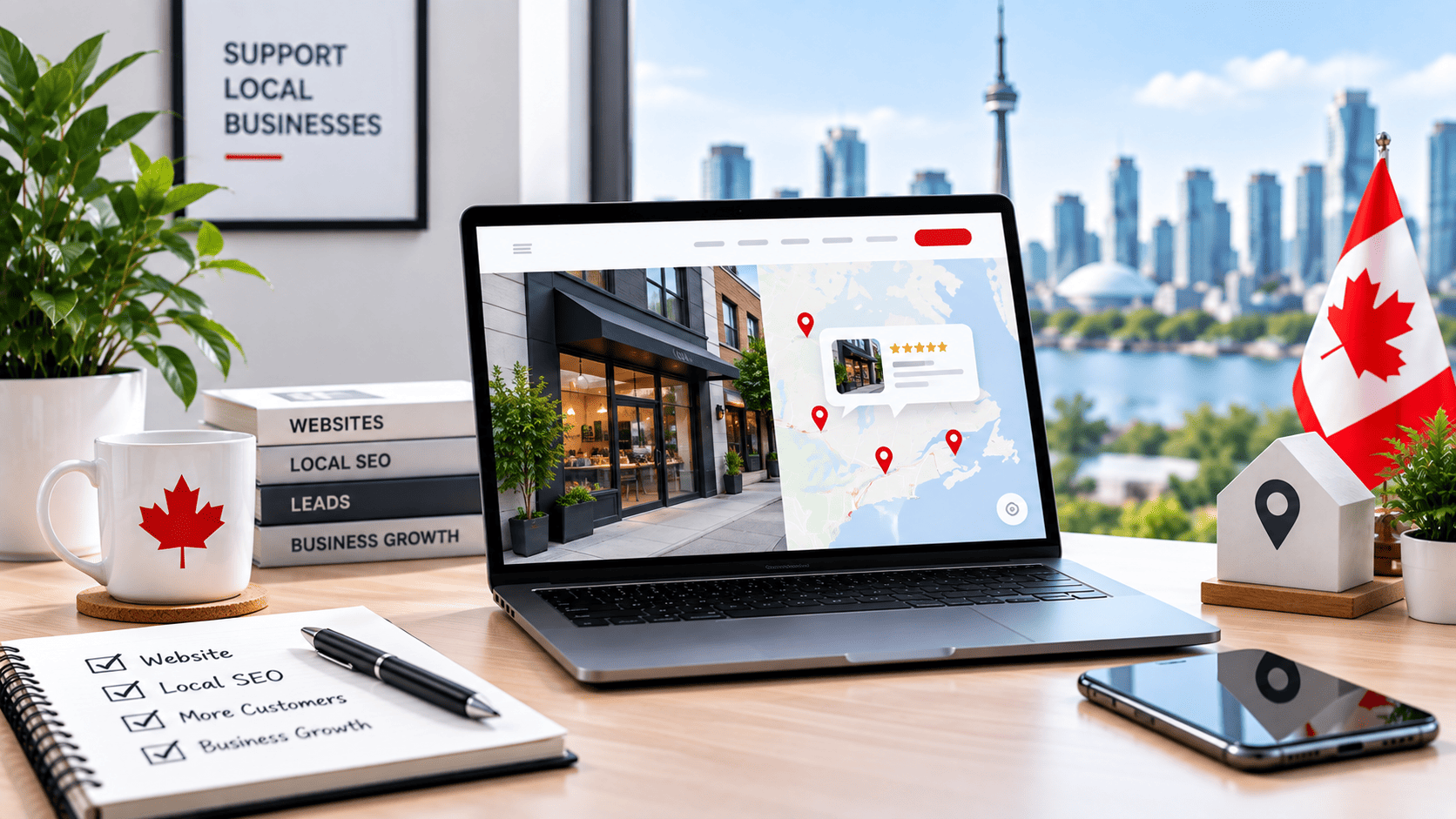
Why Canadian Local Service Businesses Need a Purpose-Built Website
For a local service business in Canada—whether you run a plumbing company in Surrey, a law firm in Halifax, or a landscaping crew in Ottawa—your website is no longer a digital brochure. It is your hardest-working salesperson, your first impression, and often the deciding factor between a booked job and a missed opportunity. Yet many Canadian service providers treat their site as an afterthought, relying on a generic template or a page that hasn’t been updated since 2016. That approach is costly. A purpose-built website, designed specifically for local lead generation, does not just exist—it performs. It answers the exact questions your neighbours are typing into search bars, and it guides them toward picking up the phone or filling out a quote form. In a country where service areas can span vast regions but competition often boils down to a 20-kilometre radius, a tailored web presence is not a luxury; it is a necessity.
The Shift from Yellow Pages to Google: How Canadians Find Local Services Today
Think back to how Canadians found a roofer or a dentist in 2005. They opened a thick Yellow Pages directory, flipped to the category, and called the biggest ad. That behaviour has vanished. Today, over 90% of service searches begin online, and the vast majority of those happen on Google. But the shift is not just about the platform—it is about intent. A Canadian homeowner with a burst pipe at 2 AM does not browse websites; they search “emergency plumber near me” or “plumber Calgary” on their phone. Google then serves a map pack with three local results, followed by organic listings. If your website lacks local signals—such as a clear service area, Canadian spelling, city-specific landing pages, and embedded maps—you will not appear in that pack. Instead, your competitor with a purpose-built local site will take the call. The Yellow Pages era rewarded size; the Google era rewards relevance, speed, and trust signals that only a well-structured website can provide.
The Cost of an Outdated or Unoptimized Website: Missed Calls, Lost Trust, and Lower Rankings
An outdated website is not merely an aesthetic problem; it is a silent revenue leak. Consider the hidden costs:
- Missed calls: If your site takes more than three seconds to load on a mobile connection, most Canadian visitors will bounce. Every bounce is a potential job lost to a faster competitor.
- Lost trust: A site with broken links, blurry images, or a 2015 copyright date signals neglect. In a service industry where trust is paramount—you are entering someone’s home or handling their legal matters—neglect on your website translates to doubt about your workmanship.
- Lower rankings: Google’s algorithm penalizes slow, unresponsive, and thin websites. Without Canadian-specific content, such as testimonials from local clients or references to local building codes, your pages will rank below national chains or aggregators like HomeStars.
The cumulative effect is brutal: you pay for ads or rely on referrals, but your website cannot convert the traffic you already have. A visitor who clicks your link and sees a cluttered layout with no clear “Call Now” button will not struggle to find your number—they will simply close the tab and call the next business on the list.
What a Purpose-Built Website Does Differently: Lead Generation, Credibility, and 24/7 Availability
A purpose-built website for a Canadian local service business is engineered around three outcomes. First, lead generation: every element, from the headline to the button colour, is designed to prompt a specific action. You include a click-to-call button on mobile, a short quote form that asks for the service needed and postal code, and a clear value proposition (e.g., “Same-day service in Victoria, BC”). Second, credibility: you display verified reviews from Canadian customers, professional photos of your team in branded vehicles, and certifications like WCB or Red Seal endorsement. Third, 24/7 availability: unlike your phone line, the website never sleeps. It answers FAQs about pricing ranges, service hours, and emergency policies at 11 PM on a Sunday. It captures leads through an after-hours form and triggers an automated email response. This is not about having a pretty page; it is about building a machine that turns local search traffic into booked jobs while you sleep. For Canadian service businesses, that machine is the difference between surviving on word-of-mouth and thriving on a steady stream of new local customers.
Understanding the Canadian Local Search Landscape: Google Business Profile, Maps, and Local SEO
For a local service business in Canada, the battleground for customers is not the open web—it is the map. When a homeowner in Kelowna searches “plumber near me” or a store manager in Halifax looks for “commercial cleaning service,” Google decides who to show based on a complex blend of signals. The most critical distinction is that your website does not rank in isolation; it ranks in concert with your Google Business Profile (GBP) and the broader local ecosystem. Understanding this relationship is the first step toward building a website that actually converts local searches into phone calls and booked jobs.
How Google Ranks Local Service Providers in Canadian Cities and Towns
Google’s local algorithm, which powers the Map Pack (the top three results shown with a map), relies on three core pillars: proximity, relevance, and prominence. Proximity is straightforward—how close your business is to the searcher’s location. Relevance measures how well your business profile and website content match the search query. If someone searches “emergency electrician Edmonton,” your page must contain those exact terms in natural, contextual ways. Prominence is the most complex; it is built through consistent citations, authoritative backlinks, and a steady stream of positive reviews. In Canada, where cities are spread across vast geographic areas, proximity filters out most competitors, but relevance and prominence determine who wins the click among the remaining three to five businesses.
The Role of Google Business Profile in Driving Website Traffic and Calls
Your GBP is not a separate entity—it is a storefront that feeds your website. When you optimize your profile with accurate categories, service areas, and attributes, you increase the chances of appearing in the map pack. But the profile’s ultimate job is to drive action. Every GBP listing allows a “Website” button, and that button must lead to a page that continues the conversation. If your profile promises “24/7 emergency response” but your homepage lacks a visible phone number or a clear service menu, you lose the lead. More importantly, GBP posts, Q&A sections, and product/service listings should link to specific service pages on your site, not just the homepage. This creates a seamless path from search to site, which Google interprets as a positive engagement signal.
Key Local SEO Elements Every Canadian Service Website Must Include: NAP, Local Content, and Reviews
Your website must reinforce the trust signals that Google already has about you. The foundational element is NAP consistency—your business Name, Address, and Phone number must be identical across your website, GBP, and every online directory. A mismatch (e.g., “St.” vs. “Street”) confuses Google’s crawler and erodes ranking confidence. Place your NAP in the footer of every page, and ideally on your contact page in schema markup (LocalBusiness JSON-LD).
Second, you need local content that goes beyond generic service descriptions. Write a dedicated page for each city or neighbourhood you serve, but avoid thin duplication. For example, a Toronto-based HVAC company should not create five identical pages for different postal codes; instead, write unique paragraphs about common issues in older buildings versus new condos. Include a table of service areas with travel time or response time estimates:
| Service Area | Typical Response Time | Common Requests |
|---|---|---|
| Downtown Toronto | 45 minutes | AC repair, duct cleaning |
| Mississauga | 60 minutes | Furnace maintenance, water heaters |
Third, reviews must be embedded on your site, not just collected on GBP. Display a rotating feed of Google reviews on your homepage, and add a review schema markup to your HTML. To implement LocalBusiness schema, add this code snippet within the <head> of your contact page:
<script type="application/ld+json">
{
  "@context": "https://schema.org",
  "@type": "Plumber",
  "name": "Your Company Name",
  "telephone": "+1-416-555-0123",
  "address": {
    "@type": "PostalAddress",
    "streetAddress": "123 Maple Ave",
    "addressLocality": "Toronto",
    "addressRegion": "ON",
    "postalCode": "M5V 2H1"
  },
  "aggregateRating": {
    "@type": "AggregateRating",
    "ratingValue": "4.8",
    "reviewCount": "217"
  }
}
</script>
These elements work together: NAP builds trust, local content demonstrates relevance, and reviews boost prominence. Without all three, your website becomes a weak link in the local search chain, regardless of how polished your GBP appears.
Core Web Design Principles for Local Service Businesses: User Experience, Trust, and Conversion
For a local service business in Canada, your website is often the first handshake with a potential customer. Unlike e-commerce sites where browsing is the goal, your site must answer three questions within seconds: who you are, what you serve, and how to contact you. Any friction in that process sends visitors to a competitor. The design principles below prioritize clarity over creativity, trust over flash, and action over passive browsing.
Designing for Immediate Comprehension: Who You Are, What You Do, and Where You Serve
The average visitor decides whether to stay or leave within five seconds. Your homepage header must state your service and geographic coverage in plain language. For example, “Plumbing Repairs in Kelowna” outperforms a clever tagline like “We Fix Leaks.” Avoid hero images that show only equipment or generic stock photos; instead, feature a real technician in branded uniform in front of a recognizable local landmark or a typical Canadian home.
Structure your layout with a clear visual hierarchy: the business name and logo in the top-left, a primary service category in the headline, and a secondary line with your service area (e.g., “Serving Greater Toronto Area & Mississauga”). Below the fold, use a simple grid to list your three most common services, each linking to a dedicated page. Do not bury your phone number or service area in the footer—these belong in the header and above the fold on every page.
Key comprehension elements to include:
- A five-word or fewer value proposition in the first headline.
- Explicit geographic terms: city names, neighbourhoods, or “within 50 km of [city].”
- Service icons with text labels (e.g., furnace repair, duct cleaning, emergency HVAC).
- A visible “Service Area” link in the main navigation, not just in the footer.
Trust-Building Visual Cues: Certifications, Reviews, Before/After Photos, and Canadian Affiliations
Canadian consumers are skeptical of anonymous businesses. Trust signals must appear on the first screen, not in a separate “About Us” page. The most effective cues are verifiable and specific. Display your provincial trade licence number (e.g., BC Tradesman Licence #XXXX) near your business address. If you are a member of a recognized Canadian association—such as the Canadian Home Builders’ Association, CSA (Canadian Standards Association) certified, or a local Chamber of Commerce—show that logo with a hyperlink to the verifying page.
Visual proof outperforms written claims. Before/after photos of actual local jobs (with client permission) build credibility far better than stock images. Reviews should be embedded as snippets with star ratings and the reviewer’s first name plus city (e.g., “Marie from Saskatoon”). If you serve multiple provinces, clarify which reviews come from which region to avoid confusion.
Below is a comparison of trust signals by their perceived impact and ease of implementation for Canadian service businesses:
| Trust Signal | Perceived Impact (High/Medium/Low) | Implementation Effort | Best Placement |
|---|---|---|---|
| Provincial licence number | High | Low (text) | Header or footer on every page |
| Verified Google reviews with city names | High | Medium (embedding widget) | Homepage and contact page |
| Before/after photo gallery of local jobs | High | Medium (photo collection) | Dedicated portfolio or service page |
| Canadian association membership logo | Medium | Low (logo + link) | Footer or “About” section |
| Map showing your service radius | Medium | Low (embed Google Map) | Contact page |
Conversion-Focused Layouts: Strategic Calls-to-Action, Contact Forms, and Click-to-Call Buttons
Every page on your site should have a single primary conversion goal. For most local service businesses, that goal is a phone call or a quote request. Place a sticky “Call Now” button in the bottom-right corner on mobile—this is where thumbs naturally rest. On desktop, use a prominent “Get a Free Estimate” button in the header, but do not make it compete with the phone number. Test which gets more clicks: some audiences prefer calling, others prefer forms, especially for non-urgent services like renovations.
Your contact form should ask for only four fields: name, phone, email, and service needed. Adding a “preferred contact time” field can increase conversions by reducing anxiety about interrupting the business. Do not require a password or account creation. After submission, show a confirmation message with your phone number as a fallback.
For click-to-call buttons, ensure they use the tel: link format and display your full Canadian number with area code (e.g., 1-250-555-0199). On desktop, convert the phone number in the header into a clickable link as well. Avoid multiple competing CTAs on one page—if you offer both “Book Online” and “Call Us,” you split the visitor’s decision. Choose one primary action per page, and relegate the secondary action to a text link.
Mobile-First and Speed: Non-Negotiable for On-the-Go Canadian Customers
For local service businesses in Canada—whether you are a plumber in Calgary, an electrician in Halifax, or a landscaping company in Kelowna—your website is often the first handshake with a potential customer. That handshake now happens on a small screen, frequently while the customer is standing in a driveway, sitting in a parking lot, or waiting for a tow truck. Mobile optimization and fast load times are not optional refinements; they are the foundational requirements for capturing the attention of Canadians who are actively searching for services away from their home computers.
The Mobile Search Behaviour of Canadian Homeowners and Business Managers
Canadian homeowners and business managers do not search for services from a desk. They search when a problem is immediate: a furnace fails on a cold January morning, a commercial freezer stops working, or a roof starts leaking during a rainstorm. These users are often on cellular data, possibly in a low-signal area, and they are in a hurry. Their behaviour is characterized by short, intent-rich queries like “emergency plumber near me” or “commercial electrician Ottawa.”
This behaviour has several implications for your website design:
- Thumb-friendly navigation: Menus must be tappable without zooming, and buttons need sufficient spacing to prevent misclicks.
- Click-to-call prominence: A phone number should be visible in the header or as a sticky button, not buried in a footer.
- Location-specific content: Users expect to see your service area and a map immediately, not after scrolling through a long homepage.
- Form simplicity: If you use a contact form, keep it to three fields maximum. A busy contractor will abandon a form that asks for ten details.
Consider the difference between a user with a desktop and one with a phone. The desktop user might be comparing multiple companies. The mobile user is likely ready to hire the first credible business that answers their call. Your mobile site must reduce friction to zero between the search result and a direct conversation.
How Page Speed Affects Local SEO Rankings and User Satisfaction
Google uses page speed as a ranking factor for all searches, but it is especially critical for local queries where the search engine is trying to deliver the fastest, most relevant answer. A slow site on a mobile device signals to Google that your page is not a good user experience for someone who is on the move. This can directly lower your visibility in the local pack—the map and listing results that appear above organic links—and in organic results for your service area.
The relationship between speed and satisfaction is also direct. Canadian internet users have high expectations for performance. A delay of just a few seconds increases bounce rates dramatically. If your site takes longer than three seconds to load on a 4G connection, you will lose a significant portion of your traffic to competitors. Furthermore, a slow site undermines trust. A homeowner who is about to invite a technician into their house will question the professionalism of a business whose website is sluggish.
Speed also impacts your conversion rate beyond rankings. Even if you rank well, users who stay on a slow site are less likely to fill out a quote request or make a call. They perceive the slowness as a reflection of your service quality. Optimizing images, using lazy loading, and minimizing heavy scripts are not just technical chores—they are customer service decisions.
Practical Steps to Achieve a Mobile-First Design and Fast Load Times on Canadian Hosting
To meet the expectations of on-the-go customers, you need to design for the smallest screen first and then scale up. This approach forces you to prioritize content. Start with your core offer, your location, and your call-to-action. Remove any decorative elements that do not serve a functional purpose.
For hosting, choosing a provider with servers in Canada is a practical advantage. A server in Toronto or Vancouver reduces the physical distance data must travel for users across the country, cutting latency by tens of milliseconds. This is not a marketing gimmick; it is a measurable improvement. Combine this with a content delivery network (CDN) that has points of presence in Canadian cities to cache images and static assets closer to your users.
Here are the steps you should take today:
- Test your current site: Use Google’s PageSpeed Insights or a similar tool with a mobile user agent. Note your score for Core Web Vitals, especially Largest Contentful Paint (LCP) and Cumulative Layout Shift (CLS).
- Compress and resize images: Ensure your largest hero image is below 200 KB. Use modern formats like WebP where supported.
- Eliminate render-blocking resources: Defer JavaScript that is not needed for initial page load.
- Set a mobile viewport: Your HTML head should include the meta tag for viewport settings to ensure proper scaling.
For a typical WordPress site, you can enable caching and image optimization through a plugin. However, if you are working with a custom site, a simple server-side rule can help. Add the following to your .htaccess file on an Apache server to enable gzip compression, which shrinks file sizes before sending them to the user’s browser:
AddOutputFilterByType DEFLATE text/html text/css application/javascript image/svg+xmlFinally, test your site on a real device using a cellular connection, not just on Wi-Fi. Walk through the user journey of finding your phone number and calling it. If that action takes more than two taps or more than three seconds from page load, you have work to do. Your Canadian customers will reward that effort with their calls and their loyalty.
Essential Pages for a High-Performing Service Business Website
A local service business website is not a digital brochure; it is a conversion tool. Every page must serve a distinct purpose in guiding a potential customer from initial curiosity to a booked job. For Canadian service providers—whether you run a plumbing company in Toronto, a landscaping firm in Kelowna, or a cleaning service in Halifax—the structure of your site determines whether visitors become leads or leave for a competitor. The following pages form the non-negotiable foundation of a website designed to win local customers.
Homepage: Crafting a Clear Value Proposition and Immediate Next Steps
Your homepage has less than five seconds to answer one question: “Can this business solve my problem?” Do not waste that time with generic imagery or corporate jargon. Lead with a specific, benefit-driven headline that names your service, your geographic area, and the primary outcome you deliver. For example, “Emergency Electrical Repairs in Calgary—Available 24/7” is far more effective than “Quality Electrical Services.”
Beneath the headline, you must provide immediate, frictionless next steps. These elements are non-negotiable:
- Click-to-call button: Visible on mobile, ideally sticky at the bottom of the screen. Canadian mobile users expect to call directly from search results and your site.
- Service area confirmation: A clear line stating the cities or neighbourhoods you serve. This builds instant trust and filters out irrelevant traffic.
- Primary call-to-action (CTA): Choose one main action—book a free estimate, request a quote, or schedule a service call. Do not offer five competing buttons.
- Trust signals above the fold: Display your Google rating (e.g., “4.8 stars from 200+ local reviews”), licensing or certification badges (e.g., TSSA for Ontario gas fitters, or WSBC coverage), and years in business.
- A single, relevant image: Show your team in branded uniforms working on a local job, not stock photos of unrelated workers.
Keep the homepage concise. Link out to service pages and your contact page for deeper information. The homepage’s job is to orient and direct, not to exhaustively explain every offering.
Service Pages: Detailing Offerings, Benefits, and Local Relevance
Each distinct service you offer deserves its own dedicated page. A single page listing “All Services” is a conversion killer. Separate pages allow you to target specific search queries like “furnace repair in Edmonton” or “deck staining in Victoria.” For each service page, structure your content to answer the customer’s practical questions while signalling local expertise to search engines.
For every service page, include the following components:
- Specific service description: What exactly does the job entail? Mention common scenarios (e.g., “for clogged drains, frozen pipes, or leaking water heaters”).
- Benefits and outcomes: Explain what the customer gains—increased energy efficiency, extended equipment lifespan, a safer home, or compliance with local building codes.
- Local relevance: Reference your service area explicitly. Mention local building codes, climate considerations (e.g., “winterization for Manitoba winters”), or common housing stock (e.g., “Vancouver condos with limited balcony access”).
- Process overview: Briefly describe how you work: free consultation, transparent quote, project timeline, and clean-up. This reduces anxiety about hiring an unknown professional.
- Frequently asked questions: Answer 3–5 common questions specific to that service. This can capture featured snippets and save you phone time.
- Clear CTA: Use a service-specific call to action, such as “Get a Furnace Repair Quote” or “Book a Lawn Care Assessment.”
Do not copy the same text across multiple service pages. Duplicate content confuses search engines and offers no value to a visitor who needs detailed, specific information about one particular job.
About, Contact, and Reviews: Building a Complete Trust and Conversion Ecosystem
These three pages work together to overcome skepticism and make it effortless to hire you. The About page should not be a biography of your founding story alone. It should answer: “Who will actually show up at my door?” Introduce your team by name, photo, and trade qualifications. Highlight any local affiliations (e.g., member of the Better Business Bureau, local Chamber of Commerce) and your commitment to the community. Include your business number and registration status if required in your province—this is a significant trust signal in Canada.
The Contact page must be practical and redundant. Include every way to reach you:
| Contact Method | Why It Matters |
|---|---|
| Phone number (clickable on mobile) | Many local customers, especially for urgent repairs, prefer to call immediately. |
| Email address | Useful for non-urgent inquiries and sending detailed quotes or photos. |
| Physical address or service area map | Confirms you are a real, local business—not a national call centre. |
| Contact form | Keep it short: name, phone, service needed, and message. Longer forms kill conversions. |
| Business hours | Include emergency availability if applicable. Be clear about response time expectations. |
Finally, your Reviews page (or a dedicated testimonials section) is your most persuasive salesperson. Do not just paste a widget. Curate your best reviews and organize them by service or location. For each review, include the customer’s first name, city, and the specific job performed. Respond publicly to both positive and negative reviews to show you value feedback. Link directly to your Google Business Profile and any other review platforms you use (e.g., HomeStars, Yelp). This ecosystem of About, Contact, and Reviews transforms a passive visitor into an informed, confident buyer ready to take the next step with your business.
Writing Content That Speaks to Canadian Local Customers
For local service businesses in Canada, your website copy is often the first handshake with a potential customer. Generic, internationally-flavoured text won’t build the trust needed to win a kitchen renovation in Calgary or a plumbing emergency in Halifax. Your words must feel like they come from a neighbour, not a faceless corporation. This means moving beyond simple translation and deeply embedding Canadian context, local geography, and conversational problem-solving into every page.
Incorporating Canadian Spelling, Terminology, and Cultural References
Small details signal that you are a genuine local operator. Using Canadian spelling is non-negotiable for credibility. For example, write colour, neighbourhood, centre, and travelling—not their American counterparts. Terminology matters just as much. Say hydro bill in British Columbia or Ontario, furnace instead of heater, and eavestroughs rather than gutters. For a roofing company, mention snow load; for a landscaping firm, discuss permafrost or frost heave in northern regions.
Cultural references build instant rapport. Refer to long weekends like Victoria Day or Canada Day as busy booking periods. Acknowledge that Canadian winters require specific preparation, from insulating pipes to upgrading to energy-efficient windows. When discussing pricing, note that taxes are not included unless stated, and mention that you serve clients across the province, not state-wide. Avoid Americanisms like “soccer mom” or “fall cleanup” without clarifying the Canadian context (we say yard cleanup). One powerful trick is to reference local sports teams or community events—but only if natural. For instance, “We’ll have your back patio ready for the Grey Cup party” works for a Toronto audience.
Localizing Content Around Service Areas: Cities, Neighbourhoods, and Regions
Blanket statements about “serving Greater Toronto” are too vague. You must create dedicated service-area pages or sections that name specific neighbourhoods, municipalities, and regions. This does not mean stuffing keywords like “plumber in Mississauga” into every sentence. Instead, weave location into meaningful context. For example, a cleaning company in Vancouver might write: “From the condos of Yaletown to family homes in Kitsilano, we understand the unique dust and moisture challenges of the Pacific Northwest.”
Use a table to organise your geographic coverage clearly for users and search engines:
| City/Region | Specific Neighbourhoods Served | Typical Local Concern |
|---|---|---|
| Calgary, AB | Beltline, Inglewood, Tuscany | Chinook wind damage to roofs |
| Ottawa, ON | Centretown, Barrhaven, Orleans | Freeze-thaw cycles on driveways |
| Victoria, BC | Oak Bay, Esquimalt, Saanich | Moss growth on siding and paths |
Always mention driving distance or travel time, not just city names. “We serve the entire Niagara Region, including St. Catharines and Welland, within 45 minutes of our base in Thorold” feels specific and honest.
Answering Common Customer Questions to Improve SEO and User Engagement
Canadian customers ask practical, budget-conscious questions. Addressing these directly in your copy—as an FAQ section or embedded in paragraphs—captures long-tail search queries and reduces your contact volume. Do not just list questions; provide real, actionable answers that show your expertise.
Consider this practical example for an HVAC company in Manitoba:
Q: “Do you charge for a furnace tune-up estimate in Winnipeg?”
A: No. We offer free, no-obligation assessments for all residential furnace repairs in Winnipeg and surrounding areas like Selkirk and Steinbach. We do not charge a trip fee, and we provide a written quote before any work begins. Our technicians carry liability insurance and are Red Seal certified.
Other high-value questions to answer include:
- “Are you licensed and insured for work in [Province]?”
- “Do you offer emergency service on weekends or statutory holidays?”
- “How quickly can you start a project in [Neighbourhood]?”
- “What is your policy on deposits and final payment in Canadian dollars?”
By answering these queries with location-specific details, you satisfy user intent, demonstrate transparency, and naturally include the geographic phrases that make your small business web design for local service businesses in Canada stand out. Keep the tone conversational, avoid jargon, and always close with a soft call to action that invites a direct call or email.
Designing for Canadian Accessibility and Bilingual Considerations
For local service businesses in Canada, your website is often the first point of contact for customers with diverse abilities and language preferences. Ignoring accessibility or bilingual needs does not just shrink your potential audience; it can create legal risk and reputational damage. A thoughtful approach to these elements signals that your business respects all community members, which directly translates into trust and more local customers.
Understanding the Accessibility for Ontarians with Disabilities Act (AODA) and Other Provincial Standards
The Accessibility for Ontarians with Disabilities Act (AODA) is the most stringent provincial web accessibility law in Canada. Under the Integrated Accessibility Standards Regulation (IASR), public and private organizations with 50 or more employees in Ontario must meet WCAG 2.0 Level AA requirements for their web content. However, even if your business is smaller or located outside Ontario, following AODA guidelines is a best practice because WCAG has become the de facto national standard. Other provinces, including Manitoba and Nova Scotia, have their own accessibility legislation that often references WCAG. British Columbia and Quebec are moving toward similar mandatory requirements for public-facing websites.
For a local service business, full AODA compliance involves more than just contrast ratios. It requires:
- Providing accessible formats upon request (e.g., large print, HTML, or audio descriptions).
- Ensuring all public feedback processes are accessible.
- Maintaining a documented accessibility policy if you have 20 or more employees.
- Submitting accessibility reports to the government if you have 50 or more employees.
Do not assume you are exempt. Many municipalities and regional districts require WCAG compliance from any business that contracts with them. If you serve senior citizens, persons with disabilities, or public sector clients, proactive compliance gives you a competitive edge.
Implementing Basic Accessibility Features: Alt Text, Keyboard Navigation, and Contrast
You do not need a full redesign to make meaningful accessibility gains. Start with these three high-impact features that benefit all users, including those on mobile devices or slow connections.
| Feature | What to Do | Common Mistake to Avoid |
|---|---|---|
| Alt text | Write descriptive, context-specific alt text for every meaningful image. For decorative images, use empty alt (alt=””). | Using file names like “IMG_2049.jpg” or keyword-stuffing alt text with your city name. |
| Keyboard navigation | Ensure every link, button, and form field can be reached using the Tab key. Show a visible focus indicator (e.g., a blue outline). | Using custom mouse-only dropdown menus that trap keyboard users. |
| Contrast | Use a contrast ratio of at least 4.5:1 for normal text and 3:1 for large text (18pt or 14pt bold). | Placing light grey text on a white background or using low-contrast brand colors for body copy. |
Test your pages manually: unplug your mouse and navigate using only your keyboard. Then run a free automated checker like WAVE or axe. Automated tools catch about 30% of issues, so pair them with human testing. For a local tradesperson, plumber, or law firm, simple fixes like adding a “skip to content” link at the top of the page dramatically improve the experience for screen reader users.
Should You Offer a French Version? Assessing the Need and Implementation Options
French is not just a language in Canada; it is a legal and cultural pillar. The Official Languages Act applies to federal institutions, but for private businesses, the decision to offer French is voluntary—unless you operate in Quebec, where the Charter of the French Language (Bill 101) requires French to be the primary language of commercial signage, websites, and advertising. Outside Quebec, the calculation depends on your service area. If you operate in New Brunswick, parts of Eastern Ontario, Northern Ontario, or Manitoba’s francophone regions, a French version is often essential for winning local customers. Even in cities like Vancouver or Calgary, a growing francophone population may justify a French landing page for key services.
Before committing to a full bilingual site, assess the demand:
- Check your local census data for the percentage of residents whose first language is French.
- Review your current customer inquiries—do you receive emails or calls in French?
- Consider your competitors. If none offer French, that is an opportunity for differentiation.
If you decide to proceed, you have three practical implementation options. The first is a full parallel site (e.g., yourdomain.ca/fr/) with all pages translated professionally. This is the most user-friendly but also the most costly. The second is a hybrid approach: translate your homepage, contact page, and top three service pages, while leaving less critical content in English. The third is a minimal compliance option—a French “Welcome” page that explains your services and provides a phone number for a bilingual representative. Never use machine translation for legal, medical, or financial content. Invest in a certified translator who understands local terminology. Also, add a language toggle in the header that is visible on every page, and ensure your URL structure uses clear language codes (e.g., /fr/) rather than cookies, which search engines handle poorly. A well-executed French version can be the deciding factor for a francophone family choosing between your business and a monolingual competitor.
Choosing the Right Platform and Provider for Your Canadian Business
Your website’s foundation determines how effectively you convert local searches into booked jobs. For a Canadian local service business—whether you run a plumbing company in Halifax, a landscaping firm in Kelowna, or a cleaning service in Calgary—the choice between a DIY builder, a generalist freelancer, and a specialized provider is not just about cost. It directly affects your control, your monthly expenses, and your long-term ability to rank for “near me” searches. Below is a practical breakdown to help you decide with confidence.
DIY Website Builders vs. Professional Design: Pros, Cons, and Long-Term Value
DIY platforms like Wix, Squarespace, and GoDaddy offer a low monthly fee and immediate publishing. You retain full control over content and can make changes at 2 a.m. without waiting for a developer. However, this control comes with hidden costs: your time, your design limitations, and—critically—your technical SEO. Most DIY templates are not structured for local service SEO, such as service-area pages, schema markup for reviews, or fast-loading mobile layouts that convert calls. You also become responsible for security updates, backups, and fixing broken forms.
Professional design, on the other hand, costs more upfront—typically $2,500 to $7,500 for a custom local service site in Canada—but delivers a strategic asset. A professional builds for conversion: click-to-call buttons, trust signals, localized content, and speed optimization. The long-term value appears in your cost per lead. A DIY site might generate one inquiry per 100 visitors; a professionally optimized site often converts 3–5 per 100. Over a year, that difference pays for the design fee many times over.
| Factor | DIY Builder (e.g., Wix, Squarespace) | Professional Web Designer (Generalist) | Specialized Local Service Provider |
|---|---|---|---|
| Typical upfront cost | $0–$50/month subscription | $2,000–$6,000 one-time | $1,500–$4,000 + monthly maintenance |
| Control over edits | Full, immediate | Limited unless you pay for updates | Balanced—often includes training or CMS |
| Local SEO features | Weak—generic templates | Variable, depends on expertise | Built-in (service pages, maps, reviews) |
| Time to launch | 1–3 days (but weeks of tweaking) | 4–8 weeks | 2–4 weeks with a proven system |
| Long-term maintenance | You handle everything | Often outsourced or forgotten | Included in monthly plan |
Key Features to Look for in a Web Design Partner for Local Service Businesses
Not every designer understands the nuances of a trade business. When vetting a partner, ask for these specific capabilities:
- Service-area page architecture: They should structure your site with separate pages for each city or neighbourhood you serve, not just one generic “contact” page.
- Call tracking and click-to-call: Your phone number must be prominent on mobile, and the site should support tracking to measure which pages drive calls.
- Review integration: The design should pull Google and Facebook reviews directly into your pages, as these are trust signals for local buyers.
- Speed optimization for mobile: Over 70% of local service searches happen on phones; your provider should test load times on 4G, not just desktop.
- Ongoing support with clear SLAs: If your booking form breaks on a Saturday, who fixes it? A contract should specify response times.
The Benefits of Canadian Web Hosting and Support for Privacy and Performance
Hosting your website in Canada is not a patriotic gesture—it is a legal and practical advantage. Under Canadian privacy laws like PIPEDA, when your site stores customer data (e.g., contact forms, quotes), that data must remain accessible to you and protected under Canadian jurisdiction. If your host is in the U.S., your data may be subject to the Patriot Act or other foreign disclosure rules, creating legal grey areas for your client information. Canadian hosting providers such as iWeb, OVH (Canadian data centres), or regional hosts like Canadian Web Hosting keep your data within national borders, simplifying compliance.
Performance also improves with local hosting. A server in Toronto or Vancouver reduces latency for your Canadian visitors—your page loads faster for someone in Edmonton than if it were served from a U.S. data centre. While the difference is often only 100–300 milliseconds, that delay can affect your bounce rate and Google’s Core Web Vitals score. Finally, local support matters practically. If your site goes down during a busy Monday morning, a support team in a similar time zone with Canadian business hours can resolve issues within minutes, not overnight. Many specialized local service providers bundle Canadian hosting and ongoing maintenance, so you are not chasing separate vendors when something fails.
Budgeting and Timelines: What to Expect for a Quality Canadian Service Website
For a local service business in Canada—whether you run a plumbing company in Calgary, a landscaping firm in Halifax, or a cleaning service in Vancouver—your website is often the first impression you make on potential customers. Understanding the true cost and time investment before you start will save you from sticker shock and project frustration. In 2025, the Canadian market offers a wide spectrum of options, but the old adage holds: you generally get what you pay for. A website that ranks well, converts visitors into leads, and reflects your brand’s professionalism is an investment, not an expense.
Average Costs for DIY, Template-Based, and Custom Websites in Canada (2025)
Pricing in Canada varies by province and agency overhead, but you can expect the following ranges for a standard 5–10 page service business site. Note that all figures are in Canadian dollars (CAD) and exclude taxes.
| Approach | Upfront Cost Range | Best For | Key Trade-offs |
|---|---|---|---|
| DIY (Wix, Squarespace, WordPress.com) | $0–$300 (subscription fees) | Very tight budget, basic online presence | Hours of your time, limited customization, weak local SEO structure |
| Template-Based (Purchased theme + freelancer) | $800–$2,500 | Established businesses needing speed | Shared design with competitors; plugin conflicts possible |
| Custom Design (Agency or senior freelancer) | $4,000–$12,000+ | Service businesses competing for high-value local leads | Higher cost; longer timeline; full control over performance |
Most reputable Canadian web designers for service businesses fall into the template-plus-customization tier. A true custom build is rarely necessary for a single-location plumber or electrician, but if you operate across multiple cities or need a booking engine, expect to move toward the higher end.
Hidden Costs to Account For: Domain, Hosting, SSL, Plugins, and Ongoing Maintenance
Your design quote rarely covers the recurring costs that keep your site alive and secure. Budget for these annual expenses separately:
- Domain name (.ca or .com): $15–$35/year. A .ca domain requires a Canadian presence, which is good for local trust.
- Hosting (managed WordPress or cloud): $250–$800/year. Cheap shared hosting ($5/month) will hurt your load speed and SEO.
- SSL certificate: Often free via Let’s Encrypt, but some hosts charge $50–$150/year if not included. Always confirm.
- Premium plugins (booking, forms, security): $100–$500/year. For example, a local booking plugin like Bookly costs ~$120/year.
- Maintenance & updates: $50–$150/month. This covers WordPress core updates, plugin patches, daily backups, and uptime monitoring. Many designers offer 10–20% off if you prepay annually.
A practical example: to check if your hosting is configured correctly for Canadian visitors, you can use a simple command in your terminal to measure latency from a Canadian server. If you have SSH access, run:
curl -o /dev/null -s -w "Time to first byte: %{time_starttransfer}sn" https://yourwebsite.caIf that time exceeds 1.5 seconds, your hosting is too slow for local customers on mobile data—a common hidden cost that degrades user experience.
Project Timelines: From Discovery to Launch and What Delays Projects
A professional website for a local service business typically takes 4 to 8 weeks from kickoff to launch. Here is a realistic breakdown for a template-based project with light customization:
- Discovery & content gathering (Week 1): You provide text, photos, and service lists. Delays happen when owners take 10 days to send a 200-word “About” page.
- Design & structure (Week 2–3): The designer creates a wireframe and visual mockup. Expect two rounds of revisions.
- Development & SEO setup (Week 4–5): Mobile responsiveness, schema markup for local business, and Google Maps integration are coded.
- Testing & launch (Week 6): Cross-browser checks, form testing, and domain pointing.
The most common reason projects slip past eight weeks is not technical—it is client feedback cycles. If you take five business days to approve a draft, your launch date moves. Also, custom photography or copywriting services add 1–2 weeks. To avoid delays, designate a single decision-maker and prepare all service-area text (e.g., “We serve Mississauga, Oakville, and Burlington”) before the project starts. Quality takes time, but a clear scope and prompt communication keep your timeline predictable.
Maintaining and Growing Your Website: Ongoing SEO, Content, and Updates
Launching your website is not the finish line—it is the starting point. For local service businesses in Canada, your website functions as a 24/7 employee, and like any good employee, it needs training, supervision, and regular care. Search engines reward fresh, secure, and fast-loading sites, while local customers quickly lose trust in outdated information or broken pages. Treat your website as an evolving asset that compounds value over time, not a one-time expense. The following practices will keep your digital storefront competitive, secure, and visible in local search results across provinces and territories.
Regular Website Maintenance: Security, Backups, and Software Updates
A neglected website becomes vulnerable to hackers, malware, and downtime—all of which can destroy your local reputation. Canadian small businesses, especially those handling customer data like contact forms or booking systems, must prioritize routine maintenance. Schedule these tasks monthly or quarterly, depending on your platform:
- Software updates: Update your content management system (CMS), plugins, and themes immediately when new versions release. Outdated plugins are the most common entry point for attacks.
- Automated backups: Configure daily or weekly backups to a secure off-site location (e.g., cloud storage). Test restoration at least once every three months to ensure your backup actually works.
- Security scans: Use a reputable security plugin or service to scan for malware, suspicious logins, and file changes. Enable two-factor authentication for all admin accounts.
- Uptime monitoring: Set up alerts for downtime so you can respond quickly if your site goes offline, preventing lost leads during business hours.
For a local plumber in Calgary or a landscaping company in Halifax, a single day of downtime can mean missed phone calls and quote requests. Regular maintenance is an insurance policy that costs far less than emergency repairs or a data breach.
Refreshing Content: Adding New Projects, Reviews, and Blog Posts to Boost SEO
Stale content signals to Google that your business may be inactive, which lowers your local search rankings. Conversely, consistent updates show relevance and authority. You do not need daily blog posts—strategic, monthly additions are sufficient for most local service businesses. Focus on content that answers real customer questions and showcases your work:
- Project galleries: After completing a job (e.g., a roof replacement in Ottawa or a kitchen renovation in Vancouver), add high-quality photos with a short description. Include the neighbourhood or city to reinforce local relevance.
- Customer reviews: Embed recent Google or Facebook reviews directly on your homepage or a dedicated testimonials page. This adds fresh text and builds trust with visitors simultaneously.
- Local blog posts: Write about seasonal services, common problems you solve, or “how-to” guides relevant to your region. For example, a snow removal company in Winnipeg could post about preparing driveways for extreme cold, or an HVAC technician in Toronto could explain why furnaces fail during ice storms.
- Service page updates: Revise your service descriptions annually to include new equipment, certifications, or areas you now cover.
Each new piece of content gives search engines another reason to crawl your site and gives potential customers another reason to choose you over a competitor with an abandoned website.
Monitoring Performance: Using Google Analytics, Search Console, and Call Tracking
You cannot improve what you do not measure. Free tools from Google provide a wealth of data about how locals find and interact with your site. Set up the following and review them at least twice per month:
| Tool | What It Tracks | Actionable Insight |
|---|---|---|
| Google Analytics | Page views, session duration, bounce rate, and traffic sources | Identify which pages convert (e.g., “Contact” or “Emergency Services”) and which have high exit rates, then improve those pages. |
| Google Search Console | Search queries, impressions, clicks, and indexing errors | Discover what local keywords (e.g., “electrician near me”) already drive traffic, then create more content around them. |
| Call tracking software | Phone calls generated from your website, including source (organic, paid, social) | Assign a unique phone number to your website to see which marketing efforts actually produce calls—your most valuable conversion. |
Set a recurring calendar reminder to check these tools. If you see a sudden drop in impressions, investigate if your site had technical issues. If a specific blog post drives traffic, write a follow-up piece. Monitoring transforms your website from a static brochure into a dynamic lead-generation engine that grows alongside your Canadian service business.
Frequently Asked Questions
What are the key elements of a website for a local service business in Canada?
Key elements include clear service descriptions, prominent contact information (phone, email, contact form), a physical address or service area, customer testimonials, trust signals (licenses, certifications), mobile responsiveness, and fast loading times. For Canadian businesses, consider bilingual elements if serving French-speaking regions, clear pricing or quotes, and integration with Google Maps. Ensure your site clearly answers what you do, where you serve, and how to book your service.
How can local SEO help my Canadian service business website attract more customers?
Local SEO helps your website appear in local search results when potential customers search for services in your area. It involves optimizing your site for location-based keywords (e.g., ‘plumber in Toronto’), creating location pages, building local citations, and managing your Google Business Profile. For Canadian businesses, this means targeting city or province-specific terms and ensuring your NAP (Name, Address, Phone) is consistent across directories. This increases visibility to nearby customers actively seeking your services.
What role does mobile responsiveness play in web design for local businesses?
Mobile responsiveness is critical because most local searches happen on smartphones. A mobile-friendly website ensures that text is readable without zooming, buttons are easy to tap, and navigation is smooth. Google uses mobile-first indexing, meaning it primarily uses the mobile version of your site for ranking. In Canada, where mobile usage is high, a responsive design improves user experience, reduces bounce rates, and boosts local search rankings, leading to more inquiries and calls.
How important is Google Business Profile integration with my website?
Google Business Profile (GBP) is essential for local SEO. Integrating your GBP with your website helps customers find your business in Google Maps and local search results. It allows you to display your services, photos, reviews, and updates. Ensure your website links to your GBP profile and that your GBP links back to your website. This synergy improves local pack rankings and provides a seamless path for users to visit your site, increasing trust and conversions.
What content should I include on service pages for local SEO?
Each service page should have a detailed description of the service, benefits, process, and pricing (if possible). Include local keywords naturally, such as ’emergency plumbing in Vancouver’ or ‘landscaping services in Calgary’. Add photos or videos of your work, customer testimonials, and a clear call-to-action (CTA) like ‘Get a Free Quote’. Also, mention service areas and any relevant certifications. This helps search engines understand your relevance and location, improving rankings.
How can I build trust with potential customers through my website?
Build trust by displaying customer reviews and ratings from platforms like Google and Yelp. Showcase your team, with photos and bios to humanize your brand. Include clear contact information, business hours, and a physical address. Publish case studies or before-and-after photos of your work. Display any industry certifications, licenses, or affiliations. Additionally, ensure your website has an SSL certificate (HTTPS) and a privacy policy, which are signals of professionalism and security.
What are common web design mistakes for local service businesses in Canada?
Common mistakes include hiding contact information, having no mobile-friendly design, slow loading times, unclear service descriptions, lack of local SEO elements (like location pages), ignoring customer reviews, and not having clear calls-to-action. Also, failing to consider Canadian language preferences (French in Quebec) and not providing accurate service area information can alienate local customers. Avoiding these pitfalls helps create a user-friendly, high-converting website.
How do I choose the right domain name and hosting for my Canadian business website?
Choose a domain name that is short, memorable, and ideally includes your business name or key service. Use a .ca extension if you primarily serve Canadian customers, as it signals local relevance and can boost local SEO. For hosting, select a reliable provider with servers in Canada or North America to ensure fast loading times for local users. Consider factors like uptime, customer support, and scalability. A good domain and hosting foundation supports your online presence.
Sources and further reading
- Statistics Canada: Internet and Digital Technology Use by Canadian Businesses
- CIRA: Canadian Internet Registration Authority
- Canadian Anti-Fraud Centre
- Web Content Accessibility Guidelines (WCAG)
- Google’s Core Web Vitals
- Yelp for Business
- BBB (Better Business Bureau) for Canadian Businesses
- Small Business BC
- Shopify Blog: Local SEO for Small Businesses
- Search Engine Journal: Local SEO Guide
Tagged with :







Comment (1)
Pingback: Shopify Web Design Cost in Canada: 2025 Guide