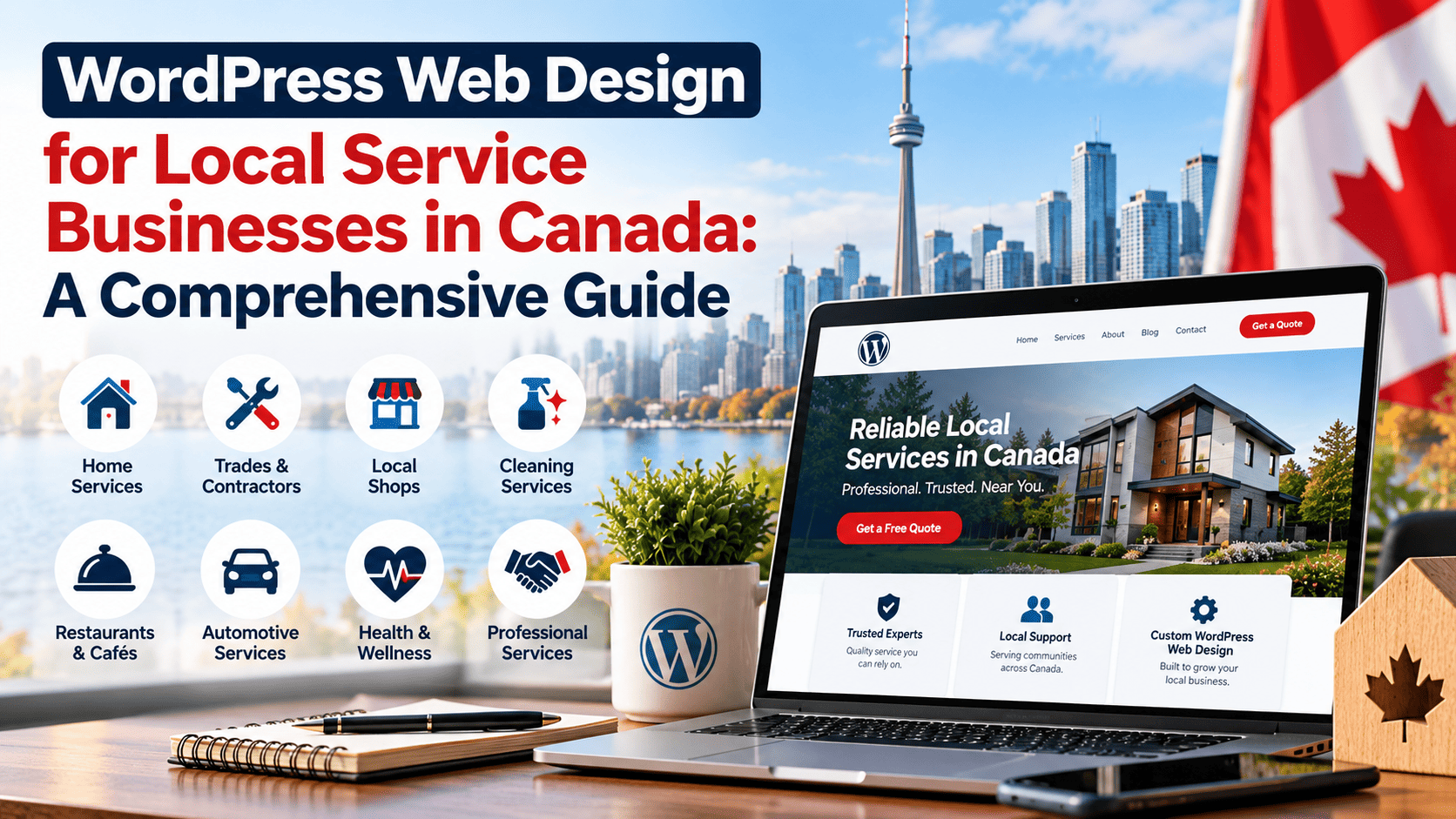


Introduction: Why WordPress Web Design Matters for Canadian Businesses
In Canada’s crowded digital marketplace, a website is often the first point of contact between a business and a potential customer. Whether a shopper in Toronto is comparing local retailers or a procurement manager in Calgary is vetting a B2B supplier, the impression a site makes in those first few seconds can determine whether a relationship begins or ends. For the majority of Canadian organizations, that first impression is delivered through WordPress. Staying current with WordPress web design trends is therefore not a cosmetic exercise; it is a competitive necessity that affects visibility, credibility, and revenue.
The Dominance of WordPress in Canada’s Digital Economy
WordPress powers a substantial share of websites worldwide, and Canada is no exception. Its open-source nature, extensive plugin ecosystem, and flexibility make it a natural fit for the country’s mix of small businesses, professional services, e-commerce shops, and public-sector organizations. From independent studios in Vancouver to multi-location enterprises in Ontario and Quebec, WordPress offers a cost-effective path to a professional web presence without locking businesses into a single vendor.
That dominance has practical consequences. Because so many Canadian sites run on WordPress, design conventions, performance expectations, and accessibility standards evolve quickly across the platform. Businesses that ignore these shifts can find themselves looking dated next to competitors who have adopted newer layouts, faster loading practices, and more intuitive navigation.
How Design Trends Influence User Trust and Conversion
Design is not decoration. It is a trust signal. Visitors make rapid judgments about a brand based on visual hierarchy, load speed, mobile responsiveness, and clarity of purpose. A cluttered or slow WordPress site suggests a business that is careless or behind the times, while a clean, fast, accessible site signals professionalism and reliability.
Several elements consistently influence whether Canadian visitors stay, browse, or buy:
- Mobile experience: A large share of Canadian web traffic comes from smartphones, so responsive design is a baseline requirement, not an upgrade.
- Page speed: Slow sites increase bounce rates and hurt search rankings, directly reducing leads and sales.
- Accessibility: Clear contrast, readable type, and keyboard-friendly navigation widen the audience and align with Canadian accessibility expectations.
- Visual clarity: Strong hierarchy and purposeful white space guide users toward calls to action.
- Consistency: Uniform branding and interface patterns build familiarity and reduce friction.
When these factors work together, conversion rates improve. Forms get completed, carts get checked out, and contact requests increase.
Setting the Stage: Key Trends Shaping 2024 and Beyond
The WordPress design landscape is moving toward performance-first, block-based building. Full site editing and the block editor give Canadian businesses more control over layout without heavy custom code. At the same time, Core Web Vitals, privacy-conscious analytics, and bilingual content structures are becoming standard considerations for organizations serving customers across provinces and in both official languages.
Understanding these trends helps Canadian businesses plan upgrades that are practical rather than trendy for their own sake. The sections that follow examine the specific WordPress web design trends worth watching, and how each one can support competitiveness in the Canadian digital landscape.
Mobile-First and Responsive Design: A Canadian Necessity
Canadian consumers have moved decisively toward smartphones as their primary gateway to the web. For businesses operating a WordPress site, this shift is not a passing trend — it is the baseline expectation. A visitor who taps a search result on a phone in Toronto, Halifax, or Saskatoon expects the page to load quickly, display cleanly, and respond to touch without pinching or zooming. When that expectation is not met, the visitor leaves, and the bounce often happens before a brand ever registers. Mobile-first and responsive design has therefore become a Canadian necessity rather than a design preference, shaping how WordPress themes are chosen, built, and tested.
Statistics on Mobile Usage Among Canadian Consumers
Canada ranks among the most connected countries in the world, and mobile devices drive a substantial share of that connectivity. According to the Canadian Internet Use Survey conducted by Statistics Canada, the overwhelming majority of Canadians own a smartphone, and a growing proportion report using it as their main device for browsing, shopping, and accessing services. Data from the Canadian Radio-television and Telecommunications Commission (CRTC) consistently shows mobile data consumption rising year over year, while industry analytics platforms such as StatCounter have recorded mobile and tablet traffic in Canada hovering near or above half of all web traffic in recent years.
Several patterns matter for WordPress site owners:
- Smartphone ownership in Canada is near-universal among adults under 45 and continues to climb among older age groups.
- Mobile devices account for a large and growing share of e-commerce sessions, with many purchases starting on a phone even when completed later on a desktop.
- Rural and remote communities often rely on mobile networks more heavily than fixed broadband, making responsive design an accessibility issue as much as a commercial one.
- Search engines predominantly use the mobile version of a page for indexing, so a weak mobile experience can suppress visibility across all devices.
These figures point to one conclusion: if a WordPress site is not optimized for small screens, it is underperforming for the majority of its Canadian audience.
Implementing Responsive WordPress Themes for Seamless Experiences
Responsive design means a single site adapts fluidly to any screen, rather than maintaining separate mobile and desktop versions. Modern WordPress block themes make this easier because layout tools such as fluid typography, flexible spacing, and container-based widths respond to viewport size automatically. When selecting or building a theme, Canadian businesses should prioritize:
- A mobile-first stylesheet, where base styles target small screens and larger breakpoints layer on enhancements.
- Touch-friendly navigation, including adequately sized tap targets and accessible menu toggles.
- Optimized images served in modern formats with responsive
srcsetattributes so phones download only what they need. - Performance budgets that keep Largest Contentful Paint and Cumulative Layout Shift within healthy ranges on mobile connections.
A practical way to confirm that a theme is loading responsive image candidates correctly is to inspect the markup. The following command retrieves a page and shows the image tags, revealing whether srcset and sizes attributes are present:
curl -s https://example.ca | grep -o '<img[^>]*>' | head -n 5If those attributes are missing, WordPress may be serving a single oversized image to every device, which slows mobile load times and hurts user experience.
Testing and Optimizing for Various Devices and Screen Sizes
Responsive design is only as good as the testing behind it. Canadian audiences use a wide mix of hardware, from high-end flagship phones to older budget models, and network conditions vary from dense urban 5G to slower rural connections. A disciplined testing routine should include:
- Browser developer tools set to common viewport widths such as 360px, 390px, 768px, and 1024px.
- Real-device testing on both iOS and Android to catch touch and rendering quirks.
- Network throttling to simulate 3G and slower 4G conditions.
- Accessibility checks for contrast, focus order, and screen-reader navigation.
- Analytics review to identify pages with high mobile bounce rates and prioritize fixes.
| Check | Target | Tool |
|---|---|---|
| Viewport rendering | No horizontal scroll at 360px | Browser dev tools |
| Tap target size | At least 44×44 pixels | Lighthouse audit |
| Mobile load speed | LCP under 2.5 seconds | PageSpeed Insights |
| Touch interaction | Menus and forms usable one-handed | Real-device testing |
Combining these checks with regular WordPress core updates, lightweight plugins, and caching keeps a site fast and dependable across the devices Canadians actually use. Mobile-first design is no longer optional for Canadian businesses — it is the foundation on which every other WordPress web design trend depends.
Accessibility and Inclusive Design: Meeting Canadian Standards
Accessibility is no longer a nice-to-have for Canadian websites; it is increasingly a legal expectation. For businesses running WordPress sites, inclusive design expands your audience, reduces legal risk, and improves usability for everyone. Roughly one in five Canadians lives with a disability, and accessible sites also serve older adults, mobile users, and people in temporary situations such as a broken arm or a noisy environment.
Understanding AODA and Other Accessibility Legislation
Ontario’s Accessibility for Ontarians with Disabilities Act (AODA) sets standards for information and communications, including websites, with compliance deadlines phased in since 2014 for public sector organizations and large businesses. Manitoba, Nova Scotia, and other provinces have introduced or proposed similar accessibility legislation, while federally regulated organizations fall under the Accessible Canada Act. The Government of Canada also maintains the Standard on Web Accessibility for its own sites.
Most Canadian web accessibility rules align with the Web Content Accessibility Guidelines (WCAG) 2.0 or 2.1 at Level AA. WCAG 2.2 is now the current W3C recommendation, so building to 2.2 AA gives you a strong margin of safety. Key principles are captured in the POUR framework:
- Perceivable: text alternatives, captions, sufficient contrast.
- Operable: keyboard navigation, no seizure-inducing flashing, enough time.
- Understandable: readable language, predictable navigation, clear error messages.
- Robust: clean semantic markup that works with assistive technologies.
WordPress Plugins and Tools for WCAG Compliance
WordPress offers a range of plugins and testing tools to support compliance. No single plugin guarantees WCAG conformance, but combining automated checks with manual review and real user testing covers the gaps.
| Tool or Plugin | Primary Function | Best For |
|---|---|---|
| Accessibility Checker | Scans posts and pages for common WCAG issues | Editors catching errors before publishing |
| WP Accessibility | Adds skip links, fixes common theme issues | Retrofitting older themes |
| One Click Accessibility | Adds contrast, font-size, and link-highlight controls | Quick user-facing adjustments |
| WAVE and axe DevTools | Browser-based automated audits | Developers testing full page templates |
| Keyboard and screen reader testing | Manual verification with real assistive tech | Confirming true conformance |
Designing for Diverse Abilities: Best Practices and Examples
Inclusive WordPress design goes beyond plugin installation. Start with a theme built on semantic HTML and test it with a keyboard only. Ensure colour contrast meets at least a 4.5:1 ratio for body text, add descriptive alt text for meaningful images, and provide visible focus states for interactive elements. Avoid autoplay video with sound, and caption any media you publish.
Practical examples include adding a visible “Skip to content” link, using descriptive link text instead of “click here”, and structuring headings in logical order so screen reader users can navigate quickly. Forms should have properly associated labels and clear, specific error messages. For Canadian businesses, publishing an accessibility statement that outlines your conformance target and a feedback contact is a simple, credible step that also signals commitment to inclusive service.
Speed and Performance Optimization: Keeping Visitors Engaged
Speed is no longer a technical afterthought; it is a core part of how Canadian visitors experience a WordPress site. Whether someone is browsing from downtown Toronto on fibre or from a rural community on a mobile connection, slow pages create friction. Search engines also reward fast sites with better rankings, which matters in a competitive Canadian market where local searches often decide who gets the call. Optimizing performance is therefore both a user experience strategy and an SEO strategy.
The Impact of Page Load Times on Bounce Rates and Conversions
Visitors form an opinion of a website within seconds. If a page stalls, many will return to search results and choose a competitor. This raises bounce rates and reduces the chances of a form submission, quote request, or purchase. For Canadian businesses, the effect is amplified by geography: a site hosted far from its audience can feel sluggish even when the design is excellent. Faster load times keep attention on the content, guide visitors toward calls to action, and support the trust that local customers expect.
Conversions rarely happen on the first screen. A visitor may compare services, read reviews, and check contact details. Each additional second of delay increases the likelihood they abandon that journey. Improving speed therefore improves every step of the funnel, from first impression to final conversion.
Caching, CDNs, and Image Optimization for Canadian Hosting
Caching stores a ready-to-serve version of a page so WordPress does not rebuild it on every visit. A content delivery network (CDN) then copies those cached assets to edge locations, bringing them closer to the visitor. For Canadian audiences, choosing a host or CDN with points of presence in Canada—such as Toronto or Montreal—reduces the distance data must travel. Image optimization completes the picture by compressing and resizing files before they reach the browser.
- Page caching: Serve static HTML for repeat visitors and reduce server load.
- Object caching: Store database query results for dynamic pages.
- CDN with Canadian edge nodes: Deliver CSS, JavaScript, and images from nearby locations.
- Image optimization: Use WebP or AVIF, correct dimensions, and lazy loading below the fold.
- Browser caching: Set expiration headers so returning visitors download fewer files.
A practical example is enabling compression and caching at the server level. On an Apache-based Canadian host, the following directives in .htaccess can reduce transfer size and improve repeat visits:
<IfModule mod_deflate.c>
  AddOutputFilterByType DEFLATE text/html text/css application/javascript image/svg+xml
</IfModule>
<IfModule mod_expires.c>
  ExpiresActive On
  ExpiresByType image/webp "access plus 1 year"
  ExpiresByType text/css "access plus 1 month"
</IfModule>
Choosing Lightweight Themes and Efficient Plugins
Every theme and plugin adds code that the browser must download and process. A bloated theme with dozens of unused features can undo the benefits of caching and a CDN. Canadian businesses should favour lightweight, well-coded themes that focus on performance and accessibility. When evaluating plugins, ask whether each one is essential, actively maintained, and compatible with caching. Removing unused plugins, limiting page builders to those that produce clean markup, and auditing third-party scripts regularly will keep the site fast as it grows.
Performance optimization is not a one-time task. It is an ongoing habit that keeps Canadian visitors engaged, improves search visibility, and turns more of those visits into meaningful business results.
Bilingual and Multilingual Design: Serving Canada’s Diverse Population
Canada’s linguistic landscape is not a footnote to web design; it is a defining feature. With English and French as official languages and hundreds of additional languages spoken in homes across the country, a single-language WordPress site can quietly exclude a significant share of potential customers. For Canadian businesses, multilingual design is less a stylistic choice than a practical requirement for reach, trust, and compliance with expectations around official-language service.
The Business Case for Bilingual Websites in Canada
French-speaking Canadians are not a niche audience. Quebec alone represents a substantial consumer market, and Francophone communities exist in every province. A visitor who lands on an English-only site may leave not because the product is wrong, but because the experience signals that their language—and by extension, their business—is an afterthought.
Bilingual design also supports legal and regulatory expectations. Federal institutions and many federally regulated businesses must provide services in both official languages, and provincial rules in Quebec add their own requirements around French-language commerce and signage. Beyond compliance, bilingual sites tend to perform better in search, because French-language queries can surface French-language pages rather than forcing users into an English result.
The broader multicultural opportunity is just as real. Canada welcomes immigrants from around the world, and many communities prefer to research and buy in a familiar language. Adding Mandarin, Punjabi, Tagalog, Spanish, or Arabic content can open markets that competitors overlook.
WordPress Multilingual Plugins and Translation Workflows
WordPress does not ship with native multilingual content management, so most Canadian businesses rely on established plugins. The two most common approaches are WPML and Polylang, with TranslatePress offering a visual translation experience. Each handles translated URLs, language-specific menus, and content relationships differently, so the choice should follow your workflow rather than the other way around.
A sustainable translation workflow matters more than the plugin itself. Consider this typical sequence:
- Write the source content in English or French, keeping sentences short and free of idioms that resist translation.
- Translate with a professional or a vetted machine-translation plus human review process.
- Have a native speaker proofread for tone, not just accuracy.
- Publish language versions together so no audience sees stale information.
- Assign a reviewer for each language and schedule periodic content audits.
Automatic translation can be a starting point, but publishing unreviewed machine output on legal, medical, or financial pages creates risk. Treat translation as part of content operations, with clear ownership and version control.
Design Considerations for Language Switchers and Localized Content
The language switcher is a small interface element with outsized importance. Place it where users expect it—typically in the header, near the top right—and label languages clearly, using full names or widely recognized codes rather than flags. Flags represent countries, not languages, and can alienate French-speaking Canadians outside Quebec or multilingual visitors from other regions.
Localized content goes beyond word-for-word translation. Design should accommodate text expansion, since French and many other languages run longer than English. Buttons, navigation labels, and forms need room to grow without breaking layouts. Dates, addresses, phone formats, and currency should follow local conventions.
| Element | Design Consideration |
|---|---|
| Language switcher | Visible in header, full language names, no flags |
| Typography | Fonts that support French accents and non-Latin scripts |
| Layout | Flexible widths for longer translated text |
| URLs | Language-specific paths or subdomains, consistently applied |
| SEO | Hreflang tags linking language versions |
Finally, avoid mixing languages on a single page unless intentional. A French page with English calls to action feels unfinished. Consistent, complete language experiences build the confidence that turns a visitor into a customer.
Privacy and Data Protection: Building Trust with Canadian Users
Canadian consumers are increasingly aware of how their personal information is collected, stored, and shared online. For businesses operating in Canada, privacy is not just a legal checkbox—it is a core element of user experience and brand credibility. A website that handles data transparently signals professionalism and respect, while a confusing or intrusive consent process can quickly erode trust. When planning WordPress web design trends Canadian businesses should watch, privacy-focused design must sit near the top of the list.
Key Requirements of PIPEDA and Provincial Privacy Laws
The Personal Information Protection and Electronic Documents Act (PIPEDA) governs how private-sector organizations collect, use, and disclose personal information in the course of commercial activity. It applies broadly across Canada, though Quebec, British Columbia, and Alberta have their own substantially similar provincial laws. Under PIPEDA, organizations must follow ten fair information principles, including accountability, identifying purposes, consent, limiting collection, limiting use and retention, accuracy, safeguards, openness, individual access, and challenging compliance.
In practice, this means a Canadian business website should:
- State clearly why personal data is being collected before or at the time of collection.
- Obtain meaningful consent—opt-in consent is generally expected for sensitive data.
- Allow users to access, correct, or withdraw their information on request.
- Designate a privacy officer or contact responsible for compliance.
- Retain data only as long as necessary for the stated purpose.
Quebec’s Law 25 adds stricter requirements around consent, privacy policies, and breach notification, so businesses targeting Quebec users should treat it as a baseline for stronger protections. A well-structured WordPress privacy policy page, linked in the footer and at every data collection point, helps satisfy the openness and accountability principles.
Designing Cookie Consent Banners and Privacy Policies
Cookie consent banners are often the first privacy interaction a visitor has with a site, so clarity matters more than cleverness. A compliant banner should explain in plain language what cookies are used, categorize them (essential, analytics, marketing), and give users a genuine choice to accept or reject non-essential cookies. Dark patterns—such as a prominent “Accept All” button with a hidden “Reject” link—undermine consent and can attract regulatory scrutiny.
WordPress plugins such as CookieYes, Complianz, or Cookie Notice can generate consent banners with granular controls. Pair the banner with a dedicated privacy policy that covers:
- What data is collected and for what purpose
- How long data is retained
- Third-party services and cross-border transfers
- How users can exercise their rights
- Contact details for privacy inquiries
Keep the language readable, avoid legal jargon where possible, and make the policy easy to find from any page.
Secure WordPress Practices: SSL, Data Encryption, and User Consent
Technical safeguards are part of the privacy promise. An SSL certificate (HTTPS) encrypts data in transit and is effectively mandatory for any site collecting personal information. Beyond that, businesses should enforce strong admin passwords, enable two-factor authentication, limit user roles, keep WordPress core, themes, and plugins updated, and use a security plugin such as Wordfence or Solid Security.
For data at rest, choose a host that offers encrypted storage and encrypted backups. When handling form submissions, ensure data is transmitted over HTTPS and stored securely. A simple way to verify that a WordPress site is enforcing secure connections is to check the site URL configuration and add a redirect rule. For example, a server-level redirect in an Apache .htaccess file can force HTTPS:
RewriteEngine On
RewriteCond %{HTTPS} off
RewriteRule ^(.*)$ https://%{HTTP_HOST}%{REQUEST_URI} [L,R=301]
Finally, align consent with functionality. Forms should include a clear checkbox or notice explaining how submitted data will be used, and marketing emails should require explicit opt-in. By combining legal awareness, transparent design, and hardened WordPress practices, Canadian businesses can turn privacy from a compliance burden into a visible trust signal.
Visual Trends: Minimalism, Bold Typography, and Custom Graphics
Canadian audiences are design-literate and increasingly skeptical of cluttered, template-driven websites. They reward clarity, speed, and personality. For WordPress users, that means leaning into visual trends that are as practical as they are aesthetic: clean layouts, confident type, and original artwork. These choices also align well with Canadian expectations around accessibility, bilingual content, and mobile-first browsing.
The Rise of Minimalist Layouts for Clarity and Focus
Minimalism in 2025 is not about empty white space for its own sake. It is about reducing cognitive load so visitors can find what they need quickly. Canadian users often arrive with a specific task: booking a service, comparing shipping options, or reading a policy in English or French. A minimalist layout helps them do that without visual noise.
In WordPress, minimalism is easier to implement than ever. Block themes and the Site Editor let you control spacing, alignment, and color without touching code. Key practices include:
- Limit your palette to two or three core colors, with one accent for calls to action.
- Use generous whitespace around headings and buttons to improve scannability.
- Remove sidebars and decorative widgets that compete with primary content.
- Keep navigation simple, with clear labels that work in both official languages.
- Prioritize fast-loading, lightweight themes to support mobile users on slower connections.
Minimalism also supports accessibility. High contrast, logical heading structure, and uncluttered forms make your site more usable for people with visual or cognitive disabilities, which matters under Canadian accessibility standards.
Using Bold Typography to Convey Brand Personality
Typography is one of the fastest ways to signal who you are. A Toronto fintech startup and a Halifax craft brewery should not sound the same, and they should not look the same either. Bold, oversized headlines are trending because they create hierarchy, feel modern, and work beautifully on mobile screens.
When choosing type for a Canadian audience, consider these practical guidelines:
- Pick a display face for headlines and a highly legible face for body text.
- Ensure the font supports French diacritics such as é, à, ç, and ô without awkward spacing.
- Use variable fonts to keep performance strong while allowing weight flexibility.
- Test readability at small sizes before committing to a type pairing.
- Respect brand guidelines while allowing typography to evolve with design trends.
In WordPress, the typography tools in block themes make it simple to set global font sizes, line heights, and letter spacing. You can also register custom font families in theme.json, giving editors consistent options without breaking the design.
Incorporating Custom Illustrations and Graphics for Uniqueness
Stock photography is everywhere, and Canadian visitors notice when a site looks like everyone else’s. Custom illustrations, icons, and abstract graphics help your brand feel original and locally relevant. They can also communicate complex ideas, such as insurance coverage or software workflows, more clearly than a generic photo.
To implement custom graphics effectively in WordPress:
- Create a small illustration system with consistent line weights, colors, and shapes.
- Use SVG files for icons and logos to keep them sharp and lightweight.
- Optimize raster images and serve them in WebP format where supported.
- Add descriptive alt text that reflects the graphic’s purpose, not just its appearance.
- Reuse visual motifs across pages, blog posts, and email templates for cohesion.
Together, minimal layouts, bold typography, and custom graphics give Canadian WordPress sites a distinct visual voice. They load quickly, read clearly, and feel intentional, which is exactly what today’s audiences expect.
Interactive and Engaging Elements: Beyond Static Pages
A static WordPress page tells visitors what a business does. An interactive page invites them to participate, and participation is what turns a casual visit into a lead, a booking, or a sale. For Canadian businesses, interactivity also solves a practical problem: the country is vast, the market is bilingual, and customers expect to find relevant local information quickly. Adding interactive elements to a WordPress site can reduce bounce rates, increase time on page, and give visitors a reason to return.
Micro-interactions and Animations for Enhanced UX
Micro-interactions are the small, purposeful responses that occur when a user takes an action: a button that shifts colour on hover, a form field that confirms a valid entry, a subtle slide-in as a section scrolls into view. They provide feedback, which reduces uncertainty and makes a site feel responsive rather than inert.
Animations should support the task, not decorate it. A few guidelines worth following:
- Keep transitions short, typically under 300 milliseconds, so the interface feels immediate.
- Animate properties such as opacity and transform, which browsers handle more efficiently than layout properties.
- Respect the
prefers-reduced-motionmedia query so visitors who have disabled motion in their operating system are not subjected to effects. - Use motion to direct attention to a primary call to action, such as a “Book a Consultation” button.
For a Canadian retailer, a well-timed hover state on a product card can communicate availability and price without requiring a click. For a professional services firm, a gentle progress indicator on a multi-step contact form can keep a prospect moving toward submission.
Interactive Maps and Locators for Canadian Locations
Canada’s geography makes location tools especially valuable. A visitor in Surrey should not have to scroll through a list of Ontario branches to find the nearest one. An interactive map or store locator lets users enter a postal code, detect their location, or filter by province and city.
Useful features for a Canadian locator include:
- Search by postal code, city, or province, with results sorted by distance.
- Bilingual labels and address formats, since Quebec locations may require French-language display.
- Embedded directions that open the visitor’s preferred mapping application.
- Hours of operation adjusted for local time zones, from Pacific to Atlantic.
This is particularly effective for franchise networks, multi-location retailers, and service businesses that dispatch technicians across regions.
Quizzes, Polls, and Calculators to Drive Engagement
Interactive tools give visitors a reason to stay and a reason to share their information. A quiz can help a customer choose the right product, a poll can surface audience preferences, and a calculator can turn an abstract decision into a concrete number.
Consider these examples relevant to Canadian businesses:
- A mortgage or financing calculator that lets a buyer estimate payments based on a purchase price and down payment.
- A shipping or delivery estimator that accounts for province and postal code.
- A product-matching quiz for a retailer with a broad catalogue, such as outdoor gear suited to Canadian seasons.
- A poll asking customers which new location or service they would like to see next.
| Element | Primary Goal | Best Fit for Canadian Businesses | Typical Effort to Implement |
|---|---|---|---|
| Micro-interactions and animations | Improve usability and perceived quality | Any site; especially e-commerce and service booking | Low to moderate |
| Interactive maps and locators | Help visitors find nearby locations | Multi-location retailers, franchises, regional service providers | Moderate |
| Quizzes, polls, and calculators | Capture leads and guide decisions | Finance, insurance, retail, and professional services | Moderate to high |
The common thread is usefulness. Interactivity earns engagement when it helps a visitor accomplish something, whether that is finding a store in Halifax, estimating a monthly payment, or simply confirming that a button worked. Canadian businesses that build these elements into their WordPress sites give visitors fewer reasons to leave and more reasons to act.
SEO and Local Search Optimization: Getting Found in Canada
Design and SEO are not separate projects in WordPress. The layout, theme structure, and page templates you choose determine how easily search engines can crawl your content, how fast your pages load, and how clearly you signal your location to Canadian searchers. For businesses targeting customers in Toronto, Vancouver, Calgary, or smaller communities, the right design decisions make local visibility a built-in feature rather than an afterthought.
Structuring Content for Canadian Keywords and Phrases
Canadian search behaviour often mixes regional spelling and location intent. A page about “colour consultation” in Ontario may compete with “color consultation” searches from cross-border users, so your content architecture should support both without creating duplicate pages. Use a clear heading hierarchy on every page, with one logical H1 and descriptive H2 and H3 tags that include your service and city. Keep URLs short and readable, such as /web-design-toronto/, and avoid dates or generic slugs like /page-2/.
Internal linking also matters. Link service pages to location pages and back again, using anchor text that reflects real search phrases. A simple WordPress approach is to assign each city or region its own page template and category, then cross-link them through a related-pages block. This helps search engines understand which page should rank for which Canadian market.
Optimizing for Google My Business and Local Directories
Your WordPress site should reinforce your Google Business Profile, not compete with it. Design choices that support this include:
- Displaying your full Canadian address, phone number, and hours in the footer and on a dedicated contact page.
- Embedding a map that matches your verified business location.
- Adding structured data for LocalBusiness, including province, postal code, and service areas.
- Linking to your Google Business Profile and major Canadian directories such as YellowPages.ca and provincial chambers of commerce.
Consistency is critical. If your site lists “Suite 200” but your Google profile lists “Unit 200,” you weaken the location signals. Use one canonical format everywhere. A lightweight plugin can output the LocalBusiness schema, but you can also add it directly in your theme’s header. For example, a JSON-LD block in header.php or via a custom HTML widget keeps the markup under your control:
<script type="application/ld+json">
{
  "@context": "https://schema.org",
  "@type": "LocalBusiness",
  "name": "Example Canadian Business",
  "address": {
    "@type": "PostalAddress",
    "streetAddress": "123 Main Street",
    "addressLocality": "Toronto",
    "addressRegion": "ON",
    "postalCode": "M5V 1A1",
    "addressCountry": "CA"
  },
  "telephone": "+1-416-555-0123"
}
</script>
Mobile SEO and Voice Search Considerations
Most Canadian local searches happen on mobile devices, and voice assistants rely on fast, well-structured pages. Choose a responsive WordPress theme and test it on real phones, not just browser resizing tools. Compress images, enable caching, and avoid pop-ups that block content on small screens. Write headings and answers in natural language, because voice queries tend to be conversational: “Who is the best WordPress designer near me in Halifax?” A clear question-and-answer format on service pages, combined with accurate location data, gives voice search the concise answers it needs.
Future-Proofing Your WordPress Site: Emerging Trends and Technologies
Canadian businesses have always adapted to changing conditions, from bilingual audiences to long winters that push customers online. The same resilience now applies to web design. A WordPress site built only for today’s traffic will feel outdated within a couple of years. The smarter approach is to prepare for the technologies that are already moving from novelty to expectation across Canada and beyond.
AI and Machine Learning for Personalization and Chatbots
Artificial intelligence is no longer a luxury reserved for large enterprises. On WordPress, AI tools can shape the visitor experience in ways that were once impossible without a dedicated development team. Personalization plugins can adjust homepage content, product recommendations, and calls to action based on a visitor’s location, browsing history, or referral source. For a Canadian retailer, that might mean showing winter gear to visitors from Winnipeg in January while highlighting patio furniture for customers in Victoria.
Chatbots are the other major AI application. Modern AI-powered chat widgets can handle common questions about shipping, returns, and store hours without human intervention. They can also escalate complex inquiries to a live agent. For small Canadian businesses with limited support staff, this can free up hours each week while keeping customers engaged.
Practical steps for WordPress site owners include:
- Choose AI plugins that respect Canadian privacy laws such as PIPEDA.
- Test personalization rules on a small audience before rolling them out site-wide.
- Review chatbot transcripts regularly to improve responses and catch errors.
- Keep a human fallback option visible on every page.
Voice Search and Conversational Interfaces
Voice assistants have become part of daily life for many Canadians, whether through smartphones, smart speakers, or in-car systems. This shift changes how people search. Instead of typing short keywords, they ask full questions: “Where is the nearest hardware store open now?” or “What’s the best coffee shop in Halifax?”
For WordPress sites, voice search readiness comes down to structure and clarity. Content should answer natural-language questions directly. Headings should match how people speak. Local SEO matters more than ever because voice queries often carry location intent. Canadian businesses can prepare by:
- Adding FAQ sections with conversational question-and-answer formatting.
- Using schema markup to help search engines understand your content.
- Keeping business hours, addresses, and contact details accurate and consistent.
- Writing in plain language that mirrors natural speech.
Sustainable Web Design: Reducing Carbon Footprint
Every website consumes energy. Data centres, networks, and user devices all draw power, and heavy pages with large images and autoplay video increase that demand. Sustainable web design aims to reduce this impact while improving performance for visitors, which matters especially in rural and northern Canadian communities where connections may be slower.
A lighter WordPress site is also a faster site. Common sustainability practices include compressing images, limiting third-party scripts, choosing green hosting providers, and caching pages efficiently. These changes lower carbon emissions and improve user experience at the same time.
Canadian businesses that adopt these emerging trends will not only stay competitive but also build trust with customers who value privacy, accessibility, and environmental responsibility. Future-proofing is not about chasing every new tool. It is about choosing technologies that serve your audience well and align with the values they hold.
Frequently Asked Questions
Why should Canadian businesses pay attention to WordPress web design trends?
WordPress powers a large share of the web, and Canadian businesses compete for attention in a bilingual, mobile-first market. Following current design trends helps you improve accessibility, page speed, local search visibility, and conversion rates. It also ensures your site complies with Canadian privacy expectations and serves users across provinces and territories. By watching trends such as WCAG 2.2, Core Web Vitals, AI-assisted content, and local SEO, you can make informed decisions that keep your WordPress site competitive, trustworthy, and easier to maintain over time.
How does web accessibility affect Canadian WordPress websites?
Accessibility affects how users with disabilities perceive, understand, navigate, and interact with your WordPress site. In Canada, accessibility is both an ethical and legal consideration, with standards such as WCAG 2.2 and provincial laws like the Accessibility for Ontarians with Disabilities Act. Designing with semantic HTML, keyboard navigation, sufficient color contrast, captions, and clear focus states helps you reach a wider audience. It can also reduce legal risk, improve SEO, and create a better experience for all visitors, including mobile users and older adults.
What WordPress design trends improve Core Web Vitals for Canadian visitors?
To improve Core Web Vitals, focus on lightweight themes, optimized images in modern formats, lazy loading, efficient caching, and reduced third-party scripts. Use responsive design, limit web fonts, and choose Canadian or regional hosting with CDN coverage. WordPress block themes and performance plugins can help you control layout and assets. Regularly test with PageSpeed Insights and Search Console, and prioritize Largest Contentful Paint, Interaction to Next Paint, and Cumulative Layout Shift. Faster sites tend to rank better and convert more visitors, especially on mobile networks across Canada.
How can Canadian businesses use WordPress for local SEO?
Canadian businesses can use WordPress to strengthen local SEO by optimizing for city and province keywords, adding LocalBusiness schema, maintaining consistent name, address, and phone details, and creating location-specific landing pages. Connect your site to Google Business Profile, use Canadian English and French where appropriate, and ensure your site is mobile-friendly and fast. Local citations, reviews, and regionally relevant content can improve visibility in local search results. Plugins such as SEO tools can help manage metadata, sitemaps, and structured data without requiring deep technical expertise.
What role does AI play in WordPress web design for Canadian businesses?
AI is increasingly used in WordPress web design for content drafting, image generation, chatbots, personalization, and design suggestions. For Canadian businesses, AI can speed up content creation and improve user experiences, but it should be used responsibly. Review AI-generated content for accuracy, bias, and brand voice. Be transparent with users, respect privacy laws, and avoid publishing unverified claims. AI can also assist with accessibility checks, SEO recommendations, and performance monitoring. The best results come from combining AI efficiency with human oversight and Canadian-specific context.
Which WordPress design trends support privacy compliance in Canada?
Privacy-first design is important for Canadian businesses under laws such as PIPEDA and provincial privacy statutes. Trends include minimal data collection, clear consent banners, privacy-friendly analytics, secure forms, and transparent privacy policies. Use HTTPS, limit cookies, and give users control over their data. WordPress plugins can help manage consent and analytics, but you should configure them carefully. Avoid unnecessary tracking and ensure third-party tools comply with Canadian expectations. Privacy-first design builds trust, reduces compliance risk, and aligns with growing user concerns about data collection.
Should Canadian businesses use block themes or classic themes in WordPress?
Block themes represent the future of WordPress design because they support full site editing, reusable patterns, and consistent styling. They can be faster to build and easier to maintain, especially for teams using the block editor. Classic themes still work well for existing sites and may be appropriate if you rely on older plugins or custom templates. For new projects, consider block themes to take advantage of modern WordPress features. Either way, prioritize performance, accessibility, and a clear content structure that serves Canadian audiences in English and French.
How often should Canadian businesses update their WordPress web design?
You should review your WordPress design at least annually and after major business changes, such as rebranding, new services, or expansion into new provinces. Regular maintenance includes updating WordPress core, themes, and plugins, checking accessibility, monitoring Core Web Vitals, and reviewing analytics. Design trends evolve, but you do not need to redesign constantly. Instead, make incremental improvements based on user feedback, conversion data, and search performance. A consistent maintenance schedule helps protect security, performance, and user experience for Canadian visitors.
Sources and further reading
- WordPress.org
- WordPress Developer Resources
- W3C Web Content Accessibility Guidelines (WCAG) 2.2
- W3C Web Accessibility Initiative
- Web Vitals
- Google Search Central: Core Web Vitals
- Office of the Privacy Commissioner of Canada: PIPEDA
- Office of the Privacy Commissioner of Canada
- Statistics Canada
- MDN Web Docs: Responsive Design