



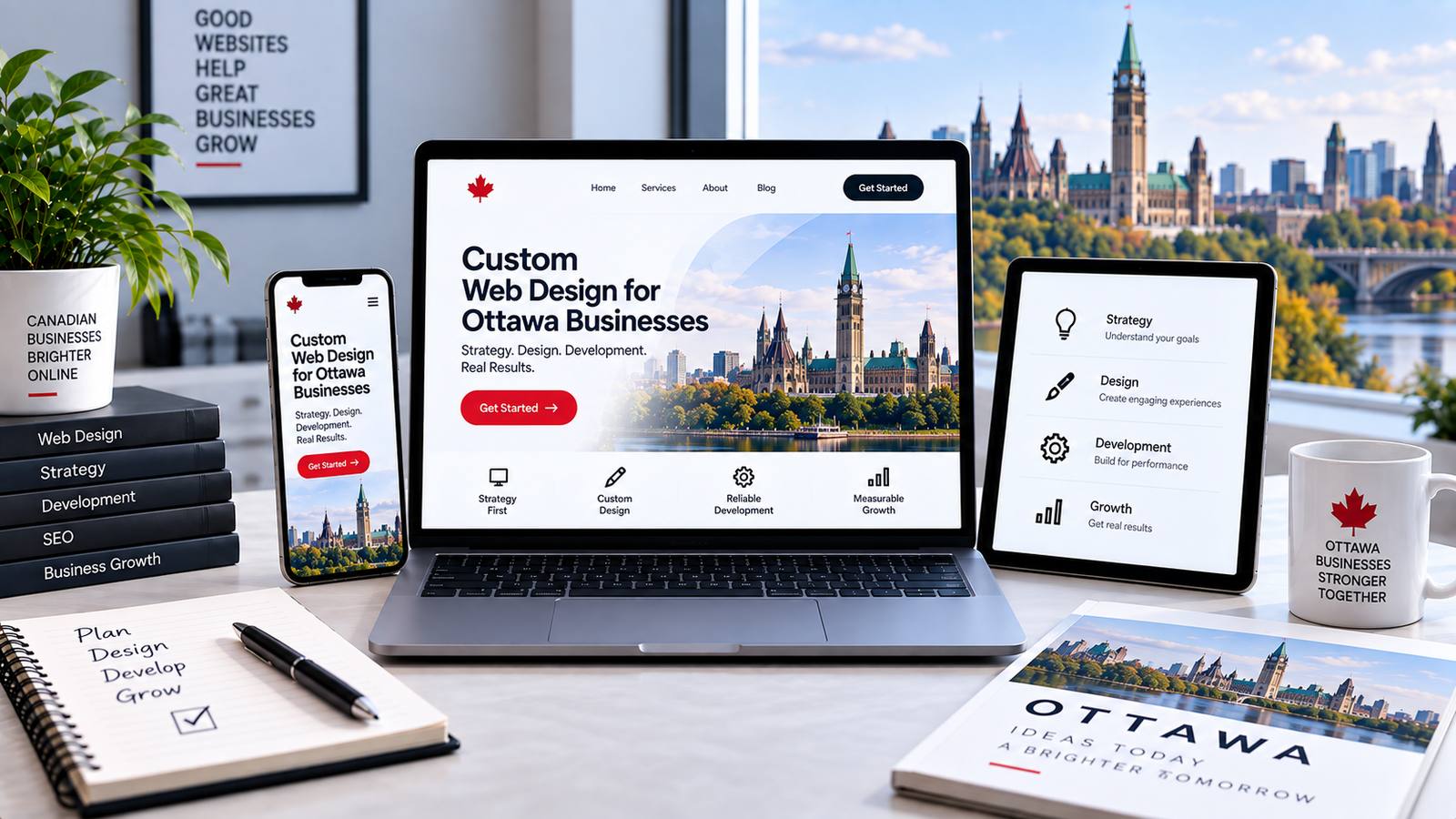
Introduction: Why Custom Web Design Matters for Ottawa Businesses
Your website is often the first handshake with a potential customer—and in Ottawa’s competitive service landscape, a generic template can silently undermine your credibility. Template-based sites, while quick to deploy, carry structural limitations: they constrain your layout to pre-set grids, force generic copy blocks, and often bury conversion paths beneath visual clutter. A custom web design, by contrast, is built from the ground up around your specific business goals, local audience, and operational workflows. This distinction is not cosmetic—it affects how quickly your pages load, how clearly Google understands your content, and whether a visitor from Nepean or Kanata feels that you speak directly to their needs.
For Ottawa businesses—whether you run a law firm on Elgin Street, a boutique in the ByWard Market, or a home-services company serving Barrhaven—the stakes are practical. Custom design allows you to integrate local SEO signals naturally (neighbourhood landing pages, embedded maps, local event calendars) without hacking a theme. It also gives you control over accessibility, mobile responsiveness, and page speed, all of which influence both user retention and search rankings. Below, we break down what separates a tailored build from an off-the-shelf solution, and why that difference matters in this specific market.
The Competitive Landscape of Ottawa’s Digital Market
Ottawa is not a saturated tech hub like Toronto or Montréal, but it has a distinct digital ecosystem. The city hosts a dense cluster of federal contractors, tech startups, professional services, and tourism-driven retail. This mix means your competitors are often sophisticated—many have invested in custom sites that rank well for “Ottawa + [service]” queries. Meanwhile, national chains and remote agencies also target the same keywords. To stand out, you need more than a pretty homepage; you need a site that answers local questions quickly (e.g., “Do you service Orleans?”) and builds trust through clear credentials, bilingual options (English/French), and authentic community references.
Generic templates often fail here because they are designed for mass appeal. They assume a uniform visitor, but Ottawa’s audience is split between public-sector professionals (who value clarity and compliance) and private-sector consumers (who value speed and personality). A custom build lets you segment your content, highlight your bilingual capability, and adjust navigation for different user paths—without forcing one-size-fits-all menus.
Template vs. Custom: Key Differences at a Glance
| Aspect | Template-Based Design | Custom Web Design |
|---|---|---|
| Initial cost | Lower (often $1,500–$5,000 CAD) | Higher (typically $8,000–$30,000+ CAD) |
| Time to launch | 1–4 weeks | 6–16 weeks, depending on scope |
| SEO flexibility | Limited by theme’s code structure | Full control over schema, metadata, and site architecture |
| Design uniqueness | Shared with thousands of other sites | Exclusive to your brand |
| Scalability | Often requires a rebuild for major changes | Built with modular components for easy additions |
| Maintenance | Dependent on third-party theme updates | Your developer owns the codebase |
This table is not exhaustive, but it highlights the core trade-off: templates save money upfront but can cost you in lost conversions and redesign fees later. Custom design is an investment in your digital asset.
How Custom Design Aligns with Local Brand Identity
A custom site allows you to reflect Ottawa’s character without resorting to clichés. You can incorporate subtle design cues—like the limestone tones of Parliament Hill, the greens of the Rideau Canal, or the clean geometry of the National Arts Centre—into your colour palette and typography. More importantly, you can shape your content architecture around local trust signals: client testimonials from specific neighbourhoods, a careers page that mentions your office near the LRT, or a service area map that shows exactly where you operate.
Brand identity also extends to functionality. For example, a custom site can include a booking system that respects Ottawa’s bilingual requirements, a filter for “emergency service” that works after hours, or an integration with local payment methods. Templates rarely offer such granularity without heavy plugin reliance, which can slow your site and create security gaps. With a custom approach, every element—from the header navigation to the footer’s contact details—is designed to reinforce your credibility in the local market.
Ultimately, custom web design is not about being different for its own sake. It is about creating a digital presence that accurately represents your business’s size, values, and service area—so that when a potential client in Ottawa lands on your page, they immediately understand who you are, why you are trustworthy, and how to take the next step.
Strategic Foundations: Defining Your Website’s Purpose and Audience
Before a single pixel is placed or a colour palette chosen, a successful custom web design in Ottawa begins with strategy. This phase determines whether your website becomes a high-performing asset or a costly digital brochure. The process starts by translating business objectives into measurable digital outcomes, then grounding every design decision in real user behaviour. Skipping this step leads to aesthetic websites that fail to convert, which is why Ottawa businesses increasingly treat discovery and planning as non-negotiable.
Setting Clear Goals: Lead Generation, E-Commerce, or Brand Awareness
Your website’s architecture, content hierarchy, and calls-to-action must align with one primary goal, even if secondary objectives exist. Ask the difficult question first: what should a visitor do within 60 seconds of landing on your homepage?
- Lead generation – Prioritise form placement, phone number visibility, and gated resources. Design should reduce friction, with minimal navigation distractions.
- E-commerce – Emphasise product imagery, streamlined checkout, and trust signals like shipping policies. The design must support frequent browsing and quick decisions.
- Brand awareness – Focus on storytelling, editorial layouts, and immersive visuals. Conversion metrics matter less than time-on-site and return visits.
Once the primary goal is locked, define three to five supporting metrics. For a lead generation site, that could be form completion rate, cost per lead, or phone call tracking. For e-commerce, average order value and cart abandonment rate take precedence. These numbers become the benchmarks against which design iterations are measured.
Understanding Your Ottawa Audience: Demographics and Behaviour
Ottawa is not a homogeneous market. Your audience spans federal public servants with predictable browsing hours, tech workers in Kanata, students near Carleton and uOttawa, and bilingual Francophone professionals who expect French-language parity. Behavioural research must account for these segments:
| Audience Segment | Key Behavioural Trait | Design Implication |
|---|---|---|
| Public sector employees | High security awareness, limited access to certain third-party scripts | Avoid heavy external trackers; ensure HTTPS and clear privacy notices |
| Bilingual users | Toggle between languages mid-session | Language switcher visible on every viewport, not buried in a menu |
| Mobile-first commuters | Short, fragmented visits on OC Transpo or while walking | Thumb-friendly navigation, compressed images, and above-the-fold key info |
| Local small business owners | Compare competitors before purchasing | Showcase case studies, local testimonials, and service area maps |
Use analytics from your current site, heatmaps, and even simple hallway testing with Ottawa residents. Do not rely on national averages, as local browsing patterns differ significantly, particularly around civic holidays and parliamentary schedules.
Creating User Personas and Journey Maps for Custom UX
Personas are not fictional stereotypes; they are distilled research profiles. For each primary audience segment, build a persona with a name, job role, digital comfort level, and a specific frustration related to your industry. Then map the journey from problem recognition to solution evaluation. A journey map for a legal client in Ottawa might look like this:
- Awareness – Searches “family lawyer Ottawa” on mobile.
- Consideration – Visits three law firm websites, checks office location near Bank Street, reads about consultation fees.
- Decision – Calls directly instead of filling a form, expecting a human answer within two rings.
- Post-conversion – Returns to download a checklist or read blog posts about separation agreements.
Each step imposes design requirements: fast load times, a prominent click-to-call button, embedded map, and no paywall on essential information. A practical way to test your journey mapping is to create a simple script that simulates user clicks. For example, in a browser console, you can verify all interactive elements have accessible names:
document.querySelectorAll('a, button').forEach(el => {
  if (!el.textContent.trim() && !el.getAttribute('aria-label')) {
    console.warn('Unlabelled interactive element:', el);
  }
});
This quick check ensures your custom UX does not exclude keyboard or screen reader users, a common oversight even in award-winning Ottawa designs. When personas and journey maps are complete, you will have a blueprint that makes every subsequent design decision – from typography scale to navigation label wording – defensible and tied to business outcomes.
The Custom Design Process: From Discovery to Launch
Understanding the phases of a custom web design project in Ottawa removes guesswork and sets clear expectations. While every agency structures work slightly differently, a typical engagement follows five predictable stages. You can expect the entire timeline—from kickoff to public launch—to span roughly 8 to 14 weeks for a standard business website, depending on content readiness and the number of review cycles.
Discovery and Requirements Gathering: The Kickoff Meeting
Your project begins with a structured discovery session, usually lasting 90 minutes to two hours. This is not a casual chat—it is a working meeting where the design team extracts critical business context. Expect to discuss your target audience, primary conversion goals (e.g., quote requests, online bookings, e-commerce sales), brand differentiators, and competitor landscape. The agency will also audit any existing website analytics and content assets you provide.
Deliverables from this phase typically include:
- A project scope document listing functional requirements (forms, CMS pages, integrations)
- A sitemap outlining page hierarchy and navigation structure
- A content inventory identifying what you must write or supply versus what the agency will create
- A technical specification covering hosting, security, and third-party tools
This phase takes 1–2 weeks. Your active involvement matters: delays in answering follow-up questions or providing brand guidelines will directly push your timeline.
Wireframing, Prototyping, and Iterative Design Reviews
Once requirements are locked, the design team moves to low-fidelity wireframes—black-and-white layouts that map content blocks, calls-to-action, and user flow. These are not visually polished; they exist to confirm structure and prioritize information. After wireframe approval, the team applies visual design: typography, colour palettes, imagery, and spacing. You will review these high-fidelity mockups in two to three structured feedback rounds.
During this stage, you should expect to:
- Provide written feedback consolidated from all internal stakeholders (avoid verbal-only commentary)
- Focus feedback on function and hierarchy, not pixel-level preferences (e.g., “move the contact button above the fold” vs. “make the blue slightly darker”)
- Approve design direction in writing before any development begins
This phase typically lasts 2–3 weeks. Each iteration adds 2–4 business days, so disciplined feedback keeps the project on schedule.
Development, Testing, and Launch: What Happens Behind the Scenes
After final design approval, developers convert mockups into responsive HTML, CSS, and JavaScript, then integrate your chosen CMS (often WordPress or a custom Laravel build). This is the longest phase, usually 3–5 weeks. Behind the scenes, the team performs several distinct tests:
- Cross-browser testing (Chrome, Safari, Firefox, Edge)
- Mobile and tablet responsiveness checks at common screen widths (375px, 768px, 1024px)
- Page speed optimization targeting a load time under 2.5 seconds
- Form submission and email notification testing
- Security vulnerability scans and SSL certificate installation
Before launch, you will receive a staging URL to review the full site. After your final approval, the agency migrates the site to your production domain, configures redirects from any old URLs, and submits your sitemap to Google Search Console. Post-launch support typically includes 30 days of bug fixes and a handover session for content editing training.
| Project Phase | Typical Duration | Primary Deliverable | Client Responsibility |
|---|---|---|---|
| Discovery & Requirements | 1–2 weeks | Scope document & sitemap | Provide brand assets, content, and stakeholder availability |
| Wireframing & Design | 2–3 weeks | Approved high-fidelity mockups | Consolidate feedback and approve design in writing |
| Development & Testing | 3–5 weeks | Fully functional staging site | Review staging, test forms, and finalize content |
| Launch & Post-Support | 1 week + 30 days | Live website and support window | Provide domain access and final launch approval |
Total timeline: 8–14 weeks. The most common source of delay is not design or coding—it is clients waiting to supply final copy or high-resolution images. Prepare these assets early to keep your custom project moving smoothly.
Key Strategic Elements in Custom Web Design
A custom website succeeds or fails long before a single pixel is rendered. The most visually striking designs underperform when strategic foundations—how information is structured, how users are guided toward action, and who can actually access the content—are treated as afterthoughts. For Ottawa businesses competing in a dense digital landscape, these three pillars separate a digital brochure from a lead-generating asset.
Information Architecture and User Flow Optimisation
Information architecture (IA) is the invisible skeleton of your site. It determines whether a visitor finds your service in three clicks or gets lost in a maze of dropdown menus. Begin by mapping your primary audience’s top tasks—for a law firm, that might be “book a consultation” or “read about practice areas,” not “browse our team bios.”
Practical steps for Ottawa-specific IA:
- Card-sort with real clients or staff to group services into intuitive categories—avoid legal or industry jargon that confuses local users.
- Limit top-level navigation to five to seven items; bury secondary pages under clear, descriptive submenus.
- Create a flat hierarchy for service pages so each offering is reachable from the homepage, not buried four levels deep.
User flow optimisation then tests those paths. Use heatmaps and session recordings to identify where users drop off—for example, if visitors repeatedly abandon a quote request form, the flow likely demands too much information or the next-step button is poorly placed. A custom build allows you to iterate this architecture without hacking a template’s rigid structure.
Conversion-Focused Design: Calls-to-Action and Trust Signals
Every page should answer one question: “What do you want the visitor to do next?” Conversion-focused design aligns visual hierarchy with that answer. Primary calls-to-action (CTAs) must be visually dominant—contrasting colour, ample whitespace, and action-oriented copy like “Get Your Free Ottawa Quote” rather than “Submit.”
Secondary CTAs (e.g., “Call our office” or “Download a guide”) should exist but remain visually quieter to avoid decision paralysis. Equally critical are trust signals, which are often overlooked in custom builds:
| Trust Signal | Where to Place It | Why It Works |
|---|---|---|
| Client logos (local Ottawa firms) | Above the fold on homepage | Social proof from recognizable neighbours |
| Certifications or industry badges | Near CTAs on service pages | Reduces perceived risk at decision moment |
| Real street address and phone number | Footer and contact page | Signals a physical, accountable business |
| Testimonials with full names and photos | Beside pricing or form sections | Specificity boosts credibility over generic praise |
For a technical example, ensure your CTA buttons are actual <button> elements or links with descriptive aria-labels, not styled <div>s. This guarantees keyboard navigability and screen reader clarity—both conversion killers if broken.
Accessibility and Inclusive Design as a Strategic Advantage
Accessibility is not a legal checkbox; it is a market expansion strategy. In Ottawa, where federal government employees and agencies form a significant audience, WCAG 2.1 AA compliance is often a procurement requirement. A custom design lets you bake in contrast ratios (at least 4.5:1 for body text), focus states that are visible but not jarring, and semantic HTML that announces page structure correctly to assistive tech.
Beyond compliance, inclusive design improves usability for everyone. Consider these strategic choices:
- Offer a “skip to content” link at the very top of every page—power users and screen reader users both benefit.
- Use relative font sizing (e.g.,
remunits) so users can zoom without breaking your layout. - Design forms with clear error messages that appear inline, not as a vague red border—this reduces frustration for users with cognitive disabilities and improves completion rates.
When you treat accessibility as a design constraint from the start, you avoid costly retrofits. For example, a simple code pattern like aria-current="page" on your navigation’s active link costs nothing to implement but gives screen reader users critical orientation. In a competitive Ottawa market, an accessible custom site signals professionalism and widens your potential client base—an advantage no template can replicate.
Cost Breakdown: What Does Custom Web Design in Ottawa Really Cost?
Understanding the true cost of custom web design in Ottawa requires moving beyond vague quotes and hourly guesses. Unlike template-based builds, custom projects are priced according to the specific architecture, user experience, and engineering effort involved. While Ottawa’s market sits between larger hubs like Toronto and smaller regional agencies, you’ll still encounter a wide spectrum. The key is knowing what drives the number and where your budget realistically lands before you sign a contract.
Typical Pricing Ranges for Custom Design Projects
For a fully custom website—not a pre-built theme—Ottawa agencies and independent studios generally price by project scope, not by page count alone. Based on current local market activity, expect these approximate ranges for design and development (excluding copywriting, photography, and ongoing marketing):
- Small business site (5–10 pages): $8,000 – $15,000 CAD. Includes custom homepage layout, interior page templates, basic CMS, and mobile-first design.
- Mid-level corporate or e-commerce (10–25 pages): $15,000 – $35,000 CAD. Adds custom product or service architecture, advanced filtering, user accounts, and integrations (CRM, payment gateways).
- Enterprise or complex platform (25+ pages, custom apps): $40,000 – $100,000+ CAD. Includes multi-user workflows, custom dashboards, API development, and rigorous security/compliance measures.
These figures assume a professional team with dedicated project management. Rock-bottom quotes under $5,000 almost always indicate a template disguised as custom, or a freelancer who will outsource parts of the build.
Factors That Affect Cost: Complexity, Features, and Content
Three variables dominate the final invoice, and each one can swing your budget by 30–50%.
| Factor | Impact on Cost | Example |
|---|---|---|
| Design complexity | Custom illustrations, animations, or unique layout systems require more design hours than a clean, standard grid. | A parallax scrolling homepage with micro-interactions adds $3,000–$6,000 vs. a static hero section. |
| Feature depth | Every interactive element—booking engines, member portals, multilingual support—adds backend and QA time. | Adding a bilingual toggle (English/French) for the Ottawa market typically adds 15–20% to development cost. |
| Content readiness | If you provide copy and images on time, your project stays on schedule. If the agency must write or source content, it adds $100–$150/hour. | A 12-page site with professionally written copy and stock photo curation can add $4,000–$8,000. |
Don’t forget that Ottawa’s bilingual nature often means planning for French and English versions from the start—not as an afterthought. That decision alone affects site architecture, URL structure, and character length for headings.
Hidden Costs to Watch For: Maintenance, Hosting, and Revisions
The initial build is only the beginning. Many Ottawa clients are caught off guard by recurring or unexpected expenses. Plan for these from day one:
- Hosting and security: Premium managed hosting (with SSL, daily backups, and staging environments) ranges from $50–$200/month. Cheap shared hosting will undermine your custom build’s speed and reliability.
- Maintenance retainers: Most agencies charge 10–15% of the original build cost annually for updates, plugin patches, and minor fixes. For a $20,000 site, that’s roughly $2,000–$3,000 per year.
- Revision overage: Standard contracts include 2–3 rounds of feedback. After that, hourly rates of $95–$150 apply. Always clarify what constitutes a “revision” versus a “new feature” in writing.
- Third-party licenses: Stock photo subscriptions, premium fonts, or specialized plugins (e.g., advanced forms, calendar sync) can cost $200–$1,000/year.
To avoid surprises, ask any Ottawa agency for a full cost-of-ownership sheet before signing. A transparent breakdown—separating design, development, launch, and the first year of maintenance—will protect your budget and your sanity.
Comparing Custom Design vs. Website Builders: A Cost-Benefit Analysis
When planning a new website in Ottawa, the first fork in the road is often a choice between a DIY website builder (like Wix, Squarespace, or Shopify’s templated themes) and a fully custom design. The upfront price difference is stark—builders can cost as little as $20 per month, while a custom build might start at $5,000 and climb. However, that comparison ignores what happens in year two, year five, or when your business pivots. A true cost-benefit analysis must factor in not just launch day, but the lifetime cost of ownership, lost opportunities from poor SEO, and the expense of redesigning sooner than expected.
When a Website Builder Might Be Sufficient
For a very small local service business with a narrow scope—say, a solo plumber or a single-location café—a website builder can be the pragmatic choice. If your needs are limited to a menu, hours, contact form, and a Google Maps embed, the constraints of a template are rarely a problem. You also benefit from included hosting, SSL certificates, and automatic security patches, which removes technical maintenance from your plate. The key test is whether your business model is static. If you will not need custom booking logic, multi-currency e-commerce, or a proprietary member portal, a builder’s rigid structure may never feel limiting. In this scenario, paying $300 per year for a polished template is a rational business expense, not a compromise.
Long-Term ROI of Custom Design: Scalability and Flexibility
The real financial argument for custom design emerges when you stop thinking of your website as a brochure and start treating it as a revenue asset. A custom build gives you an architecture that can grow with your operations. For example, a custom WordPress or Laravel site can be extended with a bespoke inventory system, a CRM integration, or a custom API that connects to your Ottawa-based dispatch software. With a builder, you are often locked into whatever plugins or app store offerings exist—and when your needs outgrow those, you face a full migration, which costs more than the original build. Custom code also means you own every file and database table. There are no platform licensing fees, no forced template updates that break your layout, and no risk of a builder discontinuing a feature you depend on. The flexibility to change a single page’s layout, add a new content type, or restructure your navigation without fighting a page builder’s drag-and-drop constraints is worth real money in developer hours saved.
SEO and Performance: Why Custom Code Often Wins
Search engine rankings are a long-term cost center that many DIY users overlook. Website builders generate heavy, redundant HTML, and their themes often load dozens of JavaScript files, even on pages that do not use them. Google’s Core Web Vitals directly penalize slow-loading pages, and a custom site can be optimized to the millisecond. A custom developer can minify CSS, implement lazy loading for images, and use a content delivery network (CDN) with server-side caching—all without the bloat of a builder’s global scripts. Furthermore, custom code allows for precise schema markup and clean, semantic heading structures that builders often mangle. For a concrete example, consider a standard redirect rule. In a builder, you might rely on a plugin; in custom code, you write a single line in your `.htaccess` file:
Redirect 301 /old-service-page /new-service-pageThis tiny snippet is faster than any plugin-based redirect because it executes at the server level, avoiding a database query. Over dozens of pages, that performance difference compounds. When your Ottawa competitor’s site loads in 2.5 seconds and yours loads in 1.1 seconds, you win the click—and the conversion. In a cost-benefit analysis, the custom site’s higher upfront price is amortized over years of better organic traffic, lower bounce rates, and zero migration fees. The builder’s monthly savings vanish the moment you need to break out of its template’s mold.
What to Expect During the Design and Development Timeline
Embarking on a custom web design project in Ottawa is a collaborative process that unfolds in deliberate phases. Unlike template-based builds, bespoke work requires a structured timeline that balances creative exploration with technical precision. Understanding the journey ahead—its pace, its checkpoints, and its communication rhythms—will help you stay aligned and avoid surprises.
Average Timelines for Different Project Sizes
Project duration scales directly with scope, complexity, and the number of stakeholders involved. While every agency and freelance team structures work differently, the following ranges represent realistic benchmarks for custom builds in the Ottawa market:
| Project Type | Typical Duration | Key Drivers of Timeline |
|---|---|---|
| Marketing site (5–10 pages) | 6–10 weeks | Content readiness, copywriting, basic CMS setup |
| Corporate site with blog (10–20 pages) | 10–14 weeks | Custom page templates, integrations, SEO structure |
| E-commerce or web application | 14–20+ weeks | Product data, payment gateways, user accounts, testing |
These windows include discovery, design, development, and a two-week buffer for revisions. If you have a hard launch date—such as a product release or a seasonal campaign—communicate it early. A good team will adjust their workflow, but rushing the discovery phase often leads to costly rework later.
Communication and Reporting: How Often You’ll Hear from Your Team
Consistent communication prevents drift. A professional web design partner will establish a cadence from day one, typically including:
- Weekly status calls (30–45 minutes) to review progress, clarify open questions, and align on priorities.
- Written progress summaries after each call, sent via email or a project management tool like Slack, Asana, or Trello.
- Asynchronous updates for small decisions—such as choosing a font weight or approving a color hex—often handled through shared comments on design files.
- Immediate escalation for blockers that require your input, such as missing content or third-party vendor delays.
During the design phase, expect more frequent back-and-forth as you review mockups. During development, communication often shifts to weekly demos of live pages rather than static images. If you prefer a different rhythm—say, daily check-ins or a single weekly email—state that preference upfront. Most teams will adapt, but transparency on both sides is essential.
Milestones and Approval Gates: Keeping the Project on Track
Custom projects are managed through defined approval gates that protect the timeline and the budget. Each gate requires your explicit sign-off before the next phase begins. Typical milestones include:
- Discovery & strategy sign-off: You approve the sitemap, user flows, and technical requirements before any visual work starts.
- Design concept approval: You select one of two or three homepage design directions. This is the most critical gate—changes here are inexpensive; changes after development are not.
- Final design review: You approve all inner-page designs and mobile layouts. At this point, the design is frozen.
- Development beta launch: You receive a staging link to test functionality, forms, and responsiveness on your own devices.
- Final acceptance & launch: You confirm that all revision requests are resolved, then the site goes live.
Each gate has a defined review window—often 2 to 5 business days. Missing a deadline can push the entire schedule by a week or more, especially if your feedback requires redoing a layout. To keep momentum, review deliverables promptly, consolidate feedback from your team into one document, and distinguish between “must fix” and “nice to change” items. This discipline ensures that your Ottawa custom web design project finishes on time, within scope, and with a site that truly represents your business.
Working with an Ottawa Web Design Agency or Freelancer
Choosing between a local agency and a freelance designer in Ottawa is a strategic decision that affects your timeline, budget, and the depth of support you receive after launch. While both can deliver a polished website, the differences lie in team structure, process maturity, and how they handle the inevitable post-launch fixes. Understanding these trade-offs before you start will save you from scope creep and misaligned expectations.
Benefits of a Local Partner: In-Person Meetings and Local SEO Knowledge
Hiring a partner based in Ottawa offers distinct advantages beyond convenience. Face-to-face kickoff meetings and on-site whiteboard sessions allow you to review wireframes, discuss subtle brand nuances, and resolve disagreements in real time—something that is slower over video calls. Additionally, a local firm or freelancer who serves the National Capital Region will understand the competitive landscape for your industry, from tourism and federal contracting to tech and retail. They can apply local SEO tactics that matter: embedding your physical address in consistent NAP citations across Ottawa business directories, optimizing for “near me” searches with neighbourhood-specific landing pages, and ensuring your site loads quickly for users on Rogers or Bell fibre networks. A local partner also knows that the City of Ottawa’s business licensing and bilingual (English/French) content requirements may affect your site’s structure, so they can proactively plan for language toggles or legal pages.
Agency vs. Freelancer: Capabilities and Accountability
An agency typically brings a multidisciplinary team—project manager, strategist, designer, developer, and QA tester—which means more hands for complex builds like e-commerce or membership portals. They also have established workflows for version control, staging environments, and scheduled backups. A freelancer, however, offers direct communication with a single owner who is personally accountable for every pixel and line of code. This can lead to faster iteration on small projects, but it also creates a single point of failure if the freelancer falls ill or takes on too many clients. For post-launch support, agencies often sell retainers with guaranteed response times (e.g., 4 business hours for critical issues), while freelancers may offer ad-hoc hourly support that is cheaper but less predictable. Below is a practical comparison to guide your decision.
| Factor | Local Agency | Freelance Designer |
|---|---|---|
| Team size and skill breadth | Full team: strategy, UX, dev, SEO, QA | Often solo or with a small subcontractor network |
| Typical project cost (Ottawa market) | $8,000 – $25,000+ for custom builds | $2,500 – $10,000 for similar scope |
| Communication style | Account manager or project lead as gatekeeper | Direct line to the person doing the work |
| Post-launch support | Monthly retainers, SLAs, and dedicated ticketing | Hourly or small block packages; availability varies |
| Accountability for deadlines | Project manager enforces milestones | Self-managed; can slip if overbooked |
Questions to Ask Before Signing a Contract
To avoid surprises, ask every candidate these five questions. First, “Who will handle security updates and core WordPress or CMS patches after launch, and is that included or billed separately?” Second, “Can you provide two references from Ottawa-based clients in a similar industry, and what was their average timeline from kickoff to launch?” Third, “How do you handle a scenario where the initial design direction is rejected—how many revision rounds are included?” Fourth, “Do you have a documented process for transferring ownership of the domain, hosting account, and code repository at the end of the project?” Finally, “What is your specific experience with local SEO for Ottawa businesses, such as creating Google Business Profile alignment and French-language hreflang tags?” A thorough answer to these questions reveals whether your partner is process-driven or improvisational, and that distinction matters more than a glossy portfolio.
Post-Launch: Ongoing Maintenance, Updates, and Growth
Launching your custom website is not the finish line—it is the starting point for sustained performance. A bespoke site requires deliberate care to remain secure, fast, and aligned with your evolving business goals. Without a structured post-launch plan, even the most elegant design can degrade through neglected plugins, outdated content, or missed user experience opportunities. Here is what happens after the celebratory launch, and how to manage it effectively.
Understanding Maintenance Plans and Support Agreements
Most professional Ottawa web design agencies offer tiered maintenance plans, typically billed monthly or annually. These agreements cover essential technical upkeep that you should not handle alone unless you have in-house expertise. A standard plan includes:
- Core updates: Applying security patches, CMS upgrades, and plugin or theme revisions.
- Daily backups: Off-site storage with a defined restoration time (e.g., within 4 hours).
- Uptime monitoring: Automated checks that alert you or your developer to downtime.
- Security scans: Malware detection and removal, plus firewall configuration.
- Bug fixes: Resolution of broken forms, links, or layout issues caused by browser updates.
Support agreements differ from maintenance. Support covers human assistance—answering questions, making small content changes, or troubleshooting user-reported problems. Clarify response times (e.g., same business day for critical issues) and whether support is unlimited or capped at a monthly hour count. Avoid contracts that bundle vague “website care” without itemizing what is included; instead, ask for a written scope that lists updates, testing routines, and excluded work like new page design.
Analytics and Reporting: Measuring Success Post-Launch
You cannot improve what you do not measure. Within the first week, ensure analytics tools are correctly installed and configured. For most custom sites, this means adding a tracking snippet to your site’s global header or via a tag manager. A practical example using Google Tag Manager to fire a pageview event on every route:
// In your head tag, after the GTM container snippet
window.dataLayer = window.dataLayer || [];
dataLayer.push({
  'event': 'pageview',
  'pagePath': window.location.pathname,
  'pageTitle': document.title
});
After implementation, agree on a reporting cadence—monthly is common. Your report should not just list raw visits. Instead, focus on actionable metrics tied to your original business objectives. A useful framework:
| Metric Category | Example KPI | Why It Matters |
|---|---|---|
| Acquisition | Organic sessions, referral traffic | Shows if your SEO and outreach are working |
| Behavior | Time on page, bounce rate for key landing pages | Reveals content relevance and navigation clarity |
| Conversion | Form submissions, phone calls, or e-commerce checkouts | Directly measures ROI against design goals |
| Technical health | Core Web Vitals (LCP, CLS, INP) | Poor scores hurt rankings and user trust |
Review this data with your developer or a dedicated analyst. Look for anomalies—such as a high exit rate on your pricing page—and treat them as hypotheses, not conclusions. For instance, a slow-loading image might be the culprit, not the copy itself.
When and How to Plan Future Enhancements
Do not wait for a full redesign to improve your site. Plan iterative enhancements on a quarterly cycle. Start by collecting feedback from three sources: analytics (as above), user behavior tools like heatmaps or session recordings, and direct stakeholder input from your team. Prioritize changes using a simple matrix of effort versus business impact. Low-effort, high-impact fixes—like rewriting a confusing call-to-action button or compressing oversized images—should happen within weeks.
Larger enhancements, such as adding a custom booking system or integrating a new CRM, require a scoped proposal. Before approving, ask your developer for a timeline, cost estimate, and a clear definition of done. Also consider future content needs: will you publish a blog, case studies, or a resource library? If so, ensure your content management system is structured to support that growth without custom coding each time.
Finally, schedule a six-month post-launch audit. This is not a technical check but a strategic review: have your business goals changed? Is the site still aligned with your brand voice? Use that meeting to reset priorities for the next six months, ensuring your custom website remains a living asset that compounds value rather than a static brochure that quietly falls out of date.
Choosing the Right Partner: Red Flags and Green Flags
Selecting a web design partner in Ottawa is a significant decision that affects your brand’s digital presence for years. Beyond comparing hourly rates or flashy sales pitches, a structured vetting process is essential. Look for a partner who treats your project as a strategic investment, not a commodity. The following practical checks will help you separate capable collaborators from costly mistakes.
Portfolio Red Flags: Outdated Designs and Generic Templates
A portfolio is your first window into a firm’s current capability, not just their past work. Examine it with a critical eye for three specific warning signs. First, watch for layouts that feel frozen in time—excessive drop shadows, non-responsive navigation, or stock photography with a 2015 aesthetic. Second, look for visual uniformity across different client sites. If every project shares the same header structure, button style, and color palette, you are likely viewing theme variations, not custom builds. Third, check whether the portfolio includes real-world projects with actual content, not just polished mockups with lorem ipsum.
What should green flags look like? A strong portfolio will show:
- Diverse information architecture tailored to different industries (e.g., e-commerce vs. professional services)
- Clear evidence of mobile-first design, tested on actual devices
- Case studies that explain the business problem, the design solution, and measurable outcomes
- Accessible design choices, such as proper contrast ratios and semantic HTML
Ask for a live URL of a recently launched Ottawa-based site. Then, inspect it yourself—resize the browser, test a few forms, and check page speed. A partner hiding behind screenshots often has something to conceal.
Transparent Pricing and Clear Deliverables
Ottawa’s web design market ranges from freelance side projects to full-service agencies. Pricing transparency is your best defense against scope creep and surprise invoices. A reliable partner will provide a detailed proposal that itemizes design, development, content migration, and testing hours. They will also specify what is not included—such as stock photography licensing, premium plugin costs, or ongoing maintenance.
Beware of vague quotes like “$5,000–$15,000 depending on complexity.” Instead, request a fixed-price contract after a discovery call. The contract should list every deliverable with a definition of “done.” For example, “homepage design” is not a deliverable; “responsive homepage design with approved wireframes, two revision rounds, and final HTML/CSS files” is. Similarly, clarify who owns the code and content at project end. A green flag is a partner who offers a phased payment schedule tied to milestones (e.g., 30% deposit, 40% at design approval, 30% at launch) rather than demanding full payment upfront.
Consider this comparison when evaluating proposals:
| Red Flag | Green Flag |
|---|---|
| Quote given without a discovery meeting | Paid or free consultation to map your user journeys |
| No mention of hosting or security setup | Clear breakdown of one-time vs. recurring costs |
| Deliverables listed as “website” with no page count | Page-by-page inventory with content requirements |
| Unlimited revisions promised verbally but not in writing | Stated revision cap (e.g., 2 rounds) and cost for extras |
The Importance of Post-Launch Support and Training
Launch day is not the finish line; it is the beginning of your site’s operational life. Many Ottawa businesses discover too late that their new website comes with no manual, no training, and no support after the final invoice is paid. A reputable partner will outline a post-launch care plan during the vetting process. This plan should include a defined warranty period (typically 30–90 days) for fixing bugs that appear only under real-world traffic.
Training is equally critical. Ask whether you will receive a recorded walkthrough of the content management system (CMS) and written documentation for common tasks like adding a blog post, updating staff bios, or changing a contact form. Green-flag partners offer at least one live training session tailored to your team’s technical comfort level. Red flags include vague promises like “we’ll show you after launch” or charging per support ticket without a service-level agreement. Also, confirm the response time for urgent issues—a broken checkout page cannot wait for a week. Look for a partner who offers a monthly or quarterly retainer option, but also verify that you can exit that arrangement without penalties. The right partner empowers you to make simple edits yourself, while remaining a reliable resource for complex changes.
Frequently Asked Questions
What does a custom web design in Ottawa typically cost?
Custom web design costs in Ottawa vary widely based on project scope, number of pages, functionality, and the experience of the designer or agency. As of 2025, a simple small business website might start around $3,000 to $5,000, while a more robust custom site with e-commerce, booking systems, or custom integrations could range from $10,000 to $50,000 or more. Always ask for a detailed quote that breaks down design, development, content creation, and ongoing maintenance, as these can affect the final price.
How long does it take to build a custom website in Ottawa?
The timeline for a custom website project in Ottawa usually depends on the complexity and the responsiveness of your content team. A basic informational site may take 4 to 6 weeks, while a mid-sized business site with custom features often requires 8 to 12 weeks. Larger projects with e-commerce or third-party integrations can take 3 to 6 months. A reputable agency will provide a clear project plan with milestones, but delays can occur if content, images, or client feedback are not delivered on time.
What is the difference between custom web design and a template-based website?
Custom web design involves creating a unique layout and user experience tailored to your brand, content, and business goals. Templates are pre-designed themes that you can quickly populate with your text and images, offering lower cost and faster launch but limited flexibility and potential similarity to other sites. Custom design gives you full control over functionality, branding, and scalability, which is often worth the investment for businesses that want a distinct online presence and long-term growth.
What should I prepare before starting a custom web design project in Ottawa?
Before starting, gather your brand assets (logo, colors, fonts), examples of websites you like and dislike, your site’s content (text, images, videos), and clear goals (e.g., lead generation, sales, information). Also, define your target audience and key calls-to-action. Having this ready allows your designer to focus on strategy and creative execution rather than chasing content, saving time and money. If you lack content, budget for professional copywriting and photography.
Will my custom website be mobile-friendly and search engine optimized?
Yes, professional custom web design in Ottawa should always include responsive design, meaning your site adapts to any device (phone, tablet, desktop). SEO basics—such as fast loading times, clean code, keyword-friendly meta tags, and proper heading structure—should be built into the development process. However, for full SEO success, you may need ongoing content marketing and technical SEO services. Ask your designer how they handle mobile-first indexing and Core Web Vitals.
How do I choose the right custom web design agency in Ottawa?
Start by reviewing portfolios to see if their design style matches your brand. Look for experience in your industry and check client testimonials or case studies. Ask about their process, timeline, and post-launch support. Ensure they provide clear communication and a written contract. It’s also wise to ask for references and to verify that they follow accessibility standards and SEO best practices. A good agency will act as a strategic partner, not just a coder.
What ongoing maintenance is needed after a custom website launch?
After launch, your custom website needs regular updates to keep it secure, fast, and functional. This includes software updates (for the CMS, plugins, or themes), security monitoring, backups, and occasional content updates. You may also want to track analytics and improve SEO. Many Ottawa agencies offer maintenance plans that cover these tasks, typically costing between $50 and $200 per month, depending on the level of support. Skipping maintenance can lead to security vulnerabilities and performance issues.
Sources and further reading
- City of Ottawa – Official Website
- Ottawa Tourism – Official Site
- Invest Ottawa – Business Resources
- Canadian Internet Registration Authority (CIRA)
- W3C – Web Accessibility Initiative (WAI)
- Google Search Central – SEO Starter Guide
- Mozilla – Web Design and Development
- Shopify – E-commerce Pricing Guide
- Smashing Magazine – Web Design Process
- A List Apart – Web Design Articles







Comment (1)
Pingback: Small Business Web Design in Ottawa: Strategy, Cost & What to Expect