

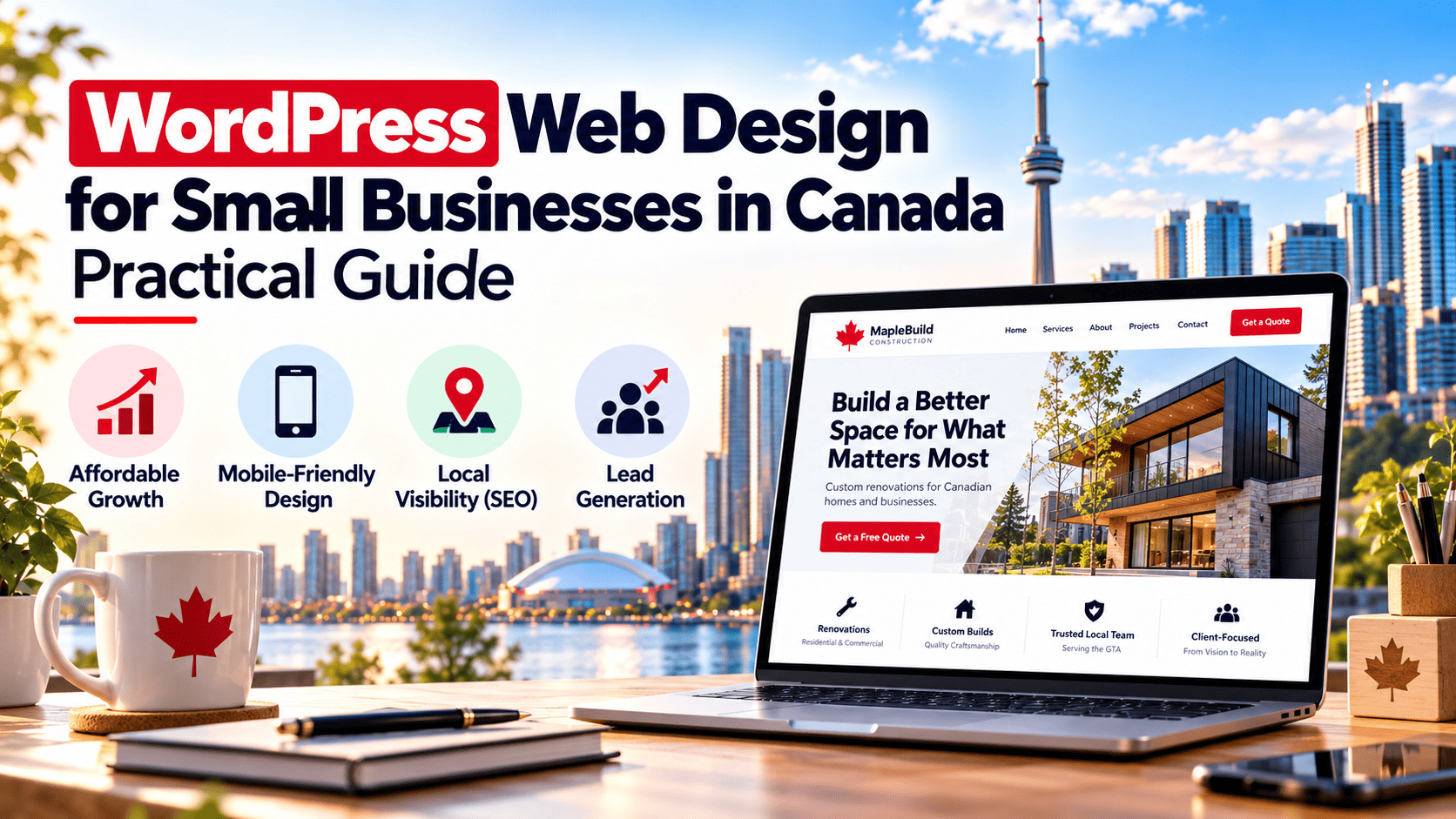
Why WordPress Is a Smart Choice for Canadian Small Businesses
For a small business in Canada, choosing the right platform for your website is a decision that affects your budget, your day-to-day operations, and your ability to grow. <a href=”https://niagaraforge.ca/service/web-design/wordpress/”>WordPress powers a large share of websites worldwide, and for good reason: it offers a combination of affordability, flexibility, and a mature support ecosystem that suits the realities of Canadian small businesses. Whether you run a bakery in Halifax, a consulting firm in Calgary, or an e-commerce shop in Mississauga, WordPress gives you a practical foundation without locking you into expensive, restrictive arrangements.
Cost-Effective Solutions for Canadian Startups
Launching a business in Canada comes with real costs — incorporation, insurance, equipment, and marketing. Your website should not drain your starting capital. WordPress itself is open-source and free to use, which means you are not paying monthly licence fees just to have a site. The main costs are hosting, a domain name, and any premium themes or plugins you choose.
Compared with proprietary website builders that charge recurring subscription fees and limit how you can customize your pages, WordPress lets you start lean and spend where it matters. A basic Canadian hosting plan is often affordable for a startup, and you can upgrade later as traffic grows. This pay-as-you-grow model is especially valuable for entrepreneurs who need a professional web presence now but cannot justify a large upfront investment.
- No platform licence fees for the core software
- Thousands of free and low-cost themes and plugins
- Hosting plans that scale from starter to business tiers
- Ability to handle your own content updates and avoid ongoing developer bills
Scalability to Grow with Your Business
A small business website rarely stays small. You may add an online store, a booking system, a client portal, or multilingual content for customers in Quebec or across the country. WordPress handles this progression well because its architecture is modular. You can begin with a simple brochure site and add functionality through plugins or custom development as your needs change.
This scalability matters for Canadian businesses that operate in multiple provinces or sell to customers in the United States and overseas. WordPress supports e-commerce platforms, membership systems, and content structures that can expand without forcing you to rebuild from scratch. Instead of outgrowing your website and paying for a complete redesign, you can extend what you already have.
| Business Stage | Typical WordPress Use |
|---|---|
| Startup | Simple brochure site with contact form and service pages |
| Growing | Blog, SEO content, appointment booking, email signup |
| Established | E-commerce, memberships, multilingual pages, custom integrations |
Access to Canadian WordPress Developers and Support
You are not on your own with WordPress. Canada has a strong community of freelance developers, agencies, and support providers who specialize in WordPress design and maintenance. Working with a local professional can make communication easier, align with your time zone, and ensure your site meets Canadian expectations around privacy, accessibility, and bilingual content where relevant.
Local support also helps with practical concerns such as Canadian payment gateways, shipping integrations, and tax settings for online sales. Many Canadian agencies offer ongoing care plans that cover updates, backups, and security monitoring, which is useful for small business owners who would rather focus on operations than technical maintenance.
In short, WordPress gives Canadian small businesses a cost-effective starting point, room to grow, and access to local expertise — a combination that is hard to beat when you need a website that works as hard as you do.
Key Considerations for Canadian Small Business Websites
Designing a WordPress site for a Canadian small business is not simply a matter of translating an American template and changing the currency symbol. Canada has two official languages, a distinct cultural landscape, and accessibility legislation that varies by province. Getting these details right builds trust with local customers and keeps your business on the right side of the law.
Bilingual Design: English and French Language Options
French is the first language of roughly one in five Canadians, and in Quebec, French-language requirements are enforced by law for many commercial websites. Even outside Quebec, offering both languages signals respect and widens your reach, particularly for federal contracts and national audiences.
In WordPress, the practical approach is to choose a multilingual plugin such as WPML, Polylang, or Weglot, then structure your content so each page has a language counterpart. Avoid relying on browser-based translation widgets; they produce awkward phrasing and are not a substitute for professionally written French.
Design implications matter here. French text typically runs 15–20 percent longer than English, so navigation menus, buttons, and headlines need room to expand without breaking the layout. Test your theme with the longest strings in both languages before launch.
- Use language switchers in the header, not buried in the footer.
- Set the correct
langattribute per page so screen readers and search engines interpret content properly. - Keep URLs distinct, for example
/en/services/and/fr/services/. - Translate metadata, alt text, and form labels, not just body copy.
Cultural Sensitivity and Localization
Canadian audiences respond to specificity. Referencing “Canada” broadly is less effective than naming the province or city you serve. Regional identity is strong, and a Vancouver customer and a Halifax customer may have different expectations about shipping, service hours, and tone.
Localization also covers the small details that signal you understand the market:
| Element | Canadian Practice |
|---|---|
| Currency | Display CAD, with taxes (GST/HST/PST) shown clearly |
| Date format | Use the ISO-style YYYY-MM-DD or spell out the month |
| Spelling | Use Canadian conventions such as “colour” and “centre” |
| Imagery | Choose photos reflecting Canadian seasons, cities, and diversity |
Be mindful of Indigenous content as well. If your business operates on or near traditional territories, a respectful land acknowledgement can be appropriate, but only when it is genuine and not decorative.
Compliance with Canadian Web Accessibility Standards
Accessibility is both an ethical baseline and, increasingly, a legal requirement. Ontario’s AODA, Manitoba’s accessibility standard, and the Accessible Canada Act for federally regulated organizations all point toward the WCAG 2.1 Level AA standard as the benchmark.
WordPress gives you a head start, but themes and plugins vary widely in quality. Audit your site with tools such as WAVE or axe, then fix the issues that matter most:
- Sufficient colour contrast for text and interactive elements.
- Keyboard navigation for menus, forms, and modal windows.
- Descriptive alt text on every meaningful image.
- Proper heading hierarchy and labelled form fields.
- Captions and transcripts for video and audio content.
One quick check you can run from the command line with a tool like pa11y is:
npx pa11y https://example.ca --standard WCAG2AAAddressing these three areas, language, culture, and accessibility, positions your WordPress site as genuinely Canadian rather than generically North American. That distinction is often what turns a visitor into a customer.
Choosing the Right WordPress Theme for Your Canadian Business
Your WordPress theme is more than a visual skin. It shapes how quickly your site loads, how easily customers find what they need, and whether your brand feels credible to Canadians shopping or booking services online. With thousands of free and premium themes available, the challenge is not finding options but narrowing them to the one that fits your business, your audience, and your long-term goals.
Assessing Your Business Needs and Brand Identity
Begin with a clear inventory of what your website must actually do. A neighbourhood bakery, a consulting firm, and an e-commerce retailer have very different requirements, and a theme built for one may frustrate the others.
- Primary purpose: Is the site mainly informational, lead-generating, booking-based, or transactional?
- Content volume: Will you publish a blog, a product catalogue, service pages, or a portfolio?
- Brand expression: Do you need bold typography and colour control, or a restrained, professional layout?
- Growth plans: Will you add an online store, a second location, or French-language pages later?
- Internal capacity: Who will update the site, and how comfortable are they with page builders or code?
Match these answers to a theme’s demo content and layout structure. A theme that already includes the page types you need reduces custom work. Also confirm the theme supports the WordPress block editor or your preferred page builder, since a mismatch here can make routine edits unnecessarily difficult.
Evaluating Theme Performance and Mobile Responsiveness
Canadian users browse on phones during commutes, on tablets at home, and on desktops at work. A theme must perform well across all three. Performance and responsiveness are not optional extras; they affect bounce rates, search visibility, and conversion.
Look for themes that are lightweight, avoid loading unnecessary scripts, and pass Core Web Vitals checks. Test the live demo with a tool such as Google PageSpeed Insights before committing. Check that navigation, forms, and calls to action remain usable at small screen sizes, and confirm the theme is actively maintained with recent updates and responsive support.
| Evaluation Area | What to Check | Why It Matters for Canadian Businesses |
|---|---|---|
| Load speed | PageSpeed score, image handling, script count | Slow sites lose mobile visitors and rank poorly |
| Mobile layout | Menus, buttons, forms at phone widths | Most local searches happen on mobile devices |
| Accessibility | Contrast, keyboard navigation, semantic markup | Broadens reach and supports inclusive service |
| Updates | Recent releases, developer activity | Reduces security and compatibility risks |
| Support | Documentation, response times, community | Keeps your site running without costly delays |
Considering Canadian-Specific Features (e.g., currency, provinces)
Canadian customers expect familiar details. For stores, confirm the theme and its e-commerce plugin handle Canadian dollars, taxes such as GST/HST, and province or territory selection in checkout and shipping forms. Province dropdowns should include all thirteen provinces and territories, and address fields should accept Canadian postal codes in the correct alphanumeric format.
Beyond commerce, consider bilingual needs. If you serve Quebec or federal audiences, choose a theme compatible with translation plugins and able to display English and French content cleanly. Local signals also help: built-in support for location maps, business hours, and region-specific service areas makes it easier for customers to recognize that you operate where they live. Finally, verify that date, time, and measurement formats can be set to Canadian conventions rather than left at defaults.
Choosing a theme is a long-term decision. Prioritize one that matches your brand, performs well on mobile, and respects Canadian expectations, and you will spend less time fixing problems and more time serving customers.
Essential WordPress Plugins for Canadian Small Businesses
Choosing the right plugins is one of the most practical decisions you will make when building a WordPress site for a Canadian small business. Plugins extend WordPress from a simple publishing tool into a storefront, a client portal, and a secure record-keeping system. The wrong combination, however, can slow your site, create security gaps, and complicate compliance with Canadian privacy expectations. The three categories below cover the essentials: selling online, protecting data, and ranking in Canadian search results.
E-commerce Plugins with Canadian Payment Gateways
Your storefront plugin should integrate directly with the payment methods your customers already use. In Canada, that means Interac debit, major credit cards, and increasingly digital wallets. WooCommerce remains the most flexible WordPress e-commerce plugin, and it connects to Canadian gateways through dedicated extensions.
- WooCommerce — the core storefront plugin for products, taxes, and shipping.
- Moneris — a widely used Canadian processor with a WooCommerce integration supporting credit and debit cards.
- PayPal Canada — useful for buyers who prefer not to enter card details on your site.
- Stripe — supports Canadian merchants and handles cards, Apple Pay, and Google Pay.
- Canada Post shipping extension — calculates domestic and cross-border rates at checkout.
Configure the Goods and Services Tax (GST), Harmonized Sales Tax (HST), and provincial sales tax rules for each province you sell into. WooCommerce includes tax tables, but you must enter the correct rates and registration numbers. Test a complete transaction in test mode before launch, including a refund, so you understand how your gateway reports Canadian tax lines.
Security and Backup Plugins for Data Protection
Canadian businesses handling customer data should treat security as an operational requirement, not an optional extra. Federal privacy law applies to personal information collected through your site, and several provinces add their own rules. A layered plugin setup reduces the risk of a breach and gives you a recovery path if something goes wrong.
- Wordfence Security — firewall, malware scanning, and login protection.
- Solid Security — strengthens authentication and tracks changes to your site.
- UpdraftPlus — scheduled backups to remote storage, including Canadian or regional data centres.
- WPvivid Backup — an alternative with staging and migration features.
- Limit Login Attempts Reloaded — blocks brute-force attacks on your admin login.
Store backups off-site and confirm that your chosen storage region meets your privacy obligations. A practical way to verify your backup job is running from the command line using WP-CLI:
wp updraftplus backup --path=/var/www/htmlRun this after configuration to confirm the plugin responds correctly and that your scheduled backups are not silently failing.
SEO Plugins for Canadian Search Engines
Canadian search behaviour often includes local intent, bilingual queries, and proximity to major cities. Your SEO plugin should help you target both English and French audiences and signal your location clearly to search engines.
- Yoast SEO — titles, meta descriptions, schema, and readability checks.
- Rank Math — local SEO features and rich snippet support.
- WPML or Polylang — manage English and French content with correct hreflang tags.
- Google XML Sitemaps — alternative sitemap generation if your main SEO plugin does not include it.
Set your business address, phone number, and service areas in your local schema. If you serve multiple provinces, create location pages rather than stuffing keywords into one page. For bilingual sites, ensure each French page has a proper hreflang reference to its English counterpart, and vice versa, so Google serves the right version to the right searcher.
Designing for Local SEO in Canada
Local search is where many Canadian small businesses win or lose customers. When someone in your city searches for a service, Google blends proximity, relevance, and prominence to decide which results appear. A WordPress site built with local SEO in mind makes those signals easier for search engines to read and act on.
Keyword Research for Canadian Markets
Canadian keyword research differs from American research in ways that matter. Spelling conventions, regional vocabulary, and bilingual search behaviour all influence which terms your customers actually type. Start by mapping your services to the language Canadians use, not the language your industry prefers.
- Include Canadian spellings such as “colour,” “centre,” and “licence” alongside common alternatives.
- Research city and region terms, for example “web design Toronto” or “bookkeeping Vancouver Island.”
- Consider French-language queries if you serve Quebec or bilingual communities, such as “conception de site web Montréal.”
- Check province-specific terms, since “hydro,” “loonie,” and “GST” carry meaning that generic keywords miss.
- Use tools with Canadian geo-targeting so volume data reflects Canadian searches rather than global averages.
Once you have a keyword list, place primary terms in page titles, headings, meta descriptions, and body copy. Build separate pages for each service and each location you genuinely serve, rather than stuffing every city name onto one page.
Setting Up Google My Business for Canadian Locations
Google Business Profile, still widely known as Google My Business, is often the single highest-impact local ranking asset for a Canadian small business. Claim and verify each physical location separately, then complete every field Google offers.
| Element | Canadian Consideration |
|---|---|
| Business name | Use your real-world name exactly, without added keywords. |
| Address | Format for Canada Post conventions, including province and postal code. |
| Hours | Reflect statutory holidays and time zones accurately. |
| Categories | Choose the most specific primary category available. |
| Photos | Show storefront, team, and work samples to build trust. |
Embed or link your profile from your WordPress site, and keep name, address, and phone number identical everywhere they appear.
Local Citations and Canadian Directories
Citations are mentions of your business name, address, and phone number, known as NAP, on other websites. Consistency across citations reinforces your location signals. Prioritize Canadian sources before international ones.
- Canadian Yellow Pages and provincial business directories.
- Local chambers of commerce and boards of trade.
- Industry associations relevant to your sector and province.
- Municipal business registries and community listings.
- Review platforms Canadians actually use for your industry.
Audit existing citations for formatting differences, such as “Street” versus “St.” or a missing suite number. Fix mismatches, then add new listings gradually. On your WordPress site, use structured data markup for LocalBusiness so search engines connect your pages to your profile. Combined with fast hosting, mobile-friendly design, and location pages, these steps give Canadian small businesses a durable local search foundation.
Ensuring Mobile Responsiveness for Canadian Users
Mobile devices drive a large share of Canadian web traffic, and that behaviour is not evenly distributed. Commuters on the TTC, SkyTrain, and STM networks browse on phones during transit. Shoppers in rural Alberta or coastal Newfoundland may rely on mobile connections where desktop broadband is slower or unavailable. If your WordPress site breaks, loads slowly, or hides key actions on a small screen, you lose customers before they ever reach your contact form or checkout.
Responsiveness is not a single switch you flip once. It is a habit of testing, tuning, and re-testing as WordPress themes, plugins, and devices change.
Testing Mobile Performance Across Devices
Start with real devices, not only emulators. Browser developer tools simulate screen sizes well, but they cannot reproduce touch accuracy, keyboard behaviour, or actual rendering quirks on older hardware. Test on at least one iPhone, one mid-range Android phone, and one tablet.
Build a short checklist you repeat after every major change:
- Tap targets: buttons and links should be at least 44 by 44 pixels with adequate spacing.
- Font sizes: body text should remain readable without pinch-zooming, generally 16 pixels or larger.
- Forms: input fields should use correct types so mobile keyboards appear (email, telephone, number).
- Navigation: menus must open, close, and scroll without trapping the user.
- Horizontal overflow: no element should force sideways scrolling.
Use Google PageSpeed Insights and Lighthouse to measure Core Web Vitals on a mobile profile, then confirm anything suspicious on a physical handset. For a quick command-line check, run Lighthouse against your live URL:
npx lighthouse https://example.ca --preset=desktop --form-factor=mobile --screenEmulation.mobile=true --output=html --output-path=./mobile-report.htmlRepeat this after plugin updates, theme changes, or new content templates.
Optimizing for Canadian Mobile Networks
Canada is geographically vast, and mobile coverage quality varies widely. A site that feels fast in downtown Toronto may stall on a weaker LTE signal outside a major centre. Optimize for constrained connections rather than the best-case scenario.
- Compress and convert images to WebP or AVIF, and serve appropriately sized versions.
- Enable caching and a content delivery network with Canadian edge locations where possible.
- Defer non-critical JavaScript and avoid loading heavy sliders or chat widgets on first paint.
- Keep third-party scripts to a minimum; each one adds latency and a potential point of failure.
Test with throttled connections. Chrome DevTools offers presets like “Slow 4G,” which approximate a congested mobile network. If your site remains usable there, it will feel fast on stronger signals.
Using Responsive Design Techniques in WordPress
Choose a theme built with responsive foundations, and avoid page builders that output fixed widths. WordPress core supports responsive images through srcset and sizes, so register image sizes that match your layout breakpoints and let WordPress serve the right file.
Use CSS media queries for layout adjustments rather than hiding content outright. Hiding a phone number or booking button on mobile removes conversions. Instead, reorganize the layout so primary actions remain visible.
Test your theme’s mobile menu, sticky headers, and pop-ups carefully. These components are common sources of overlap, blocked scrolling, and accidental taps. Keep breakpoints consistent across your stylesheet, and document them so future edits do not conflict.
Finally, validate your markup and check accessibility with keyboard and screen reader testing. A responsive site that excludes users with disabilities is only half finished. Build mobile-first, test on real Canadian networks and devices, and revisit after every update.
Integrating Canadian Payment and Shipping Options
For a Canadian small business, a WordPress store built on WooCommerce or a similar platform is only as strong as its checkout and delivery experience. Canadian shoppers expect familiar payment brands, transparent shipping costs, and prices shown in Canadian dollars. Configuring these elements properly reduces cart abandonment and builds trust with local customers.
Configuring Canadian Payment Gateways (e.g., Interac, Moneris)
Canadian buyers often look for Interac debit and credit card processing they already recognize. WooCommerce supports several gateways that serve the Canadian market, and most can be installed as plugins and connected to your merchant account.
- Interac: Interac Online and Interac Debit are widely used in Canada. Availability depends on your payment processor, so confirm support before launch. Interac e-Transfer is another option for manual or invoice-based payments, though it is not a real-time checkout gateway.
- Moneris: A major Canadian payment processor offering credit and debit card processing. Its WooCommerce integration lets customers pay without leaving your site.
- Stripe and PayPal: Both support Canadian merchants and accept major credit cards. They are quick to set up and useful for businesses that want to start selling before securing a dedicated merchant account.
- Square: Popular with small Canadian retailers and service providers, with online payment support and in-person card readers.
When configuring gateways, enable sandbox or test mode first, place a test transaction, and confirm that receipts, refunds, and order statuses update correctly in WordPress. Also ensure your checkout page uses HTTPS, since Canadian customers and payment providers expect secure transmission of card data.
Setting Up Shipping with Canada Post and Other Carriers
Shipping is a common friction point for Canadian e-commerce because of the country’s size and varying delivery costs. Offering accurate rates at checkout helps customers avoid surprises.
- Canada Post: The most widely used carrier for Canadian small businesses. WooCommerce extensions can pull live rates based on weight, dimensions, and destination, and can print labels directly from your dashboard.
- Purolator, UPS, and FedEx: Useful for faster or tracked deliveries. Each offers WooCommerce integrations or third-party plugins that return real-time quotes.
- Local pickup and flat-rate options: For local customers, a pickup option or a simple flat rate for domestic orders can simplify checkout and reduce shipping-related support requests.
Set up shipping zones in WooCommerce to separate Canada, the United States, and international destinations. Enter accurate product weights and dimensions, since live carrier rates depend on them. For small operations, a table-rate shipping plugin can provide tiered pricing based on order value or weight without requiring a carrier account.
Handling Taxes and Currency in Canadian Dollars
Displaying prices in Canadian dollars is essential for local shoppers, and tax handling must reflect provincial rules. In WooCommerce, set the store currency to CAD and configure tax rates by region.
- GST/HST: The federal Goods and Services Tax applies in most provinces, while Harmonized Sales Tax combines federal and provincial portions in participating provinces.
- PST/QST: British Columbia, Saskatchewan, Manitoba, and Quebec apply provincial sales taxes separately in certain cases.
- Tax display: Decide whether to show prices with tax included or added at checkout, and apply the setting consistently across product pages, cart, and invoices.
Consult a Canadian accountant to confirm registration thresholds and remittance requirements. Accurate tax and currency settings protect your business and give customers a clear, predictable checkout experience.
Leveraging Canadian Content and Marketing Strategies
A WordPress site built for a Canadian small business should feel local, not imported. That means publishing content that reflects Canadian spelling, regional interests, and the buying habits of your actual customers. A generic template with American references and US-only calls to action will quietly cost you conversions. The practical fix is to treat localization as an ongoing content habit, not a one-time design choice.
Start by auditing your existing pages for US-centric defaults: spelling such as “color” versus “colour,” pricing shown only in US dollars, toll-free numbers that do not work from Canada, and shipping language that ignores provincial realities. Then build a publishing rhythm that keeps Canadian context in every new post and landing page.
Producing Bilingual Content for Broader Reach
Canada has two official languages, and French is the first language of millions of Canadians, with the strongest concentration in Quebec. If you serve customers in Quebec, New Brunswick, or bilingual communities elsewhere, offering French content is not a courtesy — it is often a legal and commercial expectation. Under Quebec’s Charter of the French Language, commercial publications and websites tied to doing business in the province are generally expected to be available in French.
For WordPress, the practical options are straightforward:
- Use a multilingual plugin such as Polylang or WPML to create paired posts and pages in English and French.
- Keep URLs clean and language-specific, for example /en/services/ and /fr/services/.
- Translate rather than machine-dump. Quebec French differs from European French in vocabulary and tone.
- Localize more than words: dates (DD/MM/YYYY), currency formatting, and phone number formats.
- Hire a qualified translator for legal, medical, and financial content.
Leveraging Canadian Social Media Platforms
Canadians spread their attention across platforms, so a single-channel strategy rarely reaches enough of your market. Facebook and Instagram remain strong for local retail and service businesses, LinkedIn performs well for B2B and professional services, and YouTube and TikTok drive discovery for younger audiences. Pinterest is useful for home, food, and lifestyle brands.
What matters more than the platform list is the local layer: tag your city or province, join community and neighbourhood groups, and reference regional events. A bakery in Halifax and a consultancy in Calgary should not post identical content. Cross-post from WordPress using social sharing plugins, but rewrite captions so each post sounds like it came from a local business rather than a national brand.
Seasonal and Holiday Marketing for Canadian Audiences
Canadian seasons and holidays do not line up with US calendars, and getting this wrong makes your brand look out of touch. Thanksgiving is in October, not November. Canada Day is July 1. Remembrance Day, Family Day, and Victoria Day all carry regional weight, and Family Day is not observed in every province.
| Season or Holiday | Timing | Practical Content Idea |
|---|---|---|
| Canada Day | July 1 | Local promotions, community event roundups, red-and-white themed offers |
| Thanksgiving | Second Monday of October | Fall service bundles, gratitude posts, early holiday booking reminders |
| Remembrance Day | November 11 | Respectful acknowledgement; avoid heavy promotional campaigns |
| Winter holiday season | Late November to December | Gift guides, shipping deadlines, extended local hours |
| Tax season | February to April | Accounting and financial service content tied to the CRA filing deadline |
Plan these dates into your WordPress editorial calendar at least a quarter ahead, and schedule posts and email campaigns around them. Seasonal relevance, delivered in the customer’s own language and time zone, is one of the simplest ways a small Canadian business can outperform a larger, less local competitor.
Maintaining and Updating Your WordPress Site
A WordPress site is not a one-time project. It is a living digital asset that needs routine care to stay secure, load quickly, and remain useful to your customers. For small businesses in Canada, a simple maintenance routine can prevent costly downtime, protect customer data, and keep your site competitive in local search results.
Regular Backups and Security Updates
Backups are your safety net. If an update breaks your site, a plugin conflict appears, or your hosting account is compromised, a recent backup lets you restore operations in minutes rather than days. Store backups in at least two locations: one on your hosting server and one off-site, such as a cloud storage account or a separate backup service.
Security updates deserve the same discipline. WordPress core, themes, and plugins release patches for vulnerabilities regularly. Delaying these updates leaves your site exposed to automated attacks that scan for outdated software. A practical routine includes:
- Enable automatic minor core updates, but test major releases on a staging site first.
- Update plugins and themes weekly, checking for compatibility notes before applying changes.
- Remove unused plugins and themes entirely rather than leaving them deactivated.
- Use strong, unique passwords and two-factor authentication for all administrator accounts.
- Install a reputable security plugin to monitor login attempts and file changes.
For a manual backup of your database and files from the command line, a common approach is:
wp db export backup-$(date +%F).sql && tar -czf wp-content-backup-$(date +%F).tar.gz wp-contentThis command exports the database and compresses your wp-content directory. Adjust paths as needed for your server environment, and always verify that the backup files are complete before relying on them.
Performance Optimization for Canadian Hosting
Canadian visitors expect fast load times, and hosting location matters. If your audience is primarily in Canada, choose a host with data centres in Canada, such as Toronto or Vancouver. This reduces latency for local visitors and can support compliance with Canadian data residency preferences.
Beyond hosting, optimize your site with these practices:
- Use a caching plugin to serve static versions of pages and reduce server load.
- Compress and resize images before uploading, and enable lazy loading.
- Minify CSS and JavaScript, and defer non-critical scripts.
- Keep your WordPress, PHP, and database versions current; older PHP versions slow performance and create security risks.
- Monitor performance with tools like PageSpeed Insights or GTmetrix and address regressions promptly.
A simple performance check can be scheduled monthly. Compare your scores over time, and investigate any sudden drops after updates or new content launches.
Keeping Content Fresh and Relevant
Search engines and visitors both reward current, useful content. For Canadian small businesses, freshness can mean updating service pages with local details, seasonal promotions, or new testimonials. Stale content signals neglect and can hurt your rankings.
Set a content review calendar. Each quarter, identify pages that need updates, such as:
- Service pages with changed pricing, hours, or service areas.
- Blog posts with outdated statistics, links, or references.
- Contact and location information, especially if you serve multiple provinces.
- Legal pages, including privacy policies that reflect current Canadian privacy laws.
Also, fix broken links and remove or redirect pages that no longer serve a purpose. A clean, well-maintained site builds trust with customers and supports steady organic traffic.
Consistency is more important than complexity. A monthly maintenance checklist covering backups, updates, performance, and content will keep your WordPress site secure, fast, and relevant for your Canadian audience.
Case Studies: Successful WordPress Websites for Canadian Small Businesses
Canadian small businesses operate in a unique environment shaped by bilingual customers, provincial privacy laws, and a mix of dense urban markets and vast rural service areas. The following case studies show how three types of businesses used WordPress web design to solve practical problems. Names and details are representative examples rather than endorsements, but the strategies reflect common patterns in Canadian small business web design.
Retail Business: Increasing Online Sales
A family-run outdoor gear shop in Kelowna, British Columbia, sold hiking and camping equipment from a single storefront. Its original website was a static brochure with no product listings, so customers had to call or visit in person. The owner rebuilt the site on WordPress using WooCommerce, a Canadian-friendly payment gateway, and a lightweight theme optimized for mobile shoppers.
Key changes included:
- Product pages with clear sizing, weight, and shipping information for Canadian provinces and territories.
- Local pickup options for customers in the Okanagan Valley.
- Automated tax and shipping rules for domestic and cross-border orders.
- Email capture for seasonal promotions such as spring hiking and winter camping gear.
After launch, the store used WordPress plugins to track abandoned carts and send reminder emails. It also published buying guides targeting long-tail searches like “best four-season tent for Canadian Rockies.” Within one year, online orders became a consistent revenue stream, and the shop hired a part-time fulfillment coordinator. The lesson: WordPress gives small retailers ecommerce capability without locking them into a costly proprietary platform.
Service Provider: Generating Local Leads
A two-person HVAC and plumbing company in Halifax, Nova Scotia, relied on word-of-mouth and a basic directory listing. Its WordPress site was redesigned around local search intent. Each service page—furnace repair, heat pump installation, drain cleaning—included the company’s service area, response times, and a simple quote request form.
The redesign focused on:
- Location-specific landing pages for Halifax, Dartmouth, and Bedford.
- Click-to-call buttons for mobile users.
- Customer reviews and photos of completed local jobs.
- Fast loading times and HTTPS security to build trust.
The business also connected WordPress to a simple CRM for lead tracking. Because the site was built on WordPress, the owners could update seasonal offers and emergency service notices themselves. Local leads increased steadily, and the company reduced its dependence on paid directory ads. For service providers, the winning formula is clear service pages, visible contact options, and content that answers urgent local questions.
Bilingual Business: Expanding Market Reach
A Montreal-based interior design studio served clients in both English and French but had an English-only WordPress site. The owner wanted to reach francophone homeowners and businesses across Quebec without maintaining two separate websites. Using WordPress multilingual plugins, the studio created parallel French and English versions with consistent branding and navigation.
The bilingual setup included:
| Element | English Version | French Version |
|---|---|---|
| Homepage headline | Interior design for modern living | Design d’intérieur pour la vie moderne |
| Service pages | Residential and commercial | Résidentiel et commercial |
| Contact form | Request a consultation | Demander une consultation |
The studio also added hreflang tags so search engines served the correct language version. French-language inquiries rose, and the business won contracts with Quebec organizations that require French-language service. For Canadian small businesses, a bilingual WordPress site is not just a translation exercise—it is a market expansion strategy that respects local language expectations and improves search visibility in both official languages.
Frequently Asked Questions
How much does a small business WordPress website cost in Canada?
Costs vary widely by scope. A simple brochure site may run CAD 2,000–8,000, while custom or ecommerce builds often exceed CAD 10,000. Add recurring costs for hosting, domain, security, backups, and maintenance. Canadian agencies may charge CAD 75–200 per hour. DIY with WordPress can reduce upfront costs but still requires quality hosting and a premium theme. Budget for content, photography, accessibility, and ongoing updates. Request itemized quotes and clarify whether taxes, copywriting, and maintenance are included.
Which WordPress hosting should a Canadian small business choose?
Choose managed WordPress hosting with Canadian or nearby data centres for speed and privacy comfort. Look for SSD storage, PHP 8+, automatic backups, staging, free SSL, WAF, and 24/7 support. Canadian providers include Web Hosting Canada, HostPapa, and full-managed options from WP Engine or Kinsta with global CDNs. Verify uptime SLAs and whether the plan supports WooCommerce. Avoid ultra-cheap shared hosting if performance, security, and support matter. Test page speed from Toronto, Vancouver, and Montreal before committing.
How do I make my WordPress site PIPEDA-compliant?
PIPEDA requires consent, limited collection, safeguards, and openness. Use clear privacy policies, cookie consent for analytics and ads, and secure forms with HTTPS. Avoid collecting unnecessary personal data. If you serve EU visitors, consider GDPR-like practices. Use reputable Canadian or compliant processors, keep data retention schedules, and document your privacy officer. For healthcare, financial, or Quebec-specific rules, seek legal advice. Regularly review plugins that collect data and remove inactive ones. Provide a way for users to access or delete their data.
Should my Canadian small business website be bilingual?
If you serve Quebec or federal clients, bilingual English and French content can improve trust, reach, and compliance. Use WordPress multilingual plugins like WPML or Polylang, and consider hreflang tags for SEO. Professional translation is better than machine translation for legal, medical, and marketing copy. Ensure menus, forms, and checkout are localized. If you operate in Quebec, French language requirements may apply under the Charter of the French Language. Start with key pages and expand based on demand and budget.
How do I improve local SEO for a Canadian small business on WordPress?
Claim and optimize your Google Business Profile with accurate hours, categories, and photos. Use consistent name, address, and phone (NAP) across directories. Add LocalBusiness schema, location pages, and Canadian spelling where appropriate. Target city and region keywords, and build citations in Canadian directories. Encourage reviews and respond promptly. Use Yoast or Rank Math for titles, meta descriptions, and sitemaps. Ensure mobile speed and accessibility. Track calls and form submissions in Google Analytics 4 and Search Console.
What accessibility standards should a Canadian WordPress site meet?
Aim for WCAG 2.1 AA, which aligns with AODA and many provincial expectations. Use semantic headings, alt text, sufficient colour contrast, keyboard navigation, focus styles, and accessible forms. Test with axe, WAVE, and screen readers like NVDA or VoiceOver. Choose accessible themes and plugins, and avoid autoplay media. Provide transcripts and captions. Accessibility also improves SEO and usability. If you receive federal funding or serve public sector clients, accessibility may be a legal or contractual requirement. Document your testing and fixes.
How much maintenance does a small business WordPress site need?
Plan monthly updates for WordPress core, themes, and plugins, plus weekly backups and security scans. Review uptime, performance, broken links, and form submissions. Update content quarterly and check analytics. Budget CAD 100–500 monthly for care plans, or reserve a few hours monthly if DIY. Major version updates should be tested on staging first. Keep a rollback plan. Maintenance prevents hacks, downtime, and SEO losses, and extends your site’s lifespan. Document changes and credentials securely.
Can I build a WordPress site myself as a Canadian small business owner?
Yes, if you have time to learn. Use quality Canadian hosting, a fast block theme like Twenty Twenty-Four, and a page builder only if needed. Follow accessibility and SEO basics, and write clear content. Avoid nulled themes and too many plugins. DIY saves money but can cost time and missed opportunities. Consider hiring a designer for branding and a developer for complex features. Many Canadian agencies offer starter packages or consultations. Start simple, then invest in professional help as revenue grows.
Sources and further reading
- WordPress.org: Requirements
- WordPress.org: Accessibility
- Office of the Privacy Commissioner of Canada: PIPEDA
- Office of the Privacy Commissioner of Canada: Privacy Toolkit
- W3C: Web Content Accessibility Guidelines (WCAG) 2.1
- Google Search Central: SEO Starter Guide
- WordPress.org: Themes
- WordPress.org: Plugins
- WordPress Developer Resources: Theme Handbook
- WordPress Developer Resources: Plugin Handbook