


Canadian Business
157 Minute
Custom Web Design for Ecommerce Businesses in Canada: A Complete Guide to Building a High-Converting Online Store

Why Canadian Ecommerce Businesses Need Custom Web Design
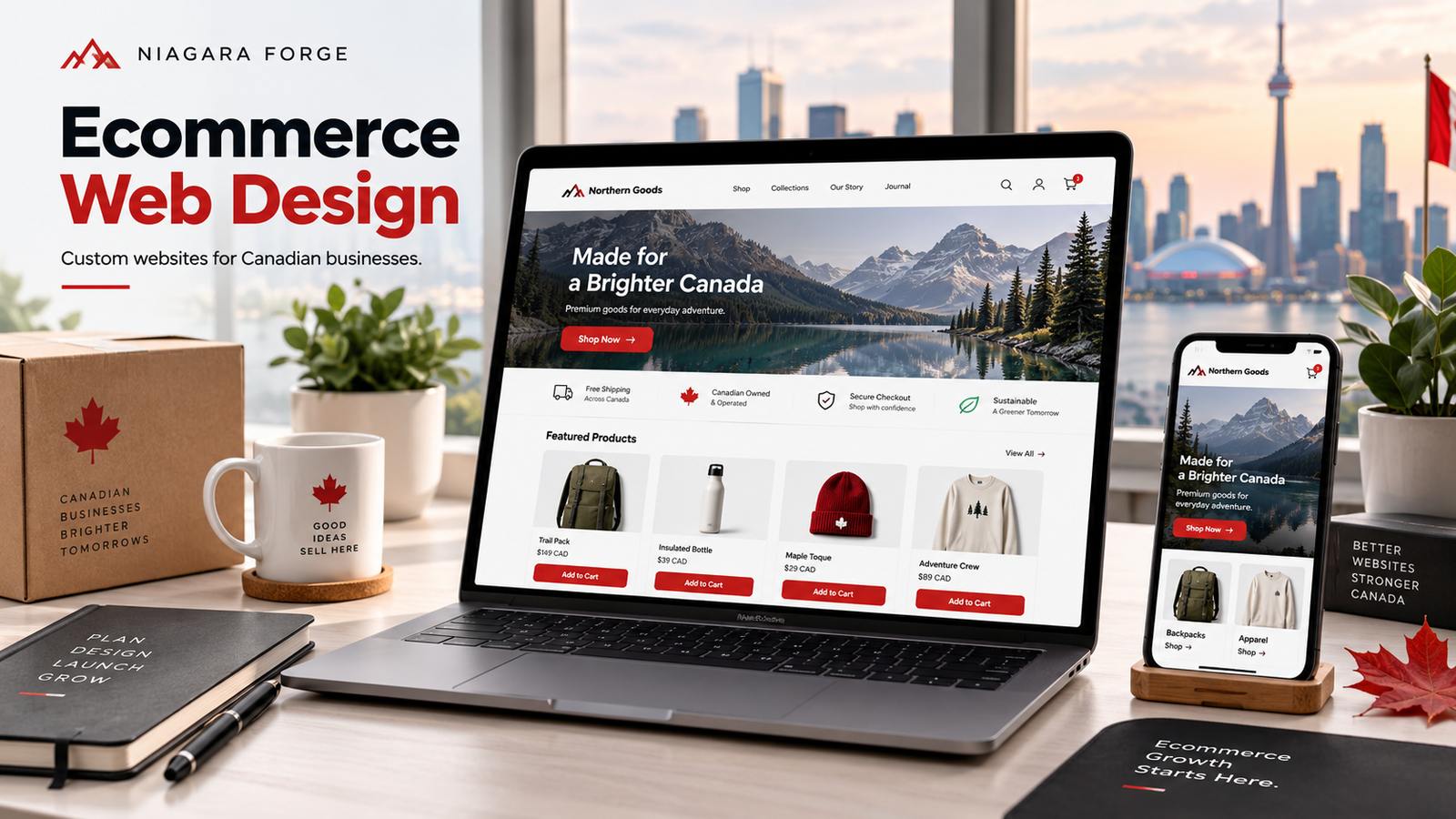
Canada’s <a href=”https://niagaraforge.ca/service/web-design/ecommerce/”>ecommerce market is not a smaller version of the U.S. market—it is a distinct ecosystem shaped by language laws, vast geography, and cross-border consumer behaviour. Off-the-shelf templates, built primarily for American or global audiences, frequently fail to address these realities. A custom web design for ecommerce businesses in Canada allows you to build around the country’s specific friction points, turning regulatory and logistical hurdles into streamlined user experiences that drive conversions.
The Canadian Ecommerce Landscape: Key Stats and Trends
Canadian online retail continues to grow steadily, but the market’s structure presents unique patterns. Consider the following data points that directly impact website design decisions:
- Bilingual reach is non-negotiable: Approximately 22% of Canadians report French as their first language, with Quebec accounting for over 85% of that population. A site that lacks proper French-language navigation, product descriptions, and checkout flows loses immediate credibility in this segment.
- Cross-border shopping is persistent: Roughly two-thirds of Canadian online shoppers have made purchases from U.S. retailers. To compete, Canadian stores must offer clear currency conversion (CAD), transparent duties, and comparable shipping speeds—features rarely handled elegantly by generic templates.
- Regional logistics vary wildly: Shipping from Toronto to downtown Vancouver differs dramatically from delivering to rural Newfoundland or the territories. Real-time carrier rates, warehouse-specific inventory, and province-level tax rules (PST, GST, HST, QST) require custom logic that template plugins often approximate at best.
- Mobile usage is high but fragmented: Canadians use a mix of iOS and Android devices across urban and rural networks. Page speed on slower connections in remote areas is a frequent pain point, demanding lightweight, custom-coded front-ends rather than bloated theme frameworks.
Limitations of Template-Based Designs for Canadian Retailers
Template themes promise speed and simplicity, but they impose structural compromises that cost you revenue. Here are the most common failures when applying a generic design to a Canadian operation:
- Language switching is bolted on, not native: Most templates use a translation plugin that duplicates URLs or hides content behind language subdirectories. This leads to poor SEO for French queries, broken hreflang tags, and inconsistent user experiences when switching mid-cart.
- Currency and tax display are afterthoughts: A template may show a USD price with a conversion widget, but Canadian shoppers expect CAD pricing at the product level, with provincial taxes calculated at checkout based on delivery address. Templates rarely handle the complexity of Quebec’s QST or the harmonized sales tax in Atlantic provinces without multiple paid extensions.
- Shipping rules are too simplistic: Flat-rate or weight-based shipping in a template does not account for Canada Post’s remote zone surcharges, oversized parcel rates, or free-shipping thresholds that vary by region. You end up either losing money on long-distance orders or showing inaccurate quotes that cause cart abandonment.
- Design is generic and untrustworthy: Canadian consumers are wary of sites that look like drop-shipped clone stores. A template’s identical layout across hundreds of competitors erodes brand authority, especially when you are trying to justify premium pricing in a market already accustomed to Amazon’s convenience.
Competitive Advantages of a Tailored Ecommerce Website
A custom web design for ecommerce businesses in Canada is not a luxury—it is a functional tool for overcoming these structural gaps. When you build from the ground up, you gain the following advantages:
- Native bilingual architecture: Custom coding allows for a true dual-language system, where every page, product variant, and checkout step has a parallel French version. This improves SEO rankings in both languages and lets users switch without losing their cart contents or session data.
- Precise tax and currency logic: Your site can automatically detect the customer’s province or territory, display prices in CAD with the correct tax treatment (e.g., GST-only in Alberta vs. HST in Ontario), and show a final total before checkout—reducing surprise costs that drive abandonment.
- Carrier-integrated shipping: A custom backend can connect directly to Canada Post, Purolator, or regional carriers, calculating real-time rates based on postal code, package dimensions, and delivery speed. You can also build conditional free-shipping rules that exclude remote zones or apply surcharges transparently.
- Performance and branding that stand out: Custom code eliminates unused template scripts, resulting in faster load times on Canadian broadband and mobile networks. Your design can reflect local aesthetics—from maple-leaf motifs to region-specific imagery—without being locked into a theme’s rigid layout grid.
- Scalability for future regulations: Canada’s digital services tax, updated CASL anti-spam rules, or new provincial recycling fees (e.g., Ontario’s EHF on electronics) can be coded into your system quickly. Templates rely on third-party developers to release patches, which often lag behind legal deadlines.
In short, a tailored website turns Canada’s complexity from a barrier into a competitive moat. While a template might launch in days, it will fight you for months over every tax rate, language string, and shipping zone. Custom design positions your store to serve Canadian customers precisely—and to convert them with confidence.
Core Elements of a High-Performing Custom Ecommerce Design
A custom ecommerce design is not merely a digital storefront; it is a precision-engineered sales environment. For Canadian businesses competing in a crowded market, every pixel and line of code must serve a dual purpose: guiding the visitor toward a purchase while reinforcing the brand’s credibility. The most effective custom builds succeed by weaving together three interdependent pillars—user experience, visual identity, and technical infrastructure. When these elements are aligned, they create a seamless journey that reduces friction, builds trust, and ultimately increases the lifetime value of every customer.
User Experience (UX) and Conversion-Centered Layouts
UX in ecommerce is the art of removing obstacles between the customer’s intent and the checkout button. A conversion-centered layout prioritizes clarity over creativity. This begins with a logical visual hierarchy: prominent product categories, a persistent search bar, and a shopping cart that is always visible. For Canadian shoppers, who often compare prices across borders, the layout must also present all costs upfront—including taxes and shipping—to prevent last-minute abandonment.
Key UX components that directly impact conversion include:
- Streamlined navigation: Limit main menu items to six or fewer, using mega-menus for large catalogs to prevent cognitive overload.
- Mobile-first checkout: With over half of Canadian traffic coming from mobile devices, ensure thumb-friendly buttons and minimal typing fields.
- Progress indicators: Display a clear 3-step checkout (Cart → Information → Payment) to reduce perceived effort.
- Persistent trust signals: Place security badges and return policy links directly beside the add-to-cart button.
One critical yet overlooked element is the empty search results page. Instead of a dead end, a custom design can offer “popular products” or a “browse all” fallback, keeping the session alive. Similarly, product listing pages should allow filtering by province-specific availability, a distinct advantage for Canadian businesses dealing with regional shipping restrictions. The goal is to make every click feel inevitable, not accidental.
Visual Branding and Custom Graphics That Build Trust
In a digital landscape where anyone can copy a template, custom graphics are your legal and emotional differentiator. Canadian consumers, particularly those in the post-2020 retail environment, are more likely to buy from brands that look established and professional. Generic stock imagery signals dropshipping or a low-effort operation. Custom illustrations, product photography with consistent lighting, and unique iconography communicate that you invest in your business—and by extension, in your customers.
Trust-building visual elements should include:
- Authentic local cues: Use imagery of Canadian landscapes, bilingual text placement (English/French), or recognizable cultural motifs to create regional resonance.
- Consistent color psychology: Choose a primary and secondary palette that aligns with your industry—blues for tech reliability, greens for sustainability—and apply it strictly across all buttons, links, and hover states.
- Custom product badges: Design your own “Free Shipping Over $75” or “Made in Canada” badges rather than using plugin defaults, which look generic.
Typography also plays a silent trust role. Avoid default web fonts like Arial or Times New Roman for headings; instead, select a distinctive but legible typeface that loads quickly. Pair it with a highly readable body font. The visual goal is to make the site feel like a premium physical store—where the lighting, signage, and layout all work together to make you comfortable spending money.
Technical Performance: Speed, Security, and Scalability
The most beautiful design fails if it loads slowly or crashes under a holiday traffic spike. For Canadian ecommerce, technical performance is a competitive advantage, especially because the country’s vast geography means many customers rely on varying internet speeds. Core Web Vitals—specifically Largest Contentful Paint (LCP) under 2.5 seconds—are now direct ranking factors. A custom design allows you to eliminate unnecessary JavaScript and optimize image delivery through a content delivery network (CDN) with edge servers in Toronto, Vancouver, and Montreal.
Security is non-negotiable, particularly for Canadian businesses complying with PIPEDA (Personal Information Protection and Electronic Documents Act). Your custom build should include:
- Server-side encryption: Always use TLS 1.3 for all data transmissions.
- PCI-DSS compliance: If handling credit card data directly, use tokenization rather than storing card numbers.
- Regular security audits: Schedule automated vulnerability scans on your checkout endpoint.
Scalability requires a modular architecture. Instead of a monolithic codebase, consider a headless approach where the frontend and backend are decoupled. This allows you to handle traffic spikes by scaling only the necessary services. For example, a simple caching header in your server configuration can dramatically reduce load on your database:
# Example for Nginx - cache static assets for 30 days
location ~* .(jpg|jpeg|png|gif|webp)$ {
    expires 30d;
    add_header Cache-Control "public, immutable";
}
Finally, plan for growth by choosing a database and hosting solution that supports horizontal scaling. Canadian businesses often see seasonal peaks around Black Friday and the December holidays; a custom design that pre-loads product data and uses edge caching ensures that your conversion rate does not dip when your traffic doubles. Every millisecond saved is a step toward a completed sale, and every secure transaction builds the loyalty that brings customers back.
Understanding Canadian Consumer Preferences and Behaviors
Canadian ecommerce shoppers are not simply a northern mirror of their American counterparts. They exhibit distinct expectations shaped by geography, language policy, and logistics realities. A custom web design for ecommerce businesses in Canada must prioritize bilingual functionality, transparent cross-border shipping, and mobile-first layouts to convert effectively. Generic templates often fail these tests, leading to cart abandonment and lost trust.
Bilingual Considerations: French and English User Interfaces
Official bilingualism is not optional for serious ecommerce operations. While English dominates in most provinces, Quebec represents over 23% of Canada’s population, with French as the sole official language. Even outside Quebec, francophone consumers in New Brunswick and Ontario expect to navigate in their preferred language. A custom design should offer full French and English parity—not machine-translated product descriptions or mixed-language checkout pages.
- URL structure: Use distinct paths like
/fr/and/en/rather than cookie-based language switching for better SEO and user control. - Currency and units: Display CAD, metric measurements, and French date formats (day-month-year) consistently.
- Legal compliance: Quebec’s Charter of the French Language (Bill 96) requires French to be “markedly predominant” on websites selling to Quebec consumers, including buttons, navigation, and promotional content.
- Local nuance: Avoid European French terms; use Canadian French equivalents (e.g., “magasinage” for shopping, “courriel” for email).
A custom design enables dynamic content swapping, proper typography for accented characters, and conditional legal messaging—none of which are reliable in off-the-shelf themes.
Payment and Shipping Preferences Unique to Canada
Canadian shoppers expect payment flexibility that differs from U.S. norms. Credit cards are standard, but Interac Online—a direct debit method unique to Canada—remains important for older demographics. Additionally, many Canadians prefer to avoid currency conversion fees by seeing prices in CAD from the start. Shipping transparency is equally critical: Canadians are accustomed to cross-border ecommerce but resent unexpected duties or long delays.
| Preference Factor | Canadian Expectation | Design Implication |
|---|---|---|
| Payment options | Visa, Mastercard, Interac Online, PayPal, Apple Pay | Display payment icons at cart and footer; integrate Interac for domestic bank users |
| Shipping cost clarity | No surprise duties; free shipping thresholds above $50–$100 | Show estimated delivery and duties before checkout; use a shipping calculator on product pages |
| Delivery speed | 3–5 business days for urban areas; longer for remote regions | Provide a postal-code-based delivery estimator; avoid generic “5–7 days” claims |
| Return policy | 30-day returns with prepaid labels; no restocking fees | Make return policy visible in header/footer and on product pages |
Custom design allows you to integrate Canada Post rates in real time, offer bilingual shipping notices, and clearly state whether items ship from within Canada or abroad—reducing cart abandonment caused by surprise costs.
Mobile Shopping Trends Among Canadian Consumers
Canadian mobile commerce growth consistently outpaces desktop, with over 60% of online retail traffic coming from smartphones in recent years. However, Canadian mobile shoppers are particularly sensitive to page load speed and data costs. A custom web design for ecommerce businesses in Canada should prioritize lightweight code, compressed images, and accelerated mobile pages (AMP) for key landing pages. Additionally, mobile users expect thumb-friendly navigation, large clickable buttons, and simplified forms—especially for address entry, which is often lengthy in Canada (including province, postal code, and optional rural route designations).
Another Canadian-specific pattern is the “showrooming” behavior: many shoppers browse on mobile while in physical stores, comparing prices and checking inventory. Custom design can support this by embedding store locators with real-time availability, click-and-collect options, and QR codes on product pages that link to in-store stock. Finally, ensure that payment forms on mobile support autofill for Canadian postal codes (e.g., “K1A 0B1”) and offer Apple Pay or Google Pay to reduce friction on small screens. By aligning design with these mobile habits, you create a seamless path from first tap to final purchase.
Key Features to Include in Your Custom Ecommerce Design
For Canadian ecommerce businesses, a custom design is only as effective as the backend features that power the customer journey. Generic templates often miss the country-specific requirements that reduce friction at checkout—the exact point where most online stores lose sales. A high-converting Canadian store must address three critical realities: the payment methods your customers trust, the shipping and tax complexity across provinces, and the bilingual, cross-border nature of your audience. Below are the non-negotiable features to embed in your custom build.
Seamless Integration with Canadian Payment Gateways
Canadian shoppers have distinct payment preferences. While credit cards dominate, a significant portion of your customers expect Interac Online, Visa Debit, and increasingly, “buy now, pay later” options like PayBright or Afterpay. Your custom design must integrate directly with gateways that support these methods—such as Moneris, Stripe (with Canadian acquiring), or Beanstream—rather than relying on a generic, US-centric processor. The key is to reduce the number of clicks between product view and order confirmation. A frictionless checkout should display the shopper’s preferred method immediately, pre-fill billing fields based on postal code, and validate card numbers in real time. For example, if you are using a PHP-based custom theme, you might embed a payment tokenization snippet that requests a client-side token before the form submits:
// Inside your checkout.js
fetch('/api/tokenize', {
  method: 'POST',
  headers: {'Content-Type': 'application/json'},
  body: JSON.stringify({cardNumber: userInput})
})
.then(response => response.json())
.then(data => {
  document.getElementById('payment-token').value = data.token;
  document.getElementById('checkout-form').submit();
});
Without this seamless integration, you force customers to leave your site or manually enter bank details, which increases cart abandonment rates.
Real-Time Shipping and Tax Calculations
Canada’s geography and tax structure are uniquely challenging. A customer in British Columbia expects GST and PST, while an Ontario resident expects HST. Quebec adds QST. Shipping costs also vary dramatically between urban centres and remote territories. Your custom ecommerce design must pull live rates from carriers like Canada Post, Purolator, or UPS based on the customer’s postal code, not a flat fee. Integrate a tax engine that automatically applies the correct provincial and federal rates at the cart level, not just at checkout. This transparency prevents “sticker shock” at the final step. For oversized items, include a real-time dimensional weight calculator that adjusts the rate before the customer commits. The goal is to show the exact total—product price + shipping + taxes—on the cart page itself. This reduces friction because the customer never faces a surprise charge later.
Multi-Currency and Language Switching Capabilities
Your Canadian store will likely serve both domestic customers and international buyers, particularly from the United States. A custom design must offer automatic currency detection based on IP address or a manual toggle, displaying prices in CAD for Canadians and USD for others. More critically, given Canada’s official bilingualism, you need a language switcher that respects the user’s browser settings or a clear toggle between English and French. This is not just about translating text; it involves adjusting date formats, measurement units (imperial vs. metric), and even legal disclaimers. For example, a French-Canadian customer should see “Livraison gratuite” not just “Free Shipping.” Implement a robust internationalization layer in your codebase that stores regional preferences in cookies or user sessions. Here is a practical snippet for a simple toggle:
// Language toggle handler
document.querySelector('#lang-switch').addEventListener('change', (e) => {
  const lang = e.target.value; // 'en' or 'fr'
  localStorage.setItem('userLang', lang);
  window.location.reload(); // Re-render with new locale
});
By offering these options natively, you reduce confusion, build trust, and avoid forcing customers to manually recalculate prices or translate pages themselves. The result is a smoother, more personalized shopping experience that directly contributes to higher conversion rates across Canada’s diverse market.
Custom Design vs. Themes: What’s Best for Your Ecommerce Business?
Choosing between a bespoke website and a premium theme is one of the most consequential decisions a Canadian ecommerce owner will make. Neither option is universally superior; the right choice depends on your operational complexity, growth trajectory, and tolerance for compromise. Below is an objective breakdown to help you weigh what matters most for your online store.
Cost and Timeline Considerations
The upfront financial gap is significant, but it narrows when you account for hidden costs. A premium theme (e.g., Shopify’s paid options or WooCommerce themes) typically costs between $150 and $500 CAD for a one-time license. Installation and basic configuration can be handled within a week, even by a non-technical owner, using drag-and-drop builders. However, customization beyond presets—such as altering checkout flows or adding specialized shipping logic for cross-border sales—often requires a developer at hourly rates of $75–$150 CAD, erasing the initial savings.
Custom web design for ecommerce businesses in Canada starts with discovery and wireframing, typically costing $8,000–$30,000 CAD for a small to mid-sized store. The timeline spans four to ten weeks, depending on integrations (e.g., QuickBooks, Canada Post shipping APIs, or bilingual French/English functionality). What you pay for is precision: every element is built to your specification, not adapted from a template’s assumptions.
| Factor | Premium Theme | Custom Design |
|---|---|---|
| Initial investment | $150–$500 CAD + plugin fees | $8,000–$30,000 CAD |
| Launch time | 1–3 weeks | 4–10 weeks |
| Hidden costs | Frequent paid plugins for features | Fewer add-ons; code is yours |
Flexibility and Unique Functionality Requirements
Canadian ecommerce often demands non-negotiable features: real-time GST/HST calculations by province, bilingual storefronts (especially for Quebec), or multi-currency display for US customers. Premium themes can handle these through plugins, but each plugin adds load time and potential conflicts. For example, a theme might support a currency switcher, but it may not align with your product variant structure or custom loyalty program.
Custom development gives you unrestricted logic. Need a subscription model that combines physical goods with digital downloads and shipping rules based on postal codes? A bespoke build allows that without workarounds. Moreover, you avoid “theme bloat”—unused CSS and JavaScript that slow down page speed, a critical ranking factor for Google and a conversion killer on mobile connections common in rural areas. If your store requires a unique user journey (e.g., B2B wholesale pricing visible only to approved accounts), a theme will force compromises that cost you sales.
Long-Term Maintenance and Upgrades
Themes demand perpetual vigilance. When the theme developer stops updating (a common occurrence), you face security vulnerabilities and compatibility breaks with new browser versions. Even active themes force you to test every upgrade against your installed plugins—a monthly chore that many owners delegate to agencies at $200–$500 CAD per hour. Custom code, by contrast, is owned by you. You can hire any developer to maintain it, and there is no third-party dependency for core functionality.
However, custom sites are not maintenance-free. You must budget for annual code audits, security patches, and updates to your ecommerce platform’s API. A well-documented custom build typically costs 10–15% of its initial price per year to maintain, whereas a theme can cost more in cumulative plugin subscriptions and emergency fixes. Consider your five-year horizon: if you plan to scale product lines, enter new provinces, or integrate ERP systems, custom design provides a stable foundation. If you are testing a niche product with tight margins, a premium theme offers a lower-risk entry—provided you accept its limitations.
How to Choose the Right Ecommerce Platform for Custom Design
For Canadian ecommerce businesses, the platform you select is the foundation of your custom design strategy. Each platform offers a distinct trade-off between design freedom, technical complexity, and ongoing maintenance costs. Your choice should be guided by three factors: your team’s development resources, your desired customer experience, and your long-term scalability needs—including support for Canadian payment gateways, bilingual (French/English) content, and provincial tax rules.
Before evaluating specific platforms, map out your non-negotiable design requirements. Do you need a unique cart layout, custom product configurators, or interactive storytelling elements? If your vision is highly bespoke, prioritize platforms that allow deep template overrides or full control over the front-end stack. Conversely, if speed-to-market matters more than pixel-perfect uniqueness, a hosted platform with a robust theme system may suffice.
Shopify Plus: Customization Within a Hosted Environment
Shopify Plus is the enterprise tier of Shopify, designed for high-volume merchants. It offers a middle ground: you get the reliability of a fully hosted solution (no server management, automatic security updates) while retaining substantial design flexibility. Customization is achieved through the Liquid templating language, which lets you edit theme files, create custom sections, and build dynamic product pages. For more advanced needs, Shopify Plus includes access to the Storefront API, enabling you to build bespoke customer experiences using your own front-end code while still leveraging Shopify’s backend for orders, payments, and inventory.
Key customization strengths for Canadian merchants:
- Localized checkout: Customize checkout fields to collect GST/HST numbers or provincial shipping preferences without third-party apps.
- Bilingual support: Use market-specific themes and translated URLs to serve English and French customers from one store.
- App ecosystem: Over 8,000 apps allow you to extend functionality without touching code, though heavy app reliance can slow page speed.
However, Shopify Plus’s hosted nature means you cannot modify the underlying server environment or database schema. If your design requires unconventional data relationships (e.g., complex product bundles with unique pricing logic), you may hit platform constraints. Also, Liquid has a learning curve, and every theme update can override your custom code, so you must maintain version control.
WooCommerce: Open-Source Flexibility for WordPress Users
WooCommerce is a free, open-source plugin that transforms WordPress into an ecommerce store. For Canadian businesses already using WordPress, this is the most natural fit. You own every file, database entry, and template—meaning you can design without platform-imposed limits. Customization is achieved via PHP, HTML, CSS, and JavaScript, with access to the full WordPress hook system (actions and filters) to override virtually any default behavior.
Practical example of a simple custom design hook (add to your theme’s functions.php file):
add_action( 'woocommerce_after_shop_loop_item_title', 'custom_canadian_province_badge' );
function custom_canadian_province_badge() {
    if ( is_user_logged_in() ) {
        $province = get_user_meta( get_current_user_id(), 'billing_state', true );
        if ( $province == 'BC' ) {
            echo '<span class="badge">Free BC Shipping</span>';
        }
    }
}
This snippet adds a province-specific badge to product listings, demonstrating the granular control you have. WooCommerce also handles Canadian taxes well via plugins like Quaderno or built-in tax tables, and you can create custom product types via code.
Trade-offs: You are responsible for hosting, security, backups, and performance optimization. A poorly coded theme or plugin can break your design, and you must regularly update WordPress core to avoid vulnerabilities. For a non-developer, this platform requires a higher technical investment.
Headless Commerce: Advanced Customization and Performance
Headless commerce decouples the front-end presentation layer from the back-end commerce engine. You can use any front-end framework (e.g., React, Vue, or Next.js) to build a fully custom storefront, while the back-end (e.g., Shopify, Magento, or Commerce.js) handles product data, payments, and order management via APIs. This is the ultimate option for Canadian businesses with unique design visions or complex omnichannel needs—such as a custom mobile app, a kiosk, or a highly interactive product finder.
Benefits include:
- Complete design freedom: No template constraints; you build every pixel of the user interface.
- Performance optimization: Serve static pages via a CDN, dramatically improving load times for Canadian customers across varied internet speeds.
- Omnichannel readiness: Reuse the same commerce backend for your website, a native app, or in-store digital displays.
Major drawbacks are complexity and cost. You must manage two separate codebases, handle API rate limits, and ensure your front-end securely communicates with the backend. For most small or mid-sized Canadian retailers, this is overkill unless you have a dedicated development team. A pragmatic compromise is to start with Shopify Plus or WooCommerce and later migrate to headless if your traffic and conversion data justify the investment.
When selecting, create a decision matrix: list your top five design requirements, assign weights, and score each platform. For example, if you need a rapid launch with minor customizations, Shopify Plus wins. If you require deep backend data control, WooCommerce excels. If your brand demands a unique interactive experience and you have developer resources, headless is the path forward.
The Custom Design Process: From Discovery to Launch
Investing in custom web design for ecommerce businesses in Canada is not a single deliverable—it is a structured journey. Unlike template-based builds, a custom process aligns every pixel and line of code with your unique brand, product catalogue, and conversion goals. This workflow typically spans four to eight weeks, depending on scope, and relies on continuous collaboration between your team and the design agency. Below is a proven step-by-step framework that balances creative exploration with technical rigour, ensuring your online store launches ready to sell.
Discovery and Strategy: Defining Your Ecommerce Goals
The foundation of any high-converting store is a clear strategic brief. During discovery, your design partner conducts stakeholder interviews, audits your existing analytics, and reviews competitor landscapes. This phase answers three critical questions: Who are your primary customer personas? Which product categories drive the most margin? What user actions matter most—add-to-cart, newsletter signups, or repeat purchases?
Key outputs of this stage include a sitemap, a user journey map, and a prioritized feature list. For Canadian ecommerce, special attention goes to bilingual requirements (English/French), provincial tax calculations, and shipping integrations with carriers like Canada Post or Purolator. A collaborative workshop ensures your business objectives—whether increasing average order value or reducing cart abandonment—are translated into measurable design criteria. By the end, you should approve a scope document that lists every page template, functional module, and performance benchmark.
Wireframing and Prototyping for User Flow Validation
With strategy locked, the design team moves to low-fidelity wireframes. These skeletal layouts focus on hierarchy, navigation, and content placement—not colours or fonts. Wireframes are shared for feedback on structural issues: Is the product filter easy to find? Does the checkout progress indicator reduce friction? Once approved, clickable prototypes are built in tools like Figma or Adobe XD. Prototypes simulate real user flows, such as searching for a product, adding it to the cart, and completing a test checkout.
This stage is where collaboration saves money. Instead of coding a flawed layout, stakeholders click through the prototype and flag usability concerns. For example, you might discover that mobile users struggle with the size of your size-selector buttons or that the shipping calculator only appears after entering a full address. Prototyping also allows A/B testing of two different homepage hero layouts before development begins. A typical approval cycle involves two to three rounds of revisions, ensuring the final user flow feels intuitive and aligned with your conversion strategy.
Development, Testing, and Launch Best Practices
After prototype sign-off, development begins. Front-end developers translate visual designs into responsive HTML, CSS, and JavaScript, while back-end developers configure your ecommerce platform—often Shopify Plus, WooCommerce, or a headless solution. Throughout this phase, weekly demos keep you informed. Do not skip these: they are your chance to catch integration issues early, such as a payment gateway that rejects test transactions or a product import that misses variant images.
Quality assurance (QA) is non-negotiable. A robust testing checklist includes:
- Cross-browser compatibility (Chrome, Safari, Firefox, Edge)
- Mobile device testing on real iPhones and Android phones
- Payment processor sandbox testing for Visa, Mastercard, and PayPal
- Load testing to simulate 100+ concurrent users
- Accessibility checks for WCAG 2.1 AA compliance
- Canadian-specific edge cases: GST/HST rounding, Quebec French translations, and interprovincial shipping rates
Launch best practices involve a staged rollout. First, deploy to a staging environment with a full copy of your product catalogue. Run end-to-end transaction tests, then migrate your domain and go live during low-traffic hours. Post-launch, monitor error logs and analytics daily for the first week. Have a rollback plan if critical bugs appear. Finally, schedule a post-launch review at the 30-day mark to analyse real user behaviour and plan iterative improvements. This disciplined approach ensures your custom web design investment delivers a store that is fast, resilient, and built to convert Canadian shoppers year-round.
SEO and Content Strategy for Custom Ecommerce Sites
A custom ecommerce design in Canada is not merely a visual asset; it is the structural foundation for your search engine visibility. Unlike template-based platforms that impose rigid code and URL hierarchies, a bespoke build gives you full control over every technical element that search engines evaluate. This control translates directly into higher crawl efficiency, faster indexing, and the ability to target nuanced Canadian search behaviour with precision.
Site Architecture and Technical SEO Considerations
The architecture of your custom store determines how easily Google can discover and rank your product pages. A flat hierarchy—where any product is reachable within three clicks from the homepage—is the gold standard. In your custom build, you can implement clean, descriptive URL slugs (e.g., /shop/mens/wool-toque instead of /product?id=8472) and ensure XML sitemaps are dynamically generated as inventory changes. Technical priorities include:
- Server-side rendering (SSR) or static generation for content-heavy pages, ensuring HTML is fully rendered for crawlers.
- Structured data markup (Schema.org) for products, reviews, and local business details, enabling rich snippets with pricing and availability.
- Canonical tags to prevent duplicate content issues from faceted navigation or filter parameters.
- Core Web Vitals optimization—custom code allows you to eliminate render-blocking scripts and lazy-load images without plugin bloat.
For a cross-border operation, also consider hreflang tags if you serve both English and French Canadian audiences; a custom build lets you manage language variants without URL duplication.
Optimizing Product Pages for Canadian Search Queries
Canadian search behaviour often differs from US patterns, featuring British spellings (e.g., “colour,” “centre”), metric measurements, and regional terminology (e.g., “toque” vs. “beanie”). Your product pages must mirror these linguistic cues. Use keyword research tools with a Canadian location filter to identify terms like “winter boots Canada” or “GST-inclusive pricing.” Each product page should have:
- Unique title tags under 60 characters, including product name, key attribute, and “Canada” or a province if relevant.
- Meta descriptions that mention shipping destinations (e.g., “Free shipping to Toronto and Vancouver”).
- Descriptive, skimmable copy that answers questions about sizing (cm/inches), material warmth, and seasonal suitability for Canadian climates.
- Localized alt text for images, using phrases like “waterproof hiking boot for Canadian Rockies.”
Beyond text, custom design allows you to embed a FAQ schema directly on the product page, targeting long-tail queries such as “does this jacket handle -30°C?”—a search pattern common in Prairie provinces.
Leveraging Localized Content and Blogging for Organic Growth
A blog is not a separate entity from your ecommerce design; it is a strategic layer that captures demand your product pages cannot. Custom design lets you integrate blog content seamlessly with internal linking structures, passing authority to money pages. Focus on topics that align with Canadian seasons and events:
- “Best winter cycling gear for Montreal’s bike paths”
- “How to layer for coastal rain in British Columbia”
- “Holiday gift guide: Canadian-made goods under $75”
Each article should include a clear call-to-action linking to relevant product categories. Additionally, create location-specific landing pages for your physical operations or target regions—e.g., “Eco-friendly activewear in Calgary”—if your business has a local footprint. These pages can embed Google Maps, local testimonials, and store hours, all of which enhance your local SEO relevance.
| SEO Element | Template-Based Platform | Custom Web Design |
|---|---|---|
| URL control | Often auto-generated with parameters | Fully customizable, keyword-rich slugs |
| Schema implementation | Limited to plugin options | Custom JSON-LD for every page type |
| Page speed optimization | Constrained by theme code | Minified, lean code with targeted caching |
| Content architecture | Rigid blog/category separation | Flexible internal linking and content clusters |
Investing in custom design for your Canadian ecommerce business means you are not fighting against a platform’s limitations. Instead, you are building a search-visible asset that adapts to algorithm updates, localizes naturally, and converts organic traffic into loyal customers—all without sacrificing the speed or usability that Canadian shoppers expect.
Common Mistakes to Avoid in Custom Ecommerce Design
Even the most visually stunning custom ecommerce website can fail if it ignores foundational usability and compliance principles. Canadian online retailers often invest heavily in bespoke aesthetics, only to watch conversion rates stagnate due to preventable design flaws. Below are the most frequent pitfalls—and how to sidestep them—when building a tailored storefront for the Canadian market.
Over-Engineering the User Interface
Custom design does not mean reinventing the wheel. A common error is adding excessive animations, unconventional layouts, or hidden gestures that confuse shoppers. When users must decipher how to navigate, they leave. Prioritize clarity over cleverness.
- Stick to familiar patterns: Keep the cart icon top-right, use standard breadcrumbs, and ensure the search bar is visible.
- Limit menu depth: Offer no more than three levels of navigation. Deep hierarchies bury products and frustrate browsing.
- Avoid parallax overload: Heavy scroll-triggered effects slow page speed and can trigger motion sickness, especially on product listing pages.
- Test every interaction: If a hover state hides essential info (like “Add to Cart”), it fails on touch devices. Make all key actions click-based.
Instead of adding features, run a simple card-sorting test with five users. If they cannot find a category in under five seconds, simplify your information architecture.
Overlooking Mobile-First Design Principles
Over 60% of Canadian ecommerce traffic originates from smartphones, yet many custom builds start as desktop mockups. This leads to cramped tap targets, unreadable font sizes, and checkout forms that require constant zooming. A mobile-first approach is non-negotiable.
- Design for thumbs: Place primary actions (add to cart, proceed) within the lower third of the screen.
- Use responsive breakpoints, not hacks: Test at 320px, 375px, and 768px widths. Avoid fixed-width tables or large inline images that break fluid grids.
- Simplify forms: Request only essential fields. Use autocomplete for postal codes and auto-format phone numbers.
- Compress media: Serve WebP images with lazy loading to reduce data costs for mobile users.
A practical check: use Chrome’s DevTools device toolbar to simulate a slow 4G connection. If your homepage takes longer than 3 seconds to render interactive elements, revisit your asset delivery strategy.
Failing to Plan for Canadian Tax and Legal Displays
Custom design often overlooks the backend logic required for provincial sales taxes (PST), GST/HST, and bilingual compliance. A store that shows a single generic “tax included” line will lose trust or face legal penalties. Your front-end must communicate tax clearly and adapt to each province.
- Display tax at the product level: Show whether prices are pre-tax or inclusive. For example, in Quebec, GST and QST are separate; in Alberta, only GST applies.
- Bilingual toggle placement: The Official Languages Act applies to commercial websites in Quebec. Place a visible EN/FR toggle in the header, not buried in the footer.
- Checkout summary details: Break down subtotal, shipping, GST, PST, and total. Never combine them into one opaque line item.
- Legal pages in both languages: Return policies, privacy policies, and terms of service must be fully translated—not machine-translated—for Quebec consumers.
If you use a custom JavaScript cart, ensure your tax logic handles provincial edge cases. For instance, a common mistake is hardcoding a single tax rate. Instead, implement a lookup table:
const taxRates = {
  'ON': { gst: 0.13, pst: 0 },
  'QC': { gst: 0.05, pst: 0.09975 },
  'BC': { gst: 0.05, pst: 0.07 }
};
function calculateTax(province, subtotal) {
  const rate = taxRates[province];
  return subtotal * (rate.gst + rate.pst);
}
Test this logic with real addresses from each province before launch. Also, verify that your design accommodates long French text (e.g., “Livraison gratuite” is 40% longer than “Free Shipping”) without breaking button layouts. Finally, always display your business’s GST/HST registration number in the footer—this is a legal requirement for Canadian retailers.
Measuring Success: KPIs and Continuous Improvement for Your Custom Site
Launching a custom web design for ecommerce businesses in Canada is only the beginning. To ensure your investment yields a strong return, you must measure performance against clear benchmarks and commit to ongoing refinement. A custom site offers flexibility, but that flexibility is wasted without a data-driven strategy. By tracking the right metrics and acting on user behaviour, you can transform your online store from a static asset into a dynamic sales engine that adapts to shifting consumer expectations across provinces and territories.
Essential Ecommerce KPIs for Canadian Retailers
Not all metrics carry equal weight. Focus on the indicators that directly connect to revenue and customer satisfaction. For a Canadian audience, remember to account for regional differences, such as shipping costs to remote areas or bilingual user paths, when interpreting your data.
- Conversion Rate (CR): The percentage of visitors who complete a purchase. A healthy baseline for ecommerce is between 1% and 3%, but custom sites often outperform this with tailored user journeys. Monitor this weekly, segmenting by device and traffic source.
- Average Order Value (AOV): Total revenue divided by number of orders. Increasing AOV by even 5% can significantly boost profit margins. Use this KPI to evaluate the effectiveness of product bundles or free-shipping thresholds.
- Bounce Rate: The percentage of visitors who leave after viewing only one page. A high bounce rate (above 50%) on your homepage or product pages signals poor relevance or slow load times—critical issues for mobile shoppers in Canada.
- Cart Abandonment Rate: This reveals friction during checkout. Compare abandonment against your payment gateway’s error logs and shipping quote accuracy. High rates often point to unexpected costs or complicated forms.
Additionally, track customer lifetime value (LTV) and return on ad spend (ROAS). These lagging indicators confirm whether your custom design supports repeat purchases and profitable marketing. Review all KPIs monthly, but resist overreacting to short-term fluctuations caused by seasonal events like Black Friday or Canada Day promotions.
A/B Testing and User Feedback for Design Optimization
Your initial custom design is a hypothesis, not a final answer. A/B testing allows you to validate design choices with real user behaviour. Prioritize tests that target your weakest KPI. For example, if your bounce rate is high on category pages, test variations of your product grid layout, filter placement, or headline copy.
- Run one test at a time: Isolating variables (e.g., button colour vs. button text) yields clear, actionable results.
- Test high-traffic pages first: Homepage, top-selling product pages, and the checkout flow provide statistically significant data faster.
- Incorporate qualitative feedback: Use on-site polls or post-purchase surveys to ask Canadian customers about their experience. Ask specific questions about navigation clarity and trust signals, such as visible security badges or bilingual support options.
Pair numerical data with user session recordings to see where visitors hesitate or click incorrectly. This combination reveals *why* a metric is underperforming, not just *that* it is. For instance, a low conversion rate might stem from a confusing size chart rather than pricing—something only qualitative observation can uncover.
Iterative Design: When and How to Update Your Website
Iterative design means making small, deliberate improvements rather than waiting for a full redesign. Establish a cadence based on data, not calendar dates. Review your KPI dashboard every two weeks, and flag any metric that deviates by more than 10% from your monthly average. When you identify a persistent issue—such as a high bounce rate on a new landing page—schedule a focused fix within one sprint.
For larger updates, such as overhauling your site’s navigation or checkout flow, use a structured approach:
- Audit: Compile heatmaps, scroll depth data, and customer support tickets to identify pain points.
- Prioritize: Rank changes by expected impact on revenue versus implementation effort. Quick wins, like simplifying a form field, come first.
- Deploy and measure: Roll out changes to a small percentage of traffic (e.g., 10%) and compare performance against the original version over two weeks.
Do not overhaul your entire design based on a single bad week. Instead, build a culture of continuous improvement where every stakeholder—from customer service to your web developer—contributes observations. Schedule quarterly strategic reviews to assess whether your custom web design for ecommerce businesses in Canada still aligns with evolving consumer behaviour, such as the rise of Buy Now, Pay Later options or increased mobile usage in rural regions. By iterating consistently, you protect your initial investment and ensure your store remains competitive across the Canadian market.
Frequently Asked Questions
Why is custom web design better than templates for Canadian ecommerce?
Custom web design allows you to tailor the user experience, branding, and functionality to your specific Canadian audience. Unlike generic templates, custom designs can integrate local payment methods, bilingual content (English/French), and comply with Canadian accessibility laws. This leads to faster loading times, better SEO, and higher conversion rates. While more expensive upfront, the long-term ROI is often superior because the design is built to convert your target customers.
What are key UX features for a high-converting Canadian online store?
Key UX features include clear product categorization, intuitive navigation, a streamlined checkout with guest checkout option, and prominent trust signals like secure payment icons and return policy. For Canadian stores, offer both CAD and USD currency options, and ensure shipping costs are transparent and calculated early. Use high-quality images and detailed product descriptions. Mobile responsiveness is non-negotiable, as over 60% of Canadian shoppers use mobile devices.
How do I integrate Canadian payment gateways into custom design?
In custom design, you can integrate Canadian payment gateways like Stripe, PayPal, Moneris, and Bambora via APIs. Ensure your design supports Interac Online and Visa/Mastercard debit. Payment pages must be PCI DSS compliant and use SSL encryption. Display recognized Canadian payment badges to build trust. Work with a developer who understands the technical requirements and can test the entire flow to ensure smooth transactions in both official languages if needed.
What legal considerations affect ecommerce web design in Canada?
Canadian ecommerce sites must comply with PIPEDA for data privacy, requiring clear consent for data collection and secure storage. If you sell in Quebec, you must provide French content under the Charter of the French Language. Also, include clear terms of service, return/refund policies, and accurate product descriptions to comply with the Competition Act. Accessibility standards (AODA for Ontario) may apply, demanding features like alt text and keyboard navigation.
How can custom design improve ecommerce conversion rates?
Custom design improves conversion rates by removing friction points and building trust. You can A/B test layouts, colors, and CTAs to find what works. Personalize product recommendations based on user behavior. Optimize page speed by eliminating unnecessary code. Create a seamless checkout with one-click payment options. Use persuasive elements like urgency indicators (e.g., ‘Only 3 left’) and customer reviews strategically. All these are easier to implement and refine with a custom-built site.
What is the cost of custom web design for ecommerce in Canada?
Costs vary widely based on complexity, features, and developer rates. A basic custom ecommerce site can start at $5,000–$10,000 CAD, while mid-range sites with integrations range from $10,000–$30,000. Enterprise solutions with advanced customizations can exceed $50,000. Additional costs include hosting, SSL, maintenance, and ongoing updates. Always get a detailed quote and consider long-term ROI. Remember, cheaper templates may cost more in lost conversions.
How do I ensure my custom ecommerce site is mobile-optimized for Canada?
Use a responsive design that adapts to all screen sizes. Prioritize touch-friendly buttons and thumb-reach navigation. Test on popular devices used in Canada, including iPhones and Android phones. Optimize images and use lazy loading for speed. Simplify forms and checkout for mobile users. Google’s mobile-first indexing means a poor mobile experience can hurt SEO. Conduct user testing with Canadian users to identify pain points.
Can custom web design integrate with Canadian shipping and tax systems?
Yes, custom design allows deep integration with Canadian shipping carriers like Canada Post, Purolator, and UPS, and with tax tools for GST/HST and PST. You can set up real-time shipping rates, print labels, and calculate taxes automatically based on province. For Quebec, handle QST separately. Integrations with platforms like Shopify or custom APIs can streamline this. Ensure your design includes a clear breakdown of taxes and shipping at checkout to avoid surprises.
Sources and further reading
- Innovation, Science and Economic Development Canada – E-commerce in Canada
- Office of the Privacy Commissioner of Canada – PIPEDA
- Web Content Accessibility Guidelines (WCAG) 2.1 – W3C
- Accessibility for Ontarians with Disabilities Act (AODA)
- Statistics Canada – Online Shopping in Canada
- Google Search Central – Mobile-First Indexing
- W3C – Mobile Web Best Practices
- Stripe – Payment Processing in Canada
- Moneris – Payment Solutions for Canadian Businesses
- Canadian Marketing Association – Digital Advertising & Marketing Code







Comment (1)
Pingback: Common Shopify Web Design Mistakes Canadian Businesses Should Avoid