


Introduction: The Growing Importance of Shopify for Canadian Businesses
Canadian consumers have moved online in force, and the businesses that serve them have followed. Where a storefront on a busy street once defined a retailer’s reach, a well-built online shop now determines whether a Canadian brand can compete beyond its own postal code. Choosing the right platform is the first decision, and choosing how that platform looks and functions is the second. Together, they shape whether a business is found, trusted, and bought from.
The E-commerce Landscape in Canada: Trends and Opportunities
Canada presents a distinctive e-commerce environment. Its population is concentrated in a handful of urban corridors, yet customers are spread across enormous distances, which makes digital storefronts both practical and necessary. Shoppers expect bilingual experiences, transparent shipping costs, and delivery timelines that respect provincial and territorial realities. Payment preferences also vary, from major credit cards to Interac and popular digital wallets.
Several forces are shaping opportunity for Canadian merchants:
- Mobile-first browsing: A large share of shopping research and purchases happens on phones, making responsive design non-negotiable.
- Cross-border ambition: Canadian sellers increasingly serve customers in the United States and overseas, requiring multi-currency and multi-language readiness.
- Local loyalty: Shoppers actively seek out Canadian-owned brands, giving well-presented local businesses a natural advantage.
- Seasonal intensity: Holiday and promotional periods concentrate revenue, so sites must handle traffic spikes without slowing down.
Why Shopify is a Top Choice for Canadian Merchants
Shopify has become a default choice for Canadian businesses for practical reasons. It is a Canadian-founded platform, which means merchants benefit from local payment gateway support, familiar shipping carrier integrations, and a large domestic community of developers and agencies. The platform handles hosting, security, and software updates, freeing owners to focus on products and customers.
Its app ecosystem supports the functions Canadian stores tend to need: tax handling by province, inventory synchronization across sales channels, subscription billing, and marketing automation. For businesses planning to grow, Shopify scales without requiring a complete rebuild, which protects the investment made in the initial design.
The Role of Web Design in E-commerce Success
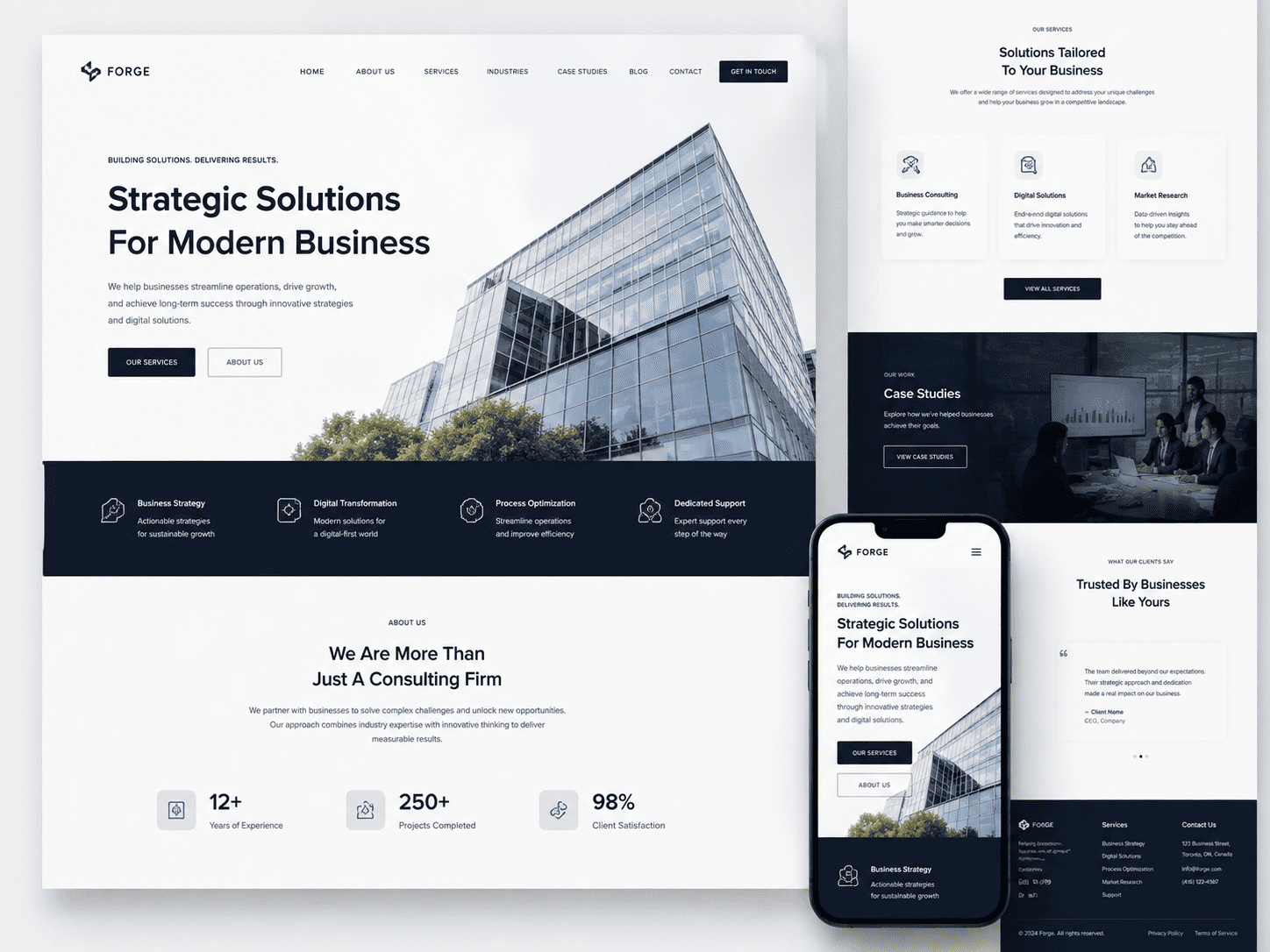
On a platform where millions of stores share similar templates, design becomes a primary differentiator. Professional Shopify web design is not decoration; it is the structure that guides a visitor from landing page to checkout. It influences how quickly a page loads, how easily a product is understood, and how much confidence a buyer feels before entering payment details.
Key design elements that affect results include:
| Design Element | Business Impact |
|---|---|
| Page speed and mobile layout | Reduces abandoned visits and improves search visibility |
| Clear product photography and copy | Answers buyer questions and lowers return rates |
| Streamlined navigation and checkout | Removes friction between interest and purchase |
| Consistent branding | Builds recognition and trust in a crowded market |
For Canadian businesses, the question is rarely whether Shopify can support growth. It is whether the store has been designed well enough to earn it. The sections that follow examine the specific moments when investing in professional Shopify web design delivers the strongest return.
Signs Your Canadian Business Needs a Shopify Redesign
Knowing when to invest in Shopify web design usually starts with recognising that your current store is quietly working against you. A Shopify theme that felt fresh in 2019 may now feel slow, cramped, and confusing on a modern phone. Redesigns are rarely triggered by a single dramatic failure; more often, they are triggered by a pattern of small problems that compound into lost revenue. Here are the three clearest signals that a Canadian business should consider a Shopify redesign.
Outdated Design and Poor User Experience
Design is not decoration. In ecommerce, it is the primary interface between your customer and your checkout button. If your store still uses a theme that was built before mobile-first shopping became the norm, visitors will notice. Common symptoms include:
- Text that is too small or cramped on smartphones, forcing pinch-and-zoom.
- Navigation menus that hide key categories behind multiple clicks.
- Product pages with slow-loading images or no image zoom.
- Inconsistent fonts, colours, and button styles across pages.
- No visible shipping, return, or contact information near the buy button.
Canadian shoppers often weigh shipping timelines and return policies before purchasing, especially when ordering across provinces. If that information is buried, the user experience suffers. A redesign should fix these friction points with a clean, responsive layout that works on a phone in Toronto and a desktop in Vancouver alike.
Low Conversion Rates and High Bounce Rates
Traffic alone is not a business result. When your analytics show that visitors arrive and leave without adding anything to their cart, the problem is often the store experience rather than the products. Warning signs include a bounce rate that keeps climbing, a cart abandonment rate that sits stubbornly high, and a conversion rate that lags behind your industry norms.
| Metric | What It Suggests |
|---|---|
| High bounce rate on product pages | Weak first impression, slow load times, or unclear value proposition |
| High cart abandonment | Surprise shipping costs, complicated checkout, or trust gaps |
| Low mobile conversion rate | Desktop-first design that fails on phones and tablets |
| Few repeat purchases | Poor post-purchase experience and weak account or loyalty features |
Before committing to a rebuild, confirm the diagnosis. A quick way to check whether performance is part of the problem is to review your Shopify theme’s asset weight and loading behaviour using Google PageSpeed Insights or Lighthouse. If your store scores poorly on mobile performance, a redesign that prioritises speed and clarity is likely to pay for itself.
Inability to Scale with Business Growth
A store that worked for 50 orders a month can become a bottleneck at 500. Growth exposes limitations: product collections that no longer fit the navigation, a blog that cannot support content marketing, or a checkout flow that cannot handle bundles, subscriptions, or wholesale pricing. Canadian businesses expanding into new provinces, offering bilingual content, or adding B2B ordering often find their original theme cannot support these needs without heavy customisation.
If you are constantly patching your theme, hiring developers for small fixes, or avoiding new sales channels because the store cannot accommodate them, that is a clear signal. A Shopify redesign built around your growth roadmap, rather than your current catalogue, gives you room to add products, markets, and languages without starting over again.
Assessing Your Current Shopify Store’s Performance
Before committing budget to a redesign, a Canadian business should treat its existing Shopify store as a source of evidence. A redesign is justified when the data shows that the store is underperforming in ways that design, user experience, or merchandising can realistically fix. If traffic is healthy but sales are flat, the problem is often presentation and checkout flow rather than product or price.
Key Metrics to Track: Conversion Rate, AOV, and Traffic
Three metrics form the core diagnostic set for any Shopify store.
- Conversion rate: The percentage of sessions that result in a purchase. Shopify reports this directly in its analytics dashboard. A low rate relative to your traffic quality suggests friction in navigation, product pages, or checkout.
- Average order value (AOV): Total revenue divided by number of orders. Weak AOV can point to poor cross-sell placement, unclear bundles, or product pages that fail to communicate value.
- Traffic: Sessions, unique visitors, and traffic sources. Rising traffic with flat revenue is a strong signal that the store design is not converting the audience you are already paying to attract.
Also review cart abandonment rate, returning customer rate, and mobile versus desktop performance. In Canada, mobile commerce continues to grow, so a store that converts poorly on mobile is a common candidate for redesign.
Using Shopify Analytics and Third-Party Tools
Shopify’s built-in Analytics section provides reports on sales, sessions, conversion rates, and customer behaviour without additional cost. Use the “Conversion by traffic source” and “Online store conversion rate over time” reports to isolate where drop-off occurs.
For deeper insight, third-party tools add context:
- Google Analytics 4: Funnel exploration, audience segmentation, and attribution across channels.
- Hotjar or Microsoft Clarity: Heatmaps and session recordings that show where users hesitate, rage-click, or abandon.
- Lucky Orange or similar: Form analytics and checkout drop-off tracking.
- Page speed tools: Google PageSpeed Insights and Shopify’s own speed reports to identify slow templates or oversized images.
Compare a four-week baseline against the period after any recent change. If metrics have declined steadily while traffic holds, the design is likely the constraint.
Benchmarking Against Competitors and Industry Standards
Benchmarks give context to your numbers. The table below outlines commonly cited ecommerce ranges that Canadian merchants can use as a starting reference. Treat these as directional, not absolute, since performance varies widely by sector and price point.
| Metric | Typical Ecommerce Range | What It Suggests |
|---|---|---|
| Conversion rate | 1%–3% | Below 1% often indicates UX or trust issues |
| Average order value | Varies by category | Flat AOV may signal weak upselling and bundling |
| Cart abandonment rate | Approximately 70% | High rates point to checkout friction or cost surprises |
| Mobile conversion rate | Lower than desktop | A large gap suggests mobile design problems |
Benchmark against direct competitors by reviewing their site speed, mobile layout, product page structure, and checkout steps. If several competitors offer a smoother experience and your conversion rate trails theirs, the case for investing in Shopify web design becomes stronger. The decision should rest on evidence: poor conversion, weak AOV, or a clear mobile gap that a redesign can address.
When to Invest: Key Triggers for Shopify Web Design
Professional Shopify web design is not a one-time purchase you make and forget. It is a strategic investment that pays off best when it is timed to a real business change. For Canadian businesses, those changes often come with their own local flavour: bilingual shoppers, cross-border logistics, and seasonal swings that differ from warmer markets. The question is not simply whether to invest, but when the return will be highest. The following triggers are the clearest signals that the time has come.
Launching a New Brand or Rebranding
A new brand or a significant rebrand is the single strongest trigger for investing in Shopify web design. Your storefront is the first and sometimes only impression a customer gets. If the visual identity, tone, and user experience do not match the new positioning, the rebrand fails before it reaches the market.
At this stage, a professional designer can:
- Translate brand guidelines into a theme that feels intentional rather than templated
- Build a design system for typography, colour, and spacing that scales across pages
- Create custom sections for storytelling, founder profiles, or mission-driven content
- Ensure accessibility and mobile performance from day one, which is far cheaper than retrofitting later
For Canadian brands serving both English and French markets, this is also the moment to plan bilingual navigation and content structure. Retrofitting a bilingual experience into an existing theme is costly and often produces awkward compromises.
Expanding Product Lines or Entering New Markets
Growth strains a store’s architecture. When you add categories, variants, or entirely new markets, a design that worked for twenty products can collapse under two hundred. Warning signs include cluttered collection pages, confusing navigation, and checkout friction that grows with every new SKU.
Entering new markets adds another layer. Selling into the United States, the European Union, or Asia means different currencies, tax rules, shipping expectations, and trust signals. A professional Shopify design engagement can address these needs directly:
- Restructure navigation and filtering so larger catalogues remain browsable
- Design market-specific landing pages with local payment badges and shipping messaging
- Integrate Shopify Markets or multi-currency features into a coherent interface
- Optimise product templates for variant-heavy or configurable products
If your team is spending more time explaining the store to customers than selling, the design is behind the business.
Seasonal Peaks and Promotional Campaigns
Canadian retail has predictable pressure points: Black Friday, Cyber Monday, Boxing Day, back-to-school, and holiday gifting. A store that merely survives these peaks is leaving revenue on the table. Investing in Shopify web design before a peak season gives you time to test and refine.
| Timing | Design Investment Focus |
|---|---|
| 3–4 months before peak | Theme performance, page speed, and checkout optimisation |
| 6–8 weeks before peak | Campaign landing pages, promotional banners, and email capture flows |
| 2–4 weeks before peak | Final QA, mobile testing, and load testing under traffic spikes |
Design work done in the middle of a promotion is reactive and expensive. Design work done before the rush is an investment that compounds across every campaign that follows.
In short, invest when your brand, catalogue, or calendar is changing faster than your storefront can keep up. That is the moment professional Shopify web design stops being a cost and starts being leverage.
Budget Considerations for Canadian Businesses
Before committing to a Shopify redesign or new build, Canadian businesses need a clear picture of what the project will cost and what that spend should return. Pricing in Canada varies widely because Shopify design is not a single product — it is a bundle of strategy, theme customization, content, integrations, and ongoing support. Understanding the drivers behind the quote helps you set a realistic budget instead of anchoring to the lowest bid.
Typical Cost Ranges for Shopify Design in Canada
Costs depend on scope and who does the work. A small store using a premium theme with light customization sits at the low end, while a multi-language, multi-currency build with custom sections and third-party integrations sits much higher. The table below reflects common Canadian market ranges for planning purposes, not fixed quotes.
| Project Type | Typical Range (CAD) | What It Usually Includes |
|---|---|---|
| Theme setup and light customization | $1,500 – $5,000 | Premium theme, branding, basic pages, app setup |
| Customized theme for an established store | $5,000 – $15,000 | Custom sections, UX improvements, migrations, integrations |
| Fully custom or complex build | $15,000 – $50,000+ | Custom theme development, subscriptions, ERP/CRM, multi-market |
Freelancers in Canada often charge $50–$120 per hour, while established agencies typically bill $100–$200+ per hour. Those rates reflect overhead, project management, quality assurance, and accountability — not just design time.
DIY vs. Hiring a Professional: Trade-offs
DIY is viable when your catalogue is small, your brand is simple, and your time is genuinely available. You save cash but spend hours learning Shopify’s theme editor, Liquid, and app configuration. Mistakes in navigation, mobile layout, or checkout flow can quietly cost sales.
Hiring a professional makes sense when revenue depends on conversion, when you need custom functionality, or when a launch deadline is fixed. You gain speed, tested UX patterns, and a partner who has solved your problem before. The trade-off is upfront cost and the need to vet the provider carefully.
- Choose DIY if: you are validating an idea, have a tight budget, and can iterate slowly.
- Choose a freelancer if: your scope is clear, your budget is moderate, and you can manage the project.
- Choose an agency if: you need strategy, integrations, migration support, and a team that can scale with you.
Calculating ROI and Justifying the Investment
Justify the spend by tying it to measurable outcomes rather than aesthetics. Estimate the lift in conversion rate, average order value, or repeat purchase rate that better design and faster performance can produce, then compare that to your project cost.
A simple approach: multiply your current monthly sessions by your current conversion rate to get monthly orders. Apply a conservative improvement — even a fraction of a percentage point — and calculate the added revenue over twelve months. If the redesign costs $10,000 and adds $2,000 in monthly gross profit, it pays back in five months. Include savings from reduced app sprawl, fewer manual workarounds, and lower maintenance.
Set a budget that covers design, development, apps, and a post-launch contingency of 10–20%. Treat the investment as a revenue tool with a payback period, not a one-time expense, and revisit the numbers after launch to confirm the return.
The Benefits of Professional Shopify Web Design
Investing in professional Shopify web design is not simply an aesthetic upgrade. It is a structural investment in how your store performs, how customers perceive it, and how easily it can grow. For Canadian businesses, where competition is often regional yet shipping and payment expectations are national, a well-built Shopify storefront can be the difference between a browser and a buyer. The advantages below explain why expert design pays for itself over time.
Enhanced User Experience and Customer Satisfaction
A professionally designed Shopify store removes friction from the buying journey. Navigation is logical, search works as expected, product pages load quickly, and mobile layouts remain readable on any screen size. Canadian shoppers frequently switch between devices, so a responsive theme is essential rather than optional.
Expert designers also consider accessibility, clear product photography, and concise copy. These details reduce frustration and support customers who are comparing options, checking shipping timelines, or reviewing return policies. A smoother experience leads to fewer abandoned carts and more repeat visits.
- Clear category structure and filtered search
- Fast-loading pages on mobile and desktop
- Readable typography and accessible colour contrast
- Obvious calls to action at every stage
Increased Conversion Rates and Sales
Design decisions directly influence revenue. A cluttered checkout, hidden shipping costs, or a confusing cart page will cause customers to leave. Professional Shopify web design addresses these points by streamlining the path from product discovery to payment confirmation.
Designers use proven patterns: prominent add-to-cart buttons, trust badges near checkout, guest checkout options, and localized payment methods such as Interac, credit cards, and popular wallets. They also test layouts and refine them based on real behaviour rather than guesswork.
| Design Element | Conversion Impact |
|---|---|
| Simplified checkout flow | Fewer abandoned carts |
| Visible shipping and tax information | Reduced last-minute hesitation |
| Mobile-optimized product pages | Higher completion on phones |
| Clear return policy links | Increased buyer confidence |
Stronger Brand Image and Credibility
Customers judge credibility in seconds. A polished Shopify store signals that your business is established, attentive to detail, and trustworthy. Consistent branding across colours, fonts, imagery, and tone helps Canadian shoppers recognize your store and remember it later.
Professional design also supports easier maintenance. Clean theme code, documented customizations, and organized apps mean your team can update products, run promotions, and add features without breaking the store. This reduces long-term development costs and keeps your brand consistent as you scale.
In short, expert Shopify web design improves satisfaction, lifts conversions, and strengthens credibility. For a Canadian business ready to grow, it is less an expense than a foundation for sustainable online sales.
DIY vs. Hiring a Shopify Expert: What Canadian Businesses Should Know
One of the first decisions a Canadian business faces when building a Shopify store is whether to design it in-house or bring in a professional. The right answer depends on your budget, timeline, technical comfort, and how central ecommerce is to your growth. Neither path is universally better, but each carries trade-offs worth understanding before you commit time and money.
When DIY Makes Sense: Small Budgets and Simple Stores
DIY Shopify design is often the smartest starting point for businesses testing an idea or selling a small, straightforward catalogue. Shopify’s themes are polished, mobile-responsive, and relatively easy to set up, which means a motivated owner can launch a functional store without hiring anyone.
DIY tends to work well when:
- Your budget is tight and you would rather invest early dollars in inventory or marketing.
- Your product range is small and your store needs are simple.
- You are comfortable learning through Shopify’s documentation and tutorials.
- You want full control over content and can iterate quickly as you learn.
The trade-offs are real, though. DIY stores often look generic, load slowly if images are unoptimized, and convert less effectively because layout, copy, and checkout flow were not deliberately designed. Owners also pay in time: what an expert finishes in days can consume weeks of a founder’s attention.
When to Hire a Pro: Complex Needs and Growth Goals
Hiring a Shopify expert or agency becomes worthwhile when your store is a growth engine rather than a side project. Professionals bring conversion-focused design, technical optimization, and experience with apps, integrations, and migrations that most owners lack.
Consider hiring when you need:
- A custom theme or heavily modified design that reflects a distinct brand.
- Integrations with inventory, ERP, CRM, or Canadian payment and shipping systems.
- Speed, accessibility, and SEO built in from the start.
- A migration from another platform without losing rankings or data.
- A launch deadline tied to a season, funding round, or campaign.
The main drawbacks are cost and dependency. Quality Shopify design in Canada can range from a few thousand dollars for a focused build to five figures for complex stores, and you will rely on the agency for future changes unless you negotiate training or handover.
Hybrid Approaches: Using Templates with Customizations
A middle path suits many Canadian businesses: start with a premium Shopify theme and hire a designer for targeted customizations. This blends affordability with professional polish.
| Approach | Typical Cost | Time to Launch | Best For |
|---|---|---|---|
| Full DIY | Low | Days to weeks | Simple stores, tight budgets |
| Template plus expert tweaks | Moderate | Two to four weeks | Growing stores needing polish |
| Custom design or agency | High | Four to twelve weeks | Complex, high-volume stores |
With a hybrid approach, you keep costs predictable while ensuring the parts customers see and use most, such as the homepage, product pages, and checkout flow, are professionally refined. As revenue grows, you can reinvest in deeper customization.
In short, DIY makes sense for simple, budget-conscious launches; hiring a pro pays off when complexity and growth demand expertise; and a hybrid model offers a practical compromise for many Canadian businesses.
Choosing the Right Shopify Designer or Agency in Canada
Selecting a Shopify designer or agency is a decision that shapes your store’s performance, brand credibility, and long-term maintenance costs. In Canada, the pool of talent is deep, but not every designer understands the nuances of selling to Canadian consumers in both official languages and across provincial markets. The right partner should combine strong Shopify technical skills with a genuine grasp of the Canadian ecommerce landscape.
Evaluating Portfolios and Client Testimonials
A portfolio shows what a designer can build; testimonials show how they behave when a project gets difficult. Review both with a critical eye.
- Look for relevance: Prioritize Shopify stores in your product category or with similar catalogue sizes. A stunning single-product store may not translate to a 2,000-SKU operation.
- Check live sites, not just screenshots: Visit the stores in the portfolio. Test load speed on mobile, navigation, and checkout flow. Ask whether the designer built the theme from scratch or customized an existing one.
- Read testimonials for specifics: Vague praise (“great to work with”) is less useful than comments about timelines, communication, and post-launch support.
- Verify reviews independently: Cross-reference testimonials on the designer’s site with Google Business Profile, Clutch, or Shopify Partner directory listings.
Questions to Ask Potential Designers
Before signing a contract, ask questions that reveal process, accountability, and fit.
- Do you work with Shopify 2.0 themes and custom Liquid development?
- Who owns the code and design files after launch?
- What is your process for mobile-first design and Core Web Vitals?
- How do you handle app integrations, and do you recommend apps you have no affiliation with?
- What does post-launch support include, and for how long?
- Can you provide references from Canadian clients in the past 12 months?
- How do you approach accessibility and bilingual storefronts?
Compare responses in a simple table to keep your evaluation objective.
| Evaluation Criteria | What to Look For | Red Flag |
|---|---|---|
| Shopify expertise | Shopify Partner status, 2.0 theme experience, Liquid skills | Only uses page builders, avoids custom code |
| Canadian market knowledge | Experience with bilingual stores, provincial tax and shipping logic | No examples of Canadian clients or French-language sites |
| Communication | Clear timelines, named project manager, regular check-ins | Slow replies or vague scope documents |
| Post-launch support | Defined support window, training, documentation | No support plan or extra charges for basic fixes |
Understanding Canadian-Specific Considerations (e.g., Bilingualism, Local SEO)
Canada’s dual-language reality and regional diversity create requirements that generic designers often overlook.
- Bilingualism: If you sell in Quebec or to francophone communities, your store should support French language switching, translated product content, and culturally appropriate imagery. Ask how the designer handles Shopify Markets or language apps.
- Local SEO: Canadian search behaviour differs by region. A qualified designer should configure hreflang tags for English and French pages, optimize Google Business Profiles, and understand local citation sources.
- Payments and shipping: Canadian shoppers expect Interac, major credit cards, and clear cross-border shipping costs. Your designer should integrate these without friction.
- Legal and accessibility: Quebec’s Bill 96 and federal accessibility standards influence how content and interfaces are built. A knowledgeable designer factors these in from the start.
Choosing a Shopify designer or agency in Canada is ultimately about fit: technical skill, transparent process, and an understanding of the market you serve. Evaluate portfolios and testimonials carefully, ask direct questions, and prioritize partners who treat Canadian-specific details as essentials rather than add-ons.
Timing Your Investment: Seasonal and Strategic Considerations
For a Canadian business, the decision to invest in Shopify web design is not only about budget or aesthetics. Timing can determine whether a redesign accelerates revenue or creates unnecessary friction. The right moment balances your sales calendar, internal capacity, and the practical realities of running an online store across multiple time zones and shipping regions.
Aligning with Peak Shopping Seasons (e.g., Black Friday, Holidays)
Canadian retail traffic follows predictable rhythms. Black Friday and Cyber Monday, the holiday shopping period from late November through December, and Boxing Day all concentrate buyer attention. If your current Shopify theme is slow, difficult to navigate on mobile, or unable to support high-volume promotions, starting a redesign in October is risky. Ideally, you should complete a major Shopify web design project at least six to eight weeks before your peak season begins.
That buffer allows time for testing, staff training, and search engine reindexing. For many Canadian merchants, late summer or early autumn is the sweet spot: traffic is relatively calm, and the finished store is ready before the holiday rush. Similarly, if your business depends on spring or summer sales, consider a redesign in late winter. The goal is to avoid launching a new storefront during the weeks when your customers are most ready to buy.
Seasonal alignment also affects promotion planning. A new Shopify design may change how discounts, bundles, and shipping thresholds appear. Launching before peak season gives your team time to rebuild those campaigns in the new environment rather than scrambling during your busiest days.
Planning for Minimal Downtime During Redesign
Downtime is one of the most common fears for Canadian ecommerce owners, and it is a valid concern. Shopify’s platform makes full-site downtime less likely than with custom-hosted systems, but theme changes, app migrations, and DNS updates can still interrupt service if handled poorly. The safest approach is to build and test the new design on a development store or a Shopify theme preview. Your live store continues selling while the new theme is prepared in parallel.
A practical sequence looks like this:
- Duplicate your current theme and work on the duplicate.
- Install and configure apps on the unpublished theme.
- Test checkout, shipping rates, taxes, and payment gateways for Canadian provinces.
- Schedule the theme publish for a low-traffic window, such as a Tuesday or Wednesday evening.
- Keep the old theme available for instant rollback.
If you use Shopify CLI for theme development, a simple command can help you preview changes locally before publishing:
shopify theme dev --store your-store.myshopify.comThis command runs a local development server and lets you inspect the new design without affecting your live storefront. For businesses without in-house developers, your agency should provide a clear launch checklist and a rollback plan.
Post-Launch Support and Maintenance
The investment does not end when the new design goes live. Post-launch support is where many Canadian businesses either protect their investment or watch it degrade. Plan for at least two to four weeks of close monitoring after launch. During this period, track page speed, mobile usability, checkout completion, and any errors in Shopify’s analytics or your error logs.
Maintenance should also be seasonal. Before each peak period, review app updates, theme compatibility, and product data. A short pre-season audit can prevent checkout failures or broken layouts when traffic spikes. If your team lacks the capacity for ongoing maintenance, budget for a retainer with your Shopify design partner. That retainer should cover bug fixes, minor design adjustments, and performance checks.
Ultimately, the best time to invest in Shopify web design is when you can plan thoroughly, launch outside your peak sales window, and support the store after launch. That combination reduces risk and gives your Canadian business the best chance to convert more visitors into customers.
Conclusion: Making the Decision to Invest in Shopify Web Design
Deciding when to invest in Shopify web design is not simply a question of whether your Canadian business can afford it. It is a question of whether your current online presence is actively helping or quietly limiting your growth. The right moment to invest is when the cost of staying put becomes greater than the cost of change.
Recap: Signs It’s Time to Invest
Throughout this guide, several recurring signals have pointed to the same conclusion: your Shopify store may be holding your business back. If any of the following sound familiar, the case for investment is already strong.
- Your site looks dated or inconsistent with your brand, and visitors bounce before exploring.
- Mobile shoppers struggle to browse or check out, even though most Canadian traffic now comes from phones.
- Page speed is slow enough to frustrate customers and hurt search rankings.
- You are losing sales to competitors with cleaner, faster, more trustworthy storefronts.
- Your team spends too much time on manual workarounds that better design and apps could eliminate.
- You are planning a product launch, expansion into new provinces or markets, or a rebrand.
- Your conversion rate has plateaued despite steady traffic and marketing spend.
Individually, these issues may seem manageable. Together, they represent lost revenue, wasted ad spend, and a weakened brand position in a competitive Canadian market.
Aligning Web Design with Business Objectives
A Shopify redesign should never be treated as a cosmetic exercise. Before committing budget, connect the project to specific business goals. Ask what the store must achieve in the next twelve to twenty-four months, then work backward to the design decisions that support those outcomes.
| Business Objective | Design Priority |
|---|---|
| Increase conversion rate | Streamlined checkout, clear calls to action, trust signals |
| Enter new markets | Localization, currency and shipping clarity, bilingual options |
| Reduce support requests | Better navigation, product information, and FAQs |
| Strengthen brand perception | Consistent visual identity and professional presentation |
| Improve search visibility | Fast loading, structured content, mobile-first layout |
When design priorities map directly to measurable goals, the investment becomes easier to justify and easier to evaluate after launch.
Next Steps: Research, Budget, and Execution
Once you have identified your goals, move through three practical stages.
- Research. Review Canadian Shopify agencies and freelancers with proven portfolios in your sector. Request references, ask about timelines, and confirm they understand Canadian tax, shipping, and privacy requirements.
- Budget. Plan for design, development, apps, content, and ongoing maintenance. A realistic budget prevents mid-project compromises that undermine results.
- Execute. Agree on scope, milestones, and success metrics before work begins. Test thoroughly on mobile, monitor performance after launch, and schedule regular reviews.
The decision to invest in Shopify web design should be driven by strategy, not urgency alone. When your store no longer supports your business objectives, the time to invest has arrived. Approach the project with clear goals, a realistic budget, and the right partner, and your Shopify store can become a genuine growth engine for your Canadian business.
Frequently Asked Questions
What are the signs my Canadian business is ready for a Shopify redesign?
Common signs include high mobile bounce rates, slow page speeds, outdated branding, difficulty adding products or promotions, and conversion rates below your industry benchmark. If your store cannot support new sales channels, languages, or payment methods, a redesign is likely overdue. Also consider a redesign when your average order value plateaus despite steady traffic or when customer feedback repeatedly mentions usability issues. A practical trigger is when the cost of ongoing workarounds exceeds the cost of a structured Shopify redesign.
How much should a Canadian small business budget for Shopify web design?
Budgets vary widely by scope. A focused theme customization might cost a few thousand dollars, while a fully custom Shopify store with integrations, copywriting, and conversion optimization can range from $10,000 to $50,000 or more. Canadian agencies often charge $75 to $200 per hour. Include ongoing costs such as apps, hosting (Shopify subscription), maintenance, and marketing. Get fixed-scope quotes and ask for a phased plan so you can invest incrementally as revenue grows.
How do I calculate ROI for a Shopify redesign?
Start with baseline metrics: monthly sessions, conversion rate, average order value, and gross margin. Estimate realistic improvements from better design, speed, and checkout flow. For example, if you have 20,000 monthly sessions, a 2% conversion rate, and a $60 average order value, a 0.5% conversion lift adds about $6,000 in monthly revenue. Multiply by your gross margin to estimate gross profit, then compare against redesign and ongoing costs. Use a 6 to 12 month payback target for most Canadian small and mid-sized businesses.
Should I use a Shopify theme or custom design for my Canadian store?
Start with a reputable Shopify theme if your needs are standard and your budget is limited. Premium themes cost far less than custom design and can be customized with apps and sections. Choose custom design when you need unique functionality, complex integrations, multilingual support, or a distinctive brand experience that themes cannot deliver efficiently. Many Canadian businesses succeed with a customized theme first, then invest in custom design once revenue and traffic justify it.
How long does a Shopify web design project take?
A theme customization typically takes 2 to 6 weeks. A custom Shopify build with integrations, content migration, and testing often takes 6 to 16 weeks, depending on scope and feedback speed. Factors that extend timelines include custom app development, ERP or CRM integration, multilingual requirements, and product data cleanup. Plan for a buffer and avoid launching during your peak sales season unless absolutely necessary. A phased approach can get core improvements live sooner.
What Canadian-specific features should I include in my Shopify store?
Include Canadian currency display, GST/HST/PST handling, bilingual options (English and French) where relevant, and shipping carriers such as Canada Post, UPS, and FedEx. Add local payment methods like Interac e-Transfer where supported, and clear return policies. Ensure your privacy policy aligns with PIPEDA and, for Quebec, Law 25. If you sell to the U.S. or internationally, support multiple currencies and duties/taxes calculation. These features reduce friction and build trust with Canadian shoppers.
How do I choose a Shopify web design partner in Canada?
Look for a Shopify Partner with a portfolio of Canadian ecommerce stores, measurable results, and transparent pricing. Ask for references, review timelines, and examples of conversion improvements. Confirm they understand Canadian tax, shipping, and privacy requirements. Check whether they provide training, documentation, and post-launch support. Avoid partners who promise unrealistic timelines or cannot explain their process. A good partner will start with discovery, define KPIs, and propose a phased roadmap tied to revenue goals.
What should I do after launching a new Shopify design?
After launch, monitor analytics daily for the first two weeks, then weekly. Track conversion rate, average order value, page speed, and checkout abandonment. Run A/B tests on key pages, collect customer feedback, and fix usability issues quickly. Update product content, images, and metadata for SEO. Plan ongoing maintenance, app audits, and seasonal campaigns. A redesign is not a one-time project; continuous optimization is what protects and grows your return on investment.
Sources and further reading
- Shopify Partner Directory
- Shopify Pricing
- Shopify Blog: Ecommerce Conversion Rate Optimization
- Statistics Canada: Retail Ecommerce Sales
- Innovation, Science and Economic Development Canada: Digital Adoption
- Office of the Privacy Commissioner of Canada: PIPEDA
- Commission d’accès à l’information du Québec: Law 25
- Canada Post: Shipping Solutions for Small Business
- Google: Web Vitals
- Baymard Institute: Ecommerce Checkout Usability