Business Growth
164 Minute
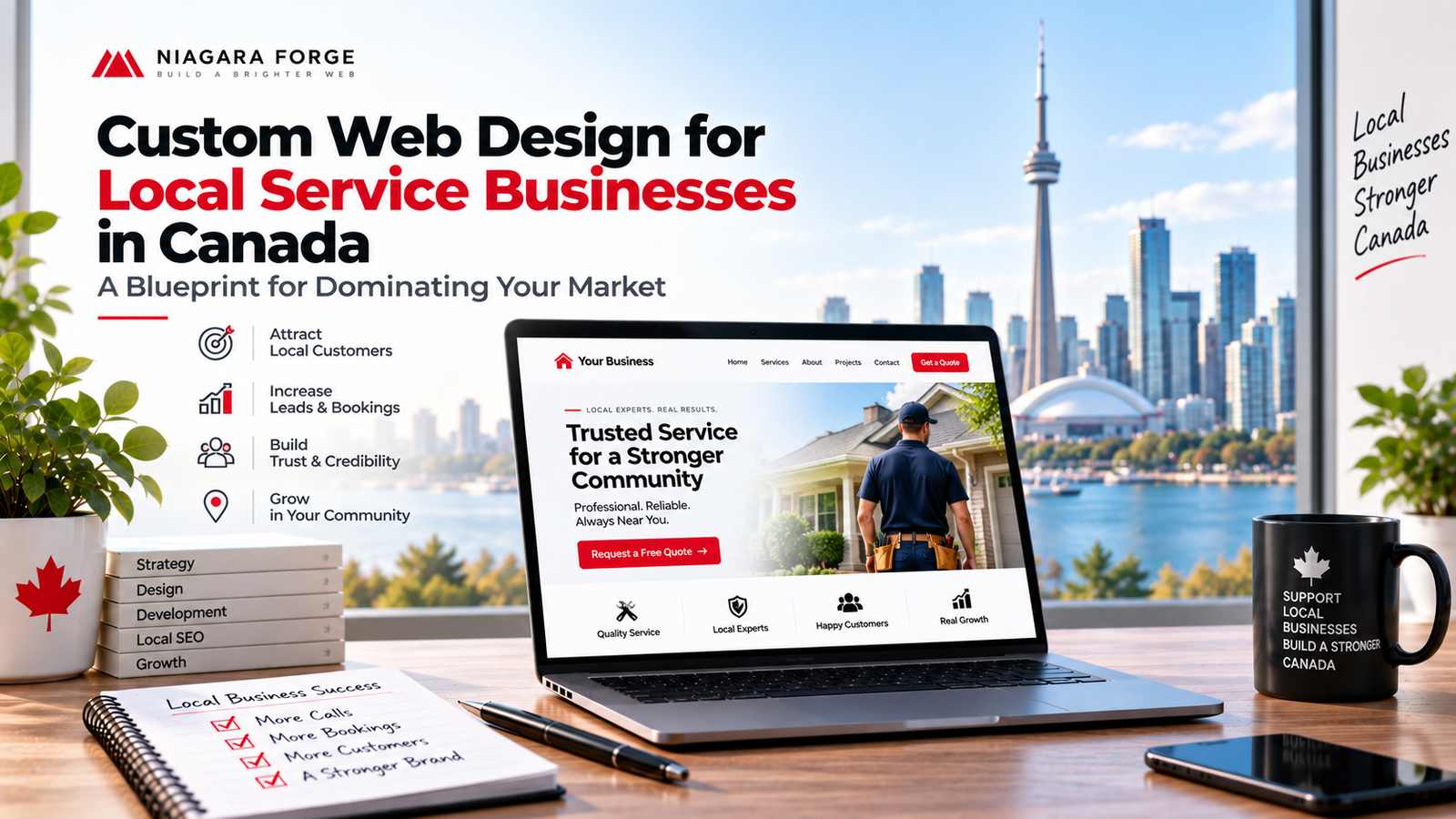
Custom Web Design for Local Service Businesses in Canada: A Blueprint for Dominating Your Market

Why Local Service Businesses in Canada Need Custom Web Design
Operating a local service business in Canada—whether you are a plumbing company in Calgary, a law firm in Halifax, or a landscaping crew in Kelowna—means facing a unique set of market dynamics. Your customers are not browsing globally; they are searching with urgent, location-specific intent, often on mobile devices while comparing you against three or four competitors. A generic template might get you online, but it will not get you hired. Custom web design is not a luxury; it is the structural foundation for dominating your specific geographic market. It allows you to control the narrative, address local nuances, and convert a searcher into a booked appointment before your competitor’s page even loads.
The Limitations of Template-Based Websites for Local SEO and Branding
Template websites are built for the masses, which means they are optimized for no one in particular. For local SEO, this creates immediate structural handicaps. Most templates bury your service area in generic footer text, use non-semantic HTML that confuses search engine crawlers, and lack the schema markup needed to trigger rich results like star ratings or service menus. You will find yourself fighting the template’s fixed code to add a simple city-specific landing page or a click-to-call button that stands out.
Branding suffers even more. When a potential customer in Edmonton visits your site, they are not looking for a generic “hero image of a smiling tradesperson.” They are looking for proof that you understand their neighbourhood’s building codes, their winter road conditions, or their specific municipal bylaws. A template forces your brand into a pre-set colour palette and layout that likely resembles dozens of other businesses in your province. Consider these practical failings:
- Duplicate code and slow load times: Templates carry unused CSS and JavaScript, which slows down your site on rural or mobile connections—a common scenario for Canadian service calls.
- No local schema integration: You cannot easily add LocalBusiness JSON-LD or geo-targeted meta descriptions without breaking the template’s core files.
- Generic calls to action: Pre-built buttons say “Learn More” instead of “Book a Free Estimate in Vaughan” or “Call Our 24/7 Emergency Line.”
How Custom Design Aligns with Canadian Consumer Expectations
Canadian consumers are distinct in their digital behaviour. They value clarity, bilingual accessibility in many regions, and a no-nonsense approach to pricing and availability. Off-the-shelf designs often fail to meet these expectations because they prioritize visual flair over functional trust. A custom web design lets you embed Canadian-specific trust signals directly into the user journey. For example, you can display your provincial business licence number, your Better Business Bureau accreditation, or a clear “Serving all of British Columbia” badge without forcing it into a cramped sidebar.
Moreover, Canadian internet users are notoriously wary of vague contact forms. They expect to see a physical address, a local phone number (not a toll-free line), and service hours that reflect their time zone. Custom design allows you to place a map with your exact service radius on the homepage, integrate a live appointment calendar that respects local holidays, and structure your navigation around how Canadians search—by problem (“frozen pipes”), not by industry jargon. This alignment between design and local expectation reduces bounce rates and builds the immediate credibility that is essential for high-ticket home services.
The Competitive Edge: Standing Out in a Crowded Local Market
Every mid-sized Canadian city has a saturated market: too many roofers, electricians, or HVAC technicians chasing the same seasonal contracts. A template site makes you look like one of the pack. Custom design gives you the tools to differentiate on the factors that matter most to local decision-makers. You can build a dedicated page for each neighbourhood you serve, complete with local testimonials and project photos that mention street names. You can create a comparison chart that shows why your flat-rate pricing beats hourly estimates—a layout that no template can provide without significant hacking.
Furthermore, custom design enables you to integrate local review widgets from Google and Yelp directly into your service pages, not just as a sidebar afterthought. You can design a “Recent Jobs in [Your City]” gallery that updates automatically, proving social proof with visual evidence. In a market where a five-minute response time often wins the job, a custom site can include a prominent, sticky “Call Now” button that appears only after a user scrolls past your service list—a strategic placement impossible to achieve with a rigid template. This level of tailored functionality transforms your website from a digital brochure into a lead-generation engine that consistently outperforms your neighbours.
Key Differences Between Custom and Template Web Design
When a local service business in Canada—whether a plumbing company in Calgary, a law firm in Halifax, or a landscaping crew in Kelowna—chooses a website, the first fork in the road is custom versus template. Templates promise speed and low cost, but they often deliver a generic experience that fails to convert Canadian customers who expect relevance, speed, and trust. Custom web design, by contrast, is built around your operational reality, your local market, and your growth trajectory. Below are the critical differences that matter for service businesses competing on home turf.
Flexibility and Scalability: Growing Your Website as Your Business Expands
A template is like a prefabricated shed: it works for a single purpose, but adding a second floor requires demolition. Custom web design treats your site as a living system. For a Canadian service business, this means you can start with five service pages and later add:
- Multi-location hubs for serving both Toronto and Mississauga without duplicating content or confusing search engines.
- Seasonal landing pages (e.g., snow removal in winter, AC repair in summer) that you can publish or archive without touching core code.
- Dynamic service area maps that update as you expand into new municipalities or provinces.
- Custom booking workflows that reflect your actual dispatch logic, not a generic calendar widget.
With templates, you are often locked into the original page builder’s structural limits. Custom development lets you refactor data models, add custom post types, and integrate with Canadian payment gateways like Interac Online or Stripe with local tax rules (GST/HST/QST) handled natively. As your fleet grows or your service radius widens, a custom site scales without a full rebuild—templates usually force you to start over or pile on plugins that slow everything down.
Performance and Load Speed: Why Templates Often Lag Behind
Speed is not a luxury; it is a conversion factor. Canadian internet users on mobile networks—especially in rural or remote areas—abandon sites that take more than three seconds to load. Template sites are notoriously heavy because they load entire theme frameworks, unneeded CSS libraries, and dozens of JavaScript dependencies, regardless of whether a page uses them. A typical premium template can ship 400–800 KB of unused code per page.
Custom web design strips away everything that does not serve the user. For example, a custom homepage for a roofing company might only load the hero image, a local weather-based urgency banner, and a click-to-call button—no carousel sliders, no social feed widgets, no parallax effects. The result is often a 40–60% reduction in page weight compared to an equivalent template. You can also implement server-side caching and image compression at the code level, not through a plugin that may conflict with others.
Consider a practical optimization you can control in a custom build—lazy loading below-the-fold images with native HTML:
<img src="roofing-project-calgary.webp" alt="Completed roof replacement in Calgary, AB" loading="lazy" width="800" height="600">Templates often disable this or require a third-party script to achieve the same effect. On a custom site, you write this once and every image benefits—directly improving your Core Web Vitals, which Google uses to rank local results.
Integration of Local Features: Maps, Reviews, and Booking Systems
For Canadian service businesses, local features are not decorative—they are the difference between a quote request and a bounce. A template may offer a generic Google Maps embed, but custom design lets you build location-aware experiences that match how Canadians search and decide. Key integrations include:
| Feature | Template Approach | Custom Web Design Approach |
|---|---|---|
| Maps | Static iframe with no geolocation awareness | Interactive map showing live service radius, drive-time polygons, and winter road restrictions |
| Reviews | Single widget pulling from Google only | Aggregated reviews from Google, Yelp, and HomeStars with schema markup for local rich snippets |
| Booking | Redirect to a third-party scheduler | Native booking engine that checks your crew’s calendar, sends SMS reminders, and collects deposits via e-Transfer |
Custom development also allows you to tailor the user experience for Canadian-specific nuances: showing bilingual content in Ottawa or New Brunswick, displaying prices in CAD with provincial tax breakdowns, and integrating with Canada Post address validation to prevent typos in service requests. Templates rarely support these without additional paid plugins or hacks. When you control the code, you can also embed a “Trusted by your neighbours” module that pulls real recent jobs from your CRM, geotagged to nearby postal codes—a level of local proof that no template can replicate out of the box. Ultimately, custom web design gives you the tools to dominate your local market because it adapts to your business, not the other way around.
Understanding the Canadian Local Service Market
Canada is not a single, uniform market. A web design strategy that succeeds in downtown Toronto may fail in rural Alberta, and a site optimized for anglophone Montreal misses the francophone majority. For local service businesses, the digital storefront must mirror the physical and cultural realities of the communities they serve. This requires moving beyond generic templates and embracing a design approach that accounts for geography, language, and the specific expectations of each service vertical.
Regional Nuances: Urban Centres vs. Rural Communities
The divide between urban and rural Canada is not just population density—it is a difference in customer behaviour, internet infrastructure, and competitive pressure. In urban centres like Vancouver, Calgary, or Ottawa, local service businesses face dense competition. Customers there expect fast-loading, mobile-first designs with instant booking widgets, online reviews embedded prominently, and service-area maps that show precise coverage zones. A plumber in Mississauga must outrank dozens of nearby rivals, so local SEO elements such as schema markup, click-to-call buttons, and neighbourhood-specific landing pages are critical.
Conversely, rural communities from the Maritimes to the Prairies rely more heavily on word-of-mouth reputation. However, that does not mean web design is less important. In areas with slower satellite or DSL connections, heavy image files and complex animations become a liability. A rural electrician or HVAC contractor needs a lightweight, text-first design that loads quickly on older devices. Trust signals—such as a physical address, a local phone number, and a photo of the actual team—carry more weight than flashy visuals. The design must also accommodate seasonal urgency: a farmer needing equipment repair in harvest season does not have time for multi-step forms.
Bilingual Considerations: Designing for English and French Audiences
Official bilingualism is a legal reality, but its web design implications are often mishandled. For businesses operating in Quebec, New Brunswick, or parts of Eastern Ontario, a simple translation toggle is insufficient. French Canadian audiences expect francisation—not just translated text, but culturally adapted imagery, tone, and terminology. For instance, the word “entretien ménager” (housekeeping) differs from “services de nettoyage” (cleaning services) depending on the region. A design that forces English layout conventions onto French text will break, because French is typically 30% longer than English. Buttons, headlines, and navigation menus must be sized to accommodate longer strings without truncation.
Beyond Quebec, consider the Acadian French spoken in New Brunswick or the bilingual pockets of Manitoba. A robust approach is to offer a language switcher that is visible on every page, not buried in a footer. The default language should be determined by the user’s IP geolocation, not by a cookie from a previous session. Critically, the design must avoid machine-translation errors that signal negligence. A local law firm or roofing company that presents poorly translated French will lose credibility instantly. Invest in human translation for service descriptions, pricing pages, and FAQ sections.
Industry-Specific Trends: Home Services, Trades, and Professional Services
Each service sector has distinct user expectations that should shape the design architecture. The table below contrasts the primary web design priorities across three major local service categories.
| Design Priority | Home Services (e.g., cleaning, landscaping) | Trades (e.g., electrical, plumbing, HVAC) | Professional Services (e.g., accounting, legal) |
|---|---|---|---|
| Primary Call-to-Action | Instant quote request or online booking | Emergency call button (24/7 visibility) | Consultation form or downloadable resource |
| Trust Elements | Before/after photo galleries, verified reviews | Licence numbers, insurance certificates, warranty badges | Professional headshots, credentials, association memberships |
| Content Format | Short service descriptions with seasonal tips | Clear service area map, common problem/solution lists | Blog articles, case studies, regulatory updates |
| Mobile Priority | Tap-to-book, simple forms with few fields | Click-to-call, SMS inquiry option, GPS directions | Readable PDFs, secure client portal access |
| Visual Style | Bright, lifestyle imagery of clean spaces | Technical but approachable, real job-site photos | Minimalist, high-contrast, professional typography |
For home services, the trend is toward frictionless scheduling. Customers compare three providers within minutes, so the design must reduce abandonment with a visible phone number, a short intake form (no more than five fields), and immediate confirmation messaging. Trades, especially in emergency scenarios, need a persistent “Call Now” button that remains fixed on the viewport even as the user scrolls. Professional services, such as accountants or real estate lawyers, require a more considered approach: longer content that demonstrates expertise, clear privacy policies, and a formal tone that aligns with fiduciary responsibility.
Ultimately, a custom web design for local service businesses in Canada fails when it ignores these layered realities. The winning blueprint is not a single template but a flexible system that adapts typography, language, imagery, and conversion paths to the specific community and industry. Only then can a local business dominate its market with digital precision.
Core Elements of a High-Converting Local Service Website
For local service businesses in Canada—whether you run a plumbing company in Calgary, a landscaping firm in Halifax, or an HVAC service in Vancouver—your website must do more than look professional. It must act as your hardest-working salesperson. A custom design allows you to engineer every pixel toward one goal: converting a local searcher into a booked job. Off-the-shelf templates often bury your phone number, hide reviews, or slow down on mobile, costing you jobs every single day. Here is the blueprint for the core elements that separate market leaders from businesses that just exist online.
Clear Calls-to-Action: Driving Phone Calls, Quotes, and Bookings
Every page on your site should answer one question for the visitor: “What should I do next?” If the answer is not obvious within three seconds, you have lost them. For local service businesses in Canada, the primary action is almost always a phone call, because urgency matters. A custom design places a click-to-call button that is sticky on mobile and visible in the header on desktop. Secondary actions, like requesting a quote or booking a specific time slot, need their own dedicated buttons that repeat at logical points—after a service description, near pricing, and at the end of a blog post.
Do not dilute attention with multiple competing offers. Use a single primary CTA per screen. For example, on a “Water Heater Repair” page, the primary CTA should be “Call for Same-Day Service,” not a newsletter signup. A practical pattern for your CTA button code might look like this in HTML:
<a href="tel:+16045551234" class="cta-phone">Call (604) 555-1234 Now</a>
Custom design lets you test placement, color contrast, and wording (e.g., “Get a Free Estimate” vs. “Book a Service”) against your actual Canadian audience, rather than being locked into a template’s rigid layout.
Trust Signals: Reviews, Certifications, and Local Affiliations
Canadians are famously cautious about who they let into their homes. Trust is not a nice-to-have; it is the deciding factor. A custom website allows you to strategically place trust signals where they matter most: next to your CTA and on your service pages. Do not hide your Google reviews on a separate page. Instead, embed a rotating snippet of your top three five-star reviews directly below the first service description. Include the reviewer’s first name and city (e.g., “— Sarah M., Kelowna, BC”) to reinforce locality.
Beyond reviews, certifications and affiliations serve as third-party validation. Create a dedicated trust bar that appears on every page, featuring:
- Licensed and insured badges (e.g., TSSA for Ontario gas fitters, Red Seal certifications)
- Better Business Bureau (BBB) accreditation with “A+” rating
- Membership in local chambers of commerce or trade associations like the Canadian Home Builders’ Association
- Warranty or guarantee badges (“100% Workmanship Guarantee – 5 Years”)
Custom design allows you to visually weight these signals based on your specific trade. A roofer in Winnipeg might prioritize the Red River Mutual endorsement, while an electrician in Ottawa benefits from displaying ESA approval. Templates rarely give you this granular control.
Mobile-First Design: Catering to On-the-Go Local Searchers
Over 60% of local searches in Canada happen on a smartphone, often while the user is already in their car or standing in a hardware store. If your site takes longer than three seconds to load or requires pinch-zooming, they will call your competitor. Custom web design means building for mobile first, not shrinking a desktop layout. This approach forces you to prioritize content: your phone number, your address, and your “open now” status must be instantly visible without scrolling.
Key mobile-first elements include:
- Tap targets (buttons and links) at least 48×48 pixels to prevent misclicks
- No intrusive pop-ups that cover the screen on a phone
- Click-to-call and click-to-email that trigger native apps
- Compressed images and lazy loading to keep page weight under 1MB
A custom mobile experience also means using geolocation to show your service area map and driving directions from the user’s current location. For example, a Toronto-based snow removal company can display “Now servicing North York and Scarborough” based on the visitor’s IP. This hyper-local personalization is impossible with a generic template. When you pair a lightning-fast, thumb-friendly design with clear CTAs and visible trust signals, you create a conversion machine that dominates your local search results and turns casual browsers into paying customers.
Local SEO and Web Design: A Symbiotic Relationship
For Canadian local service businesses, your website is not merely a digital brochure—it is the foundation upon which your local search visibility is built. Custom web design and local SEO are not separate tasks; they are two halves of a single strategy. A beautifully designed site that ignores technical SEO will remain invisible, while a technically sound site with poor user experience will fail to convert the traffic it earns. When you commission custom web design for local service businesses in Canada, you are investing in a platform engineered to satisfy both search engine crawlers and human customers seeking services in your specific province, city, or neighbourhood.
On-Page SEO: Optimizing Content, Meta Tags, and Headings for Local Keywords
On-page optimization begins with understanding the search queries your Canadian customers actually type. Generic keywords like “plumber” are useless; instead, your custom design should structure content around high-intent, geographically modified phrases. Each service page must be built around a primary local keyword, such as “emergency electrician in Calgary” or “landscape designer for Kelowna vineyards.”
Your web designer should integrate these keywords naturally into:
- Title tags and meta descriptions: Unique for every page, with the city or neighbourhood placed near the beginning.
- Heading hierarchy (H1, H2, H3): The H1 should contain the core service and location, while subheadings can address nearby areas, service variations, or customer pain points.
- Body copy: Written for humans first, but deliberately including regional terminology, landmarks, and local regulations (e.g., “Toronto’s green bin program” or “British Columbia’s building code”).
- Image alt text: Describing not just the photo, but its local context, such as “HVAC technician servicing a furnace in a Winnipeg bungalow.”
A custom design also allows you to avoid duplicate content pitfalls across multiple location pages. Instead of copying and pasting the same text for every city, your design can support unique introductory paragraphs, customer testimonials from that area, and locally relevant FAQs—all of which signal authenticity to Google.
Technical SEO: Schema Markup, Site Speed, and Mobile Usability
Technical elements are invisible to the eye but critical to ranking. Custom web design gives you full control over the backend. The most powerful tool is LocalBusiness schema markup, a structured data vocabulary that tells search engines exactly what you are, where you operate, and your hours. For Canadian businesses, include:
- geo coordinates for your precise service area
- address in the correct Canadian postal format (e.g., “K1A 0B1”)
- service area using the
areaServedproperty, which can list multiple cities or provinces - opening hours that respect your time zone (PST, MST, CST, EST, AST)
Site speed is non-negotiable. A custom theme, unlike bloated templates, can be coded to minimize HTTP requests, lazy-load images, and leverage browser caching. Since many Canadian users search from mobile devices while on the go—often in rural areas with weaker cellular data—your design must compress images and use modern formats like WebP. Mobile usability extends beyond responsive layouts; it includes tappable buttons sized for thumbs, no intrusive pop-ups, and click-to-call functionality that auto-formats your number for local dialing.
Finally, a clean site architecture matters. A custom design allows you to create a logical hierarchy: Home → Services → [Specific Service in City] → [Neighbourhood Landing Page]. This structure lets search engine bots crawl your site efficiently and passes authority down to your most valuable local pages.
Local Content Strategy: Creating Pages That Target Canadian Cities and Neighbourhoods
Beyond your main service pages, a custom website design enables you to build a robust local content library. This is not about keyword stuffing—it is about genuinely useful information tied to geography. Consider creating:
- Neighbourhood guides: “The 5 Most Common Roofing Repairs in Vancouver’s West End” or “Why Basements Flood in Ottawa’s Riverside South.”
- Service-area landing pages: Each page targets a specific city (e.g., Mississauga, Brampton, Oakville) but offers distinct content about local permitting, climate considerations, or typical housing stock.
- Local case studies: A photo-rich breakdown of a project completed on a specific street, with a map embed and client quote.
- Community pages: Highlight your team’s participation in local events, sponsorships of minor hockey teams, or partnerships with other Canadian businesses.
Each of these pages should be interlinked with relevant service pages using descriptive anchor text like “furnace repair in Edmonton’s Highlands” rather than “click here.” This internal linking strategy distributes ranking power and helps Google understand the geographic relevance of your entire domain. When a potential customer in a smaller town like Lethbridge or Moncton searches for your service, your custom content page for that specific area—not your generic homepage—will be the one to appear. That is the ultimate goal of local SEO: to own every relevant search result across your target geography.
User Experience (UX) Design for Canadian Audiences
For local service businesses in Canada, a beautiful website is meaningless if visitors cannot complete tasks efficiently. Canadian users expect digital experiences that respect their time, language, and abilities. A strategic UX approach reduces friction, builds immediate trust, and directly influences conversion rates. This section outlines three core pillars: navigation, accessibility, and visual tone—each tailored to the unique expectations of the Canadian market.
Intuitive Navigation: Helping Users Find Services and Contact Info Quickly
Canadian service seekers often arrive with a specific problem—a leaky roof, a faulty furnace, or a legal question. They do not want to explore; they want answers. Your navigation must mirror their mental model. Structure menus using plain-language service categories (e.g., “Plumbing Repair” instead of “Residential Solutions”) and limit top-level items to five or six. The “Contact” or “Book Now” action must appear in the header, footer, and within the first screen of content on every page.
Consider these UX patterns for local dominance:
- Sticky header with click-to-call: For mobile users, a persistent “Call (555) 123-4567” button ensures one-tap access, critical for urgent service requests.
- Breadcrumb trails: Help users understand their location within multi-page service hierarchies, especially for trades with sub-specialties.
- Service area dropdowns: If you serve multiple cities (e.g., Vancouver, Surrey, Burnaby), let users select their location to see relevant availability and local testimonials.
Conduct a simple five-second test: show a new visitor your homepage and ask them to find “emergency services.” If they cannot click within three seconds, your navigation is failing. Use descriptive labels, not industry jargon—a homeowner searches for “frozen pipes,” not “hydronic heating diagnostics.”
Accessibility: Meeting WCAG Standards and Serving All Canadians
Accessibility is not optional in Canada—it is a legal and ethical requirement. The Accessible Canada Act (ACA) and provincial standards like Ontario’s AODA push toward WCAG 2.1 AA compliance. Beyond legal duty, roughly 22% of Canadians identify as having a disability. Ignoring this audience means excluding one in five potential customers. UX accessibility starts with semantics and keyboard operability.
Practical implementation begins with your HTML structure. Every image needs descriptive alt text, but more importantly, interactive elements must be reachable via keyboard. A common failure is a custom dropdown that ignores the Enter key. Here is a minimal, accessible pattern for a navigation toggle:
<button aria-expanded="false" aria-controls="mobile-menu">
  Menu
</button>
<nav id="mobile-menu" hidden>
  <ul>
    <li><a href="/services">Services</a></li>
    <li><a href="/contact">Contact</a></li>
  </ul>
</nav>
Ensure the button toggles the hidden attribute and updates aria-expanded via JavaScript. Also verify color contrast ratios (4.5:1 for normal text) and provide skip-to-content links. Canadians in rural areas may rely on older devices or slower connections—avoid heavy animations and use responsive font sizing that respects user zoom settings.
Visual Design Preferences: Clean, Trustworthy, and Professional Aesthetics
Canadian consumers show a distinct preference for understated, functional design over flashy trends. They associate trust with clarity, not novelty. Use generous white space, a restrained colour palette (often blues, greys, and deep greens evoke stability), and high-resolution photography of your actual team and previous local work—not stock imagery. Avoid auto-playing videos or carousels that shift content unexpectedly; these feel aggressive and reduce perceived reliability.
Typography should favour legible sans-serif families (e.g., Inter, Roboto) for body text, with a heavier weight for headings. Align all elements to a consistent grid. For proof of professionalism, display your licensing number, insurance details, and Better Business Bureau accreditation in the footer—but do so without visual clutter. A clean aesthetic also means consistent button styles: primary actions (e.g., “Get a Free Quote”) should be solid and high-contrast, while secondary links are underlined text.
Remember that “clean” is not “empty.” Use whitespace to guide the eye toward trust signals—a map of your service area, a list of satisfied municipal clients, or a clear “Response Time: Under 2 Hours” badge. This balance of minimalism and information creates the professional, credible impression that outranks and outperforms competitors in local search results.
Integrating Local Functionality: Reviews, Maps, and Booking
For a local service business in Canada, your website is not just a digital brochure; it is a conversion engine calibrated for a specific geographic radius. Generic design fails here because it ignores the unique friction points of local decision-making. When a potential customer in Calgary or Halifax lands on your page, they are asking three silent questions: “Are you close enough?”, “Can I trust you?”, and “How fast can I get a quote or an appointment?” Integrating local-specific functionality answers these questions directly, reducing bounce rates and turning casual visitors into booked jobs. The goal is to replicate the ease of a phone call, but with the convenience of digital self-service, all while reinforcing your presence as a pillar of the community.
Embedding Google Maps and Location-Specific Content
A static address in the footer is no longer sufficient. Embedding a fully interactive Google Map on your contact page and relevant service pages does more than show where you are—it builds immediate spatial trust. For service areas that span multiple cities or neighbourhoods, consider embedding a map that visually highlights your coverage zone. Pair this with dynamic, location-specific content blocks. For example, a plumber in the Greater Toronto Area should have separate, concise service-area paragraphs for Mississauga, Brampton, and Scarborough, each mentioning local landmarks or municipal quirks. This content should be woven into the page copy, not hidden in metadata. When a user sees their own postal code or neighbourhood name reflected back at them, they instinctively perceive you as a local operator, not a faceless franchise. Furthermore, ensure the map uses the correct Canadian address format and includes a link to open directions directly in a navigation app, as many users will be on mobile while assessing your proximity.
Showcasing Online Reviews and Local Testimonials
Canadians are famously cautious consumers, and social proof is your most potent weapon against that scepticism. However, pulling in a generic feed of reviews from across the country dilutes your local authority. Instead, curate and display reviews that specifically mention the city, neighbourhood, or region you serve. Use a review widget that filters by location, or manually feature a rotating selection of testimonials that reference local context—for instance, “They arrived in under an hour in a snowstorm in Edmonton” or “Understood the older plumbing in our Vancouver heritage home.” For technical credibility, embed a live feed from Google Reviews or Facebook Ratings, but ensure it is configured to show the most recent local entries first. Do not simply list star ratings in a sidebar. Create a dedicated testimonial block on your homepage and service pages that includes the customer’s first name, their municipality, and the specific service rendered. This specificity outperforms a generic “5-star service” claim because it demonstrates repeatable success within your immediate market.
Online Booking and Quote Request Forms: Simplifying Customer Action
The final piece of the local functionality puzzle is frictionless action. For service businesses such as cleaners, landscapers, or HVAC technicians, a “Call Now” button is useful, but many customers prefer to book outside of business hours or when they are comparing multiple vendors. An integrated online booking system that syncs with your calendar is a non-negotiable asset. This system should allow customers to select a service category, choose a preferred date and time slot, and receive an instant confirmation, all without leaving the page. For businesses that require a custom quote, replace the generic “Contact Us” form with a smart quote request tool that asks location-specific questions upfront. For instance, ask for the customer’s postal code to pre-calculate travel time or to confirm you service that zone. Below is a comparison of the two primary approaches to help you decide:
| Feature | Direct Online Booking | Quote Request Form |
|---|---|---|
| Best for | Fixed-price jobs (e.g., lawn mowing, cleaning) | Variable-scope projects (e.g., renovations, repairs) |
| User effort | Low – pick a slot and confirm | Medium – describe the job and submit details |
| Local integration | Shows available times based on your service radius | Pre-fills a map of your coverage area for selection |
| Response time | Instant confirmation, reducing no-shows | Requires a follow-up call or email within hours |
Regardless of which method you choose, ensure the form is short, mobile-friendly, and includes a clear call-to-action button labelled with a verb like “Book My Appointment” or “Get My Local Quote.” Avoid asking for unnecessary data such as a full street address until the job is confirmed; a postal code is often enough to qualify the lead. By combining a visible map, hyper-local testimonials, and a streamlined booking or quote mechanism, you create a digital storefront that feels as familiar and accessible as a handshake with a neighbour.
Budgeting for Custom Web Design in Canada
Investing in custom web design for local service businesses in Canada is not a simple line-item expense; it is a strategic capital allocation. Unlike template-based sites, custom builds require a clear-eyed understanding of market rates, long-term value, and recurring costs. For Canadian business owners, from solo electricians in Halifax to multi-location plumbing firms in Vancouver, the budgeting process must balance immediate cash flow against the revenue-generating potential of a high-performing digital storefront.
Average Cost Ranges for Custom Design in Major Canadian Cities
Pricing for custom web design varies significantly across Canada due to regional labour costs, agency overhead, and market demand. The following table outlines realistic baseline ranges for a mid-sized service business website (10–15 pages, custom UI, CMS integration, and basic SEO setup). These figures exclude copywriting, advanced e-commerce, or complex booking systems.
| City | Small Agency / Freelancer (CAD) | Established Agency (CAD) | Typical Timeline |
|---|---|---|---|
| Toronto | $6,000 – $12,000 | $15,000 – $30,000+ | 6–10 weeks |
| Vancouver | $5,500 – $11,000 | $14,000 – $28,000 | 6–9 weeks |
| Calgary | $5,000 – $10,000 | $12,000 – $24,000 | 5–8 weeks |
| Montreal | $4,500 – $9,500 | $11,000 – $22,000 | 5–8 weeks |
| Ottawa | $5,000 – $10,500 | $12,500 – $25,000 | 5–8 weeks |
| Halifax | $4,000 – $8,000 | $10,000 – $18,000 | 4–7 weeks |
These ranges assume a professional with a portfolio of service-industry clients. Rates below $4,000 across any major city typically signal template modifications, not true custom design, which may undermine local SEO and conversion optimization.
Calculating ROI: Lead Generation, Conversion Rates, and Lifetime Value
To justify the upfront cost, you must model return on investment using three metrics: monthly lead volume, conversion rate, and customer lifetime value (CLV). A well-executed custom site for a local service business (e.g., HVAC, roofing, landscaping) typically converts 3% to 5% of organic visitors into qualified leads, versus 1% to 2% for generic templates. Assume your average job value is CAD $1,500, with a 40% gross margin and a typical customer returning every 18 months for maintenance or repeat work. If the custom site generates 30 additional qualified leads per month at a 4% close rate, that yields 1.2 new jobs monthly—approximately $1,800 in gross profit. Over a 24-month period, that single improvement pays for a $20,000 design investment nearly twice over. Use this formula:
- Monthly leads from organic search × lead-to-customer close rate = new customers/month
- New customers/month × average job value × gross margin = monthly gross profit
- Monthly gross profit × expected site lifespan (36 months) = total value generated
Subtract design, maintenance, and any ongoing SEO costs from that total to see true ROI. For most Canadian service businesses, break-even occurs within 8 to 14 months if the design includes local schema markup, fast mobile load times, and clear calls-to-action.
Ongoing Maintenance and Updates: Planning for the Long Term
Custom websites are not one-time purchases. They require recurring investment to remain secure, fast, and relevant. Budget for these ongoing costs when planning your total ownership expense:
- Hosting and security: Premium Canadian hosting with SSL and daily backups runs CAD $150–$400 per year.
- CMS updates and plugin patches: $75–$150 per month for a developer to apply updates and test functionality.
- Content refreshes: Updating service pages, pricing, and seasonal offers—$300–$800 per quarter if outsourced.
- Annual technical SEO audit: $500–$1,500 to fix crawl errors, update meta tags, and adapt to algorithm changes.
- Emergency fixes: Set aside 5% of the original build cost annually for unexpected downtime or malware issues.
A realistic annual maintenance budget for a custom site in Canada is CAD $2,000–$4,000, excluding content creation. Skimping on maintenance often leads to security breaches or performance degradation that silently kills your conversion rate, erasing the ROI you worked to achieve. Treat the website as a staff member—it needs training, tools, and oversight to keep generating leads for your local service business.
Choosing the Right Web Design Partner in Canada
Selecting the right web design partner is the single most consequential decision in your digital strategy. A website for a local service business in Canada is not just a digital brochure; it is a lead-generation engine calibrated to regional search patterns, bilingual expectations, and provincial consumer trust signals. The wrong partner will deliver a generic template with no local nuance. The right partner understands that a plumber in Calgary needs a different approach than a legal firm in Montreal. Your vetting process must go beyond aesthetics and probe for operational depth, market knowledge, and post-launch accountability.
Questions to Ask Before Hiring a Web Designer or Agency
Before you review any portfolio, conduct a structured interview. The answers will reveal whether the partner treats your project as a commodity or a strategic investment. Ask these specific questions, and listen for concrete examples rather than vague assurances:
- “How do you handle bilingual or French-language requirements for Quebec audiences?” A partner without a translation workflow or cultural adaptation process will fail to connect with francophone clients.
- “What is your process for local SEO, including Google Business Profile integration and schema markup for service areas?” The response should mention citations, local landing pages, and review schema—not just “we add keywords.”
- “Can you provide references from Canadian service businesses in similar trades, such as HVAC, roofing, or home care?” Industry-specific experience reduces onboarding time and avoids common pitfalls like missing provincial licensing disclaimers.
- “Who owns the content, the domain, and the analytics account at the end of the project?” You must retain full ownership of your digital assets to avoid hostage situations later.
- “How do you measure conversion rate optimization, and what is your baseline for a successful launch?” A partner focused on clicks rather than booked jobs is a red flag.
Reviewing Portfolios: Look for Local Service Industry Experience
Do not judge a portfolio by visual flair alone. A stunning e-commerce site for a Toronto fashion brand tells you nothing about your needs. Instead, evaluate each case study against a checklist tailored to local service businesses:
| Portfolio Element | What to Look For | Why It Matters |
|---|---|---|
| Service area pages | Dedicated pages for each city or neighbourhood (e.g., “Furnace Repair in Mississauga”) | Proves the designer understands geo-targeting for local search intent. |
| Call-to-action placement | Click-to-call buttons, “Book a Free Estimate” forms above the fold | Indicates focus on lead capture, not just visual polish. |
| Trust signals | Testimonials with full names, Better Business Bureau (BBB) accreditation, or provincial trade licences | Builds credibility with Canadian consumers who verify credentials. |
| Mobile speed test | Portfolio sites load under 2.5 seconds on 4G networks | Many local searches happen on mobile; slow sites lose ranking and customers. |
If you see a pattern of generic layouts with stock photography of smiling tradespeople, move on. You need evidence of bespoke problem-solving, such as a custom quote calculator for a roofing company or a live snow-removal availability tracker for a landscaping firm.
Understanding Contracts, Timelines, and Post-Launch Support
Your contract is your safety net. Insist on clear terms before any deposit changes hands. A reputable Canadian partner will provide a detailed scope of work that includes:
- Timeline milestones: Design mockups (week 2), development (week 4), content upload (week 5), and a two-week testing period before launch. Beware of any timeline under four weeks for a custom build—quality suffers.
- Revision policy: A fixed number of revision rounds (typically two to three) per design phase, with additional rounds billed hourly. This prevents endless scope creep.
- Post-launch support: At minimum, 30 days of bug fixes and security monitoring included. Ask if monthly maintenance plans cover plugin updates, backups, and uptime monitoring—essential for avoiding malware attacks that plague local business sites.
- Termination clause: A clear process for ending the relationship, including receiving all source files and a full export of your database in a standard format (e.g., SQL or CSV).
Finally, request a sample of their handover documentation. A professional partner will provide a written guide on logging into your content management system, changing business hours, and adding new service pages. If they hesitate to share this before contracting, consider that a warning sign. Your website is an operational asset, not a one-time art project. Choose a partner who treats it with the same rigour you apply to your own trade—whether that is electrical code compliance or snow removal schedules. The right fit will feel less like a vendor and more like an extension of your local team.
Future-Proofing Your Local Service Website
The digital landscape for local service businesses in Canada is not static. What works today for lead generation may become obsolete tomorrow as search engines evolve and user expectations shift. To dominate your market consistently, your custom web design must be built on a foundation that anticipates change rather than reacts to it. This means moving beyond aesthetics and incorporating flexible technologies and strategic foresight into every layer of your site. A truly future-proof website is an asset that compounds in value, adapting to new tools and behaviors without requiring a costly rebuild.
Adapting to Voice Search and Smart Speakers
Canadian households are increasingly adopting smart speakers and voice assistants like Alexa, Siri, and Google Assistant. This shift changes how potential customers find your services. Voice queries are conversational and longer than typed searches. Instead of typing “plumber Calgary,” a user might say, “Who is the best emergency plumber near me that is open right now?” Your custom web design must accommodate this natural language pattern. This involves structuring your content with clear, concise answers to specific questions, often in an FAQ format. Furthermore, local SEO elements like your business name, address, and phone number must be perfectly consistent across all directories to help voice assistants confidently recommend your business. Optimizing for voice also means prioritizing page speed and mobile usability, as most voice searches occur on mobile devices. A site that loads slowly will be ignored by both users and the algorithms that choose the single best answer to speak aloud.
Leveraging AI for Personalization and Chatbots
Artificial intelligence is no longer a futuristic concept; it is a practical tool for enhancing the user experience on your local service website. Smart chatbots, powered by AI, can handle initial customer inquiries 24/7, qualifying leads and booking appointments directly into your calendar. This immediate response time is critical, as a fast reply often determines whether you win the job. Beyond chatbots, AI enables deep personalization. By analyzing a visitor’s location, browsing history, and the time of day they visit, your website can dynamically alter its content. For example, a visitor from a cold region in January might see a prominent promotion for furnace repair, while a visitor in July sees air conditioning maintenance. This level of tailored content ensures that your message is always relevant, increasing engagement and conversion rates. Integrating these AI tools requires thoughtful planning during the custom design phase, ensuring they feel like a natural part of your brand rather than a disconnected add-on.
Preparing for New Web Standards and User Behaviors
User expectations for website performance and security are rising alongside technological advances. Core Web Vitals—which measure loading speed, visual stability, and interactivity—are now direct ranking factors. A future-proof design must prioritize these metrics from the outset, using efficient code and optimized images. Additionally, privacy is a growing concern. With evolving data protection regulations and the phasing out of third-party cookies, your website must be built to rely on first-party data. This means encouraging users to subscribe to newsletters or create accounts, giving you direct ownership of your customer relationships. User behavior is also shifting toward a preference for self-service. Many clients want to check your service area, view pricing guides, or see project galleries without speaking to a human first. Your design should facilitate this by presenting clear, structured information that allows users to make informed decisions independently. By anticipating these shifts in standards and behavior, you create a website that not only ranks well today but remains robust and effective for years to come.
Frequently Asked Questions
Why should a local service business in Canada choose custom web design over a template?
Custom web design allows your business to stand out from competitors who use generic templates. It enables you to tailor the user experience, site structure, and messaging to your specific local audience and service area. Custom designs also offer better performance, SEO flexibility, and scalability. You can integrate features like online booking, service area pages, and localized content that resonate with Canadian customers. While templates are cheaper initially, custom design provides a higher return on investment by driving more qualified leads and building trust with your local market.
How does custom web design improve local SEO for Canadian service businesses?
Custom web design improves local SEO by allowing you to implement clean, semantic HTML, fast loading times, and mobile-first design—all ranking factors. You can create dedicated service pages and location pages that target specific Canadian cities or neighborhoods. Custom sites also enable better schema markup for local businesses, such as NAP (name, address, phone) and review stars. Additionally, you have full control over metadata, heading structure, and internal linking, which helps search engines understand your relevance to local queries. This results in higher visibility in Google Maps and organic local search results.
What are the key features of a custom website for a local service business in Canada?
Key features include a mobile-responsive design, clear calls-to-action (like ‘Get a Free Quote’ or ‘Call Now’), prominent phone number and contact form, service area pages with local content, customer testimonials and reviews, online booking or appointment scheduling, and fast loading speed. Also, integrate click-to-call functionality, WhatsApp or text options, and a blog for local SEO. Ensure the design reflects Canadian branding and includes trust signals like accreditations or guarantees. A custom site should also be accessible and user-friendly, making it easy for visitors to find information and convert.
How can custom web design help a local service business dominate its market?
Custom web design helps you dominate by creating a unique, professional online presence that builds trust and authority. With tailored UX, you can guide visitors through a conversion funnel that highlights your unique selling points. Custom SEO features allow you to rank for high-intent local keywords, capturing demand before competitors. You can also integrate reviews, case studies, and local content that resonate with community members. By analyzing user behavior and iterating on design, you continuously improve your site’s performance, staying ahead of template-based competitors and becoming the go-to choice in your service area.
What is the typical cost of custom web design for a Canadian local service business?
The cost varies widely based on complexity, features, and the agency or freelancer. For a small local service business, a custom WordPress site can range from $3,000 to $15,000 CAD. More complex sites with e-commerce, custom apps, or extensive integrations may cost $20,000 or more. Costs also include ongoing maintenance, hosting, and updates. While this is an investment, custom design often yields a higher ROI than cheaper templates. Get quotes from multiple providers and ensure they understand local SEO and Canadian market nuances.
How long does it take to build a custom website for a local service business?
On average, a custom website takes 6 to 12 weeks from initial discovery to launch. The timeline depends on project scope, number of pages, features, and how quickly you provide content and feedback. Simple sites with 5-10 pages and basic features may take 4-6 weeks. More complex sites with booking systems, custom integrations, or extensive content can take 3-4 months. A good agency will provide a detailed timeline and milestones. Planning and communication are key to avoiding delays.
Do I need to redesign my existing website to improve local SEO?
Not always. If your current site has solid content and technical foundation, you can improve local SEO through on-page optimization, local citations, and content updates. However, if your website is outdated, slow, not mobile-friendly, or lacks proper structure, a redesign may be necessary. A custom redesign allows you to rebuild with SEO best practices from the start, fixing issues like duplicate content, poor navigation, and missing schema. It’s a strategic move to stay competitive and adapt to changing user expectations and Google algorithms.
How does custom web design integrate with Google Business Profile and other local listings?
Custom web design can integrate seamlessly with your Google Business Profile (GBP) by ensuring your NAP (name, address, phone) is consistent across your site and listings. You can embed Google Maps, display customer reviews from GBP, and use schema markup to link your website to your profile. Additionally, you can create location pages that complement your GBP descriptions. This integration helps search engines validate your business information, improving local rankings. Also, you can add tracking links to measure traffic from your GBP posts and calls.
Sources and further reading
- W3C – Web Accessibility Initiative
- Canadian Digital Service (CDS)
- Web Content Accessibility Guidelines (WCAG) 2.1
- Search Engine Journal – Local SEO
- Ahrefs – Local SEO Guide
- Semrush – Local SEO
- Google PageSpeed Insights
- Google Mobile-Friendly Test
- Schema.org – LocalBusiness
- Canadian Internet Registration Authority (CIRA)