



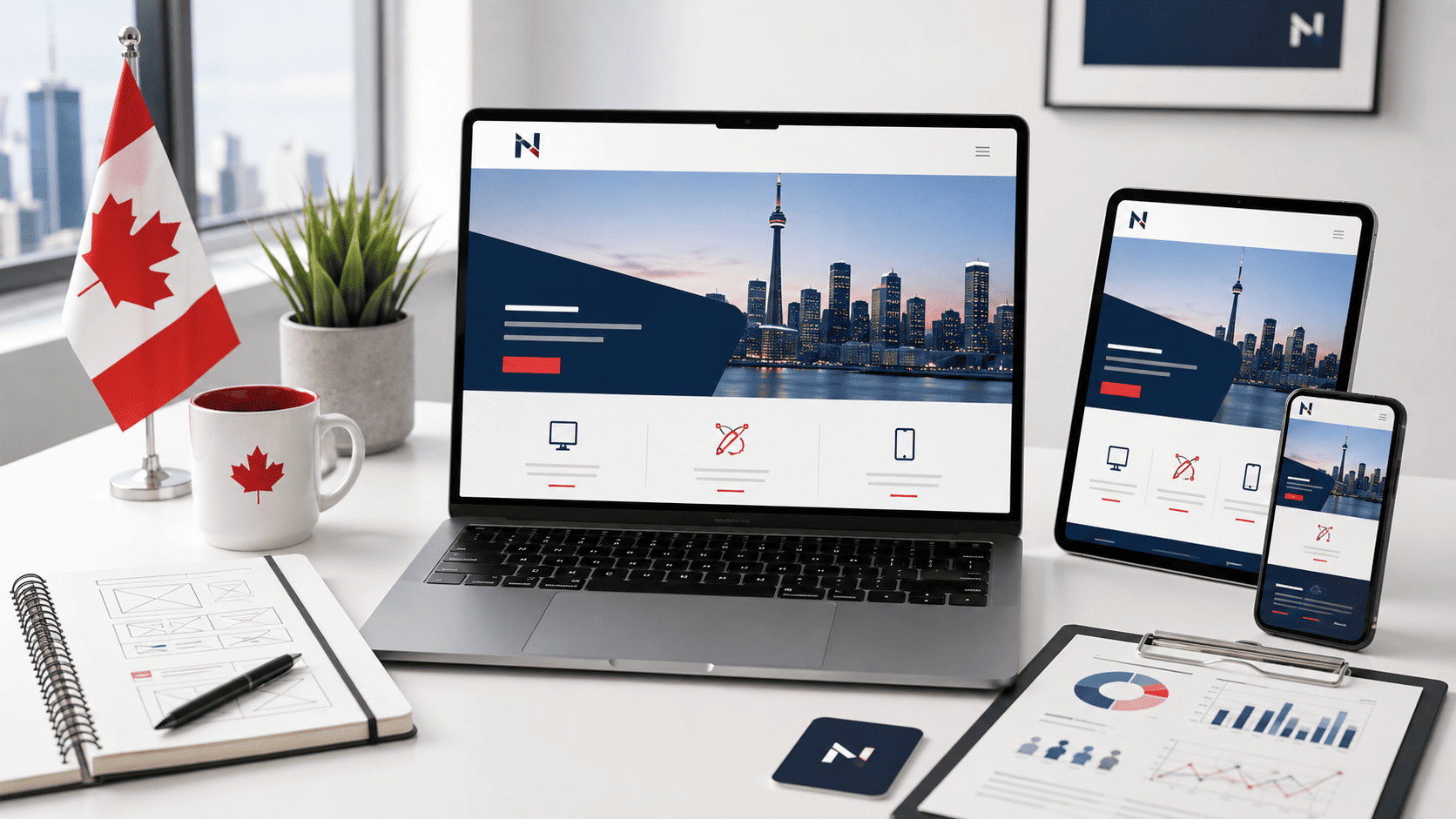
Introduction: Why Custom Web Design Matters for Toronto Businesses
Toronto’s digital landscape is not just competitive—it is saturated. From financial services in the Financial District to boutique retailers in Queen West and tech startups along the waterfront, every business is vying for the same finite attention span of local consumers. A website is no longer a digital brochure; it is your primary salesperson, your credibility anchor, and often the first interaction a potential client has with your brand. Yet too many Toronto businesses settle for a pre-packaged template that looks exactly like their competitor’s site, communicates nothing unique, and fails to convert. Custom <a href=”https://niagaraforge.ca/service/web-design/”>web design changes that equation. It is not a luxury line item—it is a strategic asset that directly influences lead generation, brand perception, and long-term revenue. This article unpacks the strategy behind custom design, the real cost structure, and what you should expect from the process, so you can make an informed decision for your Toronto business.
The Toronto Market: Standing Out in a Crowded Digital Space
Consider what your Toronto customer does before they ever contact you. They search on Google, they read three reviews, they visit your website, and then they visit two of your competitors’ sites. Within ninety seconds, they form a judgment about your professionalism, your reliability, and your fit for their needs. In a market where over 60% of local searches result in a website visit within 24 hours, your site is your only chance to make that first impression count. The problem with template-based sites is that they signal sameness. A Toronto real estate agent using the same theme as a Toronto dentist, a wedding photographer, and a law firm tells the visitor: “I did not invest in my own brand, so why should you invest in me?” Custom design allows you to differentiate on visual identity, user experience, and local relevance—whether that means integrating a map of your service areas, showcasing testimonials from Scarborough or Etobicoke clients, or structuring your navigation around the specific questions Toronto buyers ask. In a crowded digital space, being memorable is not a nice-to-have; it is the difference between a bounce and a booked consultation.
Custom vs. Template: What’s the Real Difference?
The surface difference is obvious: a template is a pre-built layout you fill with your content, while a custom site is designed from scratch around your brand. But the real difference runs deeper, into three critical areas:
- Flexibility and Scalability: Templates lock you into a predefined structure. When your business grows—adding a new service, a booking system, or a multilingual option for Toronto’s diverse population—you are often forced to rebuild or hack the template. Custom design anticipates your future needs, allowing for modular additions without a redesign.
- Performance and SEO: Template code is bloated with unused features, slowing down your page load speed—a direct ranking factor and a killer of conversions on mobile. Custom code is lean, optimized for Core Web Vitals, and structured to target Toronto-specific keywords (e.g., “custom web design Toronto” or “plumber near Liberty Village”) from the ground up.
- User Experience (UX): A template is designed for the average business, not for your customer’s journey. Custom design starts with user research: what does a Toronto homeowner looking for emergency HVAC repair need to see first? Where does a corporate procurement manager expect the “Request a Quote” button? These decisions are made intentionally, not inherited from a generic layout.
The table below summarizes the key contrasts for quick reference:
| Aspect | Template-Based | Custom Design |
|---|---|---|
| Initial cost | Lower ($500–$3,000) | Higher ($7,500–$25,000+) |
| Brand uniqueness | Shared with thousands | Exclusive to your business |
| Code quality | Bloated, generic | Clean, performance-optimized |
| Long-term maintenance | Frequent plugin conflicts | Stable, predictable updates |
| Ability to adapt to local SEO | Limited to theme settings | Fully customizable schema and content |
How a Custom Website Aligns with Your Business Goals
A custom website is not an end in itself; it is a tool to achieve specific business objectives. For a Toronto law firm, the goal might be to reduce phone calls by directing visitors to a detailed intake form, saving staff hours. For a restaurant in Kensington Market, the goal might be to drive reservations during off-peak hours through a targeted promotion pop-up. For a B2B logistics company, the goal might be to generate qualified leads by offering a downloadable white paper on supply chain challenges specific to the GTA. Custom design forces you to articulate these goals clearly before a single pixel is designed. During the discovery phase, a professional Toronto web design agency will ask: Who is your ideal customer? What action do you want them to take? What objections do they have? The result is a website that functions as a conversion engine, not just a pretty face. Every element—from the hero headline to the footer navigation—is placed with strategic intent. Moreover, custom design integrates seamlessly with your other marketing efforts: your Google Ads landing pages, your email campaigns, your social media profiles. Instead of disjointed experiences, you get a cohesive digital ecosystem that reinforces your brand at every touchpoint. In a city where your competitors are already investing in premium design, the question is not whether you can afford a custom website, but whether you can afford to be invisible. A custom site is a long-term investment with compounding returns—higher search rankings, better conversion rates, and a brand identity that Toronto customers remember and trust.
Defining Custom Web Design: More Than Just Aesthetics
When Toronto businesses hear “custom web design,” many imagine a unique color palette or an original logo. In practice, custom web design is a comprehensive engineering and architecture process. It begins with your business logic—how you acquire customers, deliver services, or manage inventory—and translates that into a digital environment. Unlike template-based sites, a custom build involves writing original HTML, CSS, JavaScript, and server-side code tailored to your operational workflows. The result is not just a prettier website, but a tool that reduces friction for users and aligns with your specific growth targets, from lead generation to complex multi-step bookings.
The Core Components: UX, UI, and Content Architecture
Three interdependent pillars define the foundation of any successful custom project in Toronto’s competitive market:
- User Experience (UX): This is the logic layer. It maps user journeys—how a visitor moves from landing page to inquiry form or checkout. For a Toronto law firm, UX might prioritize clear consultation scheduling; for a restaurant, it might focus on menu browsing and reservation flow. UX research includes persona development, journey mapping, and usability testing with real users.
- User Interface (UI): The visual and interactive layer. UI design governs typography, spacing, color contrast, and component behavior (e.g., hover states, form validation). A custom UI ensures your brand’s visual identity is applied consistently, but it must also adhere to accessibility standards (WCAG 2.1) to serve all visitors.
- Content Architecture: This is the structural skeleton. It defines how content is categorized, tagged, and retrieved. For a custom site, this often involves building a custom post type in a CMS or a headless content model. Proper architecture prevents the “everything is a blog post” problem, allowing different content types (services, case studies, team bios) to have unique fields and display rules.
Without all three, a site may look bespoke but perform poorly. For example, a beautiful UI with weak content hierarchy will confuse search engines and users alike.
Custom Functionality: From E-commerce to Booking Systems
The true differentiator of custom design is bespoke functionality. Off-the-shelf plugins often fail when your business has unique rules. Consider a Toronto-based clinic that needs to handle multiple practitioners, different appointment lengths, and online payment deposits. A generic booking plugin cannot handle conditional logic like “if the patient selects a physiotherapist, show only weekdays” without heavy customization.
Custom development allows you to build exactly what you need. A common example is a booking system with custom validation. Below is a simplified PHP snippet for a server-side check that prevents double-booking a time slot—logic that would be difficult to implement reliably with a generic plugin:
// Pseudo-code: prevent double-booking for a specific date and time
function isSlotAvailable($practitionerId, $date, $time) {
    $existing = queryDatabase(
        "SELECT id FROM appointments
         WHERE practitioner_id = ? AND appointment_date = ? AND appointment_time = ?",
        [$practitionerId, $date, $time]
    );
    return count($existing) === 0;
}
Similarly, e-commerce sites may need custom shipping calculators based on Toronto’s delivery zones, or subscription models with prorated billing. Custom APIs can integrate with your existing CRM, accounting software, or inventory management system, ensuring data flows seamlessly without manual data entry.
Scalability: Preparing for Future Growth and Updates
Toronto’s market is dynamic. Your website must accommodate new services, higher traffic, and evolving security standards without a complete rebuild. Scalability in custom design means modular code architecture. For instance, using a component-based front-end framework (like React or Vue) allows you to reuse UI elements across pages, making future updates less risky. On the back-end, a well-structured database schema can be extended with new tables or fields without disrupting existing queries.
Practical scalability measures include:
- Content versioning: Never overwrite old content; keep revisions for rollback.
- API-first design: Separate your data layer from the presentation layer, so you can later add a mobile app or third-party integrations without touching the website’s core.
- Load testing: Before launch, simulate traffic spikes (e.g., a viral promotion) to identify bottlenecks in server response or database queries.
Finally, plan for update cycles. A custom site requires ongoing maintenance—security patches, dependency updates, and feature enhancements. By establishing a clear code repository and documentation from day one, your future developers (or in-house team) can make changes efficiently, avoiding the “spaghetti code” that often results from incremental template hacks. This foresight turns your website from a one-time expense into a long-term asset that adapts alongside your Toronto business.
The Strategic Approach to Custom Web Design
A successful custom website in Toronto is not born from a mood board or a favourite colour palette. It is the result of a deliberate, evidence-based strategy that begins long before any visual design file is opened. This discovery phase acts as the blueprint, ensuring every pixel and paragraph serves a defined business purpose. By investing time in research and planning, you avoid the costly cycle of redesigns and instead build a digital asset that converts visitors into customers.
Discovery and Research: Understanding Your Users and Market
The foundation of any effective custom design is a deep understanding of who you are designing for. In a dense, competitive market like Toronto, generic design assumptions fail. The discovery phase uses both qualitative and quantitative methods to build detailed user personas. These personas go beyond demographics to include behavioural triggers, online habits, and specific pain points—such as a user comparing five contractors on their mobile device during a lunch break in the Financial District.
User research methods include:
- Stakeholder interviews: Aligning internal expectations with project realities.
- Analytics review: Examining current traffic sources, bounce rates, and conversion funnels.
- User testing (moderated or unmoderated): Observing real Torontonians interacting with wireframes or competitor sites.
- Heatmap analysis: Understanding where users currently click, scroll, or abandon.
This research directly informs information architecture (IA) and content hierarchy. For instance, a legal firm serving startups on King West will require different navigation logic than a family-run bakery in Leslieville, even if both sell services.
Setting Clear Goals: What Should Your Website Achieve?
Without measurable goals, a website is merely a digital brochure. Strategic goal-setting converts design into a revenue tool. Common objectives for Toronto businesses include generating qualified leads, driving phone calls, booking consultations, or selling products directly. Each goal dictates distinct design choices. A lead-generation site prioritises prominent, above-the-fold contact forms and trust signals, while an e-commerce site focuses on streamlined product discovery and a frictionless checkout.
To ensure clarity, goals should be defined using the SMART framework (Specific, Measurable, Achievable, Relevant, Time-bound). For example, instead of “get more clients,” a strategic goal is “increase qualified consultation requests by 25% within three months of launch, measured via a dedicated tracking phone number.” This precision guides not only the visual layout but also the copywriting and call-to-action (CTA) placement. Every section of the homepage must answer one question: does it help achieve this primary goal?
Competitive Analysis: Learning from Toronto’s Best (and Worst)
Toronto is home to over 80,000 businesses, many vying for the same digital real estate. A systematic competitive analysis reveals opportunities for differentiation and exposes common industry pitfalls. The goal is not to copy a competitor but to identify gaps in their user experience that your custom design can exploit.
| Competitor Aspect | What to Analyse | Strategic Takeaway for Your Design |
|---|---|---|
| Mobile Performance | Load speed, tap targets, menu usability on a 4G connection | If competitors are slow, prioritise lightweight images and a mobile-first layout. |
| Content Clarity | Jargon usage, readability, clarity of service descriptions | Use plain language and benefit-led headings to stand out from dense, technical copy. |
| Conversion Paths | Number of clicks to reach a quote or contact form | Reduce friction by placing a persistent “Book a Call” button in the sticky header. |
| Visual Trust Cues | Presence of client logos, Google reviews, or case studies | Integrate authentic Toronto-specific testimonials early in the page flow. |
This analysis also highlights “worst practices” such as auto-playing video, hidden contact details, or inaccessible colour contrast—all of which are common in rushed, template-based builds. By documenting these failures, your custom strategy avoids repeating them, creating a distinct and trustworthy user experience that reflects the quality of your Toronto business.
Planning Your Custom Website: Information Architecture and Wireframes
Before a single pixel is designed or a line of code written, the most valuable work in a custom web design project happens on paper (or a digital whiteboard). Information architecture (IA) is the discipline of organizing your content so that users can find what they need without thinking. Wireframes are the low-fidelity blueprints that translate that structure into visual layouts. Skipping this phase is the single most common cause of costly redesigns later—when you discover that your navigation confuses visitors or your homepage buries the key conversion point. In Toronto’s competitive market, where users expect speed and clarity, a thoughtful IA phase typically saves 20–30% of the total project budget by preventing rework.
Creating a User-Centric Sitemap and Navigation
Your sitemap is not a list of pages you want; it is a reflection of how your audience thinks. Start by grouping content into 5–7 top-level categories maximum. Toronto users—whether they are local homeowners seeking renovation quotes or B2B clients comparing logistics software—share a common trait: they scan. A flat hierarchy (fewer clicks to reach any page) outperforms a deep one.
To build this sitemap, use card sorting: write each potential page on a card, then ask 5–8 representative users to group them naturally. The resulting clusters become your primary navigation. For example, a Toronto law firm might assume “About Us” belongs first, but card sorting often reveals that “Practice Areas” or “Contact” should lead. Your navigation labels must be descriptive, not clever. “Services” is better than “What We Do”; “Get a Quote” outperforms “Start Here.”
- Primary nav: 5–7 items, always visible on desktop and collapsed into a hamburger menu on mobile.
- Secondary nav: Footer links for legal, privacy, and careers—never in the main menu.
- Breadcrumbs: Essential for any site with more than two levels of depth.
- Call-to-action button: Reserve one primary action (e.g., “Book Consultation”) that appears in the header on every page.
Test your navigation with a simple exercise: ask a user to find a specific piece of information (e.g., “your hourly rate for emergency plumbing”) and measure how many clicks it takes. If it exceeds three, restructure.
Wireframing: Laying Out the Blueprint for Each Page
A wireframe is a grayscale, content-only layout that ignores colors, fonts, and images. Its purpose is to define the hierarchy of information and the user journey. For each page template, you will create a wireframe that answers: What is the primary message? What is the next action? Where does the user’s eye travel first?
Start with the homepage wireframe. Place the value proposition in the top-left quadrant (where Toronto users look first). Below that, map a logical sequence: problem → solution → social proof → offer → call-to-action. For service pages, the wireframe should include a sticky sidebar with a contact form and trust signals (e.g., “Licensed in Ontario”). Do not design in a tool like Photoshop yet; use Balsamiq, Figma’s wireframe mode, or even pen and paper.
A practical example for a Toronto e-commerce checkout wireframe might use this HTML structure to test responsive breakpoints:
<div class="checkout-flow">
  <h2>Step 1 of 3: Shipping Address</h2>
  <form action="/checkout" method="post">
    <label for="postal">Postal Code (e.g., M5V 2T6)</label>
    <input type="text" id="postal" name="postal" pattern="[A-Za-z]d[A-Za-z] d[A-Za-z]d" required>
    <button type="submit">Continue to Payment</button>
  </form>
</div>
This wireframe forces you to decide the input format and validation early, avoiding a developer rework later.
Content Strategy: Writing for Both Users and Search Engines
Content strategy is not copywriting; it is the plan for what content exists, who creates it, and how it supports the IA. For custom web design in Toronto, this means aligning your content with local search intent. A user searching “custom web design Toronto” expects to see portfolio examples, pricing ranges, and client testimonials from the GTA—not generic national content.
Create a content inventory for every page in your sitemap. For each page, define:
| Page | Primary Keyword | User Intent | Content Type | CTA |
|---|---|---|---|---|
| Home | Custom web design Toronto | Compare agencies | Hero image + 3 value props | View Portfolio |
| Services/Web Design | Toronto web design agency | Evaluate expertise | Case study with metrics | Book Free Audit |
| Contact | Web design consultation Toronto | Contact directly | Form + phone number | Call Now |
Write content after wireframes exist, not before. The wireframe dictates the word count—a hero section needs 8–12 words, a service description 150–200 words. For SEO, use the focus keyword in the title tag, first paragraph, and one H2, but write naturally. Toronto users penalize keyword stuffing by bouncing. Also plan for internal linking: every service page should link to at least one related portfolio piece and one blog post. This step, done correctly, ensures that your custom website is not just beautiful but also a lead-generation engine—and it prevents the most expensive mistake of all: launching a site that nobody can navigate.
Visual Design and Branding: Crafting a Unique Identity
In Toronto’s competitive digital landscape, your website’s visual design is not merely decoration—it is the most immediate and visceral expression of your brand’s character. Custom web design goes far beyond selecting a template; it involves a deliberate translation of your company’s values, voice, and market position into a cohesive visual language. This process ensures that every pixel reinforces who you are, from the moment a visitor lands on your homepage to the final call-to-action. Unlike off-the-shelf themes, a custom approach allows you to control the emotional narrative, building trust and recognition with a local audience that values authenticity and distinctiveness.
Designing for Your Brand: Colors, Type, and Imagery
The foundational triad of visual identity—color, typography, and imagery—must work in concert to communicate your brand’s personality. A strategic color palette does more than please the eye; it triggers subconscious associations. For instance, a financial services firm in the Financial District might lean toward deep navy and crisp white to evoke stability and precision, while a King West creative agency could opt for bold, saturated hues to signal innovation. Typography carries equal weight, as the choice between a modern sans-serif and a classic serif directly impacts readability and perceived tone. Custom design allows you to pair fonts that align with your brand voice, ensuring that headlines and body copy feel intentional rather than generic. Imagery—whether custom photography, illustration, or carefully curated stock—must reflect the diversity and energy of Toronto itself. Local landmarks, neighbourhood-specific scenes, and authentic human moments create an immediate sense of place and relatability that generic visuals cannot replicate.
Accessibility and Inclusivity in Design
A truly custom design must be accessible to all users, regardless of ability or context. This is not an afterthought but a core design principle. In Toronto, where the population represents a wide spectrum of languages, ages, and physical abilities, inclusive design is both an ethical responsibility and a practical advantage. Key considerations include:
- Colour contrast: Ensuring text and interactive elements meet WCAG 2.1 AA standards, making content legible for users with low vision or colour blindness.
- Keyboard navigation: Designing clear focus states and logical tab order so that users who cannot use a mouse can navigate seamlessly.
- Screen reader compatibility: Using semantic HTML, proper ARIA labels, and descriptive alt text for all meaningful images.
- Flexible text sizing: Allowing users to resize text up to 200% without breaking the layout, accommodating those with visual impairments.
Inclusive design also extends to representation. Using imagery and language that reflect Toronto’s multicultural reality—different ethnicities, family structures, ages, and abilities—ensures that every visitor feels seen and welcomed. This approach not only broadens your audience but also strengthens brand loyalty among communities that often feel ignored by generic, one-size-fits-all design.
Creating a Visual Hierarchy That Guides Users
Visual hierarchy is the silent architect of user behaviour. It dictates the order in which a visitor’s eye processes information, directly influencing whether they read your value proposition, click a button, or leave. In custom design, you have full control to establish this hierarchy through deliberate placement, size, and contrast. The primary goal—whether it is booking a consultation or making a purchase—must be visually dominant, often achieved through a high-contrast button or a strategically placed hero section. Secondary information, such as supporting features or testimonials, should be visually quieter, using whitespace to separate content zones and reduce cognitive load.
Effective hierarchy relies on consistent patterns. For example, a bold headline in a larger font weight signals importance, while a smaller, muted subheading provides context without competing for attention. Spacing and alignment also play critical roles; elements that are closer together are perceived as related, while generous margins can signal a pause or transition. In Toronto’s fast-paced browsing environment, where users often skim on mobile devices, a clear hierarchy ensures that key messages are absorbed in under five seconds. By testing different visual weights and positions during the design phase, you can create a layout that feels intuitive and effortless, guiding users naturally toward conversion without overt instruction.
Development and Technical Implementation
The development phase is where strategy transforms into a functional, tangible website. For a custom web design project in Toronto, this stage demands a disciplined approach to technology selection, responsive architecture, and performance tuning. The choices made here directly affect your site’s scalability, maintenance costs, and user experience for years to come. Below, we break down the core technical pillars that define a modern custom build.
Selecting the Right CMS: WordPress, Drupal, or Headless?
Your content management system (CMS) is the operational backbone of your website. The right choice depends on your team’s technical comfort, editorial workflow, and long-term content needs. Here is a practical comparison for common scenarios in custom Toronto builds:
| Platform | Best For | Key Trade-offs |
|---|---|---|
| WordPress (traditional) | Marketing sites, blogs, small business portfolios | Fastest to deploy, huge plugin ecosystem, but requires careful security maintenance and can become bloated with excess plugins. |
| Drupal | Complex data structures, multi-user editorial roles, government or enterprise sites | Superior granular permissions and taxonomy, but a steeper learning curve for content editors and higher initial development cost. |
| Headless (e.g., Contentful, Strapi, or Sanity) | Highly interactive apps, omnichannel content delivery, or when the frontend must be a JavaScript framework (React, Vue) | Maximum frontend flexibility and performance, but requires separate hosting for the CMS and the presentation layer, plus developer effort to maintain the connection. |
For most Toronto businesses that need frequent, non-technical content updates, a traditional WordPress setup with a custom theme remains the most pragmatic. However, if you foresee a native mobile app or need to push the same content to a smart display, a headless architecture is worth the extra investment. Always ask your developer to demonstrate the editing interface before you commit—an elegant backend is as important as the frontend design.
Responsive and Mobile-First Design
Mobile-first is no longer an option; it is the default user behavior, especially in a dense urban market like Toronto. The technical implementation goes beyond squishing a desktop layout. It involves a deliberate content hierarchy that forces you to prioritize what a user needs on a 360px-wide screen. Here are the essential practices your developer should follow:
- Fluid grids and flexible images: Use CSS Grid and Flexbox with relative units (%,
fr,rem) rather than fixed pixel widths. - Breakpoint strategy: Define breakpoints based on content behavior, not just popular device sizes. Test on real devices, not only browser emulators.
- Touch targets and navigation: Ensure a minimum tap target of 48×48 pixels. Implement a thumb-friendly mobile menu (hamburger or bottom nav) rather than a hover-based dropdown.
- Performance on mobile networks: Serve appropriately sized images via
srcsetand consider lazy loading for below-the-fold media.
A common technical pitfall is using responsive design merely as a CSS exercise. The real test is how your content reflows—for example, a complex pricing table on desktop should not become a horizontal scroll trap on a phone. Instead, it should collapse into stacked cards or an accordion. During the development review, always test the site on a low-end Android device and a slower 4G connection to see the true experience.
Performance Optimization: Speed, Security, and SEO Foundations
Performance is a triad: speed, security, and search engine visibility. They are technically intertwined. A slow, insecure site will not rank well, regardless of how elegant the copy is. Below are the foundational optimizations we apply, with a practical command example for a common server-side task.
Speed: Beyond image compression, you must address server response time. For a custom build, this often means enabling server-side caching. If you are on an Apache server with a standard .htaccess file, you can enable compression and browser caching with a few lines:
# Enable Gzip compression for text assets
<IfModule mod_deflate.c>
  AddOutputFilterByType DEFLATE text/html text/css application/javascript image/svg+xml
</IfModule>

# Leverage browser caching for static assets
<IfModule mod_expires.c>
  ExpiresActive On
  ExpiresByType image/jpeg "access plus 1 month"
  ExpiresByType text/css "access plus 1 week"
</IfModule>
Security: Use HTTPS with a modern TLS certificate, implement a Content Security Policy (CSP) header to prevent XSS attacks, and enforce strong password policies for admin users. Regular core and plugin updates are non-negotiable—schedule them monthly at minimum.
SEO foundations: The technical setup must include clean, semantic HTML5 markup (proper h1 to h6 hierarchy), XML sitemaps, and structured data (Schema.org) for local business, articles, or products. Ensure your URLs are readable and consistent (e.g., /services/web-design rather than /page.php?id=22).
Finally, consider progressive web app (PWA) capabilities if your audience returns frequently. A PWA uses a service worker to cache key assets, enabling near-instant load times on repeat visits and offline functionality. For a Toronto business with a local following, this can be a differentiator. However, it adds complexity—so weigh the benefit against your actual user retention goals. A well-optimized traditional website will often outperform a poorly implemented PWA.
Cost of Custom Web Design in Toronto: A Realistic Breakdown
Budgeting for a custom website in Toronto without a clear pricing framework often leads to sticker shock or, worse, a subpar final product. The truth is that what you pay directly correlates with the depth of strategy, the skill of the team, and the technical complexity of your build. Below is a transparent look at what different investment levels actually buy you, what quietly inflates your invoice, and where you can avoid costly surprises.
Typical Price Ranges: From Freelancers to Full-Service Agencies
Toronto’s market is bifurcated: you can hire a solo designer who codes, or a multidisciplinary agency with strategists, UX researchers, and developers. Neither is inherently better—but they are not interchangeable. The range below reflects current market norms for a business website (not e-commerce or a custom web app).
| Engagement Type | Typical Project Fee (CAD) | What You Typically Get |
|---|---|---|
| Freelancer (solo designer/developer) | $3,000 – $8,000 | Template-based or simple custom design, basic CMS setup, 1–2 revision rounds, limited post-launch support. |
| Small studio (2–5 people) | $8,000 – $20,000 | Custom homepage and interior templates, mobile-first design, content migration, SEO basics, 2–3 revision rounds. |
| Full-service agency (strategy + design + dev) | $20,000 – $60,000+ | Discovery workshops, user personas, wireframes, bespoke UI, custom functionality, QA testing, project manager, and post-launch training. |
If your project is an e-commerce store or a membership portal, expect the agency figure to start at $40,000 and climb quickly. A freelancer may quote $10,000 for the same scope, but you will likely pay for that gap later in maintenance or rework.
What Influences the Cost? Complexity, Features, and Timeline
Three variables dominate your final quote. Understanding them prevents you from comparing apples to oranges.
- Complexity of design: A brochure site with five pages and a contact form is fundamentally different from a site with custom illustrations, animations, or a multi-step booking flow. Every unique component requires custom CSS, JavaScript, and testing across devices—that labour adds up.
- Feature set: Do you need a blog with filtering, a member login, API integrations (e.g., CRM, payment gateway), or multilingual support? Each integration adds hours of backend development and third-party testing. For example, a simple newsletter signup form costs little, but syncing that form to a HubSpot database with field validation is a separate line item.
- Timeline compression: A standard 8–10 week build costs less than a 3-week sprint. Rush jobs require the team to drop other clients, work overtime, and forgo proper user testing. That premium is often 20–30% on top of the base quote—and it is rarely worth it, as corners get cut in documentation or code review.
Also be honest about your own input. If you have no content written, no brand assets, and a vague idea of your audience, a good agency will charge you for a discovery phase to extract that information. If you already have a sitemap, copy deck, and high-res images, you can save $1,000–$3,000 in strategy hours.
Hidden Costs to Watch For: Maintenance, Hosting, and Revisions
The project fee is rarely the final number. Too many Toronto businesses focus only on the build quote and then face recurring charges they never budgeted for. Ask every provider these three questions before signing.
- Hosting and domain: Freelancers often expect you to buy your own hosting ($150–$400/year for managed WordPress or cloud hosting). Agencies may bundle hosting into a monthly retainer ($50–$200/month) that includes backups, security monitoring, and uptime guarantees. If you host your own site on cheap shared hosting, expect slower load times and vulnerability risks.
- Maintenance and updates: After launch, you will need plugin updates, security patches, and occasional content tweaks. A one-off fee of $500–$1,500/year for a freelancer to handle updates is reasonable. An agency retainer for ongoing support (including minor design changes) runs $300–$1,000/month. If you skip maintenance entirely, your site becomes a target for hacks—and fixing a compromised site costs far more than prevention.
- Revision overage: Most contracts include two or three revision rounds. After that, hourly rates apply ($75–$150/hour for freelancers, $150–$250/hour for agencies). A vague “unlimited revisions” promise is a red flag—it usually means the scope is so ill-defined that you will pay for it in inflated initial quotes or endless back-and-forth.
Be wary of any quote under $2,000 for a full custom build in Toronto. After labour, software licensing, and taxes, that price leaves almost no room for a living wage—meaning the provider is likely using a template, outsourcing overseas, or planning to upsell you on every minor change. Conversely, a $50,000 quote is not inherently better than a $25,000 one; compare the deliverables, not the prestige. A realistic budget for a functional, secure, and brand-specific website in this city starts at $6,000–$8,000 for a small business, and that figure should include at least three months of basic support.
The Custom Web Design Process: Step-by-Step What to Expect
Investing in custom web design in Toronto is a collaborative journey, not a single transaction. Understanding the phased timeline below will help you allocate internal resources, plan your marketing calendar, and avoid frustration. While every project varies based on scope and complexity, most engagements follow a predictable 8-to-10-week rhythm from kickoff to launch, with clear communication touchpoints at each milestone.
Phase 1: Onboarding and Discovery (Week 1-2)
Your first two weeks are about alignment and information gathering. You will meet your project manager and lead strategist, who will conduct a deep-dive workshop covering your business goals, target audience personas, competitor landscape, and technical constraints (e.g., legacy systems, third-party integrations). Expect to complete a content inventory and provide brand assets, login credentials, and analytics access.
What you should prepare for:
- A 60–90 minute discovery call or in-person meeting at your Toronto office or the agency’s studio.
- A written creative brief or questionnaire covering your “must-have” features vs. “nice-to-have” elements.
- A sitemap and wireframe review—these are low-fidelity, black-and-white layouts showing content hierarchy, not visual design yet.
Communication cadence: Weekly status emails plus one kickoff video call. You will receive a project timeline with fixed milestones for design review, development completion, and launch readiness.
Exit deliverable: Approved sitemap, wireframes, and a functional specification document. No code is written in this phase.
Phase 2: Design and Development (Weeks 3-8)
This is the longest phase, split into two parallel tracks. During weeks 3–4, the design team produces high-fidelity mockups for your homepage, one inner page, and a mobile view. You will receive a link to a clickable prototype (Figma or similar). After you approve the visual direction, development begins in weeks 5–8 on a staging server with a private URL.
Revisions and feedback rules:
- Most agencies include two structured revision rounds for design and two for development. Additional rounds are billable at an hourly rate.
- Collect feedback from all stakeholders before sending a consolidated list. Avoid “design by committee” during development.
- Content should be finalized by week 6. If copy or images slip, your launch date will likely move.
Weekly check-ins: You’ll have a 15-minute video stand-up every Monday to review progress, blockers, and upcoming deliverables. The project manager will share a visual progress board (e.g., Trello or Asana) so you can see task completion in real time.
Exit deliverable: Fully coded, responsive website on a staging URL with all forms, animations, and database integrations working.
Phase 3: Testing, Launch, and Post-Launch Support
Weeks 9–10 are dedicated to quality assurance (QA) and your final approval. The agency will test on real devices (iPhone, Android, desktop, tablet) and across browsers (Chrome, Safari, Firefox, Edge). They will also check page speed, broken links, form submissions, and SSL certificates. You will receive a user acceptance testing (UAT) checklist to verify that every feature you requested works from your perspective.
Launch day protocol: Your agency coordinates DNS migration, redirects from your old URLs to new ones, and a final backup. Expect a 2–4 hour maintenance window where your site may briefly show a “coming soon” page. After launch, you receive 30 days of post-launch support for bug fixes—not new features or content changes.
Typical post-launch tasks you must handle: Connecting your email marketing tool, setting up analytics goals, and training your team on the content management system (CMS). Most Toronto agencies offer a 1-hour CMS walkthrough video call.
Cost vs. Timeline Comparison: What Drives Your Budget
| Project Scope | Typical Timeline | Price Range (CAD) | Revisions Included |
|---|---|---|---|
| Marketing site (5–10 pages, no e-commerce) | 6–8 weeks | $8,000 – $15,000 | 2 design + 2 dev |
| Corporate site with CMS blog & forms | 8–10 weeks | $15,000 – $30,000 | 3 design + 3 dev |
| E-commerce or custom web app | 12–16 weeks | $30,000 – $75,000+ | 4 design + 4 dev |
Remember that rushing Phase 1 or skipping user testing does not save money—it creates rework in Phase 3. A reputable Toronto agency will always prefer a clear, slower discovery over a fast but ambiguous brief. Plan for your internal team to spend 3–5 hours per week during Phase 2, and you will hit your launch date with confidence.
Choosing the Right Web Design Partner in Toronto
Selecting a web design partner in Toronto is a strategic decision that will shape your digital presence for years. The city’s market is crowded with agencies, freelancers, and boutique studios, each promising exceptional results. To avoid costly missteps, you need a structured evaluation process that goes beyond portfolio aesthetics. Focus on three core pillars: evidence of problem-solving, transparent communication, and alignment with your business objectives. The following framework will help you filter candidates effectively and make a confident hire.
Portfolio Review: Look for Work That Solves Problems, Not Just Pretty
A beautiful website is table stakes. What separates a valuable partner from a decorator is their ability to demonstrate how their designs achieved measurable outcomes for clients. When reviewing portfolios, do not simply scroll through screenshots. Ask for case studies that include:
- Business context: What was the client’s market challenge, audience, or conversion bottleneck?
- Design rationale: Why did they choose specific layouts, typography, or user flows? Look for references to user research or A/B testing.
- Measurable results: Did bounce rates drop, time-on-page increase, or sales grow? Concrete metrics (e.g., “+38% form submissions”) indicate a results-driven approach.
- Technical complexity: Examine projects that required custom integrations, e-commerce functionality, or accessibility compliance (WCAG). This reveals backend competence, not just visual skill.
Also, check whether their portfolio includes sites that have aged well. A design launched in 2021 that still looks current signals that the partner builds with future-proofing in mind. Finally, request live URLs and test the sites yourself on mobile, tablet, and desktop. If half their showcase sites are password-protected or offline, treat that as a warning sign.
Questions to Ask Before Signing a Contract
Interviews are your opportunity to uncover process, pricing, and accountability. Prepare a shortlist of targeted questions and insist on detailed answers. Below are high-value inquiries that often get overlooked:
| Question | Why It Matters |
|---|---|
| Who will be your direct point of contact, and what is their seniority? | Many agencies pitch with senior staff but delegate to juniors. Confirm who actually does the work. |
| How do you handle content strategy and copywriting? | If they expect you to supply all copy, clarify the timeline and whether they offer editing support. |
| What is your revision policy, and what constitutes a “revision”? | Vague terms can lead to endless rounds or extra fees. Ask for a written definition. |
| Do you provide post-launch support, and at what cost? | Security updates, bug fixes, and content changes are inevitable. Know the hourly or retainer rates upfront. |
| Can you share references from clients in similar industries or with similar project scopes? | Direct referrals give you unvarnished insight into communication, deadlines, and problem resolution. |
Additionally, ask about their project management tools (e.g., Trello, Asana) and how they handle feedback loops. A partner who can articulate a clear workflow—discovery, wireframing, design, development, testing, launch—is more likely to meet deadlines. For technical transparency, request their approach to performance optimization. A practical example: ask if they will configure caching and image compression. A competent developer should be able to explain something like the following command used in a typical deployment script for a static site:
# Example: Optimize images before deployment using a common CLI tool
npx sharp-cli --input ./src/assets --output ./dist/assets --quality 80
If they cannot discuss basic performance tactics or dismiss your questions, that signals shallow technical depth.
Red Flags: What to Avoid When Hiring a Web Designer
Certain warning signs should prompt you to walk away, no matter how impressive the initial pitch seems. Watch for these patterns:
- No written contract or vague scope of work. Verbal agreements lead to scope creep and disputes. Demand a detailed contract that lists deliverables, timelines, payment milestones, and intellectual property rights.
- Guaranteed rankings or “instant SEO.” No ethical designer can promise first-page Google results. Such claims indicate black-hat tactics that can penalize your site later.
- Refusal to work with your existing tech stack. If they insist on migrating platforms without a clear business reason, they may be prioritizing their convenience over your needs.
- Poor communication during the sales process. If they take days to respond to your initial inquiry, expect worse after you sign. Timely, professional communication is non-negotiable.
- No portfolio case studies, only “mood boards.” This suggests they lack real-world experience or are hiding failed projects.
- Ownership disputes. Ask directly: “Who owns the domain, hosting, and source code after launch?” You should retain full control of your assets.
Finally, trust your instincts during the interview. A partner who listens more than they talk, asks clarifying questions about your business model, and acknowledges limitations is far more valuable than one who promises perfection. The right fit will feel like a collaborative extension of your team, not just a vendor. Take your time, verify claims, and prioritize long-term reliability over short-term charm.
Measuring Success: Analytics, ROI, and Continuous Improvement
Launching a custom website in Toronto is not the finish line—it is the starting point of an ongoing cycle of measurement, learning, and refinement. Unlike a static brochure, a custom site is a living asset that should evolve with your business goals, customer behaviour, and market shifts. To truly understand its value, you need to move beyond “it looks nice” and into the realm of data-driven decisions. This means setting up proper tracking, reviewing performance on a schedule, and using those insights to improve user experience and return on investment (ROI). Without this discipline, even the most beautifully designed site will underperform.
Key Performance Indicators (KPIs) for Your Website
Before you can measure success, you must define what success looks like. KPIs should align directly with your business objectives, not just vanity metrics. For a Toronto-based business, this often means tracking both local engagement and conversion quality. Start with Google Analytics (or a privacy-focused alternative like Plausible) to establish a baseline. Below are the most meaningful KPIs for a custom site:
- Conversion Rate: The percentage of visitors who complete a desired action—whether that is a form submission, phone call, purchase, or booking. This is your primary ROI indicator.
- Bounce Rate (with nuance): A high bounce rate on a blog post is normal; a high bounce rate on your pricing page is a red flag. Segment by page type to interpret this correctly.
- Average Session Duration & Pages per Session: These show whether your content is engaging enough to encourage exploration. For custom sites, lower-than-expected numbers often point to navigation or messaging issues.
- Lead Quality Score: If you use form tracking, measure how many leads are sales-ready versus casual inquiries. A custom site should attract better-fit prospects, not just more traffic.
- Local Search Visibility: Track impressions and clicks from Toronto-specific queries (e.g., “custom web design Toronto”) to ensure your site ranks where your clients are searching.
- Page Load Speed: Core Web Vitals directly impact both SEO and user patience. A slow custom site negates its strategic advantage.
Set monthly targets for each KPI, but avoid comparing your site to industry averages without context. Your custom design should create a unique baseline that improves over time.
Using Heatmaps and User Feedback to Optimize Conversion
Analytics tell you *what* users do (clicks, scrolls, exits), but not *why*. Heatmaps and session recordings fill that gap. Tools like Hotjar or Microsoft Clarity overlay visual data on your pages, showing where users pause, where they get frustrated, and where they abandon. For a custom site in Toronto, this is especially valuable because your design is unique—generic best practices may not apply. Look for these patterns:
- Click fatigue: If users click on non-clickable elements (e.g., images or headings), they expect them to be links. Fix this by adjusting your custom layout.
- Scroll depth: If 70% of users never reach your call-to-action button, it is placed too low. Move it up or add a secondary CTA mid-page.
- Form friction: Heatmaps on your contact form will reveal which fields cause hesitation or abandonment. Shorten the form or enable autofill.
Pair this quantitative data with qualitative feedback. Add a simple on-page survey tool (e.g., “Was this page helpful?”) or conduct quarterly user interviews with Toronto clients. Ask them to verbalize their thought process while navigating. A common finding is that users look for trust signals—like local case studies or a physical address—earlier than you expect. Use these insights to run A/B tests on headlines, button colours, or content order. Small tweaks, informed by real behaviour, often yield a 10–20% lift in conversions without a full redesign.
When to Consider a Redesign: Signs Your Site Needs an Update
Even a well-maintained custom site has a lifecycle. The average useful lifespan is 3–5 years, but this varies based on your industry, technology stack, and audience expectations. Do not redesign just because you are bored; redesign when the data signals a disconnect. Here are the clearest indicators that your Toronto-based custom site is due for an update:
| Sign | What It Means | Action |
|---|---|---|
| Mobile conversion rate drops below desktop for over two quarters | Your design may not be truly responsive, or mobile UX is clunky | Audit mobile user flows and consider a mobile-first redesign |
| Page load time exceeds 3 seconds on a consistent basis | Custom code or plugins have become bloated | Optimize assets first; if structural, plan a rebuild |
| Your bounce rate on key landing pages is above 70% for 6+ months | Messaging or visual hierarchy no longer resonates with your audience | Run a content audit and refresh copy, not just visuals |
| You have added three or more new services or products since launch | Information architecture is stretched; users cannot find what they need | Restructure navigation and consider a partial redesign |
| Your competitors have visibly modernized, and your site looks dated | Trust erodes when design lags behind expectations | Conduct a competitive analysis and prioritize visual refresh |
Before committing to a full redesign, however, revisit your existing analytics. Sometimes the issue is not design but SEO, copywriting, or a broken internal link. A custom site should be iterated upon, not discarded at the first sign of a dip. Schedule quarterly performance reviews with your developer or marketing team. Track whether changes to user experience directly correlate with improved KPIs. If you have invested in a custom solution, treat it as a product—not a project—and it will continue to generate ROI for years. When the data consistently shows that your site can no longer meet your business goals, that is the moment to invest in a new strategy, not a cosmetic facelift.
Frequently Asked Questions
What is custom web design and how does it differ from template-based design?
Custom web design involves creating a website from scratch to match your brand, goals, and user needs, rather than using pre-built templates. It allows for unique layouts, tailored functionality, and better scalability. Unlike templates that can look generic and have limitations, custom designs are built with your specific audience in mind, improving user experience and SEO. However, custom design typically costs more and takes longer. It’s the best choice if you need advanced features, strong branding, or a competitive edge.
How much does custom web design cost in Toronto?
In Toronto, custom web design costs can range widely depending on complexity, features, and agency reputation. A basic custom website might start around $5,000 to $10,000, while mid-range business sites often cost $10,000 to $25,000. E-commerce or large-scale custom builds can exceed $50,000. These figures include design, development, content integration, and sometimes basic SEO setup. Always request itemized quotes and be wary of extremely low prices, as they may indicate subpar work or hidden costs.
How long does a custom web design project take in Toronto?
A typical custom web design project in Toronto takes between 8 to 16 weeks, though timelines can vary based on project scope, client feedback speed, and agency workload. Simple sites may be completed in 4 to 6 weeks, while complex e-commerce or custom applications can take 6 months or more. The process includes discovery, design mockups, development, testing, and launch. Clear communication and timely approvals from your side can help keep the project on schedule.
What should I prepare before starting a custom web design project?
Before starting, gather your brand assets (logo, fonts, images), define your target audience, list your main services or products, and identify your website’s primary goals (e.g., lead generation, online sales). Also, review competitor websites to note features you like or dislike. Have a rough sitemap or list of pages you need. Preparing content like text and images in advance can speed up the process. Finally, establish a decision-maker and a single point of contact for the agency.
What does the custom web design process look like in Toronto?
The process typically involves: 1) Discovery and strategy—understanding your business and users; 2) UX and architecture—creating wireframes and sitemaps; 3) Visual design—designing the look and feel; 4) Development—coding and integrating a CMS; 5) Content integration and SEO setup; 6) Testing across devices and browsers; 7) Launch and post-launch support. A good agency will keep you involved at each stage and provide clear timelines and deliverables.
How do I choose the right custom web design agency in Toronto?
Look for agencies with experience in your industry, a strong portfolio that shows diverse custom work, and positive client testimonials. Check their expertise in SEO, user experience, and the technology stack you prefer. Ask about their process, project management, and post-launch support. It’s wise to request references and speak with past clients. Also consider their communication style and whether they understand your business goals. Remember, the cheapest option is not always the best.
Will a custom website help with SEO in Toronto?
Yes, a custom website can significantly help with SEO because it allows you to build a clean, fast, and well-structured site that search engines prefer. You can optimize page speed, mobile responsiveness, meta tags, header structure, and internal linking. Custom development also enables you to implement local SEO elements like Google Maps integration, location-specific content, and schema markup. That said, SEO success also depends on content quality and off-site factors like backlinks.
What are common hidden costs in custom web design projects?
Common hidden costs include premium plugin licenses, stock photography, copywriting, advanced SEO audits, extra revisions beyond the agreed scope, and post-launch maintenance. Some agencies charge extra for CMS training, accessibility compliance, or performance optimization. To avoid surprises, ask for a detailed contract that lists what’s included and what costs extra. Clarify pricing for ongoing support and updates, and get everything in writing.
Sources and further reading
- Web Design & Development – City of Toronto
- W3C Web Accessibility Initiative – Designing for Web Accessibility
- MDN Web Docs – Web Development
- Google Search Central – SEO Starter Guide
- Google PageSpeed Insights
- Web.dev – Web Performance
- OWASP – Web Security
- Statistics Canada – E-commerce and Digital Economy
- Toronto Board of Trade – Business Resources
- Web Design and Development – Small Business BC







Comments (5)
Pingback: Small Business Web Design Trends Canadian Businesses Should Watch
Pingback: Successful Small Business Web Design in Canada: Key Factors
Pingback: Custom Web Design for B2B Companies in Canada
Pingback: WordPress Web Design for Ecommerce Businesses in Canada
Pingback: WordPress Web Design Trends Canadian Businesses Should Watch