


Canadian Business
179 Minute
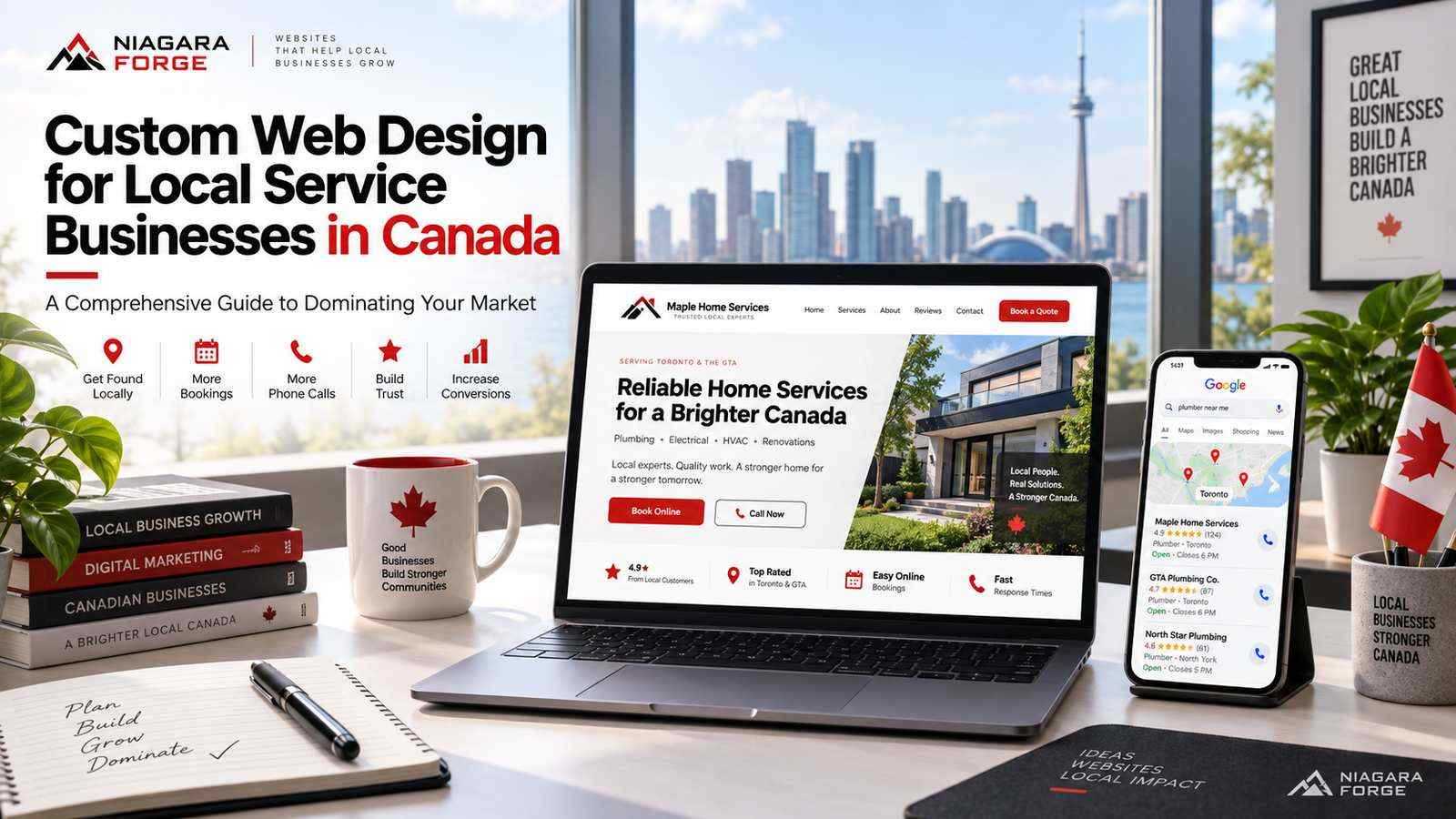
Custom Web Design for Local Service Businesses in Canada: A Comprehensive Guide to Dominating Your Market

Introduction: Why Local Service Businesses in Canada Can’t Afford a One-Size-Fits-All Website
Running a local service business in Canada—whether you’re a plumbing company in Halifax, a landscaping firm in Kelowna, or a law office in downtown Toronto—means navigating a market that is anything but uniform. Your customers speak different languages, follow different regional regulations, and search for services with different local dialects. A website built from a generic template, designed in California and deployed across thousands of industries, cannot speak to these nuances. It cannot reflect the trust signals a Vancouver homeowner expects from an electrician, nor the bilingual clarity a Montreal restaurant owner needs from a commercial cleaner. In this environment, custom web design is not a luxury; it is a survival mechanism for local dominance.
Working with experienced Canadian web design specialists can help local service businesses combine regional market knowledge, local SEO, responsive design, accessibility, performance, and conversion strategy into one effective website.
The Canadian Digital Landscape: Diverse Markets from Coast to Coast
Canada’s digital marketplace is fragmented by geography, language, and culture. Consider these contrasts:
- Language requirements: Federal bilingualism means that a service business in Quebec, New Brunswick, or Ottawa must often provide French and English content that is professionally translated, not machine-converted. Custom design allows for proper language switching, character sets, and cultural tone.
- Regional search behaviour: A “furnace repair” query in Winnipeg peaks in January, while “air conditioning service” in Windsor peaks in July. A template site cannot dynamically prioritize seasonal content or local landing pages that match these patterns.
- Local competition density: In the Greater Toronto Area, you may compete with dozens of similar service providers within a 10-kilometre radius. In rural Saskatchewan, your competitor may be 200 kilometres away, but your website must still establish authority for a much larger service territory.
- Provincial regulations: Building codes, licensing bodies, and insurance requirements vary by province. A custom site can display the correct certifications, warranty terms, and service-area boundaries for each province you operate in.
These factors mean that a single, static template cannot adapt to the real conditions where your customers search and decide. Custom design lets you build a site that mirrors the local reality of each market you serve.
The High Cost of Template Websites for Local Credibility and Conversion
Template websites are tempting because they are fast and cheap. But for a local service business, they carry hidden costs that directly impact your bottom line. A generic theme often includes bloated code, slow loading times, and stock imagery that customers can spot from a mile away. When a homeowner in Calgary sees the same generic hero image of a smiling technician on your site that they saw on three other contractor sites, your credibility drops instantly. Worse, template sites rarely follow accessibility standards or local SEO best practices, such as proper schema markup for service areas, reviews, and business hours.
Consider the conversion pitfalls of a one-size-fits-all approach:
| Template Website Limitation | Impact on Local Service Business |
|---|---|
| No custom call-to-action placement per service | Visitors looking for emergency repair cannot find a click-to-call button within seconds |
| Generic forms that don’t capture service-specific details | You receive low-quality leads without address, property type, or urgency |
| Slow mobile performance due to unused theme features | Customers on the go abandon your site and call a competitor who loads faster |
| No integration with local booking or dispatch software | You manually manage appointments, leading to double bookings or missed jobs |
Every second of delay or moment of confusion costs you a lead. Custom design removes these friction points by building only what your business needs—nothing more, nothing less.
What This Guide Covers: From Strategy to Launch and Beyond
This guide walks you through a complete process for creating a custom website that dominates your local Canadian market. You will learn how to audit your competitors, define your unique service-area strategy, and structure your site architecture for both user clarity and search engine crawling. We will cover the critical elements of local SEO, including Google Business Profile alignment, citation consistency, and review generation, all of which must be supported by your website’s underlying code and content. You will also find practical advice on choosing a Canadian web design partner who understands regional hosting, privacy laws (PIPEDA), and the importance of French-language content where applicable. Finally, we discuss post-launch maintenance, performance tracking, and iterative improvements that keep your site ahead of evolving local search algorithms. By the end, you will see your website not as a digital brochure, but as your hardest-working employee—one that answers calls, qualifies leads, and builds trust with every Canadian customer who lands on your page.
Understanding Your Local Service Business Niche and Audience
Custom web design for local service businesses in Canada fails when it starts with colors, fonts, or layouts. It succeeds when it starts with the ground truth of your service area and the people who live there. A plumber in downtown Toronto competes against dozens of others within a five-kilometer radius; a well-drilling company in rural Saskatchewan competes across a two-hundred-kilometer expanse where trust is built differently. Before a single wireframe is drawn, you must define three foundational elements: your geographic footprint, your customer personas, and the competitive gaps in your local digital landscape.
Defining Your Geographic Footprint: City, Region, or Multi-Province?
Your service area determines everything from site architecture to content strategy. A single-city electrician needs a homepage that instantly communicates “we are in your neighborhood” with localized imagery, local phone numbers, and service-area pages for each district. A regional landscaping company serving the Okanagan Valley needs content that acknowledges distinct municipalities—Kelowna, Penticton, Vernon—without spreading thin. A multi-province commercial cleaning franchise requires a different approach: robust location landing pages, province-specific compliance information, and a navigation structure that prevents user confusion.
To clarify your footprint, ask these questions:
- What is the maximum travel distance you will accept for a standard job?
- Do you serve both urban and rural zones, and does your response time differ?
- Are there municipal boundaries, ferry routes, or mountain passes that create natural service limits?
- Do you hold licenses or certifications valid only in specific provinces?
Once defined, map your footprint to a simple table for internal planning:
| Scope | Typical Page Structure | Local SEO Focus |
|---|---|---|
| Single city | Home, About, Services, Service Areas (5–10 neighborhoods) | Neighborhood keywords, Google Business Profile |
| Region (e.g., Fraser Valley) | Home, About, Services, Service Areas (each town), Regional blog | City-specific landing pages, local citations |
| Multi-province | Location hub with province/city subpages, distinct contact pages | Provincial licensing pages, localized schema markup |
Building Customer Personas for Local Trades, Professional Services, and Home Services
Different service types attract different decision-makers, and your design must speak to their urgency, technical comfort, and trust triggers. A local trade—say, an HVAC technician—serves homeowners who are often in a crisis: their furnace died at 11 PM in January. They want a prominent phone number, visible hours, and a “24/7 emergency” badge. A professional service like an accounting firm serves business owners who are comparison-shopping; they need case studies, certifications, and a clear explanation of fees. A home service like a cleaning company serves busy families who value convenience; they want online booking, package pricing, and before-and-after galleries.
For each persona, define the following and embed them in your design brief:
- Demographics: age range, homeownership status, family size, income bracket.
- Primary pain point: emergency, compliance, maintenance, or aesthetic improvement.
- Device preference: mobile-first for urgent trades, desktop for detailed professional research.
- Objection: price anxiety, lack of trust in unknown brands, or past bad experiences.
Analyzing Competitor Websites in Your Canadian Locale for Gaps and Opportunities
Your competitors are not just other businesses in your trade—they are the websites your potential customers currently visit and leave. Open a private browser window, search for your primary service plus your city (e.g., “roof repair Edmonton”), and audit the top five results. Look for gaps that your custom design can exploit. Common opportunities include: outdated or mobile-unfriendly layouts, missing online booking, vague service-area descriptions, no customer reviews embedded, and weak calls-to-action.
Perform a structured gap analysis by creating a checklist for each competitor site:
- Does the homepage load in under three seconds on a 4G connection?
- Is the phone number click-to-call and visible without scrolling?
- Are service pages detailed with pricing, photos, or process explanations?
- Does the site use Canadian-specific trust signals (e.g., BBB accreditation, provincial trade licenses)?
- Is there a blog or resource section that answers common local questions (e.g., “Do I need a permit in Calgary for this?”)?
If every competitor lacks a clear “service area map” or ignores French-language content in bilingual regions like Ottawa or Moncton, that becomes your design differentiator. If they all use generic stock photos of workers, invest in authentic photography of your actual team on local streets. The goal is not to copy—it is to identify the whitespace where your custom web design can deliver a superior experience that directly addresses the niche you have now defined. This analysis turns your design from a template afterthought into a strategic asset for dominating your Canadian market.
Core Principles of Custom Web Design for Local Service Providers
For local service businesses in Canada—whether you run a plumbing company in Calgary, a landscaping firm in Halifax, or a cleaning service in Vancouver—your website is not a digital brochure. It is your hardest-working salesperson, your first handshake, and often the deciding factor between you and the competitor three blocks away. Generic templates fail here because they ignore the specific trust signals, search behaviors, and cultural expectations of Canadian customers. A custom approach built on three non-negotiable principles—mobile-first responsiveness, deliberate visual hierarchy, and authentic local proof—will separate you from the noise and turn clicks into booked jobs.
Mobile-First Design: Capturing On-the-Go Local Searches
Canadian homeowners and business managers rarely browse for a roofer or electrician from a desktop. They search from their driveway after a storm, from a job site, or while waiting in a parking lot. According to Statistics Canada’s 2023 Internet Use Survey, over 86% of Canadians aged 15 and older use a smartphone, and local service searches are overwhelmingly mobile-initiated. This means your custom design must prioritize the mobile experience before the desktop version—not as an afterthought. Key mobile-first practices include:
- Tap-friendly call buttons that remain visible as the user scrolls (sticky header or footer).
- Compressed, fast-loading images—aim for under 2.5 seconds on 4G networks to match average load expectations.
- Forms that auto-fill postal codes, phone numbers, and service addresses with minimal typing.
- Readable font sizes (at least 16px for body text) without requiring zoom or horizontal scroll.
Critically, mobile-first design is not just about shrinking a layout. It is about reordering content so that the most urgent action—calling for an emergency repair or requesting a quote—appears within the first two screen heights. A custom build allows you to test and refine this flow based on actual Canadian user behavior, not assumptions baked into a theme.
Visual Hierarchy That Guides Visitors to Book or Call
When a visitor lands on your page, they should never wonder what to do next. Visual hierarchy is the deliberate arrangement of elements so that the eye moves naturally from awareness to action. For local service providers, the primary action is always “Book Now” or “Call for a Free Estimate.” Secondary actions—viewing services, reading about your company, checking service areas—must support, not compete with, that main goal. Apply these principles:
- Place your phone number and a contrasting “Get a Quote” button in the top right corner on desktop and in a fixed bottom bar on mobile.
- Use size and color to make the primary call-to-action (CTA) the most dominant element on the page—typically a warm color like orange or green against a neutral background.
- Break up long paragraphs with short, scannable subheadings and bullet points, so busy users can skim to the CTA.
- Limit navigation to five or fewer items. Too many choices cause decision paralysis and increase bounce rates.
For example, a custom homepage layout might lead with a bold headline (“24/7 Emergency Plumbing in Edmonton”), followed by a trust badge strip, then a single service list with icons, and finally a sticky quote form—each element nudging the visitor toward conversion. Contrast this with a template that buries the CTA below an auto-playing video and a lengthy company history; the latter loses bookings.
Building Trust with Authentic Imagery, Reviews, and Local Cues
Canadian consumers are notably skeptical of stock photos and generic claims. They want to see the actual technician who will arrive, the real truck with local branding, and proof that you serve their specific neighbourhood. Custom web design allows you to integrate authentic trust signals that templates often treat as afterthoughts. The following elements are non-negotiable:
- Real team photos: Headshots of your staff in uniform, not faceless icons. Include first names and years of experience.
- Geo-specific imagery: Use photos of your work in recognizable Canadian settings—snow-covered roofs, basement floods, or backyards with cedar fences—to signal local familiarity.
- Verified reviews: Embed Google Reviews or HomeStars widgets with a minimum of 15 recent reviews, and ensure the review count and average rating match your Google Business Profile.
- Local cues: Display your service area map, list nearby cities or postal code prefixes, and mention local building codes or climate-specific challenges (e.g., frost heave, freeze-thaw cycles).
To illustrate how these principles translate into measurable design choices, consider the following comparison between a template-based site and a custom-designed site for the same hypothetical Toronto HVAC company:
| Design Element | Generic Template Approach | Custom Local Service Approach |
|---|---|---|
| Mobile call button | Hidden in a hamburger menu | Sticky bottom bar with “Call Now” and “Book Online” |
| Primary CTA color | Matches brand color, low contrast | High-contrast orange, tested against background |
| Imagery | Stock photos of generic technicians | Real photos of your crew in Toronto, with truck and logo visible |
| Reviews placement | On a separate “Testimonials” page | Inline on homepage and service pages, with star ratings |
| Local proof | “Serving Greater Toronto Area” | List of 15 specific neighbourhoods with hyperlinks to service pages |
| Load speed | 3.5+ seconds due to heavy plugins | Under 2 seconds with optimized images and critical CSS |
Ultimately, custom web design for local service businesses in Canada is not about aesthetics alone. It is about engineering a user journey that respects the urgency of a broken furnace, the skepticism of a homeowner who has been burned before, and the pride of a local business owner serving their community. When mobile responsiveness, clear visual direction, and authentic local trust signals work in harmony, your website becomes the dominant player in your market—one click at a time.
Essential Features for a High-Converting Local Service Website
For local service businesses in Canada—whether you run a plumbing company in Calgary, a landscaping firm in Kelowna, or an HVAC operation in Halifax—your website must do more than look professional. It must function as a 24/7 salesperson that understands the urgency of a burst pipe, the seasonality of snow removal, and the trust required before inviting a stranger into a home. The following features bridge the gap between casual browsing and a booked job, prioritizing speed, clarity, and local relevance above all else.
Prominent Calls-to-Action: Phone, Quote Forms, and Booking Widgets
On a mobile device—where over 60% of local searches originate—your primary call-to-action should be thumb-friendly and impossible to miss. A sticky header button that says “Call Now” with your phone number in a click-to-call format is non-negotiable. But do not stop there. Different customers prefer different paths:
- Click-to-call for emergencies or immediate needs (e.g., “We answer 24/7 for furnace failures”).
- Quote forms for non-urgent projects like bathroom renovations or roof inspections. Keep fields minimal: name, phone, postal code, and a short message. Every extra field drops conversion rates by roughly 10%.
- Booking widgets for recurring services like lawn care, cleaning, or pest control. Integrate with Calendly or a service-specific scheduler that shows real-time availability in your local time zone.
Place your primary action above the fold, repeat it after every third scroll, and ensure the secondary action (e.g., “See Our Reviews” or “View Service Areas”) does not compete visually. Use contrasting colors—Canadian winter blues or forest greens with a bright orange or yellow button works well against white backgrounds.
Service Area Pages and Localized Content for SEO and Relevance
A single homepage cannot rank for “emergency electrician in Surrey” and “emergency electrician in Kelowna” simultaneously. Create dedicated service area pages for each city, town, or neighbourhood you serve. Each page should include:
- A unique introduction mentioning the specific municipality and its common pain points (e.g., “frozen pipes in White Rock’s older coastal homes”).
- Local testimonials with first names and neighbourhoods, not just generic praise.
- Embedded Google Maps showing your actual coverage radius.
- Nearby landmarks or references to local regulations (e.g., “We follow the BC Building Code for all Vancouver permits”).
Do not duplicate content across pages. Instead, write 300–500 words per area, highlighting a distinct service example. For instance, a septic service in Ontario might note “cottage country access in Muskoka” versus “year-round residential service in Barrie.” This signals relevance to search engines and reassures visitors that you know their specific challenges. Internally link between these pages using anchor text like “also serving [nearby town]” to build topical authority.
Live Chat and Chatbots: Balancing Automation with Local Hospitality
Canadian customers expect politeness and patience—not scripted robotic responses. While a 24/7 chatbot can capture leads after hours, it must be programmed with local nuance. For example, if a user types “snow removal quotes,” the bot should ask for their postal code and immediately confirm whether you service their region before requesting contact details. Avoid generic greetings like “Hi there!”; instead, use “Bonjour/Hi—how can we help with your [service] today?” in bilingual regions.
For live chat during business hours, ensure a real human responds within two minutes. If that is impossible, set the chat to offline mode and offer a clear callback request form. A hybrid approach works best:
- Chatbot handles FAQs: pricing ranges, hours, emergency availability.
- Bot escalates to a live team member if the user asks for a specific quote or reports an urgent issue.
- After-hours bot captures name, phone, and service needed, then texts a confirmation with a link to your booking page.
Test your chatbot with local slang and common misspellings (e.g., “furnace not working” vs. “furnace broke”). Remember, a frustrated customer who receives a dead-end bot response will call your competitor. Program fallback phrases like “I’m sorry, I didn’t catch that. Would you prefer to call us directly at [number]?” to maintain a human touch. Ultimately, automation should speed up the path to a conversation, not replace the relationship-building that earns repeat business in Canadian communities.
Designing for Canada’s Bilingual and Multicultural Realities
Canada’s linguistic and cultural landscape is not a monolith. For local service businesses, a website that acknowledges this reality is not just courteous—it is a competitive advantage. Whether you operate in Montreal, Moncton, or a mixed urban centre like Ottawa, your custom web design must treat French and English as equal partners, not afterthoughts. The goal is to create a seamless experience where a user never feels like a translation was an error, nor that one language is secondary. This requires deliberate structural choices, thoughtful visual representation, and technical SEO adjustments that go beyond simple text swapping.
Implementing Bilingual Navigation and Content (EN/FR) Without Clutter
The most common mistake in bilingual design is cramming two languages into every visible label, creating visual noise and cognitive overload. Instead, use a clear, persistent language toggle—typically placed in the top right corner of the header—that switches the entire interface instantly. Avoid dropdown menus for language unless you serve more than two official languages; a simple “FR” or “EN” button with a full-language name on hover is more intuitive for older users and mobile visitors.
- Keep navigation labels concise: Use “Services,” “About,” “Contact” in English, and “Services,” “À propos,” “Contactez-nous” in French. Never mix both in one menu item.
- Manage content length: French text is often 20-30% longer than English. Design flexible grid containers that allow text to expand without breaking layout. Avoid fixed-width buttons or hero headings that truncate phrases like “Demandez une soumission gratuite.”
- Use a dedicated URL structure: Implement
/en/and/fr/subdirectories (e.g.,yourdomain.ca/fr/services) rather than query parameters. This keeps user experience clean and helps search engines index each version separately. - Never auto-redirect based on IP alone: Let the user choose. A bilingual welcome overlay (one-time, dismissible) is acceptable, but persistent auto-redirects frustrate expats or anglophones in Quebec who prefer English.
For content itself, avoid duplicating long paragraphs side-by-side. Instead, use tabs or a single language at a time, but ensure legal pages, service descriptions, and booking forms are fully translated—not just homepage headers. A half-translated site signals poor craftsmanship and erodes trust in your service quality.
Choosing Inclusive Imagery and Testimonials That Reflect Your Community
Stock photos of generic white-collar workers will alienate diverse neighbourhoods. Your imagery must mirror the actual demographic mix of your service area—whether that includes South Asian families in Surrey, Francophone African communities in Montreal, or Indigenous populations in rural Manitoba. This is not about tokenism; it is about visual recognition. When a potential customer sees someone who looks like their neighbour or themselves, they subconsciously assume you understand their needs.
- Audit your photo library: Replace generic handshakes with real photos of your team and past projects. If you serve a specific neighbourhood, shoot on location there.
- Show cultural competence in action: For example, a plumbing company in Toronto might show a technician respecting a client’s shoe-free home, or a cleaning service in Vancouver can display diverse family configurations in lifestyle shots.
- Translate testimonials authentically: Do not machine-translate a quote from an English-speaking client into French. Instead, seek original French testimonials from clients in Quebec or New Brunswick. If a client is bilingual, ask for a separate quote in each language. Attribute names and locations correctly, and use a photo only with written permission.
- Use alt text in both languages: For accessibility and SEO, write descriptive alt text for each image in the language of the current page. This also reinforces your local relevance to search engines.
Remember that inclusivity extends beyond language. Use imagery that represents varied ages, abilities, and family structures without stereotyping. A wheelchair-accessible entrance photo for a renovation company or a technician kneeling to talk to an elderly client are powerful, subtle signals.
Accommodating Multilingual SEO for Regions Like Quebec and New Brunswick
Your visual design is useless if French-speaking users cannot find you. Multilingual SEO is a technical layer that must be built into your custom web design from the start. For local service businesses, this means optimizing each language version for its specific regional search behaviour, not just translating keywords.
| SEO Element | English (Rest of Canada) | French (Quebec/New Brunswick) |
|---|---|---|
| Keyword example | “emergency plumber Ottawa” | “plombier urgence Gatineau” or “déboucheur 24h Montréal” |
| Meta title pattern | “Emergency Plumber in [City] | 24/7 Service” | “Plombier d’urgence à [Ville] | Service 24/7” |
| Local landing pages | Separate page for each city (e.g., /en/calgary) | Same structure under /fr/, but use regional terms like “chauffe-eau” (Quebec) vs. “cumulus” (France) — avoid European French. |
| Hreflang tags | hreflang="en-ca" |
hreflang="fr-ca", plus fr-ca specifically for New Brunswick if you serve both official languages there. |
Beyond tags, pay attention to the local search intent. In Quebec, users often search in French but may use English for certain service terms (e.g., “furnace repair” vs. “réparation fournaise”). Conduct keyword research separately for each province. For New Brunswick, where many communities are officially bilingual, consider creating a third hybrid version (or at least a page that acknowledges both languages) for areas like Moncton. Also, ensure your Google Business Profile is set to the primary language of your service area, and add posts in both languages if you serve a bilingual municipality. Finally, use French Canadian spelling and terminology—never generic French from France—to build local trust and improve ranking in Canadian search results.
Local SEO Integration: Building Your Custom Site to Rank in Canadian Searches
A custom website for a local service business in Canada is only as valuable as its visibility in local search results. When you build from scratch, you control every technical and on-page element—which means you can architect your site to dominate city-specific queries like “plumber in Kelowna” or “emergency electrician near me.” Unlike template sites that force generic structures, a custom build lets you layer Canadian local search signals directly into your code, content, and site architecture. Below are the critical components to integrate during development, not after launch.
On-Page SEO: Title Tags, Meta Descriptions, and Header Structure for Local Keywords
Every page on your custom site should target a distinct geographic intent. For a roofing company serving the Greater Toronto Area, your homepage might target “roofing contractor Toronto,” while each service page (e.g., “asphalt shingle repair”) should include a city or neighbourhood modifier where you actually operate. Follow these rules:
- Title tags: Keep under 60 characters. Use the pattern: Primary Service + City/Region + Business Type. Example: “Emergency Plumbing in Calgary | 24/7 Service.” Avoid keyword stuffing—one city per title is sufficient.
- Meta descriptions: Write 150–160 characters that include the city name and a clear call to action. For example: “Trusted HVAC repair in Edmonton. Fast response, licensed techs, and upfront pricing. Call now for same-day service.”
- Header hierarchy: Use only one H1 per page, which should mirror your primary local keyword (e.g., “Landscaping Services in Victoria BC”). Structure H2s for service categories and H3s for specific offerings or neighbourhoods. Never skip heading levels—search engines use this hierarchy to understand page relevance.
- Content proximity: Mention your target city within the first 100 words of visible content, and again in at least one H2 or H3. Include province names and common abbreviations (e.g., “British Columbia” and “BC”) naturally.
For multi-service businesses, create separate pages for each service and city combination rather than forcing all keywords onto one page. This avoids cannibalization and lets you write locally specific content, such as “Winter Tire Installation in Winnipeg” with references to local road conditions.
Schema Markup for Local Business, Reviews, and Service Areas
Schema markup is structured data that helps search engines display rich results—like star ratings, business hours, and service area maps—directly in the search engine results page (SERP). For Canadian local service businesses, implement three key types of JSON-LD schema on your custom site:
- LocalBusiness schema: Include your legal business name, physical address (if you have one), phone number in Canadian format (+1-XXX-XXX-XXXX), and geo-coordinates. Use the subtype that matches your industry, such as
Plumber,Electrician, orHVACBusiness. - AggregateRating schema: Mark up your overall star rating and review count from Google or third-party platforms. Only use this if you have genuine, publicly visible reviews—fake ratings can trigger penalties.
- ServiceArea schema: Define the cities, postal codes, or provinces you serve. For businesses that travel to clients (e.g., mobile dog grooming), this is critical. Use the
areaServedproperty withCityorAdministrativeAreatypes.
Here is a practical JSON-LD example for a local business serving multiple Canadian cities:
{
  "@context": "https://schema.org",
  "@type": "Plumber",
  "name": "Maple Plumbing Services",
  "telephone": "+1-604-555-0142",
  "address": {
    "@type": "PostalAddress",
    "streetAddress": "452 Industrial Ave",
    "addressLocality": "Vancouver",
    "addressRegion": "BC",
    "postalCode": "V5T 4P7",
    "addressCountry": "CA"
  },
  "areaServed": [
    { "@type": "City", "name": "Vancouver" },
    { "@type": "City", "name": "Burnaby" },
    { "@type": "City", "name": "Richmond" }
  ],
  "aggregateRating": {
    "@type": "AggregateRating",
    "ratingValue": "4.9",
    "reviewCount": "127"
  }
}
Place this code in the of your contact page or homepage. Use Google’s Rich Results Test to validate it before deployment.
Optimizing for Google Business Profile and Localized Landing Pages
Your custom website and Google Business Profile (GBP) must work in tandem. While GBP is a separate property, your site’s content and internal linking directly influence how Google interprets your location relevance. Follow this integration strategy:
- Consistent NAP: Ensure your business name, address, and phone number appear identically on your website footer, contact page, and GBP. Even a minor difference (e.g., “St.” vs. “Street”) can confuse local ranking algorithms.
- Link to GBP from your site: Add a prominent “Google Reviews” badge or link on your homepage and contact page. This signals trust and drives review volume, which is a major local ranking factor.
- Create localized landing pages: For each service area you target, build a dedicated page with unique content—not just a swapped city name. Include local landmarks, service nuances (e.g., “permafrost foundation repair” for Yukon clients), and embedded maps. Link these pages from your main navigation or footer using descriptive anchor text like “Serving Oshawa and Durham Region.”
- Use GBP posts: Regularly publish updates, offers, or service changes on your GBP profile, and mirror that content on your site’s blog or news section. This creates a feedback loop of freshness.
For a custom site, you can also embed a GBP reviews widget using the official Google Places API—but only if you have the technical resources to maintain it. Otherwise, a simple link is safer and faster to load. Remember: local SEO is not a one-time setup. Audit your schema, NAP consistency, and landing page performance quarterly, especially if you expand to new Canadian cities or provinces.
User Experience (UX) and Accessibility: Meeting Canadian Standards
For local service businesses in Canada, your website is often the first handshake with a potential customer. Whether they are searching for a plumber in Halifax, an electrician in Calgary, or a landscaper in Kelowna, their patience is limited. A slow, cluttered, or inaccessible site does not just frustrate visitors—it drives them directly to a competitor. Custom web design for local service businesses in Canada goes beyond aesthetics; it is a strategic tool engineered around the specific behaviours, connection speeds, and legal expectations of the Canadian market. By prioritizing user experience (UX) and accessibility, you build trust, reduce bounce rates, and convert more local searches into booked jobs.
Designing for Speed: Core Web Vitals and Canadian Internet Speeds
Speed is not a luxury; it is the foundation of every successful interaction. Canadian internet infrastructure is robust in urban centres like Toronto and Vancouver, but many local service areas—rural communities, northern territories, and even suburban fringe zones—still rely on DSL, fixed wireless, or satellite connections with higher latency and lower bandwidth. A custom build allows you to optimize for this reality, rather than accepting the bloat of generic templates. You control every asset, script, and font, ensuring that your site performs well even on slower connections.
Google’s Core Web Vitals are the benchmark for user experience, measuring loading performance, visual stability, and interactivity. For a local service business, these metrics directly impact your search ranking and your ability to keep visitors engaged. Key targets include:
- Largest Contentful Paint (LCP): Aim for under 2.5 seconds. This measures when your main content (like a hero image or service description) loads. Custom design lets you compress images, implement lazy loading, and prioritize above-the-fold content.
- First Input Delay (FID) / Interaction to Next Paint (INP): Keep this under 200 milliseconds. Eliminate heavy third-party scripts that delay response when a user clicks a phone number or opens a menu.
- Cumulative Layout Shift (CLS): Score below 0.1. Reserve explicit dimensions for images and videos so your “Request a Quote” button does not jump while the page loads, preventing accidental misclicks.
A fast site is also a mobile-friendly site. Over half of local searches in Canada occur on smartphones, often from driveways or job sites. Custom development allows you to strip away unnecessary elements, deliver compressed images via modern formats like WebP, and use browser caching to ensure repeat visitors see your site instantly. When your page loads in under three seconds on a 4G connection, you immediately signal professionalism and reliability.
Accessibility First: WCAG 2.1 and AODA Compliance for Inclusive Design
In Canada, accessibility is not just a moral imperative—it is law. The Accessibility for Ontarians with Disabilities Act (AODA) sets mandatory standards for public websites, and many other provinces are following suit. Beyond legal compliance, meeting the Web Content Accessibility Guidelines (WCAG) 2.1 at the AA level ensures that your services are reachable by the one in five Canadians living with a disability, including those with visual, auditory, motor, or cognitive impairments. Custom web design for local service businesses in Canada provides the clean slate needed to build accessibility from the ground up, rather than retrofitting a theme that was never designed for it.
Practical implementation involves more than adding alt text. You must consider the full user journey:
- Color contrast: Ensure text has a contrast ratio of at least 4.5:1 against its background. Avoid using color alone to convey status (e.g., red for “closed” or green for “open”).
- Keyboard navigation: All interactive elements—forms, dropdown menus, accordions—must be operable using only the Tab and Enter keys. A visible focus indicator (like a blue outline) helps users track their position.
- Semantic HTML: Use proper heading tags (H1, H2, H3) in logical order, and label form fields clearly. Screen readers rely on this structure to announce content coherently.
- Captions and transcripts: For any video testimonials or service explainers, provide synchronized captions and a text transcript.
- Resizable text: Allow users to zoom up to 200% without content clipping or overlapping.
An accessible site also improves SEO, as search engines favour clear structure and descriptive text. By designing inclusively, you expand your customer base to include seniors, veterans, and individuals with temporary impairments (like a broken arm), all of whom need your services.
Intuitive Navigation and Clear Information Architecture for Service Seekers
Local service seekers do not browse aimlessly; they are on a mission. They need to know three things within seconds: what you offer, whether you serve their area, and how to contact you. Custom design allows you to structure your information architecture (IA) around these urgent needs, eliminating the “mystery meat” navigation common in poorly adapted templates.
Begin with a flat hierarchy. Your primary navigation should contain no more than five to seven top-level items, such as:
- Services (with dropdowns for specific trades like HVAC repair, duct cleaning, or emergency plumbing)
- Service Area (listing cities, neighbourhoods, and postal codes you cover)
- About Us (featuring local credentials, insurance, and certifications)
- Reviews (or “Testimonials” with local case studies)
- Contact (with a prominent phone number and a simple quote request form)
For a service seeker, the path to conversion should be linear. Each service page should include a “Call Now” button sticky on mobile, a clear description of the problem you solve, and a list of common sub-services. Breadcrumbs (e.g., Home > Services > Electrical > Panel Upgrade) help users understand their location and navigate back without using the browser’s back button. Furthermore, a robust internal search function is critical for larger sites—allow users to type “furnace repair near me” or “lawn aeration” directly and land on the exact service page.
Your information architecture must also reflect Canadian regional nuances. A user in Quebec expects a French-language toggle, while a user in British Columbia may search for “flood restoration” rather than “water damage.” Custom design lets you localize terminology and structure your content around the specific phrases and seasonal emergencies relevant to your province. Ultimately, intuitive navigation reduces friction, shortens the time to first contact, and positions your business as the obvious choice in your local market.
Showcasing Your Work: Portfolios, Case Studies, and Service Descriptions
For local service businesses in Canada, trust is your most valuable currency. A custom web design allows you to move beyond generic stock photos and vague promises, transforming your digital storefront into a persuasive portfolio of proof. When a potential client in Toronto, Calgary, or Halifax lands on your site, they are asking one silent question: “Can you solve my specific problem, here, in my community?” Your service pages, portfolio, and case studies must answer that question with clarity, local context, and verifiable results.
Crafting Service Pages That Answer Questions and Overcome Objections
Each service page should function as a dedicated sales conversation, not a paragraph buried in a homepage. Begin by listing the top three questions you hear from clients during initial consultations. For example, a landscaping company might address: “Will you work within my neighbourhood’s bylaws?” or “How do you handle weather delays?” Structure your page to answer these directly using subheadings and short, scannable paragraphs. Preempt common objections by including a transparent “What’s Included” section that lists deliverables, timelines, and your service area boundaries (e.g., “Serving Victoria and surrounding CRD municipalities”). Avoid vague industry jargon; instead, use plain language that mirrors how your clients speak. A custom design lets you add interactive elements like an FAQ accordion or a clickable map showing your service radius, which builds immediate local credibility.
Using Before/After Galleries, Project Timelines, and Video Testimonials
Visual proof is undeniable. For trades, renovation, cleaning, or auto repair businesses, a high-resolution before/after gallery with a simple slider effect is far more effective than a static photo grid. For each project, add a one-sentence caption explaining the challenge and the solution (e.g., “Restored 100-year-old hardwood floors in Ottawa’s Glebe district”). Project timelines are equally powerful: present a simple, visually styled timeline that shows the phases of a recent job—from initial site visit to final walkthrough—which demonstrates professionalism and sets realistic expectations. Video testimonials, filmed on a smartphone with the client standing in front of their finished project, carry authentic local accents and neighbourhood references that no stock footage can replicate. Embed these videos directly on the relevant service page, not just on a separate “Reviews” page, to keep the proof in context.
Case Studies with Local Metrics: How to Present ROI Without Overpromising
Case studies should read like a short story with a measurable ending. For each one, define the problem using the client’s words, describe your custom solution, and then present the outcome. The crucial rule is to use local, verifiable metrics—not invented percentages. For example, a plumbing company might say: “Completed a full bathroom re-pipe in a 1970s North Vancouver home in two days, reducing the client’s water bill by an estimated 15% based on their municipal utility records.” To help you frame this, the table below compares two common approaches to presenting results:
| Metric Type | Vague Example (Avoid) | Local & Specific Example (Use) |
|---|---|---|
| Time Savings | “We saved the client hours.” | “Saved the restaurant owner 6 staff hours per week on inventory tracking, based on their POS data.” |
| Cost Impact | “We reduced costs significantly.” | “Lowered annual HVAC maintenance costs by $1,200 per year for a Strathcona County office building, per their service invoices.” |
| Client Satisfaction | “The client was very happy.” | “Client later referred two neighbours on the same street within three months of project completion.” |
To avoid overpromising, always pair a metric with context. State that results vary based on property age, usage, and municipal conditions. Include a direct quote from the client that mentions your company name and their city. Finally, add a “Before This Project” section that briefly outlines the client’s frustration—this creates emotional resonance. By structuring your case studies with this disciplined, local lens, your custom web design becomes a repository of trust that consistently out-converts any generic competitor website.
Leveraging Reviews, Testimonials, and Social Proof in Your Design
For local service businesses in Canada, trust is the currency that converts clicks into calls. Your custom web design must do more than display services—it must prove your reliability before a visitor ever picks up the phone. Strategic placement of reviews, testimonials, and social proof reduces friction at decision points, directly addressing the skepticism that plagues local markets where competitors are often separated by only a few blocks. The goal is to make third-party validation feel like a natural extension of your brand narrative, not a decorative afterthought.
Embedding Google Reviews and Industry-Specific Review Feeds
Your Google Business Profile is the most authoritative source of local reviews. Instead of static screenshots, embed a live, filterable feed that updates automatically. This signals freshness and transparency—two qualities that rank highly in local trust. For technical implementation, use the Google Places API (now part of the Places API) to pull recent reviews, then style them to match your site’s typography. A practical JavaScript fetch example:
fetch(`https://maps.googleapis.com/maps/api/place/details/json?place_id=YOUR_PLACE_ID&fields=reviews,rating&key=YOUR_API_KEY`)
  .then(response => response.json())
  .then(data => {
    data.result.reviews.slice(0, 5).forEach(review => {
      // Render review text, author name, and relative time into your custom grid
    });
  });
For industry-specific platforms—HomeStars for renovators, RateMDs for clinics, or Yelp for restaurants—use their official widgets or RSS-to-JSON proxies. Always include a visible “Write a Review” button that links to your preferred platform, making it effortless for satisfied customers to contribute. Display the aggregate star rating prominently on your homepage header and service pages, not just in a footer.
Designing Testimonial Sections with Photos and Local Context
Generic praise like “Great service!” is forgettable. Your custom design should elevate testimonials by pairing them with real, high-resolution photos of the client (with permission) and specific local details that anchor the story. For example:
- Project location: “Kitchener-Waterloo” or “Kelowna” rather than “nearby.”
- Seasonal or weather context: “After that record snowfall in February, their team cleared our driveway within hours.”
- Service specifics: “The 200-amp panel upgrade for our 1950s Vancouver bungalow.”
- Outcome metric: “Cut our energy bill by 18% before the first winter.”
Use a carousel or alternating grid layout where the photo sits beside the quote, not above it. Add a subtle map pin icon or a small Google Maps link to the client’s neighbourhood when applicable. Ensure the text uses natural, conversational Canadian phrasing (e.g., “hydro bill” in BC, “furnace repair” in Alberta) to reinforce locality. Do not over-optimize with keywords; authenticity wins.
Trust Badges, Accreditations, and Guarantees: What Actually Works
Not all badges are equal. Canadian consumers respond best to recognizable, verifiable credentials—not generic “100% Satisfaction” clip art. Prioritize these in your design hierarchy:
| Badge Type | Example | Placement |
|---|---|---|
| Verified licences | WSIB clearance (Ontario), BC Safety Authority | Footer and quote request form |
| Industry memberships | Canadian Home Builders’ Association, local chamber of commerce | About page and service headers |
| Certifications | Red Seal trade certification, BBB Accredited Business | Sticky mobile header (small icon) |
| Guarantees | “No fix, no fee” or “48-hour response guarantee” | Above the fold on contact page |
For guarantees, write them as a short, scannable sentence with a clear time frame or condition. Avoid legal jargon. Pair each badge with a one-line explanation in a tooltip or expandable detail, because a bare logo creates more questions than confidence. Finally, place a single trust badge near your primary call-to-action button—crowding that area dilutes its impact. What works is scarcity and specificity: three credible badges outperform ten vague ones.
Maintenance, Updates, and Scaling Your Custom Website Over Time
A custom website for your Canadian local service business is not a static brochure; it is a living asset that requires deliberate care. Neglecting routine upkeep can silently erode your search rankings, compromise customer trust, and leave your site vulnerable to security breaches. Conversely, a proactive maintenance strategy ensures your digital storefront remains fast, secure, and perfectly aligned with your operational growth. Below, we break down the essential pillars of long-term website stewardship.
Scheduling Content Refresh: Seasonal Offers, Service Changes, and Blog Posts
Your customers in Canada search for timely, location-specific information. A website that still advertises last winter’s snow removal pricing or a discontinued plumbing package signals neglect. Create a quarterly content calendar that aligns with Canadian seasons and regional events. For example, a landscaping company should update its service list and promotional banners before the spring thaw, while a heating contractor might feature furnace tune-ups in early autumn.
Beyond static pages, your blog or news section is a powerful tool for local SEO. Publish at least two posts per month that address common customer questions, local regulations, or case studies from your recent projects. Each post should include internal links to relevant service pages and a clear call-to-action. When you change your service area, add new certifications, or adjust pricing, update those pages immediately—do not wait for a scheduled review. Consider setting a recurring monthly reminder to audit your “Services” and “Contact” pages for accuracy, as outdated phone numbers or business hours are a leading cause of lost leads.
Security, Backups, and Updates: Protecting Your Local Reputation
For local service businesses, your website is often the first handshake with a potential client. A hacked site that redirects visitors to spam or displays defacement messages can permanently damage your reputation in a tight-knit community. Implement a layered security approach that includes:
- Automatic daily backups stored off-site (e.g., cloud storage separate from your hosting server).
- Weekly core, plugin, and theme updates—but test updates on a staging copy before applying them live to avoid breaking custom features.
- SSL certificate renewal and monitoring to ensure the padlock icon remains visible and your forms transmit data securely.
- Login attempt limits and two-factor authentication for any admin accounts.
Maintain a simple incident response plan: know who to call (your developer or agency) and how to restore the latest clean backup. Perform a manual restore test every six months to verify your backups are functional. Also, review your website’s performance metrics (page load time, uptime percentage) quarterly. A slow site on a Canadian winter day, when customers are searching from mobile devices, will lose to a faster competitor.
Planning for Expansion: Adding New Locations or Service Areas Without a Redesign
Growth is the goal, but it should not force a costly rebuild. A well-architected custom website uses modular components and a scalable content structure. When you add a second service area, such as expanding from Vancouver to Surrey, you can create a new dedicated landing page that reuses your existing design templates. Ensure your site’s information architecture separates “service” from “location” so you can combine them dynamically. For instance, a cleaning company might have service pages (carpet, office, move-out) and location pages (Calgary, Edmonton) that intersect cleanly without duplicating content.
To prepare for future growth without redesign, adopt these practices from day one:
- Use a flexible page builder or custom post types that allow new sections to be added without touching global templates.
- Store business hours, phone numbers, and addresses in a centralized database or custom fields, not hardcoded in the footer.
- Build your navigation with a maximum of seven primary items; adding a new location should fit under a “Locations” dropdown rather than forcing a new top-level link.
- Schedule a bi-annual technical audit with your developer to review page speed, schema markup for local SEO, and database bloat.
When you do add a new service area, update your local business schema (JSON-LD) to include the new city or region, and create location-specific content that references local landmarks or community involvement. By treating your website as a scalable infrastructure rather than a fixed deliverable, you ensure that every new branch or territory you serve benefits from the same fast, secure, and high-ranking online presence that originally won your first customers.
Frequently Asked Questions
What are the key benefits of custom web design for local service businesses in Canada?
Custom web design offers numerous benefits for Canadian local service businesses, including a unique brand identity that stands out from competitors, full control over user experience and functionality, and the ability to optimize for local SEO. Unlike generic templates, custom sites can be tailored to target specific Canadian regions, integrate local trust signals like reviews and citations, and load faster, which improves both user satisfaction and search rankings. Additionally, custom design ensures mobile-friendliness, which is critical since many local customers search on phones. Ultimately, this leads to higher conversion rates and a stronger online presence that can dominate the local market.
How does custom web design impact local SEO in Canada?
Custom web design directly supports local SEO by enabling better site architecture, faster load times, and mobile responsiveness—all ranking factors. A custom site allows you to implement proper schema markup (e.g., LocalBusiness), create location-specific landing pages, and optimize content for Canadian keywords and regions. You can also ensure accurate NAP (Name, Address, Phone) consistency across the site, which is crucial for Google My Business and local citations. Since custom code is cleaner and leaner, search engines can crawl and index your pages more efficiently. These technical advantages help Canadian local service businesses rank higher in local search results, driving more qualified traffic.
What are the cost considerations for custom web design versus templates?
Custom web design typically requires a higher upfront investment than using a template, often ranging from $5,000 to $15,000 or more in Canada, depending on complexity. However, this cost includes personalized design, development, and often initial SEO setup. Templates are cheaper ($50–$500) but come with limitations: they can be harder to customize, may include unnecessary code that slows down your site, and may not align perfectly with your brand. For local service businesses, the long-term ROI of custom design—through better conversions, SEO, and credibility—often outweighs the initial savings. Additionally, custom sites reduce ongoing costs by being easier to maintain and scale.
How can custom web design improve conversion rates for local service businesses?
Custom web design improves conversion rates by focusing on user-centric elements such as clear calls-to-action, intuitive navigation, and trust signals like customer testimonials and certifications. You can place contact forms or click-to-call buttons strategically on the page, making it easy for potential customers to take action. Custom design also allows for A/B testing of different layouts, headlines, and color schemes to optimize for conversions. For local service businesses, features like service area maps, before-and-after galleries, and online booking systems can be integrated seamlessly. By reducing friction and building trust, a custom site turns more visitors into leads and customers.
What should a local service business look for in a Canadian web design agency?
When choosing a Canadian web design agency, look for experience with local service businesses and a strong portfolio of custom websites. Ensure they understand local SEO and Canadian-specific requirements, such as bilingual capabilities (English/French) if serving Quebec. Ask about their process for user experience (UX) testing, mobile responsiveness, and page speed optimization. Check their communication and project management practices—you want a partner who listens to your goals and provides transparent timelines and budgets. Additionally, consider their post-launch support and maintenance offerings. A good agency will also provide training on how to update your site and connect it with tools like Google Analytics and Google Business Profile.
How does mobile experience affect local search rankings in Canada?
Mobile experience is a major ranking factor for local search in Canada because most local searches occur on mobile devices. Google uses mobile-first indexing, meaning it primarily evaluates the mobile version of your site for ranking. A custom web design ensures your site is fully responsive, with fast load times and easy navigation on smartphones. Features like click-to-call, location maps, and mobile-friendly contact forms are essential for converting mobile users. If your site is not mobile-friendly, you risk high bounce rates and lower rankings, allowing competitors to outrank you. Investing in a mobile-optimized custom design is vital for dominating your local market.
What are the essential features of a custom website for a local service business?
Essential features include a clean, professional design that reflects your brand; clear service descriptions and pricing (if possible); prominent contact information and a contact form; click-to-call functionality; a Google Map showing your service area; customer reviews and testimonials; and an SSL certificate for security. For local SEO, integrate schema markup, create location-specific pages if you serve multiple areas, and ensure your NAP details are consistent. Additionally, consider adding online booking or quote request forms, a blog for local content marketing, and social media links. Fast loading speed and mobile responsiveness are non-negotiable. Custom design allows you to tailor these features to your specific business needs.
How long does it take to design and launch a custom website?
The timeline for a custom website varies based on project scope, but a typical local service business site takes 6 to 12 weeks from initial consultation to launch. The process includes discovery and planning, design mockups, development, content creation, and testing. Factors that can extend the timeline include the number of pages, custom features like booking systems, and the client’s responsiveness in providing feedback and content. A reputable agency will provide a detailed timeline and keep you updated throughout. While it may take longer than a template site, the result is a tailored, high-performing website that better serves your business and customers.
Sources and further reading
- Google Search Central: Local SEO Guide
- W3C Web Accessibility Initiative
- WebAIM: Web Accessibility in Mind
- Google Developers: Mobile-First Indexing
- Google Developers: PageSpeed Insights
- Google Developers: Core Web Vitals
- Schema.org: LocalBusiness
- Statistics Canada: Business Counts
- Innovation, Science and Economic Development Canada: Doing Business
- Canadian Internet Registration Authority (CIRA)







Comment (1)
Pingback: Common Shopify Web Design Mistakes Canadian Businesses Should Avoid