



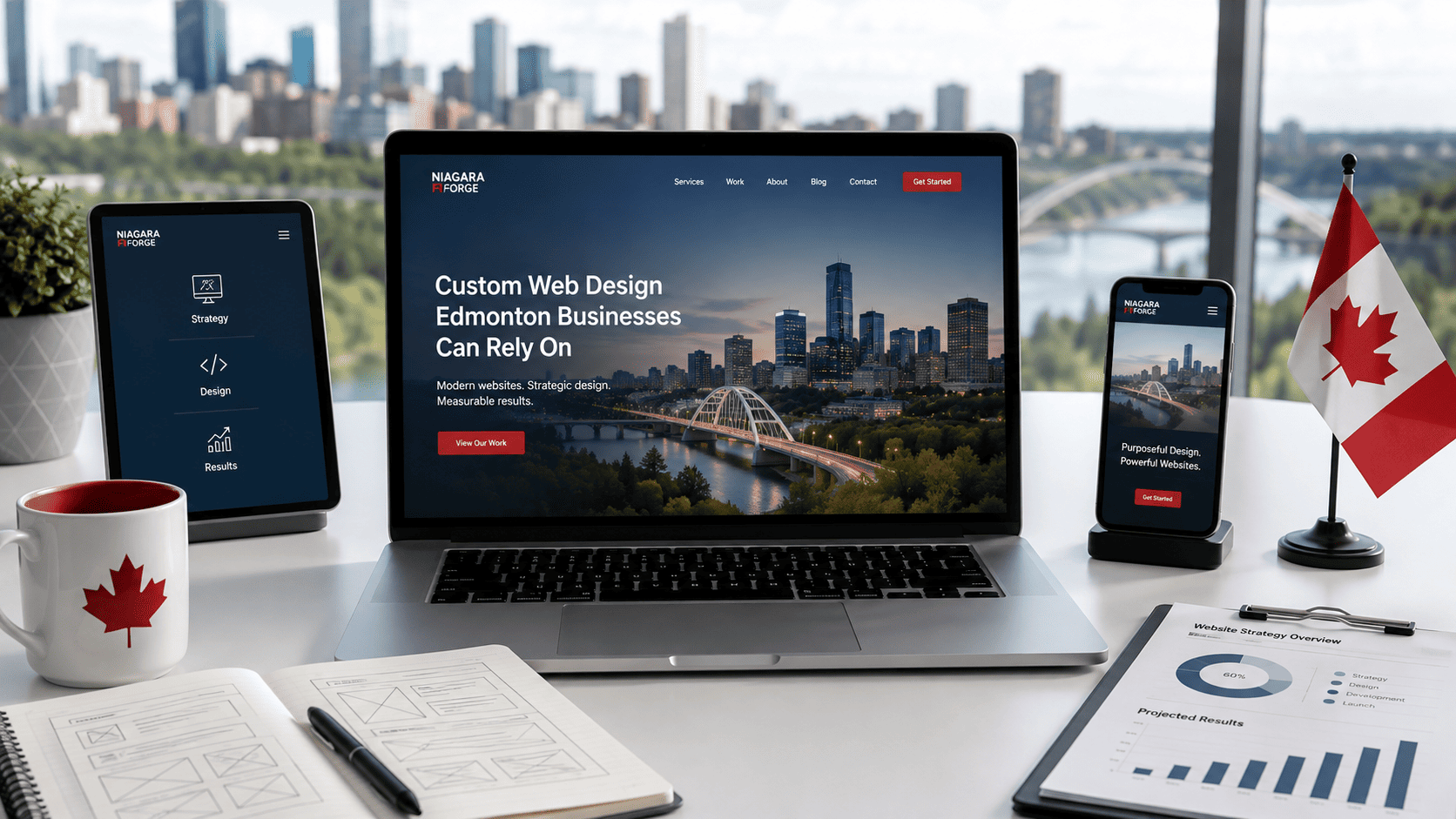
Why Custom Web Design Matters for Edmonton Businesses
In Edmonton’s growing digital landscape, your website is often the first handshake with a potential customer. A generic, template-based site might get you online quickly, but it rarely communicates the specific value your local business offers. Custom web design flips that script: instead of forcing your brand into a pre-built mold, it builds the digital space around your unique operations, customer base, and long-term goals. For Edmonton businesses competing against both national chains and agile local startups, this distinction is not cosmetic—it is strategic.
Template vs. Custom: Key Differences for Local Brands
Templates are pre-designed frameworks where you swap in your logo, text, and images. They are affordable and fast to deploy, but they come with structural limitations. Every competitor who buys the same theme can look nearly identical, which dilutes brand recall. More critically, templates often carry unused code, slow load times, and rigid layouts that do not adapt well to niche services—like a plumbing company needing complex booking forms or a boutique retailer requiring a custom product configurator.
Custom design, by contrast, starts from a blank canvas. The layout, typography, color palette, and user flow are coded specifically for your brand voice and Edmonton audience. Consider these practical differences:
- Brand accuracy: Custom design aligns every pixel with your visual identity, not a theme author’s interpretation.
- Performance control: Developers strip out unnecessary scripts, resulting in faster page speed—critical for mobile users on the go.
- Scalability: A custom build can grow with your business, adding features like online ordering or multilingual support (including French) without a full redesign.
- SEO flexibility: Clean, semantic code and tailored metadata structures give search engines a clearer path to index your services.
For a local brand, these differences translate directly into trust. A custom site signals that you have invested in your digital presence, which reflects how you treat customers in person.
How Custom Design Supports Edmonton’s Competitive Market
Edmonton is a city of distinct neighbourhoods and industries—from the energy sector to a thriving arts and food scene. A template designed in California or Europe rarely speaks to local context. Custom design allows you to embed Edmonton-specific signals: service areas like Whyte Avenue or the West End, weather-resilient user interfaces that work well during harsh winters, and content that references local events or partnerships. This localization builds immediate relevance.
Moreover, the market here is tight. Customers often compare three or four businesses before making a call. A custom site can differentiate you through specialized functionality—for example, a real estate agent might need interactive neighbourhood maps, while a restaurant requires an intuitive reservation system. Off-the-shelf themes force workarounds; custom design builds the exact tool your sales process demands. When a competitor’s site loads slowly or feels generic, your tailored experience becomes the deciding factor.
Aligning Web Design with Your Business Objectives
Custom design is not just about aesthetics—it is a conversion engine aligned with your revenue goals. Before a single line of code is written, a professional designer should map your objectives: Do you want phone calls, newsletter signups, or online quotes? Each goal dictates layout hierarchy, call-to-action placement, and content structure. For instance, a law firm might prioritize a prominent consultation button above the fold, while a retail store focuses on seamless product search and checkout.
This alignment also extends to measurement. Custom sites can integrate analytics, heatmaps, and CRM tools from day one, giving you clear visibility into which pages drive leads. You avoid the common pitfall of template users: building a pretty site that generates no inquiries. By defining success metrics upfront—such as form completions per month or average session duration—your web design becomes a measurable asset, not an expense. In a city where word-of-mouth is strong, your website should work just as hard as your best referral.
Core Components of a Strategic Custom Web Design
A strategic custom website is not merely a digital brochure; it is a conversion engine built on research, psychology, and clear architecture. Unlike template-based designs, a custom approach aligns every pixel with your business objectives, audience behavior, and competitive positioning. Below are the foundational pillars that separate a decorative site from a high-performing asset.
User Experience (UX) and Conversion-Focused Layouts
User experience is the invisible hand that guides visitors from “browsing” to “inquiring.” A conversion-focused layout prioritizes friction reduction at every scroll. This begins with a clear visual hierarchy: primary calls-to-action (CTAs) placed above the fold, secondary actions clearly differentiated, and navigation that never exceeds seven main items. For Edmonton businesses—where local trust is paramount—include trust signals (reviews, certifications, physical address) within the first screen.
- Task-oriented flows: Map the three most common user journeys (e.g., “request a quote,” “book a consultation,” “find our services”) and design each path with minimal clicks.
- Mobile-first interaction: Thumb-friendly buttons (minimum 44×44px), no hover-dependent menus, and readable font sizes without zooming.
- Persistent conversion triggers: A sticky header CTA or a slide-out contact bar that appears after 30% scroll depth—without obstructing content.
Test your layout with the “five-second rule”: a new visitor should understand your value proposition and next action within five seconds. If not, your UX hierarchy needs restructuring.
Visual Identity: Colors, Typography, and Imagery
Visual identity is not about aesthetics alone; it is a psychological cue that shapes brand perception. In custom design, you choose a palette that reflects your sector—deep blues for legal or financial firms, earthy greens for eco-friendly services, or bold reds for high-energy retail. Limit your palette to one primary, one secondary, and one accent color. Use the 60-30-10 rule: 60% neutral background, 30% primary brand color, 10% accent for CTAs.
| Element | Strategic Guideline |
|---|---|
| Typography | Max two font families: one for headings (serif or bold sans), one for body (highly legible). Body copy at 16–18px, line-height 1.6. |
| Imagery | Use real Edmonton context (landmarks, local staff, regional projects) rather than generic stock photos. Compress images to under 200KB for speed. |
| Whitespace | Whitespace is not empty—it is breathing room that increases perceived value and comprehension by up to 20%. |
Ensure color contrast meets WCAG AA standards (4.5:1 for normal text). For example, avoid light gray text on white backgrounds; instead, use a dark charcoal like #2d2d2d on #ffffff for optimal readability.
Content Architecture and SEO-Ready Structure
Content architecture is the skeleton that search engines crawl and humans navigate. An SEO-ready structure begins with semantic HTML5 tags: one <h1> per page, logical <h2>/<h3> hierarchy, and descriptive <title> and <meta> descriptions. Your URL slugs should be short and keyword-relevant—for example, /edmonton-custom-web-design rather than /page?id=447.
Strategically, group related topics into “pillar” pages that link to supporting service pages. This creates topical authority for search engines. For local SEO, embed a Google Map with your NAP (Name, Address, Phone) in the footer and create location-specific landing pages for Edmonton neighborhoods if you serve multiple areas.
Finally, plan your content hierarchy before visual design begins. Each page should answer three questions: What is this? Why should I care? What do I do next? Distribute these answers across headings, body copy, and CTAs. A practical way to validate structure is to run a simple Python script to check for missing heading levels:
import requests
from bs4 import BeautifulSoup

url = "https://yourdomain.com"
r = requests.get(url)
soup = BeautifulSoup(r.text, 'html.parser')
h_tags = [f"h{i}" for i in range(1, 7)]
for tag in h_tags:
    count = len(soup.find_all(tag))
    print(f"{tag}: {count}")
This script reveals whether your page jumps from an <h1> directly to an <h4>—a common error that confuses both users and crawlers. By aligning UX, visual identity, and content structure, your custom Edmonton website becomes a cohesive system designed for measurable outcomes, not just visual appeal.
The Custom Web Design Process: Step-by-Step
Investing in a custom website for your Edmonton business is a strategic decision, but the journey from initial idea to a live, high-performing site can feel opaque if you have never done it before. Understanding the phased approach used by reputable local agencies will help you allocate time, budget, and internal resources effectively. While every project has unique nuances, a typical custom build follows a disciplined sequence that prioritizes clarity, feedback, and quality assurance.
Discovery and Strategy Sessions
This first phase is the most critical, yet often the most underestimated. Your design partner will not start writing code or picking colors. Instead, they will conduct deep-dive workshops to understand your business model, target audience in the Edmonton market, competitors, and measurable goals (e.g., lead generation, e-commerce sales, or service bookings). Expect to discuss your brand voice, existing content assets, and technical constraints such as integration with your CRM or booking system.
Deliverables from this stage typically include a project roadmap, a sitemap, and a technical specification document. You will also agree on a content strategy—who writes the copy, who provides photography, and what the approval workflow looks like. Be prepared to answer questions about your customer’s pain points and what makes your offering distinct from a competitor in St. Albert or Sherwood Park. A clear strategy here prevents costly revisions later.
Wireframing, Prototyping, and Visual Design
Once strategy is approved, the design team moves into low-fidelity wireframes—simple black-and-white layouts that map out where headlines, images, forms, and calls-to-action will appear. This is not about aesthetics; it is about user flow and hierarchy. After you approve the wireframes, the team creates a clickable prototype, which allows you to test navigation and interactions on a desktop and mobile device before any visual polish is applied.
Following prototype sign-off, visual design begins. This is where your brand’s personality comes to life through typography, color palettes, imagery, and micro-interactions. For Edmonton businesses, this often includes local touches, such as region-specific photography or language that resonates with a prairie audience. You will typically review two to three design directions before converging on a final style. At this stage, expect to provide feedback on mood, not just “I like it” or “I don’t.” Instead, reference your strategy: does this design make the primary call-to-action obvious? Does it build trust with a local customer?
Development, Testing, and Launch
After the visual design is approved, front-end and back-end developers build the actual site. They transform static designs into responsive HTML, CSS, and JavaScript, and integrate any required content management system (like WordPress or a custom Laravel build). During development, you will not see daily visual changes; instead, the team works in sprints, delivering a staging site for your review at logical milestones. This is where functionality like forms, e-commerce checkout, and analytics tracking are implemented and tested.
Testing is rigorous and multi-layered. Beyond checking for broken links or typos, developers perform cross-browser and cross-device testing, load-speed optimization (critical for Edmonton users on mobile data), and security scans. After you approve the staging site, the final step is a planned launch—usually scheduled for low-traffic hours—which includes a full backup, DNS migration, and post-launch monitoring for 48 hours. A detailed handover session trains your team on how to update content independently.
| Project Phase | Typical Duration | Client Involvement |
|---|---|---|
| Discovery & Strategy | 1–2 weeks | Workshops, interviews, content inventory |
| Wireframing & Prototyping | 2–3 weeks | Review and approve layouts, test navigation |
| Visual Design | 2–4 weeks | Feedback on style, color, typography |
| Development & Testing | 4–8 weeks | Staging reviews, bug reporting, QA sign-off |
| Launch & Handover | 1 week | Final approval, training, go-live decision |
By understanding these phases, you can better prepare your own team, avoid scope creep, and ensure that your custom web design in Edmonton delivers a return on investment—not just a pretty website.
Understanding the Cost of Custom Web Design in Edmonton
Investing in a custom website in Edmonton is not a single-price market. Unlike template-based builds, a bespoke design is shaped by your business goals, the depth of functionality, and the team you choose. While no two projects are identical, understanding the underlying cost structure helps you plan realistically and avoid surprises. Below is a practical breakdown of what shapes your investment, without promising fixed numbers.
Pricing Models: Flat Fees, Hourly, and Packages
Edmonton web design firms typically price custom work in one of three ways. Each model suits different project scopes and client preferences:
- Flat fee (project-based): Common for defined scopes—e.g., a 5-page marketing site with a blog. You pay a fixed amount after milestones. Best when requirements are clear from the start.
- Hourly rate: Used for ongoing or open-ended work, such as iterative design revisions, custom integrations, or troubleshooting. Rates in Edmonton vary widely based on seniority and agency reputation.
- Package tiers: Many local studios offer “starter,” “business,” and “e-commerce” packages. These bundle design, development, and basic SEO. Packages simplify decisions but often require add-ons for unique features.
When comparing quotes, ask which model applies and what is explicitly excluded. A flat fee may not include content writing, stock photography licenses, or post-launch training—common hidden costs.
What Drives Costs: Complexity, Features, and Content
The final price tag is largely determined by three interlocking factors. You can estimate your project’s position on each spectrum to gauge relative cost:
| Factor | Lower Cost Scenario | Higher Cost Scenario |
|---|---|---|
| Complexity | Static pages, standard layouts, no user accounts | Custom post types, multi-step forms, membership areas, third-party API connections |
| Features | Contact form, basic gallery, social links | E-commerce with payment gateways, booking systems, interactive maps, multilingual support |
| Content | Client supplies all text, images, and video | Agency handles copywriting, custom photography, or motion graphics |
Also consider the design process itself. Custom user experience (UX) research, wireframing, and usability testing add hours that a one-page brochure does not require. In Edmonton, where local competition spans solo freelancers to full-service agencies, the same feature set can vary by 40% or more depending on the depth of discovery and testing included. Be wary of any quote that seems too low—it likely skips these critical phases.
Budgeting for Ongoing Maintenance and Updates
A custom website is not a one-time purchase. After launch, you need to budget for security patches, plugin updates, content changes, and potential feature enhancements. Many Edmonton agencies offer monthly care plans, while others charge per hour for post-launch work. A practical approach:
- Set aside 10–15% of your initial build cost annually for minor updates and bug fixes. For example, a $10,000 build suggests a $1,000–$1,500 yearly buffer.
- Distinguish between “maintenance” and “development.” Maintenance means keeping software current and backups running. Development is adding new features—budget separately.
- Ask for a maintenance agreement upfront. This often includes monthly backups, uptime monitoring, and a set number of content edits (e.g., 30 minutes per month).
If you manage updates in-house, you must handle version control and deployment. A simple Git-based workflow for a static site might look like this:
# Example: Deploy a content change to your production server
git add .
git commit -m "Update team page bios"
git push origin main
ssh user@your-server "cd /var/www/your-site && git pull"
This requires technical comfort. If that is not your strength, factor an agency’s retainer into your annual budget. Ultimately, transparent communication about your long-term needs—not just the launch date—will yield the most accurate estimate for custom web design in Edmonton.
What to Look for in an Edmonton Web Design Partner
Choosing the right web design partner in Edmonton is a strategic decision that affects your brand’s digital presence for years. Whether you opt for a boutique agency or an independent freelancer, the process demands careful vetting beyond a polished portfolio. Your goal is to find a partner who understands local market nuances, communicates clearly, and supports you after launch. Below are the essential criteria to evaluate before signing any agreement.
Portfolio Review: Evaluating Local Experience
A portfolio reveals more than aesthetic taste—it exposes problem-solving ability. When reviewing candidates, look for projects in your industry or with comparable business models. For Edmonton-specific needs, ask whether they have built sites for local service areas, retail, or professional firms that face similar customer demographics. Do not just glance at screenshots; request live URLs and test the sites on mobile devices. Examine loading speed, navigation logic, and whether the design aligns with the client’s brand voice, not just the designer’s signature style.
Red flags include portfolios with only mockups, no case studies explaining business goals, or a heavy reliance on generic templates. A credible partner will explain the “why” behind each design choice—for example, how they adapted a booking flow for a local clinic or optimized a restaurant site for contactless ordering. Ask specifically about their experience with Edmonton’s bilingual or multicultural audiences if that matters to your market.
- Ask: “Can you share a project where you solved a unique local challenge, such as seasonal demand spikes or community-based traffic?”
- Ask: “How do you measure design success beyond looks—conversion rate, time on page, or form submissions?”
- Red flag: Refusing to provide client references or showing only recent work without long-term results.
Communication and Project Management Styles
Web design projects stall when expectations around updates, feedback cycles, and deadlines are unclear. Before hiring, define your preferred communication cadence—weekly calls, Slack updates, or email summaries—and see if the partner matches. Ask who your primary contact is: a project manager, a designer, or the agency owner. In Edmonton’s tight-knit business community, you may benefit from a partner who offers in-person kickoff meetings and site visits, but remote-first teams can also excel if they document decisions rigorously.
Request a sample project timeline with milestones. A professional will outline phases for discovery, wireframing, design review, development, and testing. Beware of partners who promise a fixed price without a detailed scope of work or who avoid discussing how changes are handled mid-project. Also, clarify how they manage content—do you supply copy and images, or do they offer copywriting and photography services? Poor content handoff is a leading cause of delays.
| Communication Style | What to Ask |
|---|---|
| Daily or weekly updates | “What tools do you use for task tracking and feedback?” |
| Dedicated point of contact | “Who do I email if I have a urgent issue?” |
| Change request process | “How do you price additional revisions after the initial round?” |
Post-Launch Support and Service Agreements
Launch day is not the finish line. Your site will need security updates, plugin patches, and occasional content tweaks. Ask every candidate what happens after go-live. Do they offer a 30-day or 90-day warranty for bug fixes? Is there a monthly maintenance plan, and what does it cover—backups, uptime monitoring, or core updates? In Edmonton, where winter storms can cause power outages, ask about disaster recovery protocols and whether their hosting includes off-site backups.
Review the service agreement for hidden costs. Some partners charge hourly for any post-launch change, while others bundle a set number of support hours. Clarify ownership of your domain name, hosting account, and source code. A trustworthy partner will transfer these credentials to you upon request. Red flags include vague language about “ongoing partnership” without deliverables, or contracts that lock you into yearly renewals for basic maintenance. Finally, request a sample of their support response times and escalation procedure—this reveals whether they treat you as a client or a ticket number.
Local SEO and Custom Design: A Winning Combination
For Edmonton businesses, a custom website is not merely a digital brochure—it is a strategic asset engineered to convert nearby search traffic into foot traffic and phone calls. When your design is built from the ground up with local search optimization in mind, every pixel serves a dual purpose: aesthetics and discoverability. Unlike template-based sites, which often bury local signals beneath generic code, a custom build allows you to align your site’s architecture, content, and user experience with the specific ways Edmontonians search for your services. This synergy means that when a potential customer in Oliver or Whyte Avenue searches for “plumber near me” or “best coffee shop in Edmonton,” your site is structurally prepared to answer that query faster and more relevantly than a competitor’s off-the-shelf theme.
On-Page SEO Elements Built into Design
A custom design lets you bake on-page SEO directly into the HTML structure, rather than relying on plugins or afterthought edits. During the design phase, your developer should map out a clear hierarchy for title tags, meta descriptions, header tags (H1, H2, H3), and schema markup—all tailored to your Edmonton service areas. For instance, you can embed LocalBusiness schema with your physical address, geo-coordinates, and opening hours directly into the site’s core code. This structured data helps search engines understand your business’s location without ambiguity. Furthermore, custom design allows for clean, semantic HTML that avoids the bloated, duplicate code common in page builders. Consider this practical example for a service area page:
<script type="application/ld+json">
{
  "@context": "https://schema.org",
  "@type": "Plumber",
  "name": "Edmonton Pipe Pros",
  "areaServed": {
    "@type": "City",
    "name": "Edmonton"
  },
  "address": {
    "@type": "PostalAddress",
    "streetAddress": "10215 97 St NW",
    "addressLocality": "Edmonton",
    "addressRegion": "AB",
    "postalCode": "T5J 0L4"
  },
  "geo": {
    "@type": "GeoCoordinates",
    "latitude": 53.5461,
    "longitude": -113.4938
  }
}
</script>
This snippet, placed in the head of your custom page, tells Google exactly where you operate. Pair this with unique, location-aware copy in your headings—not just “Emergency Plumbing” but “Emergency Plumbing in Downtown Edmonton”—and you create a relevance signal that generic templates cannot replicate.
Mobile Experience and Local Search Rankings
Google’s mobile-first indexing means that the mobile version of your custom site is the primary version used for ranking. For local searches, this is non-negotiable: most “near me” queries happen on smartphones while users are on the move. A custom design gives you absolute control over mobile performance, unlike templates that may load unnecessary scripts or oversized images. You can implement responsive breakpoints that prioritize tap targets, compress images to WebP format, and use lazy loading to speed up interaction. Critically, a custom build lets you integrate click-to-call buttons directly into your header—a feature that significantly boosts local engagement. Moreover, mobile speed directly correlates with local pack visibility; by minifying CSS and JavaScript and leveraging browser caching, your custom site can achieve sub-2-second load times on 4G networks. This technical edge ensures that Edmonton users don’t abandon your site out of frustration, which would otherwise increase your bounce rate and signal poor relevance to search engines.
Optimizing for Edmonton-Specific Keywords
Custom design allows you to create dedicated landing pages for neighborhoods, districts, and local landmarks without compromising site structure. Instead of forcing “Edmonton” into every paragraph, you can build a logical silo: a main service page, then sub-pages for “West Edmonton,” “South Edmonton,” and “St. Albert,” each with its own URL, meta tags, and user-focused content. This granular approach is impossible with a one-size-fits-all template. In your design’s content management system, you should also set up custom fields for local modifiers—such as “24/7 service in Edmonton’s Ice District”—so that your editorial team can naturally weave in geo-specific phrases without keyword stuffing. Additionally, embed an interactive map of Edmonton on your contact page, using custom JavaScript to highlight your service radius. This not only aids user trust but also provides a visual cue to search engine crawlers about your geographic focus. Finally, ensure your footer includes your full NAP (Name, Address, Phone) with an Edmonton area code, and consider building a blog section designed around local queries like “Edmonton winter roof repair” or “best patio restaurants in Old Strathcona.” Each of these elements, when combined, transforms your custom site into a local search powerhouse—one that anticipates the specific needs of Edmontonians and answers them with precision.
Content Strategy: The Backbone of Your Custom Website
In Edmonton’s competitive digital landscape, a custom website’s visual design is only half the story. The other half—often the deciding factor between a bounce and a conversion—is your content strategy. Custom web design in Edmonton fails when content is treated as an afterthought, stuffed into templates after the layout is locked. Instead, content must lead: every pixel, scroll, and click should serve a narrative that reflects your brand voice, answers your customer’s questions, and guides them toward a clear next step. This integration of copy, visuals, and interactive elements is what separates a brochure from a business asset.
Crafting Compelling Copy for Your Audience
Copy is not filler text; it is your primary salesperson. In a custom build, you have the rare luxury of tailoring every sentence to a specific Edmonton audience—whether that means referencing local landmarks, industry jargon, or addressing regional pain points like harsh winters affecting product delivery. Effective copy follows a hierarchy: headline clarity, subheadline value, and body copy that builds trust. Avoid generic “we are a leading provider” statements. Instead, write in your authentic voice, using “you” and “we” to create dialogue. Consider these principles when drafting:
- Clarity over cleverness: Your visitor should know what you offer within five seconds.
- Scannability: Break paragraphs into short chunks, use bullet points for key features, and bold critical phrases.
- Local relevance: Mention your Edmonton service area, case studies from local clients, or participation in community events.
- Tone consistency: If your brand is playful, let that show in headlines; if professional, keep all copy formal and precise.
Remember, copy also includes metadata, alt text, and microcopy (button labels, error messages). A custom design should allocate space for these elements, not cram them into generic fields.
Integrating Multimedia: Video, Photography, and Graphics
Visuals do more than decorate—they communicate speed, quality, and emotion. In Edmonton, where many businesses rely on local trust, authentic photography of your team, office, or products outperforms stock imagery every time. Custom design allows you to dictate aspect ratios, cropping, and placement so that visuals support your copy rather than compete with it. For example, a hero section with a 15-second looping video of your workshop in operation can instantly convey craftsmanship, while a static photo of a smiling team member builds approachability. Graphics, such as custom icons or data visualizations, should match your brand’s color palette and typography. Avoid mixing three different illustration styles. Instead, create a small library of reusable visual assets that reinforce your message. When integrating multimedia, always consider load speed—compress videos for web, use lazy loading for images, and provide descriptive alt text for accessibility. A custom design gives you control over these technical details, ensuring your visuals do not slow down the user experience on mobile devices across Edmonton’s varying network speeds.
Call-to-Action Placement and User Flow
A stunning website without strategic calls-to-action (CTAs) is a dead end. CTAs are not just buttons—they are the logical conclusion of each content block. In custom design, you map user flow before writing a single line of code. Ask: Where does a first-time visitor land? What do they need to see before they trust you? Typically, the flow moves from problem awareness (headline and intro copy) to solution credibility (testimonials, case studies, certifications) to action (contact form, phone call, or quote request). Your CTAs should appear at natural decision points, not just in the header and footer. For example:
| Page Section | User Intent | Recommended CTA |
|---|---|---|
| Hero | Quick understanding | “Get Your Free Quote” |
| Mid-page (after benefits) | Comparison shopping | “View Our Portfolio” |
| Testimonial area | Trust building | “Talk to a Local Expert” |
| Final content block | Ready to commit | “Book a Consultation” |
Each CTA should use action verbs and avoid vague phrases like “Learn More.” Also, consider the visual weight—use contrasting colors for primary CTAs, but keep secondary links as text links to avoid overwhelming the user. In a custom website, you can design one-click call buttons for mobile users or sticky CTAs that appear after scrolling past 50% of the page. The key is to test your user flow: simulate a customer journey from landing page to conversion, ensuring no dead ends or confusing navigation. Content, visuals, and CTAs must work as a single system, where each element supports the next, ultimately turning your Edmonton website into a lead-generation engine rather than a digital placeholder.
Integrating E-Commerce and Custom Functionality
When your Edmonton business moves beyond a basic brochure website, the limitations of pre-built templates become obvious. A custom design isn’t just about aesthetics; it’s about engineering the exact workflows your operations require. Off-the-shelf themes often force you to adapt your business to their structure. Custom development reverses that relationship—your inventory rules, booking logic, and customer journeys are coded to match your team’s real processes. This is particularly critical for retailers and service providers who need to handle complex transactions, dynamic pricing, or membership-based access without cumbersome plugin workarounds.
Custom E-Commerce Solutions for Edmonton Retailers
Edmonton’s retail landscape ranges from local boutiques on Whyte Avenue to warehouse distributors serving the Prairies. Each has distinct needs that generic shopping carts fail to address. A custom e-commerce build allows you to control every touchpoint, including:
- Complex shipping rules: Calculate rates by postal code, weight, or temperature-controlled handling for local food producers.
- Multi-currency and GST/PST handling: Automatically apply Alberta’s 5% GST while supporting future expansion into other provinces.
- Custom product configurators: Let customers select fabrics, engraving, or bundle options with real-time price updates—a feature rarely available in standard themes.
- Local pickup scheduling: Offer specific time slots for downtown Edmonton pickups, syncing directly with your staff’s calendar.
For example, a furniture maker could display a sofa with 40 upholstery choices, each affecting delivery weight and lead time. A template would require dozens of conflicting SKUs; a custom system manages this with a single product ID and dynamic attributes.
Third-Party Integrations: CRM, Payments, and More
The real power of custom design emerges when your website must talk to the software you already use. Off-the-shelf themes often rely on unstable third-party plugins that break after updates. A bespoke build uses secure APIs to create direct connections. Common integrations for Edmonton businesses include:
- CRM systems (e.g., HubSpot, Salesforce, or local tools like Jobber) to sync customer interactions and purchase history automatically.
- Payment gateways beyond Stripe or PayPal—such as Moneris or beanstream—which may offer better interchange rates for Canadian merchants.
- Accounting software like QuickBooks or Xero to push invoices and inventory adjustments without manual data entry.
- Booking engines for appointment-based services (dentists, salons, repair shops) that must block double-bookings and send SMS reminders.
Consider a local plumbing company that needs a “Book a Service” form. A template might send a generic email. A custom integration checks the technician’s live schedule, confirms the job, and sends a work order to their field app—all in under two minutes.
Scalability: Building for Future Growth
Your website should not be a ceiling. A custom system is written with modular architecture, meaning new features can be added without rewriting the entire codebase. This matters when you grow from selling 50 products to 5,000, or when you decide to open a second location in Calgary. The table below compares how custom and template approaches handle key growth scenarios:
| Growth Scenario | Custom Web Design | Off-the-Shelf Template |
|---|---|---|
| Adding a new product line with unique attributes | Extend the database schema with new fields; no disruption to existing pages. | Requires a new plugin, which may conflict with current extensions and slow the site. |
| Integrating a loyalty program | Built as a custom module, fully branded and synced with your POS. | Limited to pre-built loyalty plugins with generic point rules you cannot alter. |
| Handling seasonal traffic spikes (e.g., holiday sales) | Optimized queries and caching layers can be tuned by your developer. | Often requires expensive “speed boost” add-ons that still fail under load. |
| Migrating to a new hosting environment | Code is portable; your developer can adjust configurations quickly. | Theme and plugin dependencies may break during migration. |
Scalability also means code quality. A custom developer leaves clean documentation and version control, so future edits are predictable. With a template, you inherit bloat—thousands of unused CSS rules and JavaScript libraries that slow down every page for your Edmonton customers. Ultimately, investing in custom functionality is a decision about control. You are not renting a pre-defined user experience; you are building digital infrastructure that adapts as your business does.
Measuring Success: Analytics and Continuous Improvement
Launching a custom website in Edmonton is not a finish line; it is the starting point of an ongoing, data-driven relationship with your audience. A beautifully designed site that fails to convert visitors into leads or customers is an expensive digital brochure. To ensure your investment pays off, you must define what success looks like, measure it rigorously, and commit to a cycle of refinement. This process transforms your website from a static asset into a dynamic business tool that grows alongside your company.
Setting Up Key Performance Indicators (KPIs)
Before you analyze any data, you need clear targets. KPIs should align directly with your business objectives—not vanity metrics like page views alone. For a local Edmonton business, meaningful KPIs often include:
- Conversion Rate: The percentage of visitors who complete a desired action (e.g., filling out a contact form, booking a consultation, or making a phone call).
- Qualified Lead Volume: The number of inquiries that match your ideal customer profile, not just total form submissions.
- Bounce Rate on Key Landing Pages: High bounce rates on service pages signal a mismatch between user intent and content.
- Average Session Duration: Indicates engagement, but only when paired with conversion actions.
- Local Search Visibility: Track impressions and clicks for Edmonton-specific keywords (e.g., “custom web design Edmonton”) in Google Search Console.
Set specific, time-bound targets. For example, “Increase quote request form submissions by 20% within three months” is more actionable than “get more leads.” Document these KPIs in a shared dashboard so every stakeholder can see progress.
Using Tools Like Google Analytics and Heatmaps
Google Analytics 4 (GA4) is your primary source of truth for quantitative data. Beyond basic traffic numbers, you should configure key events (formerly conversions) to track button clicks, form submissions, and outbound calls. A simple event snippet for a form submission might look like this in your tag manager:
gtag('event', 'generate_lead', {
  'event_category': 'form',
  'event_label': 'contact_page',
  'value': 1
});
While GA4 tells you what happens, heatmaps (e.g., Hotjar, Crazy Egg) reveal why. Heatmaps show where users click, scroll, and hesitate. You might discover that visitors repeatedly click a non-clickable image, or that they never scroll past the first fold on your pricing page. Session recordings can expose friction points, such as a confusing navigation menu or a form field that causes errors. Use these tools together: analytics identifies the problem page, heatmaps diagnose the specific usability issue.
Iterative Design: When and How to Update
A custom website should not be redesigned from scratch every few years. Instead, adopt an iterative approach—making small, evidence-based changes frequently. You should consider an update cycle under these conditions:
- Data signals a clear drop-off: For instance, a 60% exit rate on your service page after a recent content change.
- User feedback contradicts design assumptions: Repeated support questions about how to order or book a service.
- Business model shifts: Adding a new service line or changing your target audience in the Edmonton market.
When you do update, prioritize changes by impact and effort. A simple A/B test—changing a headline or button color—can yield quick wins. For larger structural changes, create a prototype and test it with real users before deploying. After any update, monitor your KPIs for at least two weeks to determine if the change had the desired effect. Document your findings and repeat. This disciplined cycle of measurement, hypothesis, and refinement ensures your custom website remains a high-performing asset, not a costly afterthought.
Common Pitfalls to Avoid in Custom Web Design Projects
Custom web design offers unmatched flexibility and brand alignment, but the process is rarely linear. Many Edmonton business owners discover too late that a few avoidable missteps turned their dream website into a costly, frustrating exercise. By understanding these frequent failures before you begin, you can set realistic expectations, protect your budget, and ensure the final product actually serves your customers. The following pitfalls consistently derail projects—and each one is entirely preventable with foresight.
Skipping the Discovery Phase
The discovery phase is where your designer learns about your business model, target audience, competitor landscape, and conversion goals. Skipping this step to save time or money is the single most expensive mistake you can make. Without discovery, your designer guesses at your brand voice, user flows, and content hierarchy, leading to a visually appealing site that fails to generate leads or sales.
What a proper discovery phase should include:
- Stakeholder interviews to define primary and secondary user personas
- A review of your existing analytics (if any) to identify high-performing content
- Competitive analysis of at least three direct Edmonton or regional competitors
- A documented sitemap and wireframe approval step before any visual design begins
If a designer offers a flat package without asking about your customers or business objectives, treat that as a red flag. A credible custom web design partner in Edmonton will insist on this phase because it reduces revision cycles later.
Underestimating Content Creation Effort
Custom design cannot compensate for weak or missing copy. Many clients assume the designer will “fill in” text or that they can repurpose old brochures. In reality, high-converting websites require original, scannable copy written for web users—not PDFs or print ads. You will need to produce or commission:
| Content Type | Typical Time Needed | Common Mistake |
|---|---|---|
| Homepage headline & subheadline | 3–5 hours | Writing a generic tagline that says nothing unique |
| Service or product pages (each) | 4–8 hours per page | Copy-pasting from old marketing materials without rewriting for SEO |
| About page & team bios | 6–10 hours | Focusing on company history instead of customer problems |
| Image selection & optimization | 5–7 hours | Using stock photos that look staged or irrelevant |
Plan for content to be written before visual design begins. Otherwise, you will face delays as designers wait for text, or worse, you approve layouts with placeholder lorem ipsum that never gets properly replaced.
Ignoring Post-Launch Maintenance Needs
Custom websites are not a one-time expense. They require ongoing updates to security patches, plugin compatibility, and content refreshes. Edmonton businesses that ignore maintenance often discover broken forms, outdated plugins, or security vulnerabilities months after launch. Worse, a neglected site can hurt your search rankings as search engines prioritize fresh, secure experiences.
What to budget for after launch:
- Monthly security scans and core updates (typically $50–$150 per month)
- Quarterly content reviews to update team members, pricing, or services
- Annual accessibility and performance audits to ensure compliance with WCAG and fast load times
- Backup restoration testing to confirm you can recover from a crash
Before signing a contract, ask your designer about their maintenance plans. If they do not offer one, find a local Edmonton developer who does—or prepare to manage updates yourself. Skipping this step turns your custom investment into a liability within 12 months.
By addressing these three pitfalls head-on, you can keep your project on schedule, within budget, and positioned for long-term success. A custom website is only as good as the planning and upkeep behind it.
Frequently Asked Questions
What does custom web design in Edmonton typically cost?
In Edmonton, a custom website design (not a template) generally ranges from $5,000 to $25,000+ for small-to-mid-sized business sites. The exact cost depends on the number of pages, custom functionality (e.g., booking systems, e-commerce), content creation, and the agency’s experience. A simple 5-page brochure site might start around $5,000–$8,000, while a more complex build with integrations can reach $15,000–$30,000. Always request a detailed quote that breaks down design, development, copywriting, and ongoing maintenance to avoid surprises.
How long does a custom website project take in Edmonton?
A typical custom website project in Edmonton takes 6 to 12 weeks from kickoff to launch. This timeline includes discovery, wireframing, visual design, development, content integration, testing, and revisions. Complex projects—such as those with custom web applications, CRM integration, or extensive e-commerce—can take 3 to 6 months. The speed depends on how quickly you provide feedback and content. A reputable agency will provide a clear timeline with milestones and monthly progress updates.
What is the difference between custom web design and template-based design?
Custom web design is built from scratch to match your brand, business goals, and user needs. It offers unique layouts, tailored functionality, and better scalability. Template-based design uses a pre-built theme with limited customization—faster and cheaper but often lacking uniqueness, performance optimization, and SEO flexibility. In Edmonton, custom design is recommended for businesses that want a competitive edge, strong branding, and a site that can grow. Templates may be fine for a very small budget but can hurt conversion and branding.
What process do Edmonton web design agencies follow?
Most professional Edmonton agencies follow a proven process: 1) Discovery & strategy (goals, audience, competitor analysis), 2) Information architecture & wireframes, 3) Visual design (mockups), 4) Development (coding, CMS setup), 5) Content integration & SEO, 6) Testing & quality assurance, 7) Launch, and 8) Post-launch support & optimization. Throughout, you’ll have a dedicated project manager and regular checkpoints. This structured approach ensures the final site aligns with your business objectives and is technically sound.
Will my custom website be mobile-responsive?
Yes. Custom websites built by professional Edmonton agencies are designed mobile-first or at least fully responsive, meaning they adapt to any screen size—smartphones, tablets, and desktops. With over 60% of web traffic coming from mobile devices, responsive design is non-negotiable. It also impacts SEO, as Google uses mobile-first indexing. Your agency should test the site across various devices and browsers to ensure a seamless user experience and fast load times.
What ongoing maintenance is needed after launch?
After launch, your custom website requires regular maintenance to stay secure, fast, and up-to-date. This includes software updates (for CMS, plugins, themes), security monitoring and backups, uptime checks, and periodic content updates. Many Edmonton agencies offer monthly maintenance packages ranging from $100–$500/month, depending on the complexity. Without maintenance, your site can become vulnerable to hacks, experience broken features, and lose search rankings. Plan for at least a basic support plan.
How do I choose the right custom web design agency in Edmonton?
Look for an agency with a strong portfolio of custom work, especially in your industry. Check client testimonials and ask for case studies that show measurable results (e.g., increased traffic or conversions). Verify they offer clear communication, a defined process, and post-launch support. Also, ensure they follow SEO best practices and provide a detailed contract with ownership rights. Avoid agencies that outsource development or use hidden templates. Request a proposal and compare not just price, but strategy and value.
Sources and further reading
- Web Design and Development | City of Edmonton
- Google – SEO Starter Guide
- W3C – Web Design and Applications
- Nielsen Norman Group – Web Design & Usability
- WebAIM – Web Accessibility
- WCAG 2.1 (W3C)
- Canadian Internet Registration Authority (CIRA)
- Statistics Canada – Internet and digital technology
- Edmonton Chamber of Commerce
- Alberta Innovates – Digital Technology






Comment (1)
Pingback: Shopify Web Design for Canadian Lead Generation