Canadian Business
124 Minute
10 Questions to Ask Before Starting a WordPress Web Design Project in Canada

1. What Are Your Primary Business Goals for the Website?
Before a single wireframe is drawn or a <a href=”https://niagaraforge.ca/service/web-design/wordpress/”>WordPress theme is selected, you need a clear answer to one question: what must this website actually do for the business? A website is not a digital brochure that exists for its own sake. It is a business tool, and like any tool, its design should be shaped by the job it is meant to perform. Goals commonly include lead generation, e-commerce sales, brand awareness, customer support, recruitment, or booking appointments. Each of these demands different choices about layout, calls to action, page speed, and even hosting.
In Canada, this question carries an extra layer of complexity. A business in Toronto or Vancouver may serve customers a few blocks away while also shipping products to the United States, Europe, or Asia. A website built purely for local search behaviour may underperform for international visitors, and vice versa. Clarifying goals early prevents expensive redesigns later, because the answers determine everything from site architecture to which WordPress plugins you install.
Defining Success Metrics for Canadian and Global Audiences
Goals become useful only when they are measurable. “Get more customers” is a wish; “generate 30 qualified quote requests per month from Ontario and 10 from the United States” is a goal. When your audience spans markets, define separate metrics for each.
- Local Canadian metrics: Google Business Profile calls, direction requests, local form submissions, and bookings from city-specific landing pages.
- National metrics: organic traffic from Canadian provinces, newsletter sign-ups, and downloads of gated resources.
- International metrics: currency-specific conversions, shipping-zone enquiries, and traffic from target countries.
A simple table can keep these targets visible throughout the project:
| Audience | Primary Goal | Example Metric |
|---|---|---|
| Local (e.g., Calgary) | Phone enquiries | Tracked calls per month |
| National (Canada-wide) | Online purchases | Conversion rate by province |
| International | Wholesale enquiries | Qualified leads by country |
Aligning Website Goals with Overall Business Strategy
A website goal that contradicts the wider business strategy creates friction. If the company plans to shift from one-off sales to recurring subscriptions, the site should be built to support accounts, renewals, and retention from day one. If the business is expanding into a new province or country, the content structure should accommodate new service areas without a rebuild.
Ask yourself whether the website is expected to lead the strategy or support it. A site can open new markets, but only if the business is prepared to fulfil the demand it generates. Aligning goals with sales capacity, customer service staffing, and fulfilment logistics keeps expectations realistic.
How to Prioritize Goals When Resources Are Limited
Most projects cannot do everything at once. Prioritize using a simple framework:
- Must-have: Goals tied directly to revenue or legal compliance, such as checkout, contact forms, and accessibility.
- Should-have: Goals that improve performance, such as multilingual content or advanced filtering.
- Could-have: Nice-to-have features like a blog redesign or loyalty program integration.
Write the must-haves into the project scope, schedule the should-haves for phase two, and keep the could-haves on a wish list. This approach keeps the WordPress build focused, on budget, and ready to grow as the business does.
2. Who Is Your Target Audience in Canada and Beyond?
Before a single WordPress theme is installed or a colour palette is chosen, you need a clear picture of who will actually use the site. Audience definition shapes navigation labels, page hierarchy, imagery, tone of voice, calls to action, and even which plugins are worth the investment. A website built for downtown Toronto consultants will look and behave very differently from one serving agricultural suppliers in rural Alberta or a company courting international buyers. Getting this wrong is one of the most expensive mistakes in a web design project, because retrofitting a site for the wrong audience usually means rebuilding templates, rewriting copy, and rethinking the entire user journey.
Conducting Audience Research for Canadian Markets
Start with the people closest to your business: existing customers, sales staff, and support teams. Their day-to-day conversations reveal the questions, objections, and language patterns your website must address. From there, broaden the research using methods that suit your budget and timeline.
- Customer interviews: Ask current clients how they found you, what they needed, and what almost stopped them from buying.
- Analytics review: If you have an existing site, examine which provinces, cities, and devices drive traffic and conversions.
- Competitor audit: Study three to five Canadian competitors to see how they segment their messaging by region or industry.
- Search demand: Use keyword tools to compare terms like “web design Toronto” against “web design Canada” to gauge local versus national intent.
- Sales team input: Document the top ten questions prospects ask before purchasing.
Turn these findings into two or three lightweight audience personas. Each persona should note location, job role, primary goal, device preference, and the trigger that sends them to your site. These personas become the reference point for every design decision that follows.
Bilingual and Multicultural Considerations (English and French)
Canada’s linguistic reality has direct technical consequences for a WordPress build. If you serve Quebec-based customers or federal clients, French content is not optional. Decide early whether you need a fully translated site, a partial translation, or region-specific landing pages.
| Approach | Best For | WordPress Consideration |
|---|---|---|
| Single-language site | Local businesses serving one linguistic market | Simplest build, lowest maintenance |
| Bilingual site with language switcher | National brands, government-adjacent services | Requires a multilingual plugin and translated URLs |
| Region-specific subdirectories | Companies targeting Quebec separately | Cleaner SEO structure, more content to maintain |
Beyond language, consider cultural nuance. Imagery, humour, seasonal references, and holiday timing can land differently across regions. A campaign built around a Toronto winter may feel irrelevant to clients in Vancouver, and Quebec’s distinct cultural calendar deserves recognition rather than translation alone.
Adapting User Experience for Regional Differences
Regional differences influence behaviour as much as language. Internet infrastructure, device mix, and local expectations all affect how people interact with your site.
- Connectivity: Rural and remote areas may still rely on slower connections, so keep page weight lean and avoid unnecessary animation.
- Mobile usage: Test layouts on mid-range Android devices, not just the latest iPhone.
- Local proof: Display province-specific testimonials, addresses, and service areas to build trust.
- Currency and compliance: Show prices in CAD, and ensure privacy and accessibility practices meet Canadian expectations.
- Time zones: If you offer bookings or live chat, display local times clearly for visitors from Newfoundland to British Columbia.
Finally, remember that “beyond” matters too. If your WordPress site targets international clients, plan for currency switching, region-neutral spelling, and clear shipping or service terms. A Canadian identity can be a selling point abroad, but only if the user experience does not assume the visitor already understands local references. Document your audience assumptions before design begins, and revisit them at each project milestone. The clearer the audience picture, the fewer surprises during development and launch.
3. What Is Your Budget and Timeline for the Project?
Budget and timeline are the twin constraints that shape nearly every decision in a WordPress web design project. They determine whether you can afford a premium theme or need a custom build, whether you hire a solo freelancer or a full-service agency, and how much content you can realistically produce before launch. In Canada, costs vary widely based on region, agency size, and the complexity of your requirements. Being upfront about what you can spend and when you need the site live prevents scope creep, awkward negotiations, and rushed launches that hurt your brand.
Typical Cost Ranges for WordPress Projects in Canada
Canadian pricing for WordPress work depends heavily on who you hire and where they are located. Freelancers in smaller markets often charge less than established agencies in Toronto or Vancouver, but the trade-off may be in project management, ongoing support, and specialized skills. The table below outlines general ranges you can expect for common project types.
| Project Type | Typical Canadian Cost Range | Who Usually Delivers It |
|---|---|---|
| Basic brochure site (5–7 pages, pre-built theme) | $2,500 – $6,000 | Freelancer or small studio |
| Custom-designed business site (10–15 pages) | $6,000 – $15,000 | Small to mid-size agency |
| WooCommerce store with custom features | $12,000 – $30,000+ | Specialized agency or ecommerce team |
| Membership, LMS, or complex integration site | $20,000 – $50,000+ | Full-service agency |
These figures are general guides, not quotes. Your actual cost will rise with custom functionality, copywriting, photography, multilingual support, and accessibility requirements. Always ask whether the quote includes hosting setup, security hardening, training, and a post-launch support window.
Setting a Realistic Timeline with Buffer for Revisions
A typical WordPress project takes six to twelve weeks from kickoff to launch, but that assumes content is ready and feedback is timely. Content gathering, stakeholder approvals, and revision rounds are the most common causes of delay. Build in a buffer of at least two weeks for revisions and another week for testing and launch preparation. If your project involves ecommerce, integrations, or custom development, add more time. A realistic timeline protects quality and prevents your launch from colliding with a busy season or a marketing campaign.
How to Allocate Budget Across Design, Development, and Marketing
Many Canadian businesses spend their entire budget on design and development, then wonder why the site attracts no traffic. A balanced allocation looks like this:
- Design and user experience: 25–35% of the budget
- Development and technical setup: 35–45% of the budget
- Content, SEO, and launch marketing: 20–30% of the budget
If your budget is tight, prioritize a clean, fast, mobile-friendly build over elaborate animations. You can add marketing spend after launch, but a slow or broken site will waste every dollar you put behind it. Ask your provider how they allocate their own time across these areas, and make sure ongoing maintenance and updates are part of your long-term plan.
4. Do You Need a Custom Design or a Pre-Made Theme?
One of the earliest and most consequential decisions in any WordPress project is whether to build a custom design from scratch or start with a pre-made theme. The answer shapes your budget, launch timeline, and long-term flexibility. For Canadian businesses, the choice often comes down to scale, brand ambition, and internal capacity. A solo entrepreneur in Halifax may prioritize speed and affordability, while a national retailer headquartered in Toronto may need a design system that supports complex integrations and multi-language content.
Custom designs deliver a unique look and functionality tailored precisely to your workflows, but they demand a larger investment and a longer development cycle. Pre-made themes are cost-effective and fast to deploy, though they may force compromises in branding, performance, or user experience. Most Canadian organizations land somewhere in between, choosing a premium theme and customizing it to fit their needs.
Pros and Cons of Custom WordPress Themes
A custom theme is built specifically for your organization. Every template, component, and interaction is designed around your content strategy and business goals.
- Pros: Unique brand expression; exact control over performance and accessibility; no bloat from unused features; easier to meet Canadian accessibility standards such as WCAG 2.1 AA and AODA requirements in Ontario.
- Cons: Higher upfront cost, often ranging from several thousand to tens of thousands of dollars; longer timelines; ongoing maintenance responsibility; dependence on the original developer unless documentation and handover are thorough.
Custom work makes sense when your website is a core revenue channel, when you have complex user flows, or when your brand cannot be represented adequately by a template.
Evaluating Premium Themes for Canadian Businesses
Premium themes from marketplaces and established studios typically cost between $50 and $200 per year and include updates, support, and documentation. For many small and mid-sized Canadian businesses, this is the pragmatic starting point.
| Factor | What to Check |
|---|---|
| Performance | Lightweight code, fast Core Web Vitals, no excessive scripts |
| Accessibility | Semantic markup, keyboard navigation, screen reader support |
| Localization | Support for English and French Canadian content |
| Compliance | Privacy tools compatible with PIPEDA and provincial regulations |
| Support | Responsive developer support and a clear update history |
Be cautious with themes that bundle dozens of plugins or rely on page builders that lock you into a single vendor. A clean, well-coded theme is easier to customize and maintain over time.
Hybrid Approaches: Customizing a Pre-Made Theme
The hybrid route is often the best value for Canadian businesses. You start with a reputable premium theme or a lightweight starter theme, then customize it through a child theme. This preserves the parent theme’s update path while giving you control over design and functionality.
A child theme requires only a small amount of code to register. For example, create a style.css file in your child theme folder with the following header:
/*
Theme Name: My Canadian Child Theme
Template: parent-theme-folder-name
Version: 1.0
*/
Then enqueue the parent and child styles in functions.php using wp_enqueue_style(). This approach lets you override templates, add custom post types, and adjust styling without losing changes when the parent theme updates.
In practice, many Canadian small businesses choose a premium theme plus targeted customization, while larger enterprises with dedicated budgets and in-house teams invest in fully custom solutions. The right answer depends on how central your website is to your operations and how much uniqueness your brand truly requires.
5. What Features and Functionality Are Essential?
Before your WordPress project begins, you need a clear, written list of the features your site must have on launch day. Without this list, projects drift, timelines stretch, and budgets break. Feature planning is where Canadian businesses can save the most money and avoid the most frustration.
Start by separating what the site absolutely needs from what would simply be pleasant to have. Then map each item to a cost and a timeline. This discipline prevents scope creep, the slow expansion of a project beyond its original agreement.
Must-Have vs. Nice-to-Have Features for Canadian Websites
Must-have features are the ones that directly support your business model. If you sell products, e-commerce is essential. If you run a clinic or consultancy, a booking system may be essential. If you serve clients in Quebec and Ontario, bilingual content management may be essential.
Nice-to-have features are valuable but can often wait for phase two. Examples include user forums, advanced analytics dashboards, personalized recommendations, or a loyalty program.
| Feature | Typical Category | Why It Matters in Canada |
|---|---|---|
| E-commerce checkout | Must-have for retailers | Interac and major card support build buyer trust |
| Membership area | Must-have for subscription businesses | Recurring revenue and gated content |
| Booking system | Must-have for service providers | Reduces phone and email administration |
| Multilingual support | Must-have for national reach | English and French content management |
| Blog and SEO tools | Usually must-have | Organic visibility in local search |
| Live chat and reviews | Often nice-to-have | Useful but can be added later |
Integrating Canadian Payment Gateways (e.g., Interac, Moneris)
Payment functionality deserves special attention. Canadian customers expect familiar options. Interac Debit and Interac e-Transfer are widely used, and many buyers look for them at checkout. Moneris is another common gateway for Canadian merchants, offering card processing and terminal integration.
Ask your developer these questions:
- Which payment gateways will be integrated at launch?
- Are Interac and Moneris supported by the chosen WordPress e-commerce plugin?
- What are the transaction fees and settlement times?
- Will the checkout handle Canadian tax rules, including GST, HST, and PST or QST?
- Is the checkout mobile-friendly and secure?
Payment integrations are not plug-and-play. They require testing, compliance checks, and sometimes custom development. Budget for that work early.
Planning for Future Functionality and Scalability
A website is not a one-time purchase. Even if a feature is not needed today, your WordPress build should not block it tomorrow. Scalability means your site can grow without a rebuild.
Plan for the future by choosing:
- A WordPress theme and plugin stack that supports future modules
- Hosting that can handle traffic spikes and larger databases
- A content structure that can expand into new languages or regions
- Clean code and documentation so another developer can pick up the work
- A maintenance plan for updates, security, and backups
Write your feature list, rank it, and agree on what phase one includes. That single document will keep your Canadian WordPress project on time, on budget, and focused on what actually drives results.
6. How Will You Handle Content Creation and Management?
Content is the backbone of any website. Design and development get the attention, but without well-written, accurate, and regularly updated content, a WordPress site loses its value quickly. Before starting a WordPress web design project in Canada, you need to know exactly who will create, edit, and approve content, and how often it will be refreshed. This question often separates projects that launch successfully from those that stall in development limbo.
Roles and Responsibilities for Content Creation
Start by assigning clear ownership. A common mistake is assuming the web designer will write everything. Designers build the structure; subject-matter experts supply the substance. For most Canadian businesses, the following roles work well:
- Content creator: Writes new pages, blog posts, and product descriptions. This may be an in-house writer, a marketing coordinator, or a freelance copywriter.
- Editor: Reviews tone, grammar, brand consistency, and accuracy. One editor should have final say to avoid conflicting revisions.
- Approver: Usually a business owner, marketing manager, or department head who signs off before publishing.
- WordPress administrator: Publishes content, manages categories, tags, and media, and ensures the site remains technically sound.
Document these roles in a simple responsibility matrix so no task falls through the cracks. If you are hiring an agency, confirm whether content creation is included or billed separately.
Managing Bilingual Content in WordPress
Canadian businesses serving national audiences often need content in both English and French. This effectively doubles the writing, editing, and approval workload. WordPress handles bilingual content well, but you must choose a strategy before development begins. Popular options include:
| Approach | Best For | Consideration |
|---|---|---|
| Multilingual plugin (e.g., WPML, Polylang) | Sites with parallel pages in both languages | Adds licensing cost and setup time |
| Separate sites per language | Large organizations with distinct teams | Doubles maintenance and hosting |
| Single site with language toggle | Smaller brochure sites | Limited scalability for blogs |
Whichever route you take, plan for translation workflows. Machine translation can speed up drafts, but a human reviewer should check legal, regulatory, and brand-sensitive copy. For example, a quick way to confirm your WordPress installation supports the locale you need is:
wp language core list --status=installedThis WP-CLI command lists installed languages, helping you verify that French language files are available before content migration begins.
Strategies for Ongoing Content Updates and Maintenance
A website is not a one-time project. Search engines reward fresh, relevant content, and visitors expect current information. Build a maintenance rhythm into your plan:
- Monthly: Publish new blog posts or news items; review contact details and hours.
- Quarterly: Update service pages, team bios, and testimonials; check for broken links.
- Annually: Audit all content for accuracy, refresh outdated pages, and review bilingual parity.
Use an editorial calendar to assign deadlines and track approval status. Consider a staging environment so edits can be reviewed before going live. Finally, decide who owns this process after launch. Without a named content manager, even the best-designed WordPress site in Canada will gradually become stale. Ask this question early, and you will avoid expensive rework later.
7. What Are Your Hosting and Domain Requirements?
Hosting is the foundation your WordPress site is built on. It affects page speed, uptime, security, backup options, and how easily your site can scale as traffic grows. Domain choice matters just as much: it is the address customers type, share, and remember. Before design work begins, settle both decisions so your developer can configure DNS, SSL, caching, staging, and email correctly from day one.
Choosing Between Canadian and International Hosting Providers
Canadian hosting keeps your website data on servers located in Canada. International hosting stores it in data centres elsewhere, often in the United States, Europe, or Asia. Neither option is automatically better; the right choice depends on your audience, budget, and compliance needs.
Consider these factors:
- Audience location: If most visitors are in Canada, a Canadian data centre can reduce latency and improve load times.
- Performance and uptime: Compare server locations, content delivery networks (CDNs), and service-level agreements rather than assuming a domestic provider is faster.
- Support hours: Canadian providers typically operate in your time zone, which can simplify urgent troubleshooting.
- Cost and features: International hosts sometimes offer lower pricing or more advanced managed WordPress plans.
- Scalability: Confirm the host can handle traffic spikes, WooCommerce transactions, and future site growth.
A practical compromise is Canadian hosting paired with a global CDN, which keeps origin data in Canada while serving static assets quickly to visitors everywhere.
Understanding PIPEDA and Data Residency for Hosting
Canada’s Personal Information Protection and Electronic Documents Act (PIPEDA) governs how private-sector organizations collect, use, and disclose personal information in commercial activities. If your WordPress site collects names, email addresses, payment details, or analytics data, hosting decisions can affect your compliance obligations.
Key points to discuss with your developer and host:
- Data residency: Where is visitor and customer data physically stored, and is it transferred across borders?
- Third-party processors: Plugins, payment gateways, email services, and analytics tools may store data outside Canada.
- Consent and privacy policy: Your site should explain what data is collected, why, and where it is processed.
- Security safeguards: Encryption, access controls, and breach-response procedures are part of PIPEDA accountability.
- Provincial rules: Some provinces, such as Quebec and British Columbia, have additional privacy requirements for public bodies and certain organizations.
PIPEDA does not require all data to stay in Canada, but it does require accountability. Ask your host for clear documentation on server locations, subprocessors, and data-handling practices.
Domain Name Selection and Registration in Canada
Your domain is a long-term brand asset, so choose deliberately. Aim for a name that is short, memorable, easy to spell aloud, and free of hyphens or numbers where possible.
Registration options include:
- .ca: Signals a Canadian presence and requires Canadian Presence Requirements as set by the Canadian Internet Registration Authority (CIRA).
- .com: Widely recognized and unrestricted, often the default for businesses serving multiple countries.
- Other extensions: .co, .shop, or industry-specific domains can work if they support your brand.
Before registering, check trademark availability, social media handle consistency, and whether the domain has a problematic history. Register through a reputable registrar, enable auto-renewal, and turn on domain privacy protection. Also decide whether you need matching business email addresses, which most hosts or email providers can configure alongside your WordPress site.
8. How Will You Ensure Website Security and Privacy Compliance?
Security and privacy are not optional extras you can bolt on after launch. In Canada, a compromised WordPress site can expose your customers’ personal information, damage your brand, and trigger legal obligations under federal and provincial privacy laws. Before you approve a web design project, ask your developer exactly how they will protect your site and its visitors. The answer should cover both technical safeguards and the legal paperwork that keeps you compliant.
Essential WordPress Security Measures for Canadian Sites
A secure WordPress site rests on several layers of protection. At minimum, your developer should implement the following:
- SSL certificate: Encrypts data between your visitors and your server. It is also a ranking signal and a trust indicator in browsers.
- Regular backups: Automated, off-site backups stored separately from your hosting account, with a tested restore process.
- Security plugins: Tools such as Wordfence, Sucuri, or iThemes Security to monitor login attempts, block malicious traffic, and scan for malware.
- Strong authentication: Enforced strong passwords, two-factor authentication for administrators, and limiting login attempts.
- Updates and patching: A schedule for updating WordPress core, themes, and plugins, plus removal of unused plugins and themes.
- Web application firewall (WAF): Filters out common attacks before they reach your site.
Ask who is responsible for ongoing maintenance. Security is not a one-time setup; it requires monitoring and timely updates.
Complying with PIPEDA and Provincial Privacy Laws
Canada’s federal Personal Information Protection and Electronic Documents Act (PIPEDA) governs how private-sector organizations collect, use, and disclose personal information in the course of commercial activity. Quebec’s Law 25 (formerly Bill 64) adds stricter requirements for businesses operating in that province, including explicit consent, privacy impact assessments, and breach reporting. Other provinces have their own health-information or public-sector privacy laws that may apply depending on your industry.
Your developer should help you map what personal data your site collects—through contact forms, newsletter signups, analytics, and e-commerce—and ensure you have a lawful basis for processing it. This includes giving visitors clear notice and, where required, obtaining meaningful consent before collecting or using their data.
| Requirement | PIPEDA (Federal) | Quebec Law 25 |
|---|---|---|
| Consent | Meaningful consent required; can be implied in some cases | Generally explicit consent required; stricter rules for sensitive data |
| Privacy policy | Must be clear, accessible, and available | Must be clear, accessible, and available in French |
| Breach reporting | Report to Privacy Commissioner and affected individuals if real risk of significant harm | Report to Commission and affected individuals; maintain incident log |
| Privacy officer | Accountability required; a designated contact is recommended | Designated privacy officer required |
Creating a Privacy Policy and Cookie Consent Mechanism
Every Canadian website that collects personal information should have a privacy policy written in plain language. It must explain what data you collect, why you collect it, how it is stored, who it is shared with, and how visitors can contact you to access or correct their information.
If your site uses cookies or similar tracking technologies, you need a cookie consent mechanism that lets visitors accept or reject non-essential cookies before they are set. This is especially important for analytics and advertising tools. Your developer should configure a consent management solution that records preferences and blocks scripts until consent is given.
Finally, ask how your developer will keep these measures current. Privacy laws evolve, and a site built today should be easy to update as requirements change.
9. What Is Your Plan for SEO and Digital Marketing?
A beautiful WordPress website without traffic is ineffective. Before design begins, you should agree on how people will actually find the site. Search engine optimization (SEO) is not a post-launch cleanup task; it shapes your site architecture, page titles, URL structure, content strategy, and even image naming. If you wait until the design is frozen, you will pay twice to retrofit it. Ask your designer or agency to explain their SEO plan in plain language, including keyword research, on-page optimization, and a technical foundation that search engines can crawl and index.
For a Canadian project, this plan must account for regional search behavior. Canadians often search with city or province qualifiers, and bilingual audiences in Quebec may search in French. Your plan should identify the primary keywords for each service or product, map them to specific pages, and define how the site will handle location pages without creating thin or duplicate content.
Local SEO Strategies for Canadian Cities and Regions
Local SEO helps you appear in map results and location-based searches. A practical plan includes:
- Claiming and optimizing a Google Business Profile for each physical location, with accurate hours, categories, and Canadian address formatting.
- Building consistent name, address, and phone (NAP) citations across Canadian directories and industry associations.
- Creating dedicated location pages for major markets such as Toronto, Vancouver, Calgary, Montreal, and Halifax, each with unique content, testimonials, and local landmarks.
- Adding structured data so search engines understand your business type, service areas, and reviews.
- Earning local backlinks from Canadian chambers of commerce, community sponsorships, and regional media.
If your business serves multiple provinces, avoid a single generic “Canada” page. Search engines reward specificity, and so do customers who want to know you understand their region.
Integrating WordPress with Marketing Tools (e.g., Mailchimp, Hootsuite)
Your website should be the hub of a connected marketing system, not an isolated brochure. WordPress integrates with most major tools through plugins, APIs, or native embeds. Common integrations include:
| Tool | Purpose | Typical Integration |
|---|---|---|
| Mailchimp | Email marketing and newsletters | Signup forms, popups, and automated welcome sequences |
| Hootsuite | Social media scheduling and monitoring | Social sharing buttons and UTM-tagged post links |
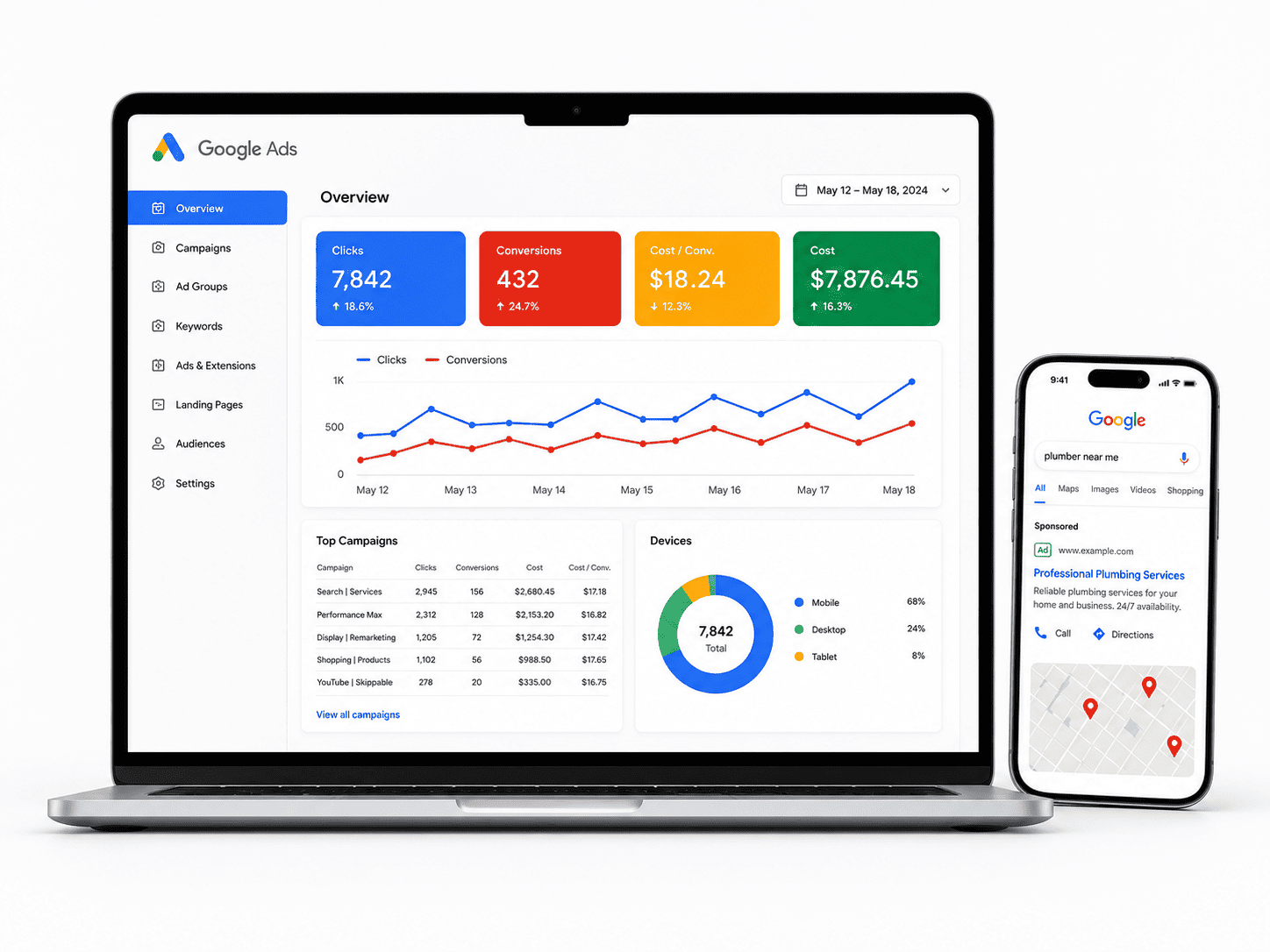
| Google Ads | Paid search campaigns | Landing pages and conversion tracking |
| Meta Business Suite | Facebook and Instagram advertising | Pixel installation and audience retargeting |
Ask how these connections will be tested. A broken form or a misconfigured tracking pixel can quietly waste months of effort.
Measuring and Analyzing Website Performance with Analytics
You cannot improve what you do not measure. A solid analytics setup should track traffic sources, conversions, and user behavior. At minimum, install a privacy-conscious analytics platform, configure goals for contact forms and purchases, and connect Google Search Console to monitor indexing and search queries. For Canadian sites, ensure your consent management and cookie notices comply with PIPEDA and, where applicable, Quebec’s Law 25.
One practical way to verify that analytics is receiving data during development is to check the real-time report after loading a page. If you are using a command-line tool to test a tracking endpoint, a simple request can confirm the server responds:
curl -I https://www.google-analytics.com/collectReview performance monthly, not annually. Track which pages bring in qualified leads, which keywords convert, and where visitors drop off. Then feed those insights back into content, SEO, and design decisions. A website is never finished; it is a marketing asset that improves with attention.
10. How Will You Maintain and Update the Website After Launch?
Launch day is a milestone, not a finish line. A WordPress website is a living product: its core software, themes, and plugins receive frequent updates, while security threats and content expectations evolve continuously. In Canada, where the Personal Information Protection and Electronic Documents Act (PIPEDA) and provincial privacy laws can apply to the data your site collects, neglecting maintenance is both a technical and a compliance risk. Before the project begins, agree clearly on who owns post-launch care and how it will be funded.
Developing a Post-Launch Maintenance Schedule
A written schedule removes ambiguity and prevents small issues from becoming expensive emergencies. The right cadence depends on your traffic, e-commerce activity, and how often you publish, but a practical baseline looks like this:
| Frequency | Task |
|---|---|
| Weekly | Review and apply WordPress core, theme, and plugin updates; run a malware scan; verify backups completed successfully |
| Monthly | Test forms and checkout flows; check broken links; review uptime and performance reports; update content as needed |
| Quarterly | Audit user accounts and permissions; review analytics and search performance; test the restore process from a backup |
| Annually | Assess hosting and plugin needs; review accessibility and privacy compliance; plan a design or content refresh |
Staging environments matter here. Updates should be tested on a staging copy before reaching the live site, especially for e-commerce or membership sites where a single plugin conflict can interrupt revenue.
Choosing Between In-House, Freelance, or Agency Support
There is no universally correct answer, only the option that matches your team’s capacity and risk tolerance.
- In-house: Best when you have a developer or technically confident staff member. You gain speed and institutional knowledge, but you carry the risk if that person leaves or lacks security expertise.
- Freelancer: Often the most affordable choice for small business sites. Look for someone with WordPress-specific experience, a clear response-time commitment, and a documented handover process. Single-person availability can be a vulnerability during holidays or illness.
- Agency: Provides redundancy, formal service-level agreements, and broader skills across development, SEO, and security. It costs more, but the continuity is valuable for sites that generate leads or sales daily.
Whichever route you choose, insist on documented access credentials, a maintenance log, and a defined process for requesting changes.
Budgeting for Ongoing WordPress Maintenance in Canada
Ongoing costs typically include managed hosting, domain renewal, premium plugin or theme licences, backup and security services, and either staff time or a retainer. Canadian pricing varies widely by provider and scope, so request itemised quotes rather than a single bundled figure, and confirm whether taxes and emergency support are included. Set aside a contingency for unexpected fixes, and treat maintenance as a fixed line in your annual operating budget rather than an optional extra. A modest, predictable spend on updates and backups is almost always cheaper than recovering a hacked or broken site.
Frequently Asked Questions
Why should I ask about business goals before starting a WordPress web design project in Canada?
Your website should support measurable business goals, not just look good. In Canada, your goals may include reaching local customers, supporting bilingual audiences, or complying with provincial and federal privacy laws. Asking about goals first helps your designer choose the right WordPress theme, plugins, hosting, and content structure. It also prevents scope creep and ensures your budget is spent on features that drive leads, sales, or engagement. Without clear goals, you risk building a site that is difficult to measure and may need costly rework later.
How much should a WordPress web design project cost in Canada?
Costs vary widely based on complexity, custom design, content creation, ecommerce, and accessibility requirements. A simple brochure site may start in the low thousands of Canadian dollars, while custom or multilingual ecommerce projects can reach five figures or more. Ask for a detailed estimate that separates design, development, hosting, plugins, content, and ongoing maintenance. Also clarify whether taxes, stock images, copywriting, and third-party licenses are included. Getting a written scope and payment schedule helps you compare quotes fairly and avoid surprise fees.
What Canadian privacy laws affect WordPress websites?
Canada’s federal private-sector privacy law, PIPEDA, applies to many organizations that collect personal information. Some provinces have their own private-sector laws, such as Quebec’s Law 25, Alberta’s PIPA, and British Columbia’s PIPA. If you collect contact details, analytics, or ecommerce data, your WordPress site should include a privacy policy, consent mechanisms, and secure data handling. Ask your designer how they will support compliance, including cookie notices, data retention, and secure forms. For legal advice, consult a Canadian privacy lawyer.
Do I need a bilingual WordPress website for Canadian customers?
It depends on your audience and legal obligations. If you serve Quebec customers or are subject to the Charter of the French Language, French language requirements may apply. Many Canadian businesses choose bilingual WordPress sites to reach both English and French audiences. Ask whether your project needs translation, multilingual plugins, separate URLs, and localized SEO. Also consider whether content will be professionally translated or machine translated. Planning bilingual structure early prevents expensive restructuring later.
How do I choose the right WordPress hosting for a Canadian website?
Look for hosting with Canadian data centers or CDN coverage if latency and data residency matter. Consider performance, uptime, backups, security, SSL, staging environments, and WordPress-specific support. Managed WordPress hosting often costs more but can reduce maintenance burden. Ask whether the host complies with Canadian privacy expectations and where data is stored. Also confirm how traffic spikes, ecommerce, and multilingual content are handled. The right host should match your budget, technical capacity, and growth plans.
What accessibility standards should a Canadian WordPress website meet?
Many Canadian organizations aim to meet WCAG 2.2 Level AA, which supports the Accessibility for Ontarians with Disabilities Act and other accessibility commitments. Accessible WordPress design includes proper headings, alt text, keyboard navigation, color contrast, and form labels. Ask your designer how they test accessibility, whether they use automated and manual checks, and how they handle third-party plugins. Accessibility is both an ethical and legal consideration, and it can improve SEO and user experience for all visitors.
How will the WordPress project handle SEO and analytics in Canada?
Ask how the project will handle technical SEO, keyword research, local SEO, and analytics. For Canadian audiences, that may include Google Business Profile, local citations, bilingual metadata, and province-specific landing pages. Confirm who sets up Google Analytics 4 or a privacy-friendly alternative, search console verification, XML sitemaps, and schema markup. Also clarify whether SEO copywriting is included or if you need to provide content. A clear SEO plan prevents launch-day surprises and helps you measure performance after go-live.
What should I ask about ongoing WordPress maintenance and support?
Ask what happens after launch. WordPress sites need core, theme, and plugin updates, backups, security monitoring, and performance checks. Clarify whether maintenance is included, billed monthly, or handled by your team. Ask about response times, support hours, update policies, and how emergency issues are handled. Also confirm ownership of the site, hosting account, and licenses. A written maintenance agreement protects your investment and keeps your Canadian website secure, fast, and reliable over time.
Sources and further reading
- Office of the Privacy Commissioner of Canada – PIPEDA
- Office of the Privacy Commissioner of Canada – Privacy Laws in Canada
- Government of Canada – Official Languages Act
- W3C Web Content Accessibility Guidelines (WCAG) 2.2
- WordPress.org – Hosting
- WordPress.org – Requirements
- Google Search Central – SEO Starter Guide
- Canadian Anti-Spam Legislation (CASL)
- Office of the Privacy Commissioner of Canada – Privacy Act
- Statistics Canada – Digital Economy and Society