
Canada
118 Minute
What Makes a Successful WordPress Web Design Project in Canada? A Comprehensive Guide

Introduction: Why WordPress and Why Canada?
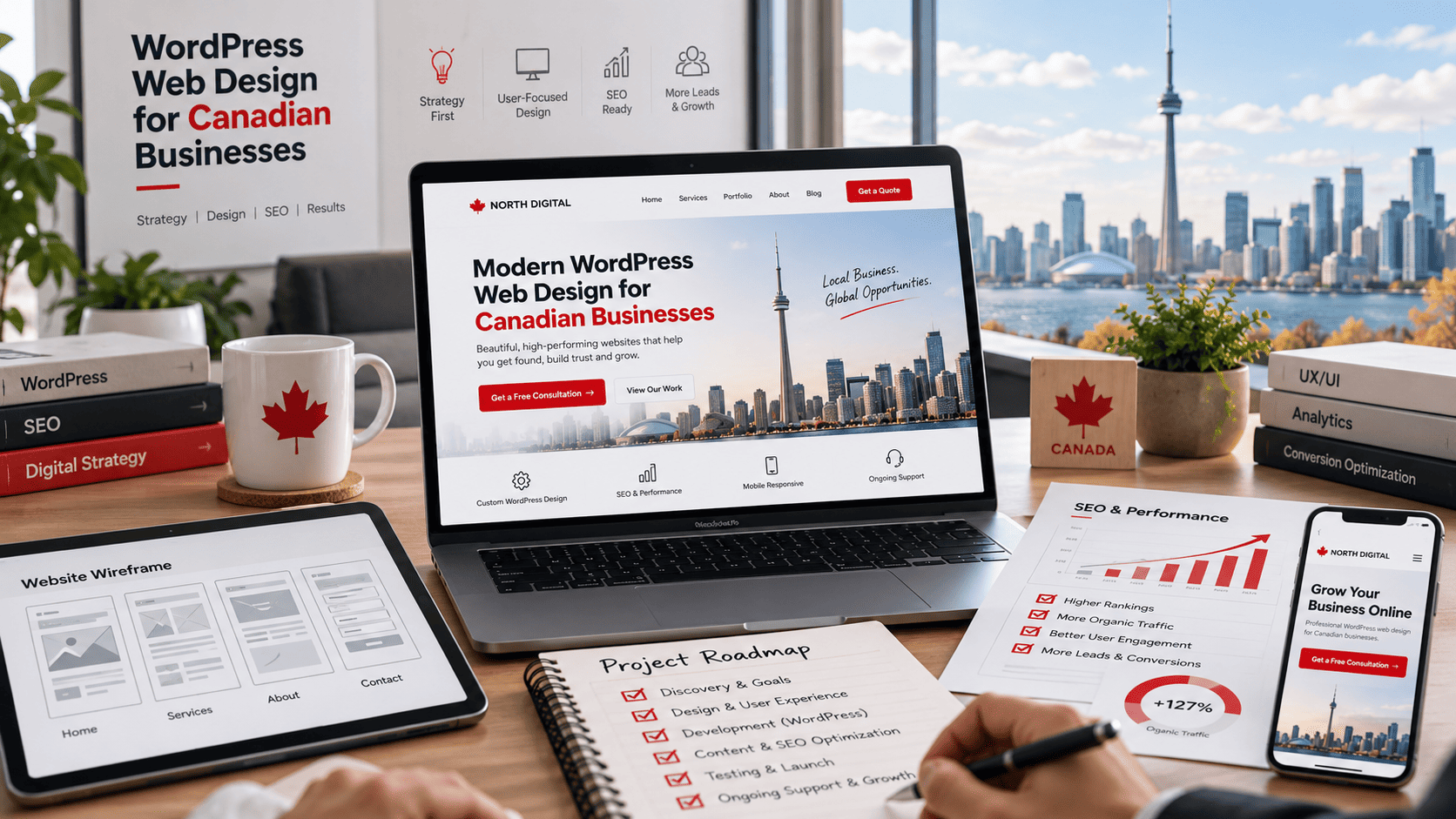
When a business in Canada decides to build or rebuild its website, the conversation almost always begins with WordPress. As the world’s most widely used content management system, WordPress powers a substantial share of the global web, and its footprint in Canada is just as significant. But a successful WordPress web design project in Canada is not simply a matter of installing a theme and publishing pages. The Canadian market brings its own expectations, regulations, and regional quirks that shape what “success” actually means. Understanding why WordPress dominates and how the Canadian digital landscape differs is the essential first step before any design or development work begins.
The Popularity of WordPress in Canada: Stats and Trends
WordPress consistently ranks as the leading CMS worldwide, and Canadian businesses have embraced it for many of the same reasons their global counterparts have: flexibility, a mature plugin ecosystem, strong SEO foundations, and a low barrier to entry. Several trends stand out in the Canadian context:
- Wide adoption across sectors: From independent retailers in Halifax to government-adjacent organizations in Ottawa, WordPress is used by small businesses, nonprofits, media outlets, and large enterprises alike.
- Growth of managed WordPress hosting: Canadian agencies and hosts increasingly offer managed hosting with Canadian data residency options, appealing to privacy-conscious clients.
- Block editor and full-site editing: The shift toward Gutenberg-based design has made it easier for Canadian teams to maintain their own sites without constant developer involvement.
- Headless and API-driven builds: More Canadian organizations are using WordPress as a headless CMS, pairing it with modern front-end frameworks for performance and multi-channel content delivery.
These trends matter because they set expectations. Clients in Canada increasingly assume their WordPress site will be fast, mobile-friendly, accessible, and easy to update.
Key Characteristics of the Canadian Market: Bilingualism, Geography, and Consumer Behavior
Canada is not a single, uniform market. Three characteristics in particular influence how a WordPress project should be planned and executed:
- Bilingualism: English and French are both official languages. In Quebec, French language requirements are governed by law, and many national brands maintain fully bilingual sites. A successful project often includes multilingual architecture, translated content, and language-specific SEO.
- Geography: Canada spans six time zones and vast distances. Bandwidth, latency, and hosting location affect performance. Serving content from Canadian data centres or using a CDN with Canadian points of presence can improve speed and support data residency expectations.
- Consumer behavior: Canadian users expect clear pricing, transparent privacy practices, and accessible design. Trust signals, local contact information, and compliance with privacy legislation such as PIPEDA and Quebec’s Law 25 influence conversion rates.
Ignoring these factors can result in a technically sound site that still underperforms with its intended audience.
Defining Success in a WordPress Web Design Project: Beyond Aesthetics
A beautiful WordPress site is not automatically a successful one. In the Canadian context, success should be measured against a broader set of outcomes:
| Dimension | What Success Looks Like |
|---|---|
| Performance | Fast load times across Canadian regions and devices |
| Accessibility | Compliance with WCAG and provincial accessibility standards |
| Bilingual support | Accurate English and French content with proper hreflang |
| Privacy compliance | Alignment with PIPEDA and applicable provincial laws |
| Business results | Measurable leads, sales, or engagement against defined KPIs |
Ultimately, a successful WordPress web design project in Canada combines technical excellence, cultural and legal awareness, and a clear connection to business goals. The sections that follow explore each of these elements in detail.
Understanding the Canadian Audience and Market
Canada is not a single, uniform market. It is a country of roughly 40 million people spread across six time zones, with two official languages, hundreds of cultural communities, and dramatically different living patterns from downtown Toronto to remote Newfoundland outports. A WordPress web design project that succeeds in Canada rarely does so by accident; it succeeds because the design team treats geography, language, and culture as structural requirements rather than afterthoughts. Before choosing a theme, a hosting region, or a colour palette, you need a clear picture of who will actually be visiting the site and under what conditions.
Bilingual Design: English and French Language Considerations
Under the Official Languages Act, federal institutions and many federally regulated businesses must communicate in both English and French. Even where it is not legally required, French-language content signals respect to roughly seven million French speakers, concentrated in Quebec but present in every province and territory. For WordPress, this means planning for true multilingual architecture rather than a translation plugin bolted on at launch.
- Structure: Decide early between subdirectories (
/fr/), subdomains (fr.example.ca), or separate domains. Subdirectories usually preserve SEO authority best for small and mid-sized sites. - Plugins: WPML and Polylang are the common choices; both handle translated slugs, menus, and hreflang tags, which tell search engines which language version to serve.
- Content, not just labels: Machine-translated body copy reads poorly to francophone audiences. Budget for human review, especially for legal, medical, or sales pages.
- Layout: French text typically runs 15–20% longer than English. Navigation menus, buttons, and hero headlines must be tested in both languages to avoid broken layouts.
Cultural Diversity and Inclusive Design Principles
Canada welcomes a large share of the world’s immigrants, and its largest cities are among the most culturally varied on earth. Inclusive design is therefore a practical conversion strategy, not just an ethical one. Use imagery that reflects a range of ages, ethnicities, body types, and abilities. Avoid idioms, sports metaphors, and humour that may not translate across cultures. Respect religious and cultural calendars when scheduling campaigns. Meet accessibility expectations: the Accessible Canada Act and provincial standards such as AODA in Ontario make WCAG 2.1 AA conformance a sensible baseline. In WordPress, that means semantic heading order, descriptive alt text, sufficient colour contrast, keyboard-navigable menus, and captions for video.
Regional Differences: Urban vs. Rural and Coast to Coast
Design decisions that work in Vancouver may fail in rural Saskatchewan. Connection quality, device mix, and local expectations shift considerably across the country.
| Factor | Urban centres | Rural and remote regions |
|---|---|---|
| Connection speed | Generally fast fibre and cable | Often slower, sometimes metered satellite |
| Design implication | Rich media is usually feasible | Compress images, lazy-load, limit video |
| Local signals | Neighbourhood and transit references | Regional names, distances, service areas |
Regional relevance also extends to content. A retailer serving Atlantic Canada should reference local shipping realities; a service business in the Prairies should name the communities it actually covers. Pairing this with Canadian hosting or a CDN with Canadian edge locations keeps load times reasonable from St. John’s to Victoria. In short, successful Canadian WordPress projects are built for many audiences at once, and the design system must carry that weight from the first wireframe onward.
Planning and Strategy: The Foundation of Success
A successful WordPress web design project in Canada rarely begins with choosing a theme or a plugin. It begins with a plan. Canadian businesses operate in a diverse, bilingual, and regionally fragmented market, which means a website built on assumptions rather than strategy often fails to connect with its intended audience. Thorough planning aligns design decisions with business objectives, budget, and measurable outcomes, reducing costly revisions later in the project.
Strategy also protects your investment. According to widely accepted project management principles, defects and misalignments caught during planning cost far less to correct than those discovered after launch. For a WordPress project, this means agreeing on purpose, audience, content, and success metrics before development begins.
Defining Clear Goals and KPIs for Your WordPress Site
Every design choice should trace back to a defined goal. Vague ambitions such as “we need a better website” cannot guide decisions about navigation, page structure, or calls to action. Instead, translate business objectives into specific, measurable goals.
Useful goal categories for Canadian WordPress projects include:
- Lead generation: quote requests, consultation bookings, or demo sign-ups
- E-commerce: completed purchases, average order value, and cart abandonment rate
- Brand authority: organic traffic growth, time on page, and returning visitors
- Client service: support ticket deflection through self-serve content
Each goal needs a key performance indicator (KPI) with a baseline and a target. For example, if the goal is lead generation, a KPI might be a 20% increase in form submissions within six months of launch. Because WordPress integrates with analytics and SEO tools, these metrics can be tracked from day one rather than estimated after the fact.
Conducting Market and Competitor Research in Canada
Canada is not a single market. Buyers in Toronto, Montreal, Vancouver, and rural regions may differ in language preference, device usage, and purchasing behaviour. Research should reflect that reality. This includes reviewing competitors’ WordPress sites for structure, speed, and content depth, and noting gaps your business can fill.
Consider the following comparison when evaluating your competitive position:
| Research Area | What to Examine | Why It Matters |
|---|---|---|
| Audience | Language, location, device type, search intent | Shapes content, layout, and accessibility requirements |
| Competitors | Site speed, navigation, calls to action, pricing transparency | Reveals standards and opportunities to differentiate |
| Compliance | Privacy obligations such as PIPEDA, plus provincial rules | Affects forms, cookies, and data handling on the site |
| Search landscape | Keywords, local SEO signals, bilingual search terms | Determines content priorities and site architecture |
This research prevents guesswork and gives stakeholders evidence for design and content decisions.
Creating a Detailed Project Roadmap and Timeline
A roadmap converts strategy into an actionable sequence. It should identify phases, responsibilities, dependencies, and review points. A typical WordPress project roadmap includes discovery, information architecture, wireframes, visual design, development, content migration, quality assurance, launch, and post-launch support.
Build in time for stakeholder feedback and content preparation, since content delays are a common cause of missed deadlines. Assign a single decision-maker to approve each milestone, and document scope changes in writing. With a clear roadmap, the project stays accountable to its goals and reaches launch with fewer surprises.
Design Excellence: Aesthetics Meets Functionality
A successful WordPress web design project in Canada rarely succeeds on looks alone. Canadian audiences browse in two official languages, on unreliable mobile connections in rural areas, and expect websites that work for people with disabilities. Design excellence means every visual decision also serves a functional purpose. When aesthetics and usability pull in the same direction, you get a site that feels polished and performs under real-world Canadian conditions.
Responsive Design: Catering to Mobile-First Canadian Users
Mobile-first design is not optional in Canada. Many visitors arrive from phones, and a large share of traffic comes from regions where cellular coverage is inconsistent. A responsive WordPress theme should adapt fluidly from a 320px screen to a 4K desktop without horizontal scrolling, overlapping text, or unreadable buttons.
Practical priorities include:
- Touch targets of at least 44 by 44 pixels for thumbs, not cursors.
- Readable base font sizes of 16px or larger, with line lengths of 50 to 75 characters.
- Compressed images served in modern formats such as WebP or AVIF.
- Layouts that reflow columns into a single vertical stack on small screens.
- Tested behavior on iOS Safari and Android Chrome, the dominant Canadian mobile browsers.
WordPress makes this easier with block themes and responsive settings, but you still need to verify breakpoints manually. A quick way to audit a live site is to check how many CSS breakpoints it actually uses. In your browser console, you can inspect media queries with:
document.styleSheets.lengthThat command only counts stylesheets, so pair it with browser developer tools to review each media query and confirm the layout holds at 320px, 768px, and 1440px widths.
Accessibility Standards: Meeting AODA and WCAG Guidelines
Accessibility is both an ethical obligation and, for many Ontario organizations, a legal one. The Accessibility for Ontarians with Disabilities Act (AODA) sets requirements for public-facing websites, and the Web Content Accessibility Guidelines (WCAG) 2.1 Level AA provides the technical standard most Canadian projects aim to meet.
Core actions for a WordPress build include:
- Semantic headings in logical order, never chosen for size alone.
- Alt text on meaningful images and empty alt attributes on decorative ones.
- Color contrast ratios of at least 4.5:1 for normal text.
- Keyboard navigation for menus, forms, and modal windows.
- Visible focus indicators and clear error messages on forms.
Plugins can help, but they cannot replace manual testing with a screen reader or keyboard alone.
Visual Identity: Reflecting Canadian Brand Values
Canadian brand values often lean toward clarity, inclusivity, and understatement. Visual identity should express those traits rather than imitate American or global trends by default. Practical choices include bilingual typography that supports French accents correctly, imagery that reflects the country’s diversity, and color palettes that remain legible in bright outdoor light.
| Design Element | Canadian Consideration |
|---|---|
| Typography | Full support for French diacritics and letter spacing |
| Imagery | Representation across regions, cultures, and seasons |
| Color | Contrast that holds up on mobile screens outdoors |
| Tone | Direct, inclusive, and free of regional jargon |
When responsiveness, accessibility, and identity align, design stops being decoration. It becomes the foundation of a WordPress project that Canadian users can actually use, trust, and remember.
Development Best Practices for WordPress
A successful WordPress web design project in Canada depends as much on disciplined development as it does on attractive visuals. Canadian businesses serve audiences spread across six time zones, two official languages, and a patchwork of regional expectations, so the technical foundation must be built to handle that reality from day one. The following practices help ensure a site that loads quickly, stays secure, and remains manageable long after launch.
Choosing the Right Theme and Plugins for Canadian Businesses
Start with a lightweight, well-coded theme rather than a multipurpose bundle that ships with dozens of unused features. A lean parent theme paired with a child theme keeps customizations safe during updates and makes it easier to maintain bilingual content. If your audience includes French-speaking visitors, confirm the theme supports full localization and right-to-left or accented character rendering without layout breaks.
Plugin selection should follow a simple rule: every plugin must earn its place. Common needs for Canadian sites include:
- Bilingual or multilingual support, such as WPML or Polylang, for English and French content
- Accessibility tools that align with provincial and federal standards
- Local payment gateways alongside international options
- Canadian address and postal code validation for checkout and contact forms
- Privacy and consent tools that reflect Canadian anti-spam and privacy expectations
Audit plugins quarterly, remove anything inactive, and prefer established developers who maintain regular security releases.
Performance Optimization: Speed, Caching, and CDNs
Speed shapes both user experience and search visibility. Canadian hosting needs vary by audience location: a business serving only Ontario may perform well on a Toronto-based server, while a national retailer benefits from infrastructure that reaches both coasts. Choose a host with Canadian data centre options or a provider with strong North American coverage, then layer optimization on top.
| Layer | Purpose | Typical Tool Type |
|---|---|---|
| Caching | Serve pre-built pages instead of generating them per visit | Page and object caching plugins |
| CDN | Deliver assets from edge locations near visitors | Content delivery network with Canadian points of presence |
| Image optimization | Reduce file weight without visible quality loss | Compression and next-gen format conversion |
| Database cleanup | Remove revisions and transient data that slow queries | Scheduled optimization routines |
Set measurable targets, such as fast loading on mobile networks, and test from multiple Canadian regions rather than a single location.
Security and Maintenance: Protecting Your WordPress Site
Security is ongoing, not a one-time setup. Enforce strong administrator credentials, limit login attempts, and keep WordPress core, themes, and plugins updated on a defined schedule. A web application firewall, automated backups stored off-site, and a staging environment for testing changes all reduce risk. For Canadian businesses handling customer data, confirm that backup and hosting arrangements respect applicable privacy obligations. A simple monthly maintenance checklist keeps the site resilient:
- Review and apply core, theme, and plugin updates
- Verify backups complete and restore correctly
- Scan for malware and review user accounts
- Check uptime, speed, and broken links
Together, thoughtful theme and plugin choices, layered performance work, and consistent security habits turn a WordPress build into a dependable long-term asset for any Canadian organization.
Content Strategy and SEO for Canadian Audiences
A successful WordPress web design project in Canada cannot rely on a single generic content strategy. Canada is a bilingual, geographically vast market where search behaviour, legal expectations, and regional preferences vary significantly. Content that performs well in Toronto may underperform in Montreal or Quebec City if it ignores language and local context. To build a site that ranks and converts, your WordPress project should treat content strategy and SEO as core design inputs rather than afterthoughts.
Bilingual Content Creation and Management
English and French are both official languages, and French-speaking audiences often expect a fully localized experience rather than machine-translated pages. In WordPress, this typically means using a multilingual plugin or a multisite setup with separate content trees for English and French. Each language version should have unique titles, meta descriptions, headings, and calls to action written by fluent speakers, not auto-translated strings.
Content management should also account for workflow. Assign editors per language, use translation status labels, and avoid publishing an English page without a corresponding French version where the audience requires it. A practical approach is to define URL structures early, such as /en/services/ and /fr/services/, and to configure hreflang tags so Google serves the correct language version to the correct searcher.
Local SEO: Targeting Canadian Cities and Regions
Canadian search intent is often local. Someone searching for a web design project in Canada may actually be looking for a provider in Halifax, Calgary, or the Greater Toronto Area. Local SEO for a WordPress site should include consistent name, address, and phone number data, province and city landing pages where relevant, and structured data for local businesses.
Useful local SEO elements for Canadian projects include:
- Province-specific service pages that mention local landmarks, regulations, or delivery areas.
- Google Business Profile optimization with correct Canadian postal codes and service regions.
- Local citations in Canadian directories and regional business associations.
- Location-aware internal linking between city, province, and national pages.
Avoid duplicating the same city page across dozens of locations; thin, near-identical pages can dilute rankings. Instead, build genuinely useful regional content that reflects local demand.
Keyword Research for English and French Canadian Markets
Keyword research for Canada should be conducted separately for English and French. Direct translation is not enough because French Canadian search phrases often differ from France French usage. For example, “web design” may map to “conception de sites web” or “création de site web” depending on the province and audience. Use Canadian-specific search volume data where available, and validate terms with native speakers or local search console data.
| Market | Research Focus | Example Consideration |
|---|---|---|
| English Canada | Provincial and city modifiers | “WordPress developer Toronto” vs. “WordPress developer Canada” |
| French Canada | Quebec-specific terminology and accents | “développeur WordPress Montréal” and “agence web Québec” |
Finally, align your WordPress SEO plugin configuration with this bilingual structure. Set language-specific sitemaps, canonical tags, and metadata templates so each audience sees a coherent, locally relevant experience from the first search result to the final conversion.
Ensuring Legal and Regulatory Compliance
A successful WordPress web design project in Canada must account for a legal landscape that differs meaningfully from the United States and the European Union. Canadian privacy, anti-spam, and accessibility rules apply to many organizations operating online, and the specific obligations depend on factors such as where your business is based, where your visitors live, and the nature of your organization. The following overview is general information, not legal advice; consult a qualified Canadian lawyer or privacy professional to confirm what applies to your project.
Privacy Laws: PIPEDA and Provincial Regulations
The Personal Information Protection and Electronic Documents Act (PIPEDA) governs how private-sector organizations collect, use, and disclose personal information in the course of commercial activity. It generally applies to federally regulated businesses and to organizations in provinces without substantially similar private-sector legislation. Several provinces—including Quebec, Alberta, and British Columbia—have their own private-sector privacy laws that may apply instead of PIPEDA. Quebec’s Law 25 has also introduced stricter requirements, such as privacy impact assessments and consent rules for certain technologies.
For a WordPress project, compliance often involves practical design and configuration choices:
- Publish a clear privacy policy explaining what data is collected, why, and how long it is retained.
- Use consent mechanisms for non-essential cookies, analytics, and tracking scripts where required.
- Configure contact forms and newsletter sign-ups to collect only the information you need.
- Review third-party plugins and services to understand where data is stored and transferred.
- Provide a process for individuals to access or correct their personal information.
Anti-Spam Legislation: CASL Compliance for Forms and Emails
Canada’s Anti-Spam Legislation (CASL) sets rules for commercial electronic messages, including email. In general, sending a commercial electronic message requires consent, clear sender identification, and a functioning unsubscribe mechanism. Consent can be express or, in limited circumstances, implied. Because CASL has significant penalties, form and email design deserve attention during development.
| Design Element | Compliance Consideration |
|---|---|
| Newsletter sign-up form | Use unchecked consent boxes; avoid pre-ticked boxes that assume consent. |
| Contact and inquiry forms | Clarify whether submitting the form also subscribes the user to marketing messages. |
| Email templates | Include sender identity, mailing address, and a working unsubscribe link. |
| Consent records | Store the date, source, and wording of consent for each subscriber. |
Accessibility Legislation: AODA and Other Provincial Requirements
Accessibility requirements vary by province and by organization type. Ontario’s Accessibility for Ontarians with Disabilities Act (AODA) includes web accessibility standards that apply to many public-sector, non-profit, and private-sector organizations, with obligations phased in based on size and type. Manitoba and Nova Scotia have their own accessibility legislation, and the federal Accessible Canada Act applies to federally regulated entities. Many organizations choose to follow the Web Content Accessibility Guidelines (WCAG) 2.1 Level AA as a practical benchmark, even where not strictly mandated.
Accessible WordPress design typically includes semantic headings, descriptive alt text, keyboard-navigable menus, sufficient colour contrast, labelled form fields, and captions or transcripts for media. Building these into the theme and content workflow from the start is far more efficient than retrofitting them later.
Collaboration and Communication: Working with Canadian Teams
A successful WordPress web design project in Canada depends as much on people as it does on plugins and themes. Clear communication, disciplined project management, and genuine stakeholder collaboration often separate a smooth launch from a costly rebuild. Because Canadian projects frequently span multiple provinces, languages, and industries, teams need intentional processes rather than ad hoc emails and assumptions.
Choosing the Right Partners: Agencies, Freelancers, or In-House
The first collaborative decision is who builds and maintains the site. Canadian businesses can choose a full-service agency, an independent freelancer, or an in-house team. Each model changes how communication flows and who owns decisions.
- Agencies offer multidisciplinary teams, established workflows, and coverage if a team member leaves. They suit complex builds with integrations, bilingual requirements, or ongoing marketing needs.
- Freelancers provide flexibility and direct access to the person doing the work. They work well for focused projects with clear scope, but capacity can be a risk during busy periods.
- In-house teams keep knowledge and control inside the organization. They need ongoing investment in WordPress expertise, security, and performance monitoring.
Whichever route you take, confirm who owns the WordPress installation, hosting, domain, and design files. Ambiguity here causes friction long after launch.
Project Management Methodologies: Agile, Waterfall, or Hybrid
The methodology should match the project’s uncertainty and the client’s capacity to give feedback. A fixed brochure site with approved content can follow a linear path. A membership portal or e-commerce build benefits from iterative releases and testing.
| Methodology | Best For | Client Involvement | Main Risk |
|---|---|---|---|
| Waterfall | Fixed scope, clear requirements, regulated content | High at milestones | Late discovery of problems |
| Agile | Evolving features, integrations, continuous improvement | Regular sprint reviews | Scope creep without discipline |
| Hybrid | Defined launch with post-launch iterations | Milestones plus check-ins | Unclear ownership between phases |
Overcoming Time Zone and Distance Challenges in Canada
Canada spans six time zones, so a team in St. John’s and a client in Vancouver can be four and a half hours apart. That gap is manageable with a few habits:
- Agree on a shared “overlap window” for live calls and urgent decisions.
- Document decisions in writing so no one relies on memory across time zones.
- Use asynchronous tools for updates, and reserve meetings for debate and approvals.
- Respect bilingual requirements; provide French and English review where needed.
- Set response-time expectations for email, chat, and project management boards.
Stakeholder collaboration also means involving content owners, legal reviewers, and IT early. When everyone understands the timeline and their responsibilities, a Canadian WordPress project stays on budget and launches with fewer surprises.
Testing, Launch, and Post-Launch Maintenance
A successful WordPress web design project in Canada does not end when the design is approved. The final stretch—testing, launch, and ongoing maintenance—determines whether the site performs reliably for Canadian visitors across different browsers, devices, and network conditions. Skipping or rushing these phases is one of the most common reasons projects that looked great in staging fail in the real world.
Quality Assurance: Cross-Browser and Device Testing
Quality assurance should begin before launch, not after. Canadian audiences browse on a wide mix of devices, from older Android phones on mobile networks to desktop Safari on macOS. Test on the browsers your analytics or audience research identifies as most relevant, typically Chrome, Safari, Firefox, and Edge.
Key areas to verify:
- Responsive layout: Check breakpoints at common widths such as 360px, 768px, 1024px, and 1440px.
- Forms and checkout: Confirm that contact forms, quote requests, and e-commerce checkouts submit correctly, including Canadian postal code validation.
- Typography and media: Ensure fonts load properly and images are compressed and served in modern formats such as WebP.
- Accessibility: Test keyboard navigation, colour contrast, and screen reader compatibility against WCAG 2.1 AA expectations.
- Performance: Run Lighthouse or PageSpeed Insights to catch render-blocking scripts and oversized assets.
For a quick performance check from the command line, you can use:
npx lighthouse https://example.ca --output html --output-path ./report.html --preset desktopLaunch Checklist: From DNS to Analytics
Launch day should be methodical. Work through a checklist so nothing critical is missed while the site goes live.
| Step | Action |
|---|---|
| Backups | Create a full backup of the staging and production environments. |
| DNS | Point the domain to the correct hosting IP and verify propagation. |
| SSL | Install and force HTTPS, then update internal links and canonical URLs. |
| Search visibility | Remove staging noindex rules and submit the XML sitemap. |
| Analytics | Confirm Google Analytics or an alternative is firing, and set up Search Console. |
| Redirects | Map old URLs to new ones to preserve SEO equity and avoid 404 errors. |
After launch, monitor uptime, error logs, and form submissions closely for the first 48 hours.
Ongoing Maintenance and Updates: Keeping Your Site Secure and Fresh
Launch is the beginning of the site’s lifecycle, not the end. WordPress sites require regular care to stay secure, fast, and relevant. Establish a maintenance schedule that includes:
- Core, theme, and plugin updates: Apply updates in a staging environment first, then push to production.
- Security monitoring: Use a firewall, malware scanning, and strong authentication, including two-factor login.
- Backups: Automate daily or weekly backups and store copies off-site.
- Performance checks: Review caching, image optimisation, and database health quarterly.
- Content refreshes: Update service pages, blog posts, and seasonal Canadian promotions to keep the site useful and current.
A documented maintenance plan protects your investment and ensures the site continues to support your organisation long after the initial WordPress web design project in Canada is complete.
Measuring Success and Continuous Improvement
A successful WordPress web design project in Canada is not finished on launch day. Success is better understood as a moving target that must be measured, reviewed, and refined over time. Canadian businesses operate in a competitive digital landscape shaped by bilingual audiences, provincial privacy expectations, mobile-first browsing, and seasonal buying patterns. Continuous improvement keeps a WordPress site relevant, fast, and aligned with business goals long after the initial design and development phase ends.
Key Performance Indicators: Traffic, Engagement, and Conversions
Effective measurement begins with clear key performance indicators (KPIs). These should connect directly to the goals set during the WordPress project’s discovery phase, whether the aim is lead generation, e-commerce sales, brand awareness, or customer support. A useful framework groups KPIs into three categories: traffic, engagement, and conversions.
| KPI Category | Example Metrics | What It Reveals |
|---|---|---|
| Traffic | Organic sessions, referral traffic, direct visits, local search visibility | Whether the site attracts the right audience across Canadian regions |
| Engagement | Time on page, scroll depth, bounce rate, pages per session, video plays | Whether content resonates and keeps visitors interested |
| Conversions | Form submissions, purchases, phone clicks, newsletter sign-ups, bookings | Whether the site turns interest into measurable business value |
Context matters. A high bounce rate on a blog post may be normal, while the same rate on a service page could signal unclear messaging or slow load times. Comparing performance by device, province, language, and traffic source helps Canadian teams interpret KPIs accurately rather than relying on national averages alone.
Using Analytics to Drive Decisions
Analytics should answer questions, not simply produce reports. A well-configured WordPress analytics setup includes goal tracking, event tracking for key interactions, and segmentation for meaningful audience groups. Common tools such as Google Analytics 4, Google Search Console, and WordPress-compatible heatmap or session-recording plugins can reveal where users hesitate, drop off, or succeed.
To drive decisions, follow a simple review rhythm:
- Define the question before opening the dashboard, such as “Why did mobile conversions decline last month?”
- Segment the data by device, channel, region, and language to isolate the cause.
- Pair quantitative data with qualitative evidence from user testing or feedback.
- Prioritise changes by expected impact and implementation effort.
- Document the hypothesis, the change, and the result for future reference.
This discipline prevents random redesigns. Instead, decisions are tied to observed behaviour, such as simplifying a checkout step, improving French-language navigation, or adjusting calls to action for local audiences.
Iterative Design and Development: The Cycle of Improvement
Iterative improvement treats the WordPress site as a product rather than a one-time deliverable. A practical cycle includes four stages: measure, analyse, implement, and validate. After each release, monitor KPIs and user feedback, then feed those insights into the next planning cycle. Small, frequent updates often outperform large, infrequent overhauls because they are easier to test and less disruptive.
User feedback is a critical input. Surveys, support tickets, usability tests, and customer interviews can uncover friction that analytics alone misses. Combining these sources with performance monitoring, accessibility checks, and security updates ensures the site remains trustworthy, inclusive, and fast. Over time, this cycle sustains a successful WordPress web design project in Canada by keeping the site aligned with evolving audience needs, search behaviour, and business objectives.
Frequently Asked Questions
What defines a successful WordPress web design project in Canada?
Success means the site meets Canadian user and legal expectations while supporting business goals. That includes fast performance, mobile-first responsive design, WCAG 2.2 AA accessibility, clear bilingual options where required, PIPEDA-aligned privacy practices, and strong SEO foundations. It also requires maintainable WordPress architecture, secure hosting, analytics, and a governance plan for updates, backups, and content ownership. Ultimately, success is measured by outcomes: qualified leads, conversions, reduced support requests, and measurable improvements after launch.
Do Canadian websites need to be bilingual?
Not all Canadian websites must be bilingual. Federal institutions have Official Languages Act obligations, and Quebec has Charter of the French Language requirements for many commercial contexts. For private businesses outside Quebec, bilingual design is often a strategic choice based on audience. Successful projects plan language architecture early, use WordPress multilingual plugins or multisite when appropriate, and ensure navigation, forms, SEO metadata, and legal pages are localized rather than machine-translated.
How does PIPEDA affect WordPress design and development?
PIPEDA applies to private-sector organizations that collect, use, or disclose personal information in commercial activities. In WordPress projects, this affects privacy policies, consent for analytics and marketing cookies, contact form data handling, data retention, and third-party processors. Teams should minimize data collection, secure admin access, use reputable hosting, and document vendor agreements. Quebec’s Law 25 adds further requirements, so Canadian projects should align privacy design with the strictest applicable provincial and federal rules.
What accessibility standard should a Canadian WordPress site meet?
WCAG 2.2 Level AA is the practical target for most Canadian websites. It covers perceivable, operable, understandable, and robust content: alternative text, keyboard navigation, sufficient contrast, clear focus states, captions, and accessible forms. Ontario’s AODA and other provincial rules may impose legal duties. Successful projects test with automated tools and manual methods, including screen readers and keyboard-only navigation, then document conformance and remediation plans.
Which hosting setup works best for Canadian WordPress sites?
Choose Canadian or North American data centres with strong latency to your primary audience, SSD storage, PHP 8.1+ support, object caching, CDN integration, staging environments, automated backups, and 24/7 monitoring. For privacy-sensitive clients, Canadian data residency can simplify compliance and vendor reviews. Managed WordPress hosting often provides better security patching and performance tuning than generic shared hosting, but confirm backup restoration, DDoS protection, and support response times in writing.
How important is Core Web Vitals for WordPress SEO in Canada?
Core Web Vitals are important because Google uses page experience signals alongside relevance and quality. For Canadian audiences, performance also affects mobile conversions and accessibility. Optimize largest contentful paint with efficient themes, image compression, modern formats, and caching; reduce interaction to next paint by limiting heavy scripts; and stabilize cumulative layout shift with reserved media space. Measure field data in Search Console and lab data in PageSpeed Insights before and after launch.
What WordPress theme and plugin strategy reduces long-term risk?
Use a lightweight, well-maintained theme or block theme with a clear update path, and keep plugins minimal, reputable, and actively supported. Avoid nulled software and abandoned plugins. Prefer core WordPress features where possible, document every plugin’s purpose, and stage updates before production. A successful Canadian project also plans for content editing by non-technical staff, so block patterns, reusable templates, and role-based permissions should be part of the build.
How should you measure WordPress web design success after launch?
Define KPIs before design begins: conversion rate, qualified leads, organic traffic, keyword rankings, page speed, accessibility conformance, and support ticket volume. Use privacy-compliant analytics and Google Search Console, then review monthly against baselines. Successful Canadian projects also track bilingual engagement, form completion by language, and mobile versus desktop behaviour. Establish a 30/60/90-day post-launch review and a quarterly optimization cycle so design and content improvements continue after the initial build.
Sources and further reading
- WordPress.org – Requirements
- WordPress.org – Accessibility
- W3C – Web Content Accessibility Guidelines (WCAG) 2.2
- W3C – WCAG 2.2 Understanding Documents
- Office of the Privacy Commissioner of Canada – PIPEDA
- Office of the Privacy Commissioner of Canada – Privacy Toolkit
- Commission d’accès à l’information du Québec – Law 25
- Government of Canada – Official Languages Act
- Google Search Central – Core Web Vitals
- web.dev – Core Web Vitals